
Rapid-MLX — AI inference for Apple Silicon. Drop-in OpenAI API, 2-4x faster than Ollama.
Verified details
These details have been verified by PyPIProject links
GitHub Statistics
Maintainers

Project description

Rapid-MLX
Run AI on your Mac. Faster than anything else.




Run local AI models on your Mac — no cloud, no API costs. Works with Cursor, Claude Code, and any OpenAI-compatible app.
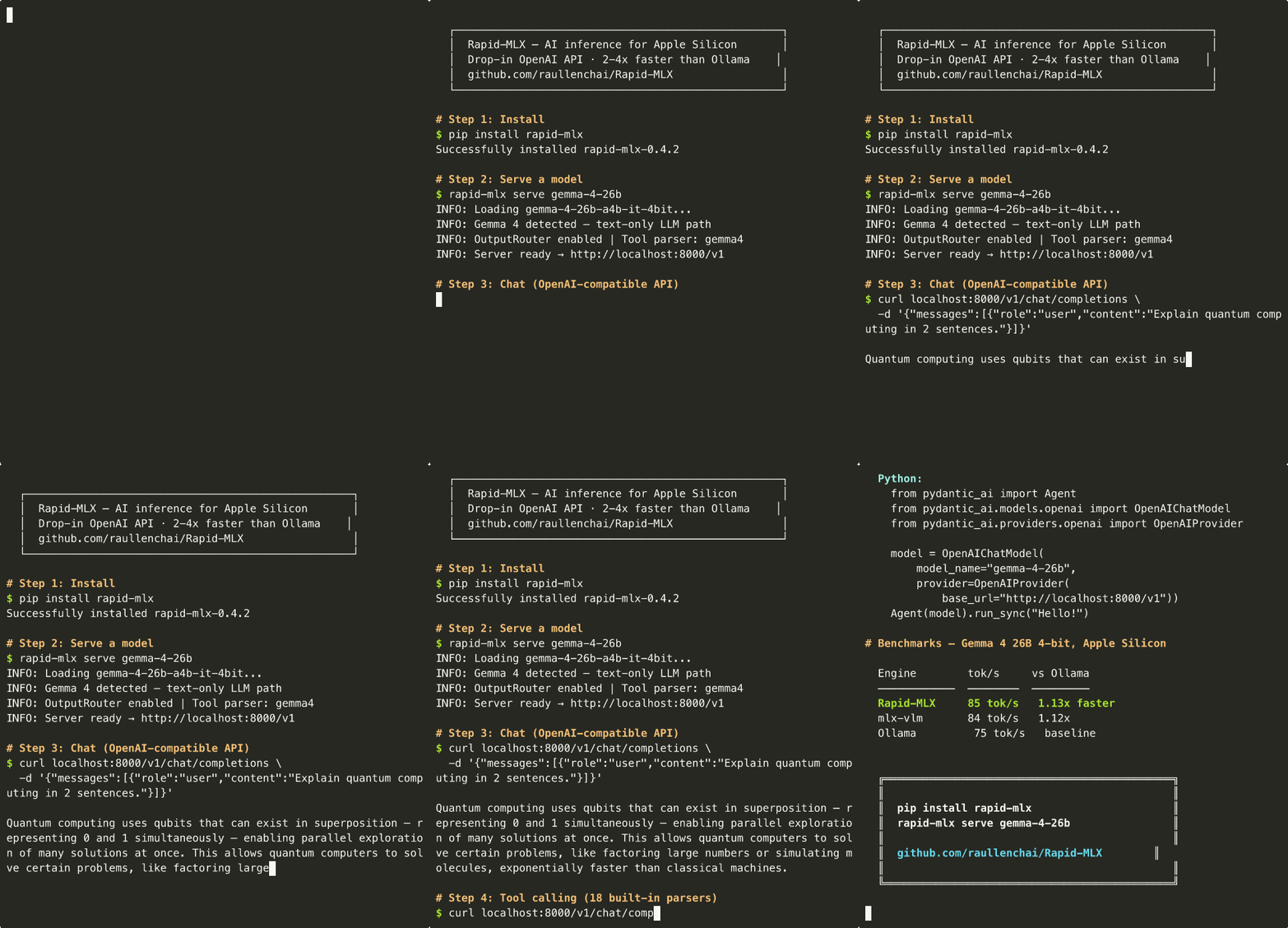
pip install → serve Gemma 4 26B → chat + tool calling → works with PydanticAI, LangChain, Aider, and more.
| Your Mac | Model | Speed (tok/s = words/sec) | What works | |
|---|---|---|---|---|
| 16 GB MacBook Air | Qwen3.5-4B | 168 tok/s | Chat, coding, tools | |
| 64 GB Mac Mini / Studio | Qwen3.5-35B | 83 tok/s | Best balance of smart + fast | |
| 96+ GB Mac Studio / Pro | Qwen3.5-122B | 57 tok/s | Frontier-level intelligence |
New to local AI? Quick glossary
- tok/s (tokens per second) — roughly how many words the AI generates per second. Higher = faster.
- 4bit / 8bit — compression levels for models. 4bit uses less memory (recommended); 8bit is higher quality.
- TTFT (Time To First Token) — how long before the AI starts responding.
- Tool calling — the AI can call functions in your code. Used by Cursor, Claude Code, and coding assistants.
- OpenAI API compatible — Rapid-MLX speaks the same language as ChatGPT's API, so any app that works with ChatGPT can work with Rapid-MLX by just changing the server address.
- Ollama / llama.cpp — other popular tools for running local AI. Rapid-MLX is 2-4x faster on Apple Silicon.
Quick Start
Step 1 — Install (pick one):
# Homebrew (recommended)
brew install raullenchai/rapid-mlx/rapid-mlx

# pip
pip install rapid-mlx

# Or one-liner with auto-setup
curl -fsSL https://raw.githubusercontent.com/raullenchai/Rapid-MLX/main/install.sh | bash
Step 2 — Serve a model:
rapid-mlx serve gemma-4-26b
First run downloads the model (~14 GB) — you'll see a progress bar. Wait for Ready: http://localhost:8000/v1.
Step 3 — Chat (open a second terminal tab):
curl http://localhost:8000/v1/chat/completions \
  -H "Content-Type: application/json" \
  -d '{"model":"default","messages":[{"role":"user","content":"Say hello"}]}'
That's it — you now have an OpenAI-compatible AI server on localhost:8000. Point any app at http://localhost:8000/v1 and it just works.
Tip: Run
rapid-mlx modelsto see all available model aliases. For a smaller/faster model, tryrapid-mlx serve qwen3.5-9b(~5 GB).
More install options
From source (for development):
git clone https://github.com/raullenchai/Rapid-MLX.git
cd Rapid-MLX && pip install -e .
Vision models (adds torch + torchvision, ~2.5 GB extra):
pip install 'rapid-mlx[vision]'
Audio (TTS/STT via mlx-audio):
pip install 'rapid-mlx[audio]'
Try it with Python (make sure the server is running, then pip install openai):
from openai import OpenAI
client = OpenAI(base_url="http://localhost:8000/v1", api_key="not-needed")  # any value works, no real key needed

response = client.chat.completions.create(
    model="default",
    messages=[{"role": "user", "content": "Say hello"}],
)
print(response.choices[0].message.content)
Works With
| Client | Status | Notes |
|---|---|---|
| PydanticAI | Tested | Typed agents, streaming, structured output, multi-tool (test) |
| smolagents | Tested | CodeAgent + ToolCallingAgent + multi-tool (test) |
| LibreChat | Tested | Docker E2E (register, login, fetch models) (test) |
| LangChain | Tested | ChatOpenAI, tools, streaming (test) |
| Anthropic SDK | Tested | Native /v1/messages endpoint (test) |
| Aider | Tested | CLI edit-and-commit workflow (test) |
| OpenCode | Compatible (manual) | opencode.json provider config; agent loop behavior is model-sensitive |
| Claw Code | Tested | Prompt, code gen, tool calling (read_file) — both OpenAI & Anthropic endpoints |
| OpenClaude | Tested | CLAUDE_CODE_USE_OPENAI=1 + OPENAI_BASE_URL; prompt, tool calling |
| Hermes Agent | Tested | provider: custom + base_url; 62 tools, tool calling, multi-turn |
| Goose | Tested | Ollama provider via OLLAMA_HOST; prompt, shell tool use |
| OpenClaw | Compatible (manual) | 14 tools, multi-round, streaming; setup wizard required |
| Open WebUI | Tested | Docker E2E (register, login, model fetch, streaming chat) (test) |
| Claude Code | Compatible (manual) | OPENAI_BASE_URL=... env var; not in automated suite |
| Cursor | Compatible (manual) | Settings UI config; closed-source GUI, not automatable |
| Continue.dev | Compatible (manual) | VS Code/JetBrains extension; no automation harness |
| Any OpenAI-compatible app | Compatible | Point at http://localhost:8000/v1 |
Quick setup for popular apps:
Cursor: Settings → Models → Add Model:
OpenAI API Base:  http://localhost:8000/v1
API Key:          not-needed
Model name:       default          (or qwen3.5-9b — either works)
Cursor's agent/composer mode uses tool calls automatically — Rapid-MLX handles them natively with Qwen3.5 models, no extra flags needed.
Claw Code:
export OPENAI_BASE_URL=http://localhost:8000/v1
export OPENAI_API_KEY=not-needed
claw --model "openai/default" prompt "summarize this repo"
OpenClaude:
CLAUDE_CODE_USE_OPENAI=1 OPENAI_BASE_URL=http://localhost:8000/v1 \
OPENAI_API_KEY=not-needed OPENAI_MODEL=default openclaude -p "hello"
Hermes Agent (~/.hermes/config.yaml):
model:
  provider: "custom"
  default: "default"
  base_url: "http://localhost:8000/v1"
  context_length: 32768
Goose:
GOOSE_PROVIDER=ollama OLLAMA_HOST=http://localhost:8000 \
GOOSE_MODEL=default goose run --text "hello"
Claude Code:
OPENAI_BASE_URL=http://localhost:8000/v1 claude
More client setup instructions
Continue.dev (~/.continue/config.yaml):
models:
  - name: rapid-mlx
    provider: openai
    model: default
    apiBase: http://localhost:8000/v1
    apiKey: not-needed
Aider:
aider --openai-api-base http://localhost:8000/v1 --openai-api-key not-needed
Open WebUI (Docker one-liner):
docker run -d -p 3000:8080 \
  --add-host=host.docker.internal:host-gateway \
  -e ENABLE_OLLAMA_API=False \
  -e OPENAI_API_BASE_URL=http://host.docker.internal:8000/v1 \
  -e OPENAI_API_KEY=not-needed \
  -v open-webui:/app/backend/data \
  --name open-webui \
  ghcr.io/open-webui/open-webui:main
OpenCode (opencode.json in your project root):
{
  "provider": {
    "openai": {
      "api": "http://localhost:8000/v1",
      "models": {
        "default": {
          "name": "rapid-mlx local",
          "limit": { "context": 32768, "output": 8192 }
        }
      },
      "options": { "apiKey": "not-needed" }
    }
  }
}
PydanticAI (pip install pydantic-ai):
from pydantic_ai import Agent
from pydantic_ai.models.openai import OpenAIChatModel
from pydantic_ai.providers.openai import OpenAIProvider

model = OpenAIChatModel(
    model_name="default",
    provider=OpenAIProvider(
        base_url="http://localhost:8000/v1",
        api_key="not-needed",
    ),
)
agent = Agent(model)
print(agent.run_sync("What is 2+2?").output)
smolagents (pip install smolagents):
from smolagents import CodeAgent, OpenAIServerModel

model = OpenAIServerModel(
    model_id="default",
    api_base="http://localhost:8000/v1",
    api_key="not-needed",
)
agent = CodeAgent(tools=[], model=model)
agent.run("What is 5 multiplied by 7?")
LibreChat (librechat.yaml, under endpoints.custom):
- name: "Rapid-MLX"
  apiKey: "rapid-mlx"
  baseURL: "http://localhost:8000/v1/"
  models:
    default: ["default"]
    fetch: true
  titleConvo: true
  titleModel: "current_model"
  modelDisplayLabel: "Rapid-MLX"
Anthropic SDK (pip install anthropic):
from anthropic import Anthropic
client = Anthropic(base_url="http://localhost:8000", api_key="not-needed")

message = client.messages.create(
    model="default",
    max_tokens=1024,
    messages=[{"role": "user", "content": "Say hello"}],
)
print(message.content[0].text)
Choose Your Model
What fits my Mac?
The model has to fit in your Mac's RAM. If your Mac slows down or Activity Monitor shows red memory pressure, pick a smaller model from the table below.
| Your Mac | Best Model | RAM Used | Speed | Quality |
|---|---|---|---|---|
| 16 GB MacBook Air/Pro | Qwen3.5-4B 4bit | 2.4 GB | 168 tok/s | Good for chat and simple tasks |
| 24 GB MacBook Pro | Qwen3.5-9B 4bit | 5.1 GB | 108 tok/s | Great all-rounder |
| 32 GB Mac Mini / Studio | Qwen3.5-27B 4bit | 15.3 GB | 39 tok/s | Solid coding model |
| 36 GB MacBook Pro M3/M4 Pro | Qwen3.5-27B 4bit | 15.3 GB | 39 tok/s | Same as 32 GB — extra headroom for long contexts |
| 48 GB Mac Mini / Studio | Qwen3.5-35B-A3B 8bit | 37 GB | 83 tok/s | Sweet spot — smart + fast |
| 64 GB Mac Mini / Studio | Qwen3.5-35B-A3B 8bit | 37 GB | 83 tok/s | Same model, more room for KV cache |
| 96 GB Mac Studio / Pro | Qwen3.5-122B mxfp4 | 65 GB | 57 tok/s | Best model, fits comfortably |
| 192 GB Mac Studio / Pro | Qwen3.5-122B 8bit | 130 GB | 44 tok/s | Maximum quality |
4bit vs 8bit: 4bit models are compressed to use less memory (recommended for most users). 8bit models are higher quality but need more RAM. "mxfp4" is a high-quality 4bit format.
Copy-paste commands
Pick the one that matches your Mac. Short aliases work — run rapid-mlx models to see all 20.
# 16 GB — lightweight, fast
rapid-mlx serve qwen3.5-4b --port 8000

# 24 GB — best small model
rapid-mlx serve qwen3.5-9b --port 8000

# 32 GB — solid coding model
rapid-mlx serve qwen3.5-27b --port 8000

# 64 GB — sweet spot
rapid-mlx serve qwen3.5-35b --prefill-step-size 8192 --port 8000  # faster first response

# 96+ GB — best model
rapid-mlx serve qwen3.5-122b --kv-bits 8 --prefill-step-size 8192 --port 8000  # --kv-bits 8 saves memory for long chats

# Coding agent — fast MoE, great for Claude Code / Cursor
rapid-mlx serve qwen3-coder --prefill-step-size 8192 --port 8000  # MoE = only uses part of the model, so it's fast

# Vision — image understanding (see note below)
rapid-mlx serve qwen3-vl-4b --mllm --port 8000
Vision deps: Install into the same environment where rapid-mlx lives:
install.shusers:~/.rapid-mlx/bin/pip install 'rapid-mlx[vision]'pipusers:pip install 'rapid-mlx[vision]'(in the same venv)brewusers:$(brew --prefix)/opt/rapid-mlx/libexec/bin/pip install 'rapid-mlx[vision]'
Parser auto-detection & manual overrides
Parsers are auto-detected from the model name — you don't need to specify --tool-call-parser or --reasoning-parser for supported families. Explicit flags always override auto-detection.
| Model Family | Auto-detected --tool-call-parser |
Auto-detected --reasoning-parser |
Notes |
|---|---|---|---|
| Qwen3.5 (all sizes) | hermes |
qwen3 |
Recommended — 100% tool calling |
| Qwen3-Coder-Next | hermes |
(none) | Fast coding, non-thinking mode |
| DeepSeek R1-0528 / V3.1 | deepseek_v31 |
deepseek_r1 |
Dedicated V3.1 parser |
| DeepSeek R1 (older) | deepseek |
deepseek_r1 |
With reasoning |
| DeepSeek V3 / V2.5 | deepseek |
(none) | No reasoning parser |
| GLM-4.7 | glm47 |
(none) | 100% tool calling |
| MiniMax-M2.5 | minimax |
minimax |
XML tool format |
| GPT-OSS | harmony |
harmony |
Native format |
| Kimi-Linear | kimi |
(none) | Kimi tool format |
| Llama 3.x | llama |
(none) | JSON tool format |
| Mistral / Devstral | hermes |
(none) | Hermes-compatible |
| Gemma | hermes |
(none) | Hermes-compatible |
| Phi-3/4 | hermes |
(none) | Hermes-compatible |
All 17 parsers include automatic recovery — if a quantized model outputs broken tool calls as text, they're auto-converted back to structured format.
Benchmarks
22 models tested across 6 engines on Mac Studio M3 Ultra (256GB). Rapid-MLX uses Apple's MLX framework — purpose-built for unified memory with native Metal compute kernels — which is why it beats C++-based engines (Ollama, llama.cpp) on most models. #1 on 16 of 18 benchmarked models. Ollama numbers tested with v0.20.4 (latest, with MLX backend).
| Model | Rapid-MLX | Best Alternative | Speedup |
|---|---|---|---|
| Phi-4 Mini 14B | 180 tok/s | 77 (mlx-lm) / 56 (Ollama) | 2.3x / 3.2x |
| Qwen3.5-4B | 168 tok/s | 155 (mlx-lm serve) | 1.1x |
| GPT-OSS 20B | 127 tok/s · 100% tools | 79 (mlx-lm serve) | 1.6x |
| Qwen3.5-9B | 108 tok/s | 41 (Ollama) | 2.6x |
| Kimi-Linear-48B | 94 tok/s · 100% tools | — (only engine) | — |
| 🆕 Gemma 4 26B-A4B | 85 tok/s · 100% tools | 68 (Ollama) | 1.3x |
| 🆕 Gemma 4 E4B | 83 tok/s · 100% tools | — | — |
| Qwen3.5-35B-A3B | 83 tok/s · 100% tools | 75 (oMLX) | 1.1x |
| Qwen3-Coder 80B | 74 tok/s · 100% tools | 69 (mlx-lm serve) | 1.1x |
| Qwen3.5-122B | 44 tok/s · 100% tools | 43 (mlx-lm serve) | ~1.0x |
| 🆕 Gemma 4 31B | 31 tok/s · 100% tools | — | — |
Full benchmark data with all models, TTFT tables, DeltaNet snapshots, and engine comparison below.
TTFT — Prompt Cache Advantage
Prompt cache keeps multi-turn conversations fast. For standard transformers, KV cache trimming gives sub-100ms TTFT. For hybrid RNN models (Qwen3.5 DeltaNet), we use state snapshots — the first technique to bring prompt cache to non-trimmable architectures on MLX.
Pure KV cache (transformers):
| Model | Rapid-MLX (cached) | mlx-lm serve | Speedup |
|---|---|---|---|
| Kimi-Linear-48B | 0.08s | — | — |
| Llama 3.2 3B | 0.10s | — | — |
| Hermes-3-Llama 8B | 0.10s | 0.18s | 1.8x |
| Phi-4 Mini 14B | 0.13s | 0.15s | 1.2x |
| Devstral-Small-2 24B | 0.13s | 0.38s | 2.9x |
| Mistral Small 24B | 0.13s | 0.38s | 2.9x |
| GLM-4.7-Flash 9B | 0.13s | 0.23s | 1.8x |
| GLM-4.5-Air | 0.14s | 0.47s | 3.4x |
| Qwen3-Coder-Next 80B | 0.16s | 0.27s | 1.7x |
| GPT-OSS 20B | 0.16s | 0.27s | 1.7x |
| Qwen3.5-9B | 0.22s | 0.26s | 1.2x |
| 🆕 Gemma 4 E4B | 0.25s | — (day-0) | — |
| 🆕 Gemma 4 26B-A4B | 0.25s | — (day-0) | — |
| 🆕 Gemma 4 31B | 0.34s | 0.57s (mlx-vlm bf16) | 1.7x |
DeltaNet state snapshots (hybrid RNN + attention):
Qwen3.5 uses Gated DeltaNet (75% RNN) + full attention (25% KV). Other engines recreate the entire cache from scratch every request — we snapshot the RNN state at the system prompt boundary, restoring in ~0.1ms instead of re-running hundreds of tokens through the recurrent layers.
| Model | Cold TTFT | Snapshot TTFT | Speedup |
|---|---|---|---|
| Qwen3-Coder-Next 6bit (48L) | 0.66s | 0.16s | 4.3x |
| Qwen3.5-35B-A3B 8bit (40L) | 0.49s | 0.19s | 2.6x |
| Qwen3.5-27B 4bit (40L) | 0.58s | 0.27s | 2.1x |
| Qwen3.5-9B 4bit (40L) | 0.27s | 0.22s | 1.2x |
| Qwen3.5-4B 4bit (32L) | 0.24s | 0.16s | 1.5x |
Capability Comparison
| Feature | Rapid-MLX | oMLX | Ollama | llama.cpp | mlx-lm serve |
|---|---|---|---|---|---|
| Tool calling | 100% (Qwen/GLM/GPT-OSS/Kimi) | N/A | 100% (Qwen) | 80% (Phi-4) | N/A |
| Tool call recovery | 100% | N/A | 100% | 100% | N/A |
| Tool injection fallback | Yes | No | No | No | No |
| Think-tag leak | 0% | N/A | 0% | 0% | N/A |
| Prompt cache | KV + DeltaNet | No | No | No | No |
| Vision | Yes | Yes | Yes | No | No |
| Audio (STT/TTS) | Yes | No | No | No | No |
| 17 tool parsers | Yes | No | No | No | No |
| Cloud routing | Yes | No | No | No | No |
| Streaming | Yes | Yes | Yes | Yes | Yes |
| OpenAI API | Yes | Yes | Yes | Yes | Yes |
Optimization Techniques Per Model
| Technique | What it does | Models |
|---|---|---|
| KV prompt cache | Trim KV cache to common prefix, skip re-prefill | All transformer models |
| DeltaNet state snapshots | Deep-copy RNN state at prefix boundary, restore in ~0.1ms | Qwen3.5 (4B, 9B, 27B, 35B, 122B), Qwen3-Coder-Next |
| Hybrid cache sync | Keep trimmable KV + non-trimmable RNN layers in sync | Qwen3.5 (Gated DeltaNet + attention) |
| Tool logits bias | Jump-forward decoding — bias logits toward structured tokens | All models with --enable-tool-logits-bias |
| Auto tool recovery | Detect broken text-format tool calls, convert to structured | All 18 parser formats (incl. Gemma 4) |
| Speculative decoding | Draft model generates candidates, main model verifies | Any model + --draft-model |
| KV quantization | 4/8-bit KV cache for longer contexts in less memory | All models with --kv-bits |
| Prefill chunking | Configurable step size for large-prompt throughput | All models |
| Cloud routing | Offload high-token requests to cloud LLM when local is slow | All models with --cloud-model |
Eval benchmarks (17 models, 4 suites)
20 models across tool calling (30 scenarios), coding (HumanEval+), reasoning (MATH-500), and general knowledge (MMLU-Pro). All with enable_thinking: false on M3 Ultra. 🆕 = Gemma 4 (day-0 support).
| Model | Quant | RAM | Decode | Tools | Code | Reason | General | Avg |
|---|---|---|---|---|---|---|---|---|
| 🆕 Gemma 4 26B-A4B | 4bit | 14.4 GB | 94 t/s | 100% | — | — | — | — |
| 🆕 Gemma 4 E4B | 4bit | 6.4 GB | 83 t/s | 100% | — | — | — | — |
| 🆕 Gemma 4 31B | 4bit | 17.0 GB | 31 t/s | 100% | — | — | — | — |
| Qwopus 3.5-27B | 4bit | 14.8 GB | 39 t/s | 100% | — | — | — | — |
| Qwen3.5-122B-A10B | 8bit | 129.8 GB | 44 t/s | 87% | 90% | 90% | 90% | 89% |
| Qwen3.5-122B-A10B | mxfp4 | 65.0 GB | 57 t/s | 90% | 90% | 80% | 90% | 88% |
| Qwen3.5-35B-A3B | 8bit | 36.9 GB | 83 t/s | 90% | 90% | 80% | 80% | 85% |
| Qwen3-Coder-Next | 6bit | 64.8 GB | 66 t/s | 87% | 90% | 80% | 70% | 82% |
| Qwen3-Coder-Next | 4bit | 44.9 GB | 74 t/s | 90% | 90% | 70% | 70% | 80% |
| GLM-4.5-Air | 4bit | 60.3 GB | 46 t/s | 73% | 90% | 70% | 80% | 78% |
| GLM-4.7-Flash | 8bit | 31.9 GB | 58 t/s | 73% | 100% | 90% | 50% | 78% |
| Qwen3.5-27B | 4bit | 15.3 GB | 39 t/s | 83% | 90% | 50% | 80% | 76% |
| Qwen3.5-35B-A3B | 4bit | 19.6 GB | 95 t/s | 87% | 90% | 50% | 70% | 74% |
| Qwen3.5-9B | 4bit | 5.1 GB | 108 t/s | 83% | 70% | 60% | 70% | 71% |
| MiniMax-M2.5 | 4bit | 128.9 GB | 52 t/s | 87% | 10%* | 80% | 90% | 67% |
| Devstral-Small-2 | 4bit | 13.4 GB | 49 t/s | 17% | 90% | 70% | 70% | 62% |
| GPT-OSS-20B | mxfp4-q8 | 12.1 GB | 127 t/s | 80% | 20% | 60% | 90% | 62% |
| Qwen3.5-4B | 4bit | 2.4 GB | 168 t/s | 73% | 50% | 50% | 50% | 56% |
| Mistral-Small-3.2 | 4bit | 13.4 GB | 49 t/s | 17% | 80% | 60% | 60% | 54% |
| Hermes-3-Llama-8B | 4bit | 4.6 GB | 127 t/s | 17% | 20% | 30% | 40% | 27% |
| Qwen3-0.6B | 4bit | 0.4 GB | 365 t/s | 30% | 20% | 20% | 30% | 25% |
* MiniMax coding score likely affected by a code extraction parser issue, not model capability.
Benchmark script: scripts/benchmark_engines.py. Run your own: python scripts/benchmark_engines.py --engine rapid-mlx ollama --runs 3. Eval suites: evals/
Features
Tool Calling
Full OpenAI-compatible tool calling with 17 parser formats and automatic recovery when quantized models break. Models at 4-bit degrade after multiple tool rounds — Rapid-MLX auto-detects broken output and converts it back to structured tool_calls.
Reasoning Separation
Models with chain-of-thought (Qwen3, DeepSeek-R1) output reasoning in a separate reasoning_content field — cleanly separated from content in streaming mode. Works with Qwen3, DeepSeek-R1, MiniMax, and GPT-OSS reasoning formats.
Prompt Cache
Persistent cache across requests — only new tokens are prefilled on each turn. For standard transformers, KV cache trimming. For hybrid models (Qwen3.5 DeltaNet), RNN state snapshots restore non-trimmable layers from memory instead of re-computing. 2-5x faster TTFT on all architectures. Always on, no flags needed.
Smart Cloud Routing
Large-context requests auto-route to a cloud LLM (GPT-5, Claude, etc.) when local prefill would be slow. Routing based on new tokens after cache hit. --cloud-model openai/gpt-5 --cloud-threshold 20000
Multimodal
Vision, audio (STT/TTS), video understanding, and text embeddings — all through the same OpenAI-compatible API.
All features (37 total)
Tool Calling (15): Text-format recovery, 17 parsers, streaming, tool logits bias (2-5x faster structured output), disconnect guard, think-tag filter, chunk-boundary leak fix, developer role normalization, logprobs API, system prompt tool injection fallback for incompatible chat templates, end-to-end agent simulation tests.
Reasoning (3): MiniMax/Qwen3/DeepSeek parsers, Chinese reasoning pattern recognition, clean reasoning_content field.
Performance (9): Prompt cache (KV trim + DeltaNet state snapshots), SSE template pre-computation, MTP (multi-token prediction), configurable prefill step size, KV cache quantization (4/8 bit), speculative decoding, cloud routing, frequency-aware cache eviction.
Reliability (6): Accurate prompt_tokens reporting, EOS cache fix, crash prevention on malformed response_format, GC control during generation, system prompt pinning, 1900+ tests.
Multimodal (4): Vision (Qwen-VL), audio STT (Whisper), audio TTS (Kokoro), text embeddings.
Server Flags Reference
You don't need any flags to get started — the defaults work for most setups. These are for advanced tuning.
Core
| Flag | Description | Default |
|---|---|---|
<model> |
HuggingFace model name, local path, or alias (positional arg) | (required) |
--host |
Host to bind to | 0.0.0.0 |
--port |
Port to bind to | 8000 |
--max-tokens |
Default max tokens for generation | 32768 |
--continuous-batching |
Multi-user mode with scheduler | off |
Tool Calling & Reasoning
| Flag | Description | Default |
|---|---|---|
--tool-call-parser |
Parser: hermes, minimax, qwen, llama, deepseek, etc. |
(auto-detected) |
--reasoning-parser |
Parser: qwen3, deepseek_r1, minimax, gpt_oss |
(auto-detected) |
--enable-tool-logits-bias |
Jump-forward decoding for faster tool calls | off |
Performance
| Flag | Description | Default |
|---|---|---|
--prefill-step-size |
Tokens per prefill chunk | 2048 |
--kv-bits |
KV cache quantization: 4 or 8 bit |
(full precision) |
--draft-model |
Draft model for speculative decoding | (none) |
--num-draft-tokens |
Speculative tokens per step | 4 |
Cloud Routing
| Flag | Description | Default |
|---|---|---|
--cloud-model |
litellm model string (e.g. openai/gpt-5) |
(disabled) |
--cloud-threshold |
New token threshold to trigger cloud routing | 20000 |
Security & Other
| Flag | Description | Default |
|---|---|---|
--api-key |
API key for authentication | (no auth) |
--rate-limit |
Requests per minute per client | (unlimited) |
--timeout |
Request timeout in seconds | 300 |
--mllm |
Force multimodal (vision) mode | auto-detect |
--mcp-config |
MCP configuration file for tool integration | (none) |
--embedding-model |
Pre-load embedding model at startup | (none) |
Troubleshooting
"parameters not found in model" warnings at startup — Normal for VLMs. Vision weights are auto-skipped.
Out of memory / very slow (<5 tok/s) — Model too big. Check What fits my Mac? Use --kv-bits 4 for long contexts. Close other apps.
Empty responses — Remove --reasoning-parser for non-thinking models. Only use it with Qwen3 (thinking), MiniMax, DeepSeek-R1.
Tool calls as plain text — Set the correct --tool-call-parser for your model. Even without it, Rapid-MLX auto-recovers most cases.
Slow first response — Two different causes: (1) Qwen3.5 models reason before answering — add --no-thinking to skip reasoning for faster responses, or (2) cold start on long prompts — add --prefill-step-size 8192 to speed up processing. Subsequent turns hit prompt cache and are 10-30x faster.
Server hangs after client disconnect — Fixed in v0.3.0+. Upgrade to latest.
Roadmap
| Technique | Expected Gain | Status |
|---|---|---|
| DeltaNet state snapshots — hybrid RNN cache reuse for Qwen3.5 | 1.5-4.3x TTFT | Done |
| SSE streaming optimization — pre-computed templates, micro-opts | +10.5% composite | Done |
| Tool injection fallback — system prompt injection for broken templates | 0→100% tools | Done |
| MTP in SimpleEngine — multi-token prediction | 1.4x decode | Done |
| Standard Speculative Decode — draft model acceleration | 1.5-2.3x decode | Not started |
| EAGLE-3 — feature-level draft on Metal | 3-6.5x decode | Not started |
| ReDrafter — Apple's RNN draft head | 1.4-1.5x decode | Not started |
| Auto-optimization per model — zero-config best settings | N/A | Not started |
Contributing
We welcome contributions of all sizes! See CONTRIBUTING.md for setup and guidelines.
Easy first contributions (no model download needed):
- Add a model alias — map a short name to a HuggingFace model ID
- Request model support — tell us which model you want
Testing contributions (needs a Mac with Apple Silicon):
- Benchmark a model and share results
- Test with your favorite AI client (Cursor, Aider, LangChain, etc.)
- Report a bug
Contributors

License
Apache 2.0 — see LICENSE.
Project details
Verified details
These details have been verified by PyPIProject links
GitHub Statistics
Maintainers
Release history Release notifications | RSS feed


Download files
Download the file for your platform. If you're not sure which to choose, learn more about installing packages.
Source Distribution
Built Distribution
Filter files by name, interpreter, ABI, and platform.
If you're not sure about the file name format, learn more about wheel file names.
Copy a direct link to the current filters
File details
Details for the file rapid_mlx-0.4.3.tar.gz.
File metadata
- Download URL: rapid_mlx-0.4.3.tar.gz
- Upload date:
- Size: 558.1 kB
- Tags: Source
- Uploaded using Trusted Publishing? Yes
- Uploaded via: twine/6.1.0 CPython/3.13.12
File hashes
| Algorithm | Hash digest | |
|---|---|---|
| SHA256 |
cb4310f162fd38603282e56d2e530d6abce7af6e1370255c71e5fb2b138b5d30
|
|
| MD5 |
43dba6461347048ac8bcf4e45f16a326
|
|
| BLAKE2b-256 |
0fc5a649da99eea256d6b378d1ccd04093c625364a5d0dbbaa3127bd6ce1caba
|
Provenance
The following attestation bundles were made for rapid_mlx-0.4.3.tar.gz:
Publisher:
publish.yml on raullenchai/Rapid-MLX
-
Statement:
-
Statement type:
https://in-toto.io/Statement/v1 -
Predicate type:
https://docs.pypi.org/attestations/publish/v1 -
Subject name:
rapid_mlx-0.4.3.tar.gz -
Subject digest:
cb4310f162fd38603282e56d2e530d6abce7af6e1370255c71e5fb2b138b5d30 - Sigstore transparency entry: 1280491381
- Sigstore integration time:
-
Permalink:
raullenchai/Rapid-MLX@d8696ed042ab60da90c3256f31d37589af71e173 -
Branch / Tag:
refs/tags/v0.4.3 - Owner: https://github.com/raullenchai
-
Access:
public
-
Token Issuer:
https://token.actions.githubusercontent.com -
Runner Environment:
github-hosted -
Publication workflow:
publish.yml@d8696ed042ab60da90c3256f31d37589af71e173 -
Trigger Event:
release
-
Statement type:
File details
Details for the file rapid_mlx-0.4.3-py3-none-any.whl.
File metadata
- Download URL: rapid_mlx-0.4.3-py3-none-any.whl
- Upload date:
- Size: 410.1 kB
- Tags: Python 3
- Uploaded using Trusted Publishing? Yes
- Uploaded via: twine/6.1.0 CPython/3.13.12
File hashes
| Algorithm | Hash digest | |
|---|---|---|
| SHA256 |
c62b70bfe4f141f5b28e026053cf88816977f84bde86db5a83e3043d8414d467
|
|
| MD5 |
5c3e543eccdf5f3287edbc2ab84b667d
|
|
| BLAKE2b-256 |
2df075c4d085a5e121cc1e62f288a0cca42f901003f76eb101ff9098f48df7dc
|
Provenance
The following attestation bundles were made for rapid_mlx-0.4.3-py3-none-any.whl:
Publisher:
publish.yml on raullenchai/Rapid-MLX
-
Statement:
-
Statement type:
https://in-toto.io/Statement/v1 -
Predicate type:
https://docs.pypi.org/attestations/publish/v1 -
Subject name:
rapid_mlx-0.4.3-py3-none-any.whl -
Subject digest:
c62b70bfe4f141f5b28e026053cf88816977f84bde86db5a83e3043d8414d467 - Sigstore transparency entry: 1280491383
- Sigstore integration time:
-
Permalink:
raullenchai/Rapid-MLX@d8696ed042ab60da90c3256f31d37589af71e173 -
Branch / Tag:
refs/tags/v0.4.3 - Owner: https://github.com/raullenchai
-
Access:
public
-
Token Issuer:
https://token.actions.githubusercontent.com -
Runner Environment:
github-hosted -
Publication workflow:
publish.yml@d8696ed042ab60da90c3256f31d37589af71e173 -
Trigger Event:
release
-
Statement type:






