




When geospatial raster data is concerned in a machine learning pipeline, it is often required to extract meaningful features, such as vegetation indices (e.g., NDVI, EVI, NDRE, etc.) or textures. This package provides easy-to-use functions that can automatically calculates the features with one or several lines of codes in Python. It also has the functionality of extracting statistics based on shapefile (i.e., point or polygon) from a raster data. Any type of raster data is supported regardless of satellite or UAVs.
Key Features
- Stack raster bands
- Automatically calculate vegetation indices (supports 350+ indices)
- Extract raster values based on shapefile
- Clip raster based on polygon
Documentation
Detailed documentation with tutorials can be found here: https://raster4ml.readthedocs.io/
How to Use?
- Stacking bands
stack_bands(image_paths=['Band_1.tif', 'Band_2.tif', 'Band_3.tif', 'Band_4.tif', 'Band_5.tif', 'Band_6.tif'], out_file='Stack.tif') - Vegetation index calculation
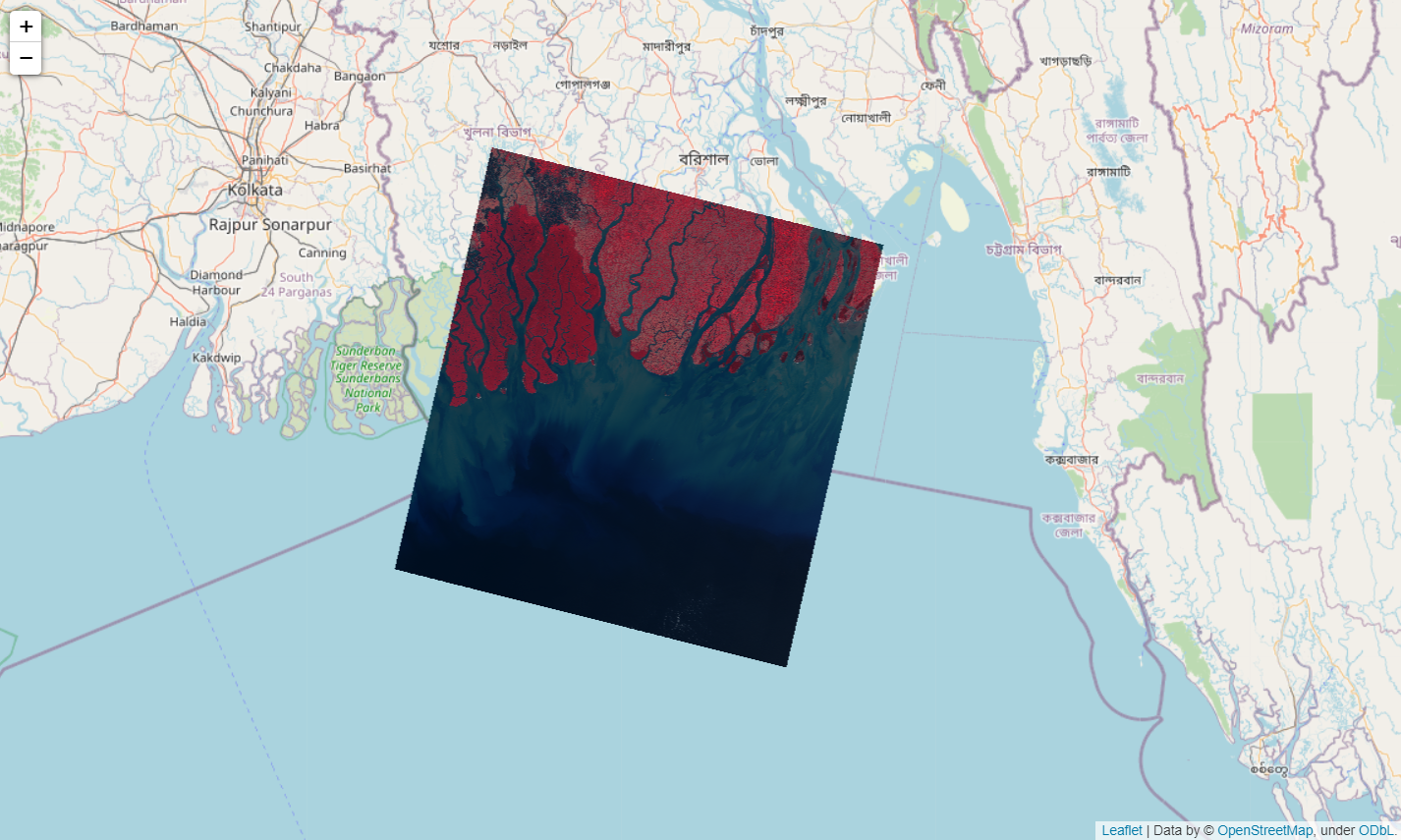
VI = VegetationIndices(image_path='Landsat8.tif', wavelengths=[442.96, 482.04, 561.41, 654.59, 864.67, 1608.86, 2200.73]) VI.calculate(out_dir='vegetation_indices') - Dynamic visualization in Jupyter Notebook
Output:m = Map() m.add_raster(image_path='Landsat8.tif', bands=[4, 3, 2])
How to Install?
Dependencies
Raster4ML is built on top of geopandas, rasterio, fiona, pyproj, rtree, shapely, numpy, and pandas.
Virtual Environment
It is prefered to use a virtual environment for working with this package. Use Anaconda or Miniconda to create a seperate environment and then install the package and its dependencies there.
conda create --name raster4ml python=3
conda activate raster4ml
Windows
To install on Windows, first download the wheel files for GDAL, rasterio, and fiona from Christoph Gohlke's website (🤗Thanks Christoph🤗). Go to his website, press Ctrl+F and type gdal. Download the GDAL file that mostly matches your computer configuration (64-bit or 32-bit) and Python version.
After downloading it, cd into the downloaded directory while the raster4ml environment is activated. Then install using pip. Do the same for rasterio and fiona.
pip install GDAL‑3.4.3‑cp310‑cp310‑win_amd64.whl
pip install rasterio‑1.2.10‑cp310‑cp310‑win_amd64.whl
pip install Fiona‑1.8.21‑cp310‑cp310‑win_amd64.whl
If these three are installed, the rest of the dependencies can be installed directly through Raster4ML's pip distribution.
pip install raster4ml
Tutorials
There are two tutorials provided. Find them in docs/tutorials.
Questions?
Please report bugs at https://github.com/remotesensinglab/raster4ml/issues.
If you are reporting a bug, please include:
- Your operating system name and version.
- Any details about your local setup that might be helpful in troubleshooting.
- Detailed steps to reproduce the bug.
1 maintainer

Metadata
1 maintainer
Release files for raster4ml 0.1.4
For a detailed explanation of source distributions (sdists) and built distributions (wheels), please see the package formats documentation.
Source distribution (sdist)
| File | Size | Uploaded | |
|---|---|---|---|
| raster4ml-0.1.4.tar.gz | 23.8 kB | Details |
Built distribution (wheel)
| File | Interpreter | ABI | Platform | Reset |
|---|---|---|---|---|
| raster4ml-0.1.4-py3-none-any.whl | Python 3 | none | any | Details |
Total release size: 47.0 kB
Release files / raster4ml-0.1.4.tar.gz
| Download URL | raster4ml-0.1.4.tar.gz |
|---|---|
| Size | 23.8 kB |
| Tags | Source |
|
SHA-256 checksum How to use checksums |
16721c4596375b9bed4bfc509e59616f9882a87d81bf3007cb33c9fde0b79029
|
|
BLAKE2b-256 checksum How to use checksums |
fb0ed5ddb29e5b61bfd8c0f0a2e027830b852f20084e37a6b7fb66ebeea17370
|
| Upload date | |
|
Uploaded using Trusted Publishing? What is trusted publishing? |
No |
| Uploaded via |
twine/4.0.1 CPython/3.10.5
|
Release files / raster4ml-0.1.4-py3-none-any.whl
| Download URL | raster4ml-0.1.4-py3-none-any.whl |
|---|---|
| Size | 23.3 kB |
| Tags | Python 3 |
|
SHA-256 checksum How to use checksums |
680917e273b0161db0cf2472bfe76e183366d2b6c874a46a1d18dddfb9a54767
|
|
BLAKE2b-256 checksum How to use checksums |
c40078dc40301a7691659bb1a57d75cf68f6ec3eb30d197a89d9f1b4ee5cafc5
|
| Upload date | |
|
Uploaded using Trusted Publishing? What is trusted publishing? |
No |
| Uploaded via |
twine/4.0.1 CPython/3.10.5
|














