
RAW image editor that emulates the look of various film stocks.
Verified details
These details have been verified by PyPIProject links
GitHub Statistics
Maintainers

Project description
Raw2Film






Raw2Film is full raw image editor with a focus on realistic film emulation.
The looks are based on published film datasheets and use the image processing pipeline from Spectral Film LUT.
The film emulation includes:
- Both negative and print material emulation for a huge variety of emulsions.
- Grain with varying intensity based on brightness and hue.
- Halation to add natural glow to highlights (no data available, so intensity should be adjusted to taste).
- Resolution and micro-contrast matches mtf chart for each film stock.
- Set the simulated frame size to match resolution, grain intensity, and aspect ratio.
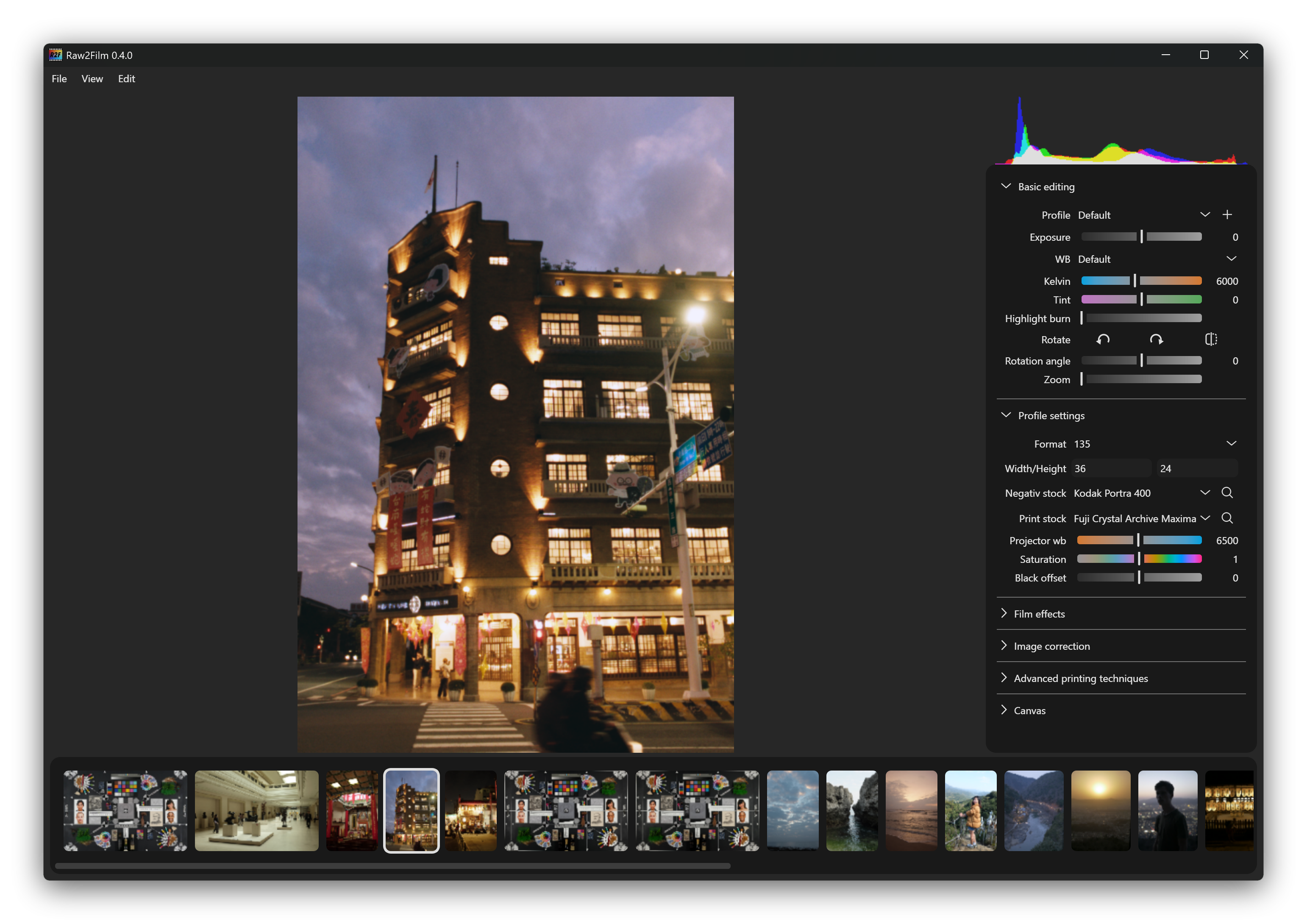
Installation
To run Raw2Film it is required to have installed exiftool on your system. On Linux this can be done easily with
sudo apt install exiftool
Windows
Download the latest .exe from the releases page and run it.
Alternatively, install via Python (see below).
Linux
Download the .AppImage from the releases page and make it executable:
chmod +x spectral_film_lut-{version}.AppImage
./spectral_film_lut.AppImage
Alternatively, install via Python (see below).
macOS
There is currently no native binary available for macOS. Install and run the application using a Python-based method. See the Python Package section below.
Python Package
Install the application using your preferred Python package manager. We show it for the default pip. Others can be found in the full documentation.
pip install git+https://github.com/JanLohse/spectral_film_lut
Then just run with:
spectral_film_lut
Usage
The interface is designed to be familiar for anyone who has used a raw editor before.
- The image bar on the bottom lets you select one or multiple images to edit at once. ( Select multiple with Shift or Ctrl.)
- Copy settings from one image to the selected ones by clicking on the thumbnail with the middle mouse button.
- Double click on a settings label to reset to the default value.
- Many shortcuts are available. Hover over a setting to see its description and shortcut.
- By default a simplified render is activated for preview to make the software more responsive. Activate the full preview under view to see the full film characterisitcs.
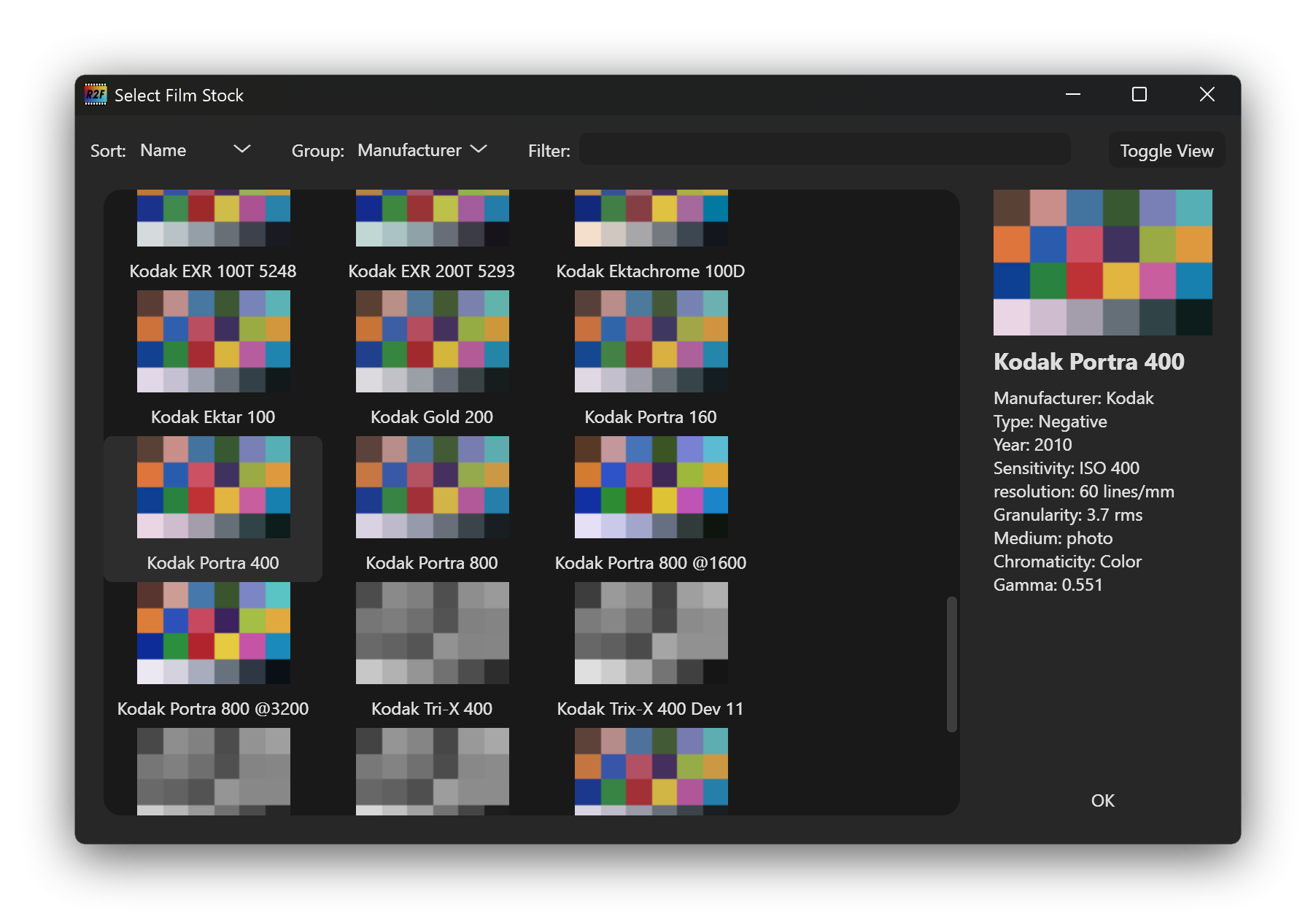
Filmstock Selector
When clicking on the magnifying glass a window opens to search and browse through the available film stocks.
Project details
Verified details
These details have been verified by PyPIProject links
GitHub Statistics
Maintainers
Release history Release notifications | RSS feed


Download files
Download the file for your platform. If you're not sure which to choose, learn more about installing packages.
Source Distribution
Built Distribution
Filter files by name, interpreter, ABI, and platform.
If you're not sure about the file name format, learn more about wheel file names.
Copy a direct link to the current filters
File details
Details for the file raw2film-0.6.6.tar.gz.
File metadata
- Download URL: raw2film-0.6.6.tar.gz
- Upload date:
- Size: 668.3 kB
- Tags: Source
- Uploaded using Trusted Publishing? Yes
- Uploaded via: uv/0.11.19 {"installer":{"name":"uv","version":"0.11.19","subcommand":["publish"]},"python":null,"implementation":{"name":null,"version":null},"distro":{"name":"Ubuntu","version":"24.04","id":"noble","libc":null},"system":{"name":null,"release":null},"cpu":null,"openssl_version":null,"setuptools_version":null,"rustc_version":null,"ci":true}
File hashes
| Algorithm | Hash digest | |
|---|---|---|
| SHA256 |
2a72542dde88669e27e247d72d7007bd5f938fa84316df227f0ae2491363c2b8
|
|
| MD5 |
bc956dafbaa67dbb56a0d398240a04e9
|
|
| BLAKE2b-256 |
c3a179bf1e583f06d596967a80d9a05bc9ee79c145fe5b3aa7a95cd4fc85b6ed
|
File details
Details for the file raw2film-0.6.6-py3-none-any.whl.
File metadata
- Download URL: raw2film-0.6.6-py3-none-any.whl
- Upload date:
- Size: 520.7 kB
- Tags: Python 3
- Uploaded using Trusted Publishing? Yes
- Uploaded via: uv/0.11.19 {"installer":{"name":"uv","version":"0.11.19","subcommand":["publish"]},"python":null,"implementation":{"name":null,"version":null},"distro":{"name":"Ubuntu","version":"24.04","id":"noble","libc":null},"system":{"name":null,"release":null},"cpu":null,"openssl_version":null,"setuptools_version":null,"rustc_version":null,"ci":true}
File hashes
| Algorithm | Hash digest | |
|---|---|---|
| SHA256 |
52123ccccb8c3d67170bd1081dc470889ef5dff3dbe0acad0a7050abc5dafbc2
|
|
| MD5 |
939e78eb6d0830c670224b7af2a4ec93
|
|
| BLAKE2b-256 |
f5daf763df3703cf062d47e665deb4f77f0d3ad9944d33acdbf1525e8f7ad057
|






