

Raymon: analyse data & model health





What is Raymon?
Raymon helps Machine Learning teams analyse data, data health and model performance. Using Raymon, users can extract features describing data quality, data novelty, model confidence and prediction performance from model predictions. Then, they can use these features to validate production data and generate reports for data drift, data degradation and model degradation.
We can support any data type. Currently, we offer extractors for structured data and vision data, but you can easily implement your own extractor which means we can any data type and any extractor that you want.
Raymon’s focus is on simplicity, practicality and extendability. We offer a set of extractors that are cheap to compute and simple to understand.
Raymon is open source and can be used standalone but integrates nicely with the Raymon.ai ML Observability hub, for example to make predictions traceable and debuggable.
Quick Links
At a glance
Installation
pip install raymon
Building a model profile
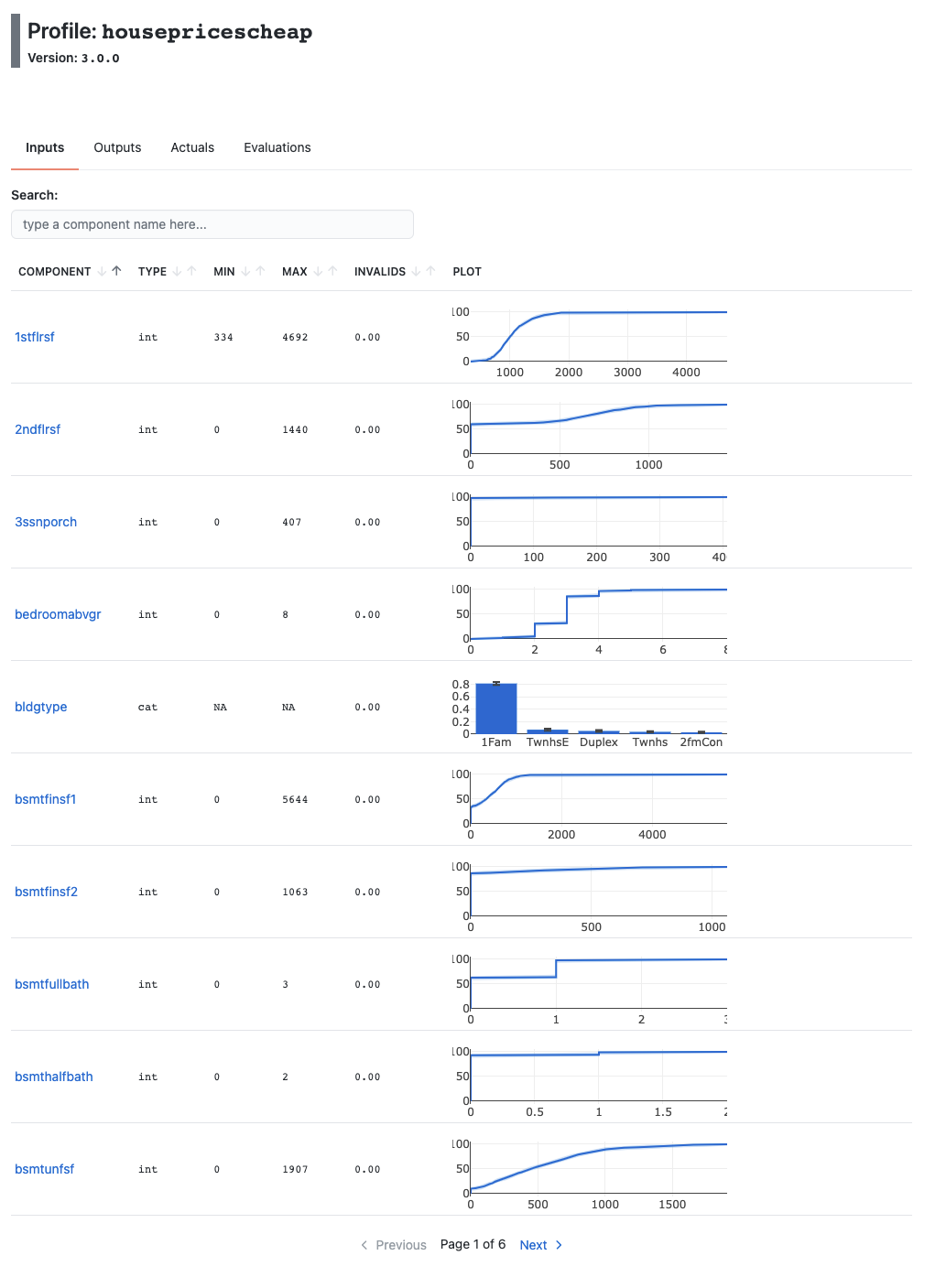
Building a ModelProfile captures all kinds of data characteristics of your models inputs, outputs, actuals and predictions.
profile = ModelProfile(
    name="HousePricesCheap",
    version="3.0.0",
    components=[
        InputComponent(
            name="outlier_score",
            extractor=SequenceSimpleExtractor(
                prep=coltf, extractor=KMeansOutlierScorer()),
        ),
        OutputComponent(name="prediction", extractor=ElementExtractor(element=0)),
        ActualComponent(name="actual", extractor=ElementExtractor(element=0)),
        EvalComponent(name="abs_error", extractor=AbsoluteRegressionError()),
    ] + generate_components(X_train[feature_selector].dtypes,
                            complass=InputComponent), # Generates a component for every column in the DF
    scores=[
        MeanScore(
            name="MAE",
            inputs=["abs_error"],
            preference="low",
        ),
        MeanScore(
            name="mean_outlier_score",
            inputs=["outlier_score"],
            preference="low",
        ),
    ],
)
profile.build(input=X_val[feature_selector],
              output=y_pred_val[:, None],
              actual=y_val[:, None])
profile.view()
Validating production data
Profiles can then be used in production code to validate your incoming data and model performance monitoring.
tags = profile.validate_input(request)
output_tags = profile.validate_output(request_pred)
actual_tags = profile.validate_actual(request_actual)
eval_tags = profile.validate_eval(output=request_pred,
                                  actual=request_actual)
# or all at once:
all_tags = profile.validate_all(input=request,
                                output=request_pred,
                                actual=request_actual)
Inspect and contrast model profiles
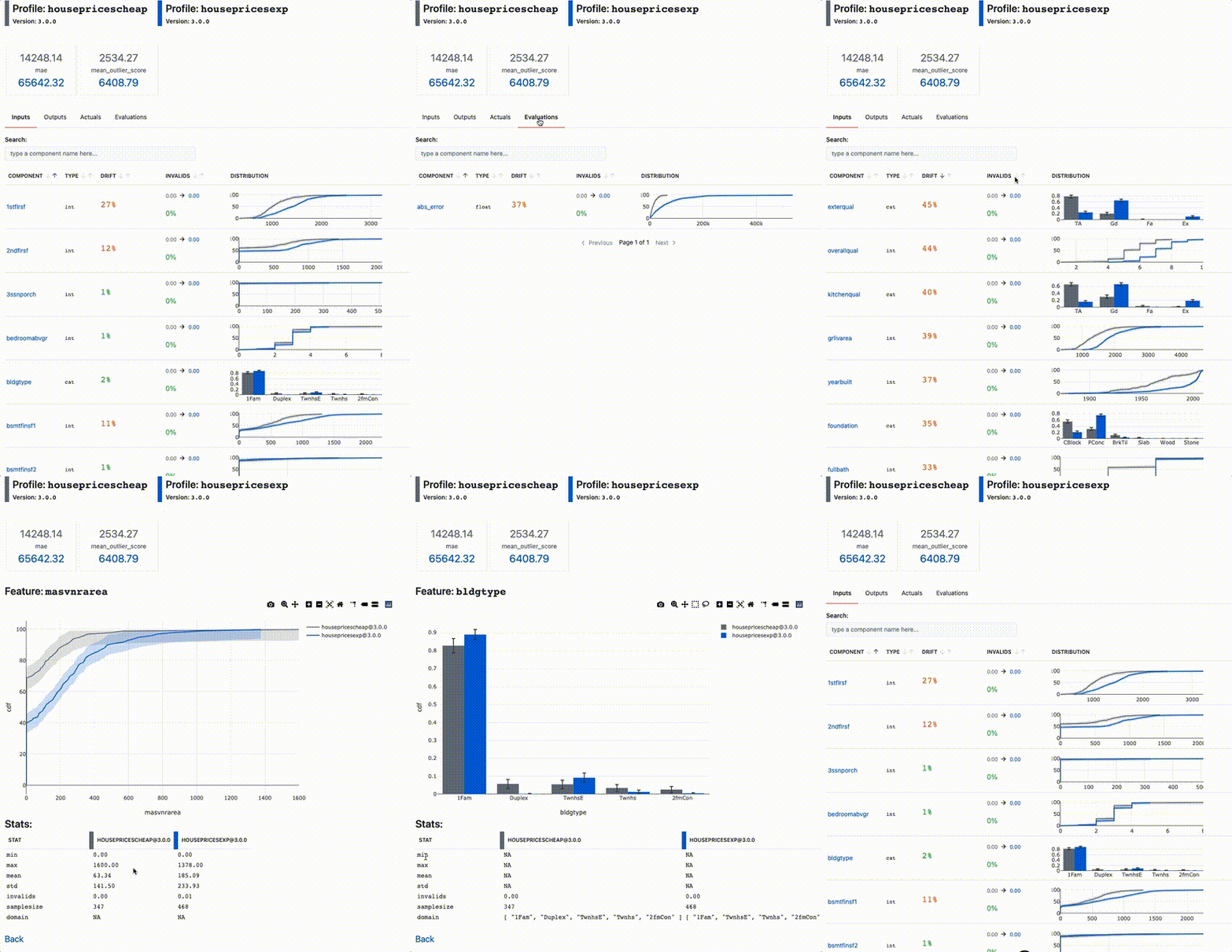
You can contast different model profiles against each other too. For example, to compare the profile at model train time, with the profile on production data, or to compare subsets of production data.
profile.view_contrast(profile_exp)
Logging text, data and tags
Moreover, if you want to use the rest of the platform, Raymon makes model predictions traceable and debuggable. Raymon enables you to log text, data and tags from anywhere in your code. You can later use these tags and data objects to debug and improve your systems.
import pandas as pd
import numpy as np
from PIL import Image

import raymon.types as rt
from raymon import Trace, RaymonAPILogger, Tag


logger = RaymonAPILogger(project_id=project_id)
trace = Trace(logger=logger, trace_id=None)

# Logging text messages
trace.info("You can log whatever you want here")

# Tagging traces
trace.tag([
        Tag(name="sdk_version", value="1.4.2", type="label"),
        Tag(name="prediction_time_ms", value="120", type="metric")
    ])

# Logging data
img = Image.open("./data_sample/castinginspection/def_front/cast_def_0_0.jpeg")
df = pd.DataFrame(arr, columns=['a', 'b'])

trace.log(ref="pandas-ref", data=rt.DataFrame(df))
trace.log(ref="image-ref", data=rt.Image(img))
For more information, check out our docs & examples!
1 maintainer

Metadata
1 maintainer
Release files for raymon 0.0.39
For a detailed explanation of source distributions (sdists) and built distributions (wheels), please see the package formats documentation.
Source distribution (sdist)
| File | Size | Uploaded | |
|---|---|---|---|
| raymon-0.0.39.linux-x86_64.tar.gz | 18.5 MB | Details |
Built distribution (wheel)
| File | Interpreter | ABI | Platform | Reset |
|---|---|---|---|---|
| raymon-0.0.39-py3-none-any.whl | Python 3 | none | any | Details |
Total release size: 37.0 MB
Release files / raymon-0.0.39.linux-x86_64.tar.gz
| Download URL | raymon-0.0.39.linux-x86_64.tar.gz |
|---|---|
| Size | 18.5 MB |
| Tags | Source |
|
SHA-256 checksum How to use checksums |
07885bbb62a1ff96477165b7f1fb3ff48b15947dfebce7f2964f6939ac7faabe
|
|
BLAKE2b-256 checksum How to use checksums |
22a1d727ad4798a9c5d5bad9e8d09b7e7604617cb779ca939b0605d1cfeeef9e
|
| Upload date | |
|
Uploaded using Trusted Publishing? What is trusted publishing? |
No |
| Uploaded via |
twine/3.4.2 importlib_metadata/4.8.1 pkginfo/1.7.1 requests/2.26.0 requests-toolbelt/0.9.1 tqdm/4.62.3 CPython/3.9.7
|
Release files / raymon-0.0.39-py3-none-any.whl
| Download URL | raymon-0.0.39-py3-none-any.whl |
|---|---|
| Size | 18.5 MB |
| Tags | Python 3 |
|
SHA-256 checksum How to use checksums |
5c5542f981597ae12aa4cfe1cbdb1ba46ea85fcb248265ecfc9efd6d4c01fbdc
|
|
BLAKE2b-256 checksum How to use checksums |
9213b57f00ec0c41a34d909b338c2e5419d3899828c2a5994db6aaf359defb12
|
| Upload date | |
|
Uploaded using Trusted Publishing? What is trusted publishing? |
No |
| Uploaded via |
twine/3.4.2 importlib_metadata/4.8.1 pkginfo/1.7.1 requests/2.26.0 requests-toolbelt/0.9.1 tqdm/4.62.3 CPython/3.9.7
|














