
RAYS-CORE: AI-powered codebase analysis and editing assistant

Project description
Open-source AI coding assistant for real repositories.
Index. Analyze. Plan. Edit. Ship.





Preview
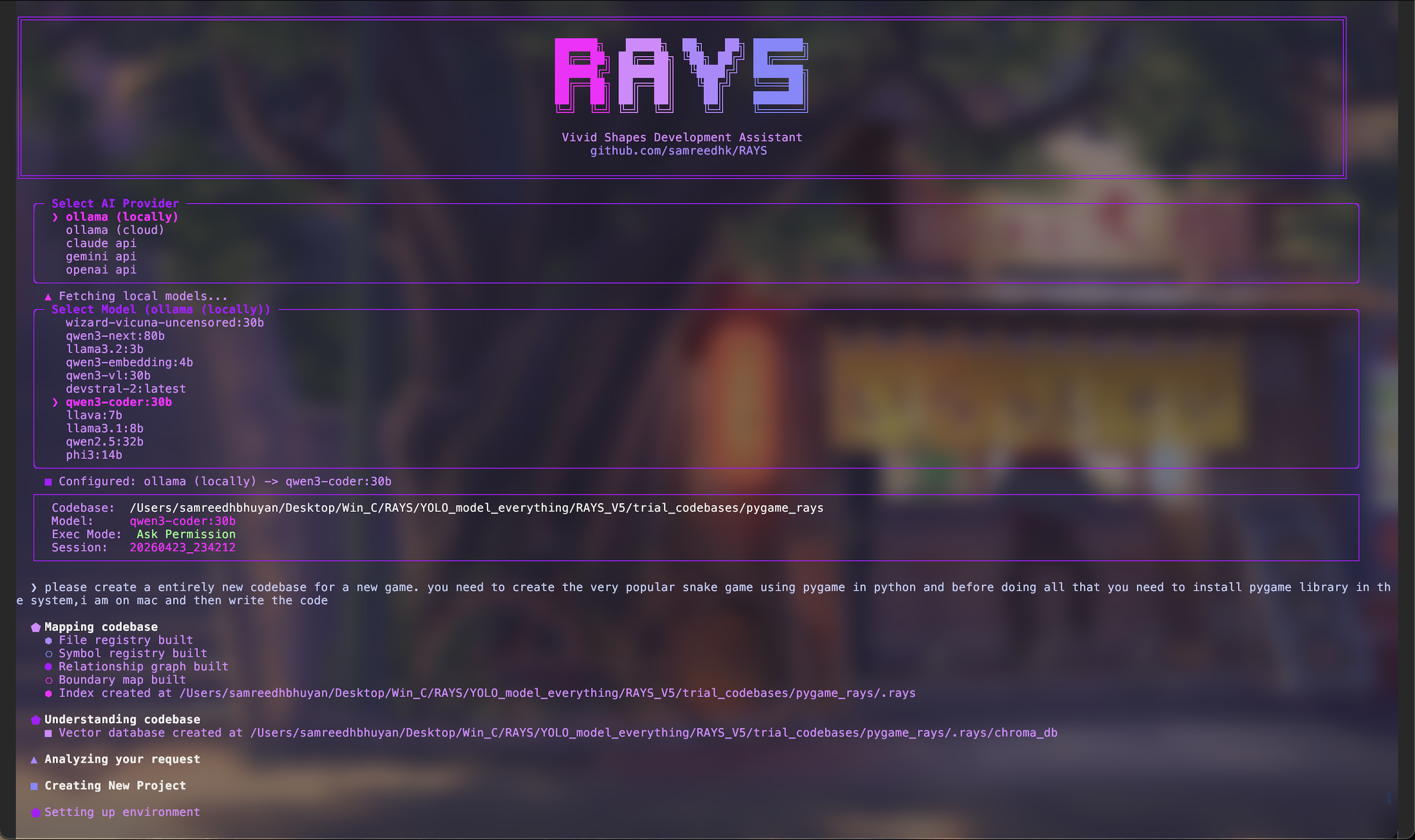
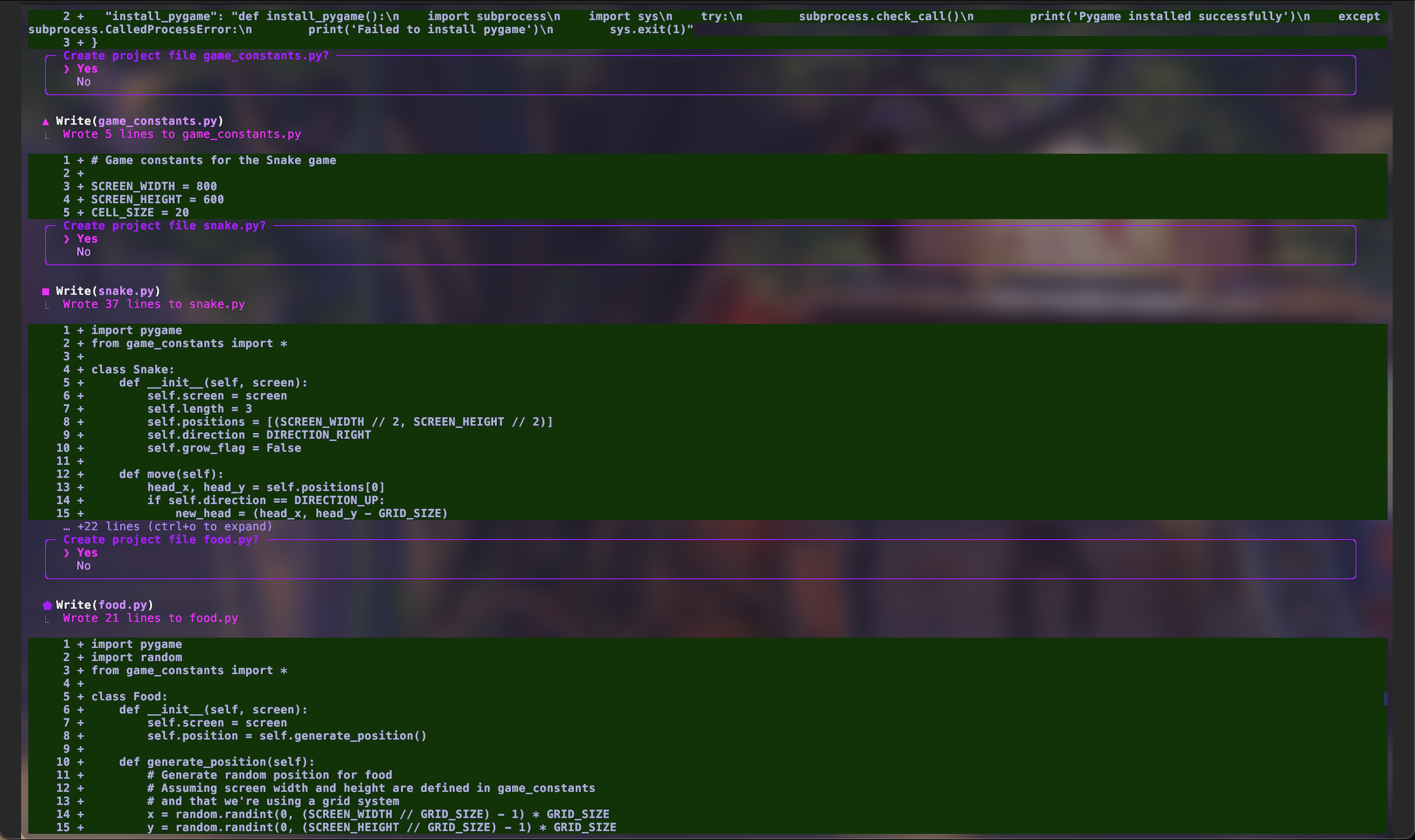
RAYS-CORE is an AI coding assistant for local repositories. It indexes your codebase, retrieves relevant symbols and files, plans changes, applies edits with permission controls, and maintains persistent project memory.
Why RAYS-CORE
- Works on real codebases with structural indexing and symbol-level retrieval.
- Supports read-only chat, targeted editing, and new-project generation in one CLI.
- Provider-flexible: local-first with Ollama, plus Gemini API support.
- Tracks context over time through
.raysmemory and summaries.
Features
- Default agent orchestrator: skills + MCP servers with dynamic sub-agents, live HUD, and session summary (
/mcpfor server status). - Codebase indexing (
files,symbols,relationships,boundaries) via msgpack registries. - ChromaDB-backed vector retrieval for relevant chunks.
- Multi-stage
/codeedit pipeline: task analysis -> selection -> planning -> permissions -> apply. - Interactive slash commands (
/chat,/code,/model,/mode,/git,/mcp,/help). - Session-aware API key handling (reads env vars first; never persists keys in
config.yaml).
Supported Providers
- Ollama (local)
- Default local endpoint:
http://localhost:11434 - By default, RAYS expects Ollama to be running on port
11434unless you configure a different endpoint.
- Default local endpoint:
- Gemini API
- Uses
GEMINI_API_KEY(or fallbackGOOGLE_API_KEY).
- Uses
Some builds may still show additional provider options in the selector, but this repository release is documented and supported around Ollama and Gemini.
Environment Variables
RAYS checks environment variables before prompting for API keys.
GEMINI_API_KEY: Gemini API key (preferred for Gemini)GOOGLE_API_KEY: Gemini fallback key ifGEMINI_API_KEYis not set
macOS/Linux (zsh/bash)
export GEMINI_API_KEY="your_gemini_key"
To make permanent in zsh:
echo 'export GEMINI_API_KEY="your_gemini_key"' >> ~/.zshrc
source ~/.zshrc
Windows (PowerShell)
setx GEMINI_API_KEY "your_gemini_key"
Open a new terminal after setx.
Installation
Option A: pipx (recommended for CLI users)
pipx install rays-core
Upgrade later with:
pipx upgrade rays-core
Option B: pip
pip install rays-core
Upgrade later with:
pip install --upgrade rays-core
Development install from source
git clone https://github.com/markknoffler/RAYS-CORE-CLI.git
cd RAYS-CORE-CLI
python -m pip install -e .
Quick Start
rays /path/to/your/codebase
Or inside a repository:
cd /path/to/your/codebase
rays
Operating modes
RAYS-CORE supports these workflow modes:
-
Agent orchestrator (default prompt)
- Trigger: normal prompt without
/chator/code. - Behavior: discovers skills (
skills/,~/.rays/skills/) and MCP servers (config.yaml→~/.rays/mcp.json→<project>/.rays/mcp.json), plans spawn steps, runs dynamic sub-agents. Use for Blender, documents, GitHub MCP, and local file/shell tasks. - Docs:
docs/SKILLS.md·docs/MCP_SERVERS.md
- Trigger: normal prompt without
-
Editing mode (
/code)- Trigger:
/codethen your prompt (or legacy full coding pipeline where enabled). - Behavior: analyzes task, identifies symbols/files, negotiates permissions, plans edits, applies changes.
- Trigger:
-
New codebase generation mode
- Trigger: prompts that clearly request creating a new project and low structural dependency on existing code.
- Behavior: sets up project structure, negotiates creation scope, generates files iteratively.
-
Chat mode (
/chat)- Trigger:
/chat <question>. - Behavior: read-only contextual Q&A; no edit pipeline.
- Trigger:
Prompting Guide
Agent orchestrator prompts (default — no slash command)
- "Add icing and sprinkles to the doughnut in Blender."
- "List this project's top-level files and summarize the README."
- "Create a Word doc from
notes.mdin this folder."
Editing mode prompts (/code)
- "Refactor authentication middleware to support JWT refresh tokens."
- "Fix the bug where user profile update fails on missing avatar."
- "Add caching around
get_project_metricsand include invalidation."
New codebase creation prompts
- "Create a new FastAPI project with JWT auth, PostgreSQL, and Alembic migrations."
- "Generate a minimal React + TypeScript dashboard app with routing and auth pages."
Chat mode prompts
Use:
/chat how does the permission negotiation pipeline work in this repo?
Slash Commands
/help- show commands/chat <question>- read-only contextual Q&A/model <name>- switch model/mode auto- autonomous command execution/mode ask- ask-permission command execution/git- summarize current git changes/mcp- list MCP servers and connection status (agent orchestrator)/clear- clear screen/exit- exit RAYS
Execution Behavior (/mode)
- Ask mode: requests confirmation for terminal actions.
- Autonomous mode: executes without per-command confirmation.
Pipeline Architecture
- Provider + model selection
- Indexing of files/symbols/relationships/boundaries
- Vector DB sync for semantic retrieval
- Task analysis (intent, scope, terminal needs)
- Symbol detection and candidate retrieval
- Planning and permission negotiation
- Anchoring + code generation
- Execution and post-edit terminal actions
- Memory + summary persistence
Core modules (src/rays_core/):
rays_main.py- orchestrator and CLI looptask_analyzer.py- intent and scope analysissymbol_detection.py- symbol selection and retrievalplanning.py- implementation planningexecution.py+code_generator.py- code applicationmemory.py- persistent memory and summaries
Configuration
Primary configuration file: config.yaml
Key sections:
llm- provider, model, endpoint, runtime key overrideembedding- embedding provider/model/endpointexecution_mode- defaultaskorautonomous
config.yaml values are startup defaults. During CLI startup, selected provider/model values are updated and persisted automatically.
RAYS intentionally clears persisted API keys in config and uses runtime/session keys.
Contributing
Contributions are welcome. Start with CONTRIBUTING.md for setup, branch hygiene, and PR expectations.
Pull requests run automated CI (install → pytest → package build checks) on Linux, macOS, and Windows via GitHub Actions (see .github/workflows/ci.yml). You only need to push the workflow YAML in this repo — no extra dashboard setup unless Actions are disabled in repository settings.
More docs: ROADMAP.md · docs/ARCHITECTURE.md · docs/SKILLS.md · docs/MCP_SERVERS.md · docs/TROUBLESHOOTING.md
Security
If you discover a security issue, see SECURITY.md for reporting guidance.
License
MIT License. See LICENSE.
Publishing Notes (Maintainers)
CLI (PyPI) — tag vX.Y.Z
See docs/PUBLISHING.md. Pushing v1.6.0 triggers PyPI Release (.github/workflows/pypi-release.yml).
RAYS Studio GUI — tag studio-vX.Y.Z
Desktop installers (.dmg, .exe, .deb, .AppImage, Arch .pkg.tar.zst) are published to GitHub Releases via RAYS Studio Release (.github/workflows/studio-release.yml). See docs/STUDIO_RELEASES.md.
Build CLI package locally
python -m pip install --upgrade build twine
python -m build
twine check dist/*
Publish to PyPI
See docs/PUBLISHING.md for the full maintainer checklist (version bump, tag, CI, upload).
python -m twine upload dist/*
Recommended install command for users
pipx install rays-core
Published package:


Download files
Download the file for your platform. If you're not sure which to choose, learn more about installing packages.
Source Distribution
Built Distribution
Filter files by name, interpreter, ABI, and platform.
If you're not sure about the file name format, learn more about wheel file names.
Copy a direct link to the current filters
File details
Details for the file rays_core-1.7.0.tar.gz.
File metadata
- Download URL: rays_core-1.7.0.tar.gz
- Upload date:
- Size: 175.4 kB
- Tags: Source
- Uploaded using Trusted Publishing? No
- Uploaded via: twine/6.2.0 CPython/3.12.2
File hashes
| Algorithm | Hash digest | |
|---|---|---|
| SHA256 |
48348bcd867c43b88f5e5923f91adcec7a7fc2db39508765846001f508e85b1e
|
|
| MD5 |
f4841548cc29c47432aa6f43a47eab59
|
|
| BLAKE2b-256 |
13a0b8f83166d2d247e41ef07b70af7579f565e847ffb270e76d31e7bb0f1046
|
File details
Details for the file rays_core-1.7.0-py3-none-any.whl.
File metadata
- Download URL: rays_core-1.7.0-py3-none-any.whl
- Upload date:
- Size: 187.4 kB
- Tags: Python 3
- Uploaded using Trusted Publishing? No
- Uploaded via: twine/6.2.0 CPython/3.12.2
File hashes
| Algorithm | Hash digest | |
|---|---|---|
| SHA256 |
a26ee62d6e07d5e915e2fcf41387897e4bf15ee86b7f47a3e8f1b8769c7678ac
|
|
| MD5 |
5208e6639dc88b110c35fea776555ee0
|
|
| BLAKE2b-256 |
d38f2b963a913fc53d85641998fb66fc635249bf52203a3ffc2f48658a2fbca7
|






