
Enable AI to control your browser 🤖
A patched, drop-in replacement for browser-use, capable of defeating Cloudflare's verification.
- NOTE:
- It seems that after getting rid of Playwright and having done an amazing piece of work developing
- their own event bus and SafeType CDP client, this use case is still not being contemplated by
- browser-use, so I had to do it myself... 😎

- Pre 0.6.1 versions of this project used to depend on a tweaked version of patchright
- (https://github.com/imamousenotacat/re-patchright) but not anymore.
This little project was created because I was fed up with getting blocked by Cloudflare's verification and I wanted to do things like this with Browser Use:
python examples\nopecha_cloudflare_no_playwright.py
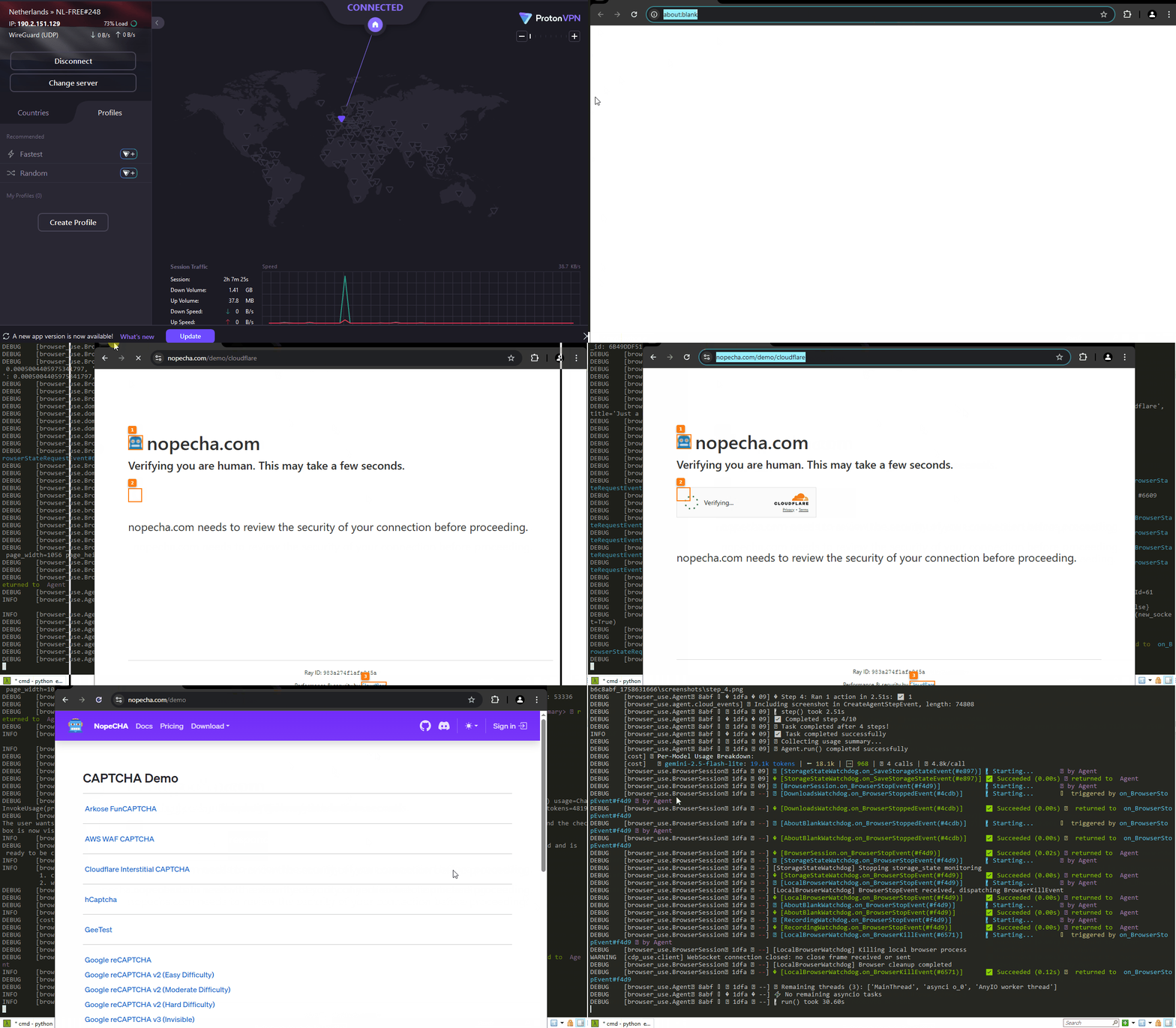
I have added OS-level clicks in headful mode to enable the use of ProtonVPN. Once again, credit goes to Vinyzu, as I used a pruned and slightly modified version of his CDP-Patches project for this.
I restored and completed the JavaScript highlighting system that was removed in version 0.7.1 and only partially reincorporated in 0.8.1. I find it extremely useful for my use case.
The one below is a long-awaited browser-use test that was chased for quite a while 😜:
python tests/ci/evaluate_tasks.py --task tests/agent_tasks/captcha_cloudflare.yaml
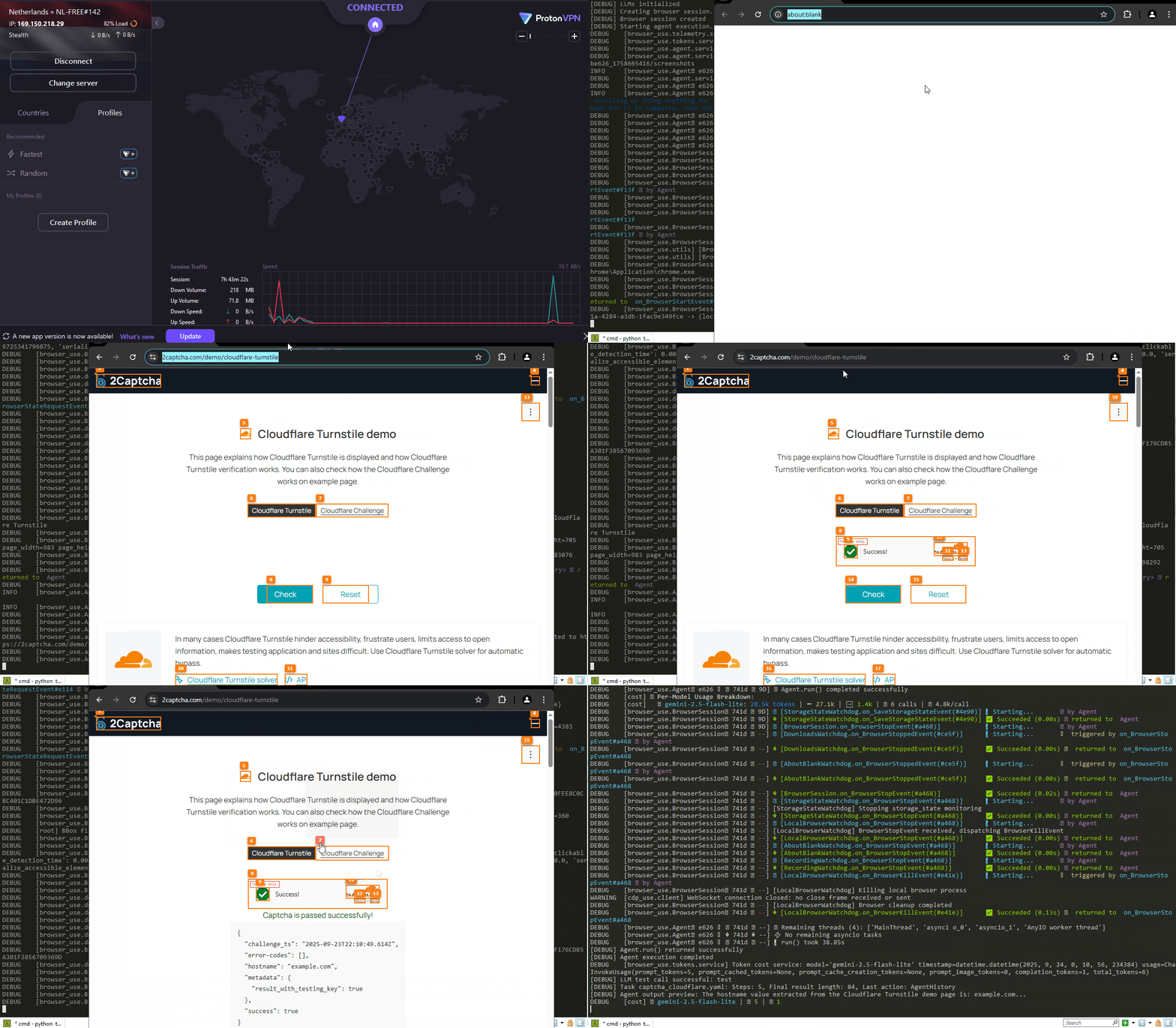
- NOTE:
- This test, captcha_cloudflare.yaml, was removed in version 0.7.6. The browser-use team seems fixated
- on not addressing the Cloudflare challenge 😲. I got it restored here. If you apply the patch
- using the commands in .github/workflows/apply-patches.yaml, you can get it back and successfully
- execute it.
If it looks slow, it is because I'm using a small and free LLM and an old computer worth $100.
Quick start
This is how you can see for yourself how it works:
Clone this repository and using uv install the pip package (Python>=3.11):
git clone https://github.com/imamousenotacat/re-browser-use
cd re-browser-use\
uv venv
.venv\Scripts\activate
uv pip install re-browser-use
Install the browser as described in the browse-use repository.
uvx playwright install chromium --with-deps --no-shell
Create a minimalistic .env file. This is what I use. I'm a poor mouse and I can afford only free things. 🙂
GOOGLE_API_KEY=xxxxxxxxxxxxxxxxxxxxxxxxxxxxxxxxxxxxxxx
ANONYMIZED_TELEMETRY=false
SKIP_LLM_API_KEY_VERIFICATION=true
HEADLESS_EVALUATION=false
And finally tell your agent to pass Cloudflare's verification:
python examples\nopecha_cloudflare_no_playwright.py
You will get something very similar to the animated gif above. This is the code of the example file:
import asyncio
from browser_use import BrowserProfile, BrowserSession
from browser_use.agent.service import Agent
from dotenv import load_dotenv
from browser_use.llm import ChatGoogle

load_dotenv()


async def main():
  agent = Agent(
    use_vision=False,
    task=(
      "Go to https://nopecha.com/demo/cloudflare, wait for the verification checkbox to appear, click it once, and wait for 10 seconds."
      "That’s all. If you get redirected, don’t worry."
    ),
    llm=ChatGoogle(model="gemini-2.5-flash-lite"),
    browser_session=BrowserSession(
      browser_profile=BrowserProfile(
        headless=False,
        cross_origin_iframes=True,
        dom_highlight_elements=True
      )
    )
  )
  await agent.run(10)

asyncio.run(main())
If you want to run the same code with "regular" browser-use to compare the results, uninstall re-browser-use and install browser-use instead:
uv pip uninstall re-browser-use
uv pip install --upgrade --force-reinstall browser-use["all"]==0.9.4 # This is the last version I've patched so far
Now run again the script
python examples\nopecha_cloudflare_no_playwright.py
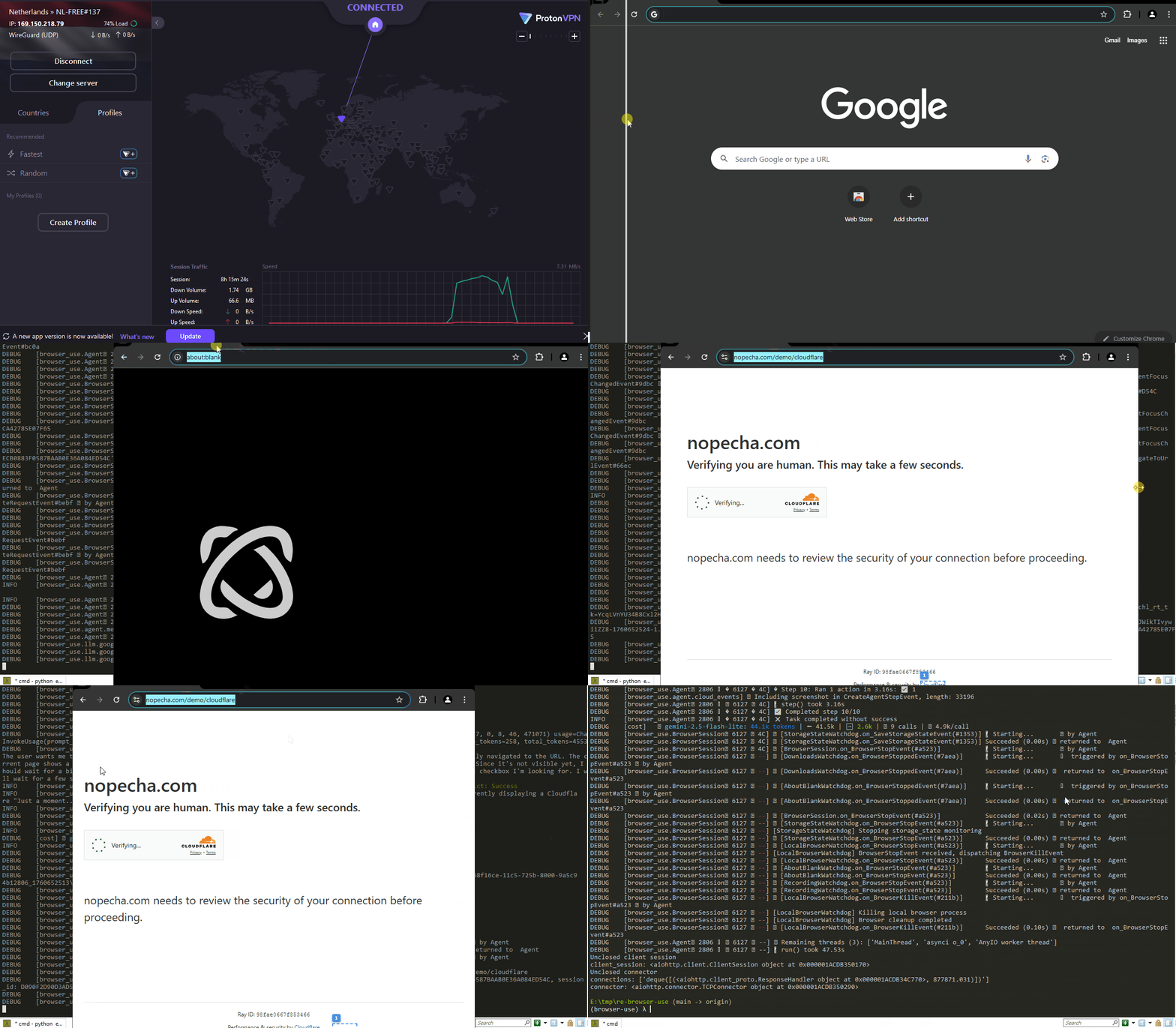
With the current versions of browser-use, this still won't work.
Why is this project not a PR?
I don't want to ruffle any feathers, but we, humble but rebellious mice 😜, don't like signing CLAs or working for free for someone who, by their own admission, is here to "dominate". I do this just for fun.
I just wanted to make this work public. If someone finds this useful, they can incorporate it into their own projects.
Citation
If you use Browser Use in your research or project, please cite:
@software{browser_use2024,
  author = {Müller, Magnus and Žunič, Gregor},
  title = {Browser Use: Enable AI to control your browser},
  year = {2024},
  publisher = {GitHub},
  url = {https://github.com/browser-use/browser-use}
}
1 maintainer

Metadata
1 maintainer
Release files for re-browser-use 0.9.4
For a detailed explanation of source distributions (sdists) and built distributions (wheels), please see the package formats documentation.
Source distribution (sdist)
| File | Size | Uploaded | |
|---|---|---|---|
| re_browser_use-0.9.4.tar.gz | 427.6 kB | Details |
Built distribution (wheel)
| File | Interpreter | ABI | Platform | Reset |
|---|---|---|---|---|
| re_browser_use-0.9.4-py3-none-any.whl | Python 3 | none | any | Details |
Total release size: 942.8 kB
Release files / re_browser_use-0.9.4.tar.gz
| Download URL | re_browser_use-0.9.4.tar.gz |
|---|---|
| Size | 427.6 kB |
| Tags | Source |
|
SHA-256 checksum How to use checksums |
548bf2de00bff8457c78648a57142503ddf7db6d29d4c5ff2c0545a81d174cf5
|
|
BLAKE2b-256 checksum How to use checksums |
d1f16f6ba99b861acaa42b20193debe811a57c525bff16b5749b3e055f246ba3
|
| Upload date | |
|
Uploaded using Trusted Publishing? What is trusted publishing? |
Yes |
| Uploaded via |
uv/0.9.7
|
Release files / re_browser_use-0.9.4-py3-none-any.whl
| Download URL | re_browser_use-0.9.4-py3-none-any.whl |
|---|---|
| Size | 515.2 kB |
| Tags | Python 3 |
|
SHA-256 checksum How to use checksums |
cfaa82122b22c5d9a78ef93d6732d607e25a2bd0c3ac7164c8b3b20d68751f7b
|
|
BLAKE2b-256 checksum How to use checksums |
c1156265a9861114307058823e84d00126f6b9ebb6af800e75b66d5a0b4f162f
|
| Upload date | |
|
Uploaded using Trusted Publishing? What is trusted publishing? |
Yes |
| Uploaded via |
uv/0.9.7
|















