
Reaktiv Workbook
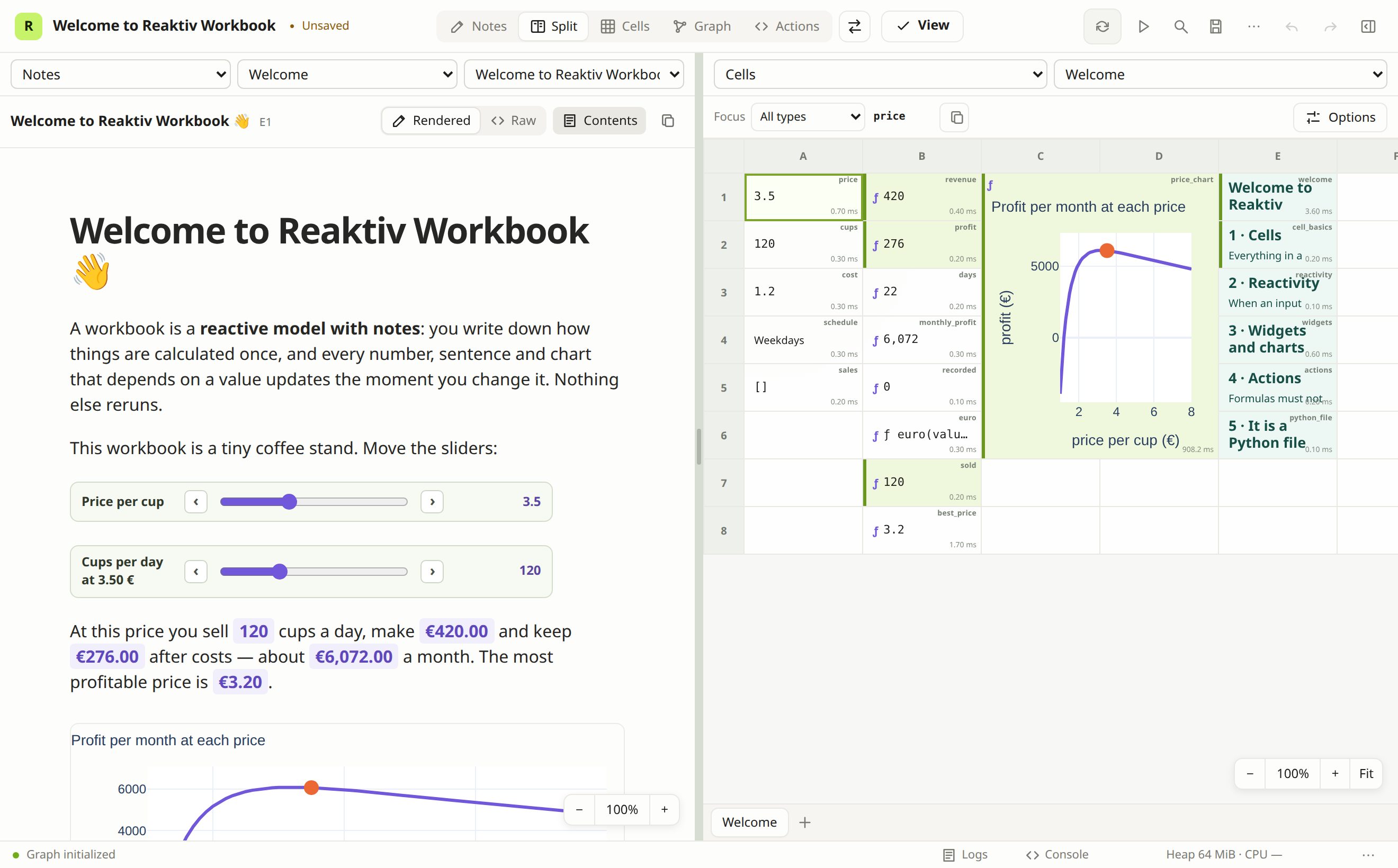
A reactive Python workbook with notes, spreadsheet cells, plots, widgets, and a browser IDE.
Workbooks are ordinary .workbook.py files (older .sheet.py files open too). Python 3.12 or newer is required.
pip install reaktiv-workbook plotly
reaktiv-workbook new --from welcome        # a guided tour of the ideas
reaktiv-workbook edit analysis.workbook.py
new creates a workbook (blank, or a copy of a bundled example with --from) and opens it.
edit opens an existing workbook, or creates a new one if the path does not exist.
No Node installation or separately started server is needed.
reaktiv-workbook new                          # create untitled.workbook.py and open it
reaktiv-workbook new --from welcome           # start from a bundled example (the guided tour)
reaktiv-workbook edit                         # open/create untitled.workbook.py
reaktiv-workbook edit analysis.workbook.py --port 8765
reaktiv-workbook run analysis.workbook.py        # interactive views, without authoring
reaktiv-workbook run analysis.workbook.py --headless
reaktiv-workbook check analysis.workbook.py
reaktiv-workbook evaluate analysis.workbook.py --cell total
reaktiv-workbook export analysis.workbook.py ./exports
The CLI owns the local server. Stop it with Ctrl+C. Closing the browser does not stop it. Run mode accepts input/widget changes and exposed actions, but refuses authoring, console code, and saving through the server. It is a local presentation mode, not source-code protection or a sandbox; workbook definitions are sent to the browser.
Install workbook-specific packages into the same Python environment, for example:
pip install plotly pandas
Or let the CLI install the packages a workbook declares into an environment of its own (requires uv):
reaktiv-workbook edit analysis.workbook.py --sandbox
Without --sandbox, a workbook that declares packages missing here names them; in a
terminal with uv installed, the command offers to run it in a sandbox instead (Enter
accepts). The package itself installs no data libraries: numpy, pandas, plotly and the
like are declared by the workbooks that use them.
Coding agents can work on the open workbook through MCP:
reaktiv-workbook edit analysis.workbook.py --mcp
The server listens only on loopback, uses a per-session bearer token, and prints its
browser URL in the terminal. Open only workbooks you trust: workbook code runs as
ordinary Python, including enabled effects on startup. Requirements written in a
workbook are installed only with --sandbox.
python analysis.workbook.py continues to evaluate the workbook; it never launches the
server or IDE through its generated entry point. reaktiv-workbook FILE --check and the
other evaluator options work as well.
Built on reaktiv (0.25 or later), the signal library.
This is an early release (0.1). Keep important workbooks under version control.
1 maintainer

Metadata
1 maintainer
Release files for reaktiv-workbook 0.1.1
For a detailed explanation of source distributions (sdists) and built distributions (wheels), please see the package formats documentation.
Source distribution (sdist)
| File | Size | Uploaded | Provenance | Actions |
|---|---|---|---|---|
| reaktiv_workbook-0.1.1.tar.gz | 13.6 MB | With provenance | Details for reaktiv_workbook-0.1.1.tar.gz |
Built distribution (wheel)
| File | Interpreter | ABI | Platform | Actions Reset |
|---|---|---|---|---|
| reaktiv_workbook-0.1.1-py3-none-any.whl | Python 3 | none | any | Details for reaktiv_workbook-0.1.1-py3-none-any.whl |
Total release size: 27.5 MB
Release files / reaktiv_workbook-0.1.1.tar.gz
| Download URL | reaktiv_workbook-0.1.1.tar.gz |
|---|---|
| Size | 13.6 MB |
| Tags | Source |
|
SHA-256 checksum How to use checksums |
e528f3be28dc0a851f87447e00687340d462b15a392e8fad25af5f501dc304de
|
|
BLAKE2b-256 checksum How to use checksums |
199eb8ac244192f05033270e1360a113590836d2515420c0140fcc596b6d2dd4
|
| Upload date | |
|
Uploaded using Trusted Publishing? What is trusted publishing? |
Yes |
| Uploaded via |
twine/7.0.0 CPython/3.13.16
|
Provenance
Provenance describes where a file came from. On PyPI, provenance is shared via attestations, which provide a verifiable record of the build or publishing details. View details, limitations and caveats.


PyPI Publish Attestation
PyPI verified that this artifact, at this checksum, originated from the publisher listed below.
Signed by GitHub Actions, verified by PyPI on Nov 17, 2026.
Transparency logRelease files / reaktiv_workbook-0.1.1-py3-none-any.whl
| Download URL | reaktiv_workbook-0.1.1-py3-none-any.whl |
|---|---|
| Size | 13.9 MB |
| Tags | Python 3 |
|
SHA-256 checksum How to use checksums |
36223d70fbd0a68ad73242c8bfe19705de73237087a99f0def32dddf8aa3e029
|
|
BLAKE2b-256 checksum How to use checksums |
92824fe3d03b39d5efdf39b8ad126f3d92e02c8bc98be3dc8d0636367fbe0556
|
| Upload date | |
|
Uploaded using Trusted Publishing? What is trusted publishing? |
Yes |
| Uploaded via |
twine/7.0.0 CPython/3.13.16
|
Provenance
Provenance describes where a file came from. On PyPI, provenance is shared via attestations, which provide a verifiable record of the build or publishing details. View details, limitations and caveats.
PyPI Publish Attestation
PyPI verified that this artifact, at this checksum, originated from the publisher listed below.
Signed by GitHub Actions, verified by PyPI on Nov 17, 2026.
Transparency logSecurity for reaktiv-workbook 0.1.1
Provenance
Provenance describes where a file came from. On PyPI, provenance is shared via attestations, which provide a verifiable record of the build or publishing details. View details, limitations and caveats.
Full provenance
Both files in this release have been uploaded with provenance metadata.
Attestation for reaktiv_workbook-0.1.1.tar.gz
PyPI Publish Attestation
PyPI verified that this artifact, at this checksum, originated from the publisher listed below.
Signed by GitHub Actions, verified by PyPI on Nov 17, 2026.
Transparency logA note on package security
PyPI is a repository for distributing packages, not a service for auditing them. While third-party security researchers and our staff do their best to detect and remove malicious packages, PyPI cannot guarantee the quality, security or suitability of any given package.
To learn more about protecting yourself from malicious actors, visit our package security documentation.














