
Make websites accessible for AI agents (RealTimeX fork of browser-use)

Project description

Enable AI to control your browser





Deutsch | Español | français | 日本語 | 한국어 | Português | Русский | 中文
🤖 Quickstart
With uv (Python>=3.11):
#  We ship every day - use the latest version!
uv pip install browser-use
Download chromium using playwright's shortcut:
uvx playwright install chromium --with-deps --no-shell
Create a .env file and add your API key. Don't have one? Start with a free Gemini key.
GEMINI_API_KEY=
Run your first agent:
from browser_use import Agent, ChatGoogle
from dotenv import load_dotenv
load_dotenv()

agent = Agent(
    task="Find the number of stars of the browser-use repo",
    llm=ChatGoogle(model="gemini-2.5-flash"),
    # browser=Browser(use_cloud=True),  # Uses Browser-Use cloud for the browser
)
agent.run_sync()
Check out the library docs and cloud docs for more settings.
Demos
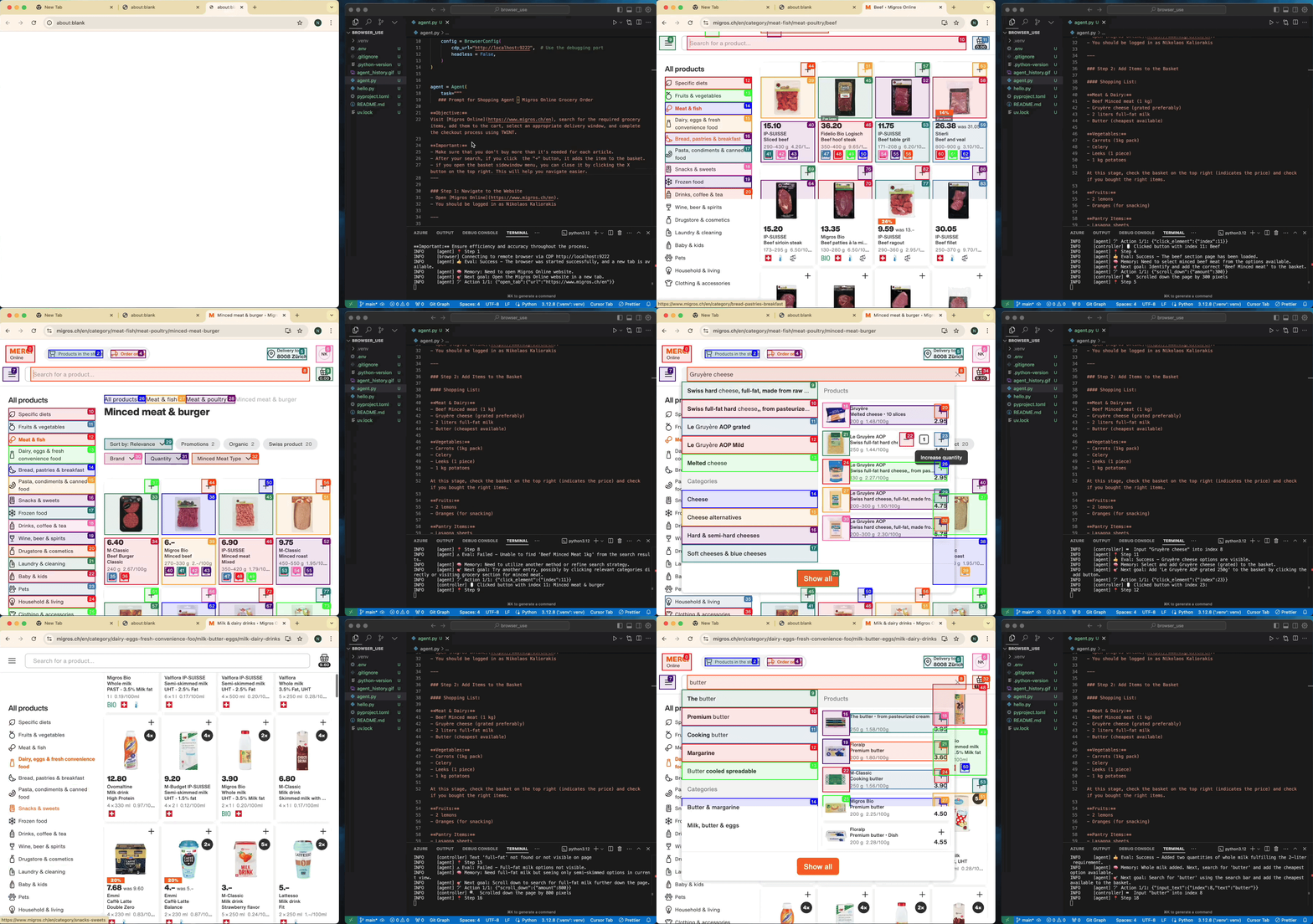
Task: Add grocery items to cart, and checkout.
Task: Read my CV & find ML jobs, save them to a file, and then start applying for them in new tabs, if you need help, ask me.
https://github.com/user-attachments/assets/171fb4d6-0355-46f2-863e-edb04a828d04
See more examples and give us a star!
MCP Integration
This gives Claude Desktop access to browser automation tools for web scraping, form filling, and more. See the MCP docs.
{
  "mcpServers": {
    "browser-use": {
      "command": "uvx",
      "args": ["browser-use[cli]", "--mcp"],
      "env": {
        "OPENAI_API_KEY": "sk-..."
      }
    }
  }
}
Tell your computer what to do, and it gets it done.

Release history Release notifications | RSS feed


Download files
Download the file for your platform. If you're not sure which to choose, learn more about installing packages.
Source Distribution
Built Distribution
Filter files by name, interpreter, ABI, and platform.
If you're not sure about the file name format, learn more about wheel file names.
Copy a direct link to the current filters
File details
Details for the file realtimex_browser_use-0.7.9.tar.gz.
File metadata
- Download URL: realtimex_browser_use-0.7.9.tar.gz
- Upload date:
- Size: 335.6 kB
- Tags: Source
- Uploaded using Trusted Publishing? No
- Uploaded via: uv/0.7.16
File hashes
| Algorithm | Hash digest | |
|---|---|---|
| SHA256 |
659cca0c6b3a39332b7f7bd6a18491233b41f68d248edc07856d34df83fd1b39
|
|
| MD5 |
f2a9eda380010ca5d62b70094b81be71
|
|
| BLAKE2b-256 |
3fec319615c7f619547021f26baa42f4cfac1c341b67e981519d2f0cd6139761
|
File details
Details for the file realtimex_browser_use-0.7.9-py3-none-any.whl.
File metadata
- Download URL: realtimex_browser_use-0.7.9-py3-none-any.whl
- Upload date:
- Size: 410.5 kB
- Tags: Python 3
- Uploaded using Trusted Publishing? No
- Uploaded via: uv/0.7.16
File hashes
| Algorithm | Hash digest | |
|---|---|---|
| SHA256 |
8c5ec432c31a2c36bbcc82bff8bc5c0593dfa0902b576ecd597732ddca893a27
|
|
| MD5 |
bd71161398e19e324bb20c3a4952c9f9
|
|
| BLAKE2b-256 |
66f4c2bd7c31f03705fd1967ef8ca3b63df60c8ebe9779698e8e6c6743045320
|






