
This tool helps you rebase your package to the latest version.


Project description
Welcome to rebase-helper






There are several steps that need to be done when rebasing a package. The goal of rebase-helper is to automate most of these steps.
How to get it running?
rebase-helper is packaged in Fedora, so you can just install it with dnf.
If you wish to use the latest codebase, consult installation instructions.
How to use it?
After installation, execute rebase-helper from a directory containing SPEC file, sources and patches (usually cloned dist-git repository):
$ ls
foo-3.1.9.tar.xz foo.spec sources
Without any arguments or configuration rebase-helper will attempt to determine the latest upstream version automatically. If that fails, or if you wish to rebase to some different version, you can specify it explicitly as an argument:
$ rebase-helper 3.1.10
or you can pass source tarball filename instead:
$ rebase-helper foo-3.1.10.tar.xz
For complete CLI reference see usage.
Alternatively, you can run rebase-helper in a container:
$ docker run -it -e PACKAGE=foo quay.io/rebasehelper/rebase-helper:latest
See container reference for more information.
What do I get from it?
rebase-helper always creates rebase-helper-results directory containing the following items:
| Path | Description |
|---|---|
| report.txt | summary report with all important information |
| changes.patch | diff against original files, directly applicable to dist-git repo |
| logs/ | log files of various verbosity levels |
| rebased-sources/ | git repository with all modified files |
| checkers/ | reports from individual checkers that were run |
| old-build/ | logs and results of old (original) version build |
| new-build/ | logs and results of new (rebased) version build |
How does it work?
The following steps describe a rebase process:
-
Preparation
- rebase-helper-workspace and rebase-helper-results directories are created
- original SPEC file is copied to rebase-helper-results/rebased-sources directory and its Version tag is modified
-
Getting sources
- old and new source tarballs are downloaded and extracted to rebase-helper-workspace directory
- old sources are downloaded from lookaside cache if possible
-
Downstream patches
- new git repository is initialized and the old sources are extracted and commited
- each downstream patch is applied and changes introduced by it are commited
- new sources are extracted and added as a remote repository
git-rebaseis used to rebase the commits on top of new sources- original patches are modified/deleted accordingly
- resulting files are stored in rebase-helper-results/rebased-sources
- diff against original files is saved to rebase-helper-results/changes.patch
-
Build
- old and new source RPMs are created and built with selected build tool
- old SRPM and RPMs can also be downloaded from Koji to speed up the rebase
-
Comparison
- multiple checker tools are run against both sets of packages and their output is stored in rebase-helper-results/checkers directory
-
Cleanup
- rebase-helper-workspace directory is removed
Videos
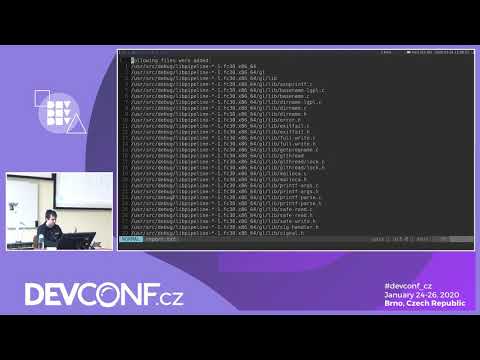
A talk about rebase-helper at DevConf.CZ 2020 given by František Nečas:
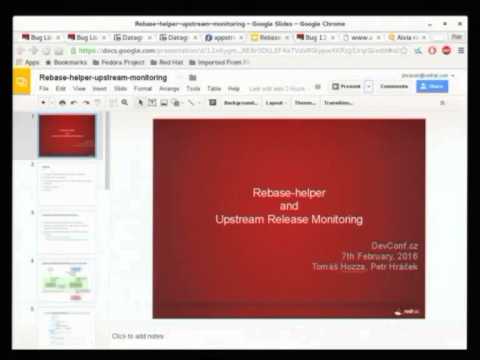
Another presentation, this time from DevConf.CZ 2016, by Petr Hráček and Tomáš Hozza:
Release history Release notifications | RSS feed


Download files
Download the file for your platform. If you're not sure which to choose, learn more about installing packages.
Source Distribution
Built Distribution
Filter files by name, interpreter, ABI, and platform.
If you're not sure about the file name format, learn more about wheel file names.
Copy a direct link to the current filters
File details
Details for the file rebasehelper-0.29.5.tar.gz.
File metadata
- Download URL: rebasehelper-0.29.5.tar.gz
- Upload date:
- Size: 1.9 MB
- Tags: Source
- Uploaded using Trusted Publishing? No
- Uploaded via: twine/6.1.0 CPython/3.12.9
File hashes
| Algorithm | Hash digest | |
|---|---|---|
| SHA256 |
89b6db316780ebfff05b79d3ec126c020a4f02f58690a1567eae84d8bde4955e
|
|
| MD5 |
f858514b081cd627888df6563b5a31f1
|
|
| BLAKE2b-256 |
504628063077022a8837e0069442aa6072025c2f0b0c7ac0b57aa9fc57f6d082
|
File details
Details for the file rebasehelper-0.29.5-py3-none-any.whl.
File metadata
- Download URL: rebasehelper-0.29.5-py3-none-any.whl
- Upload date:
- Size: 167.6 kB
- Tags: Python 3
- Uploaded using Trusted Publishing? No
- Uploaded via: twine/6.1.0 CPython/3.12.9
File hashes
| Algorithm | Hash digest | |
|---|---|---|
| SHA256 |
12ba1a42a42be91b4cc8dcdfee353302c9c9fc6209c6fb6ca90779d1e533651e
|
|
| MD5 |
49ed94c5bf0f797b93089ef6141aa4cc
|
|
| BLAKE2b-256 |
3a6c7f52d5c19a4cb38900974cdddf127d1994a9d2da1172c5f877d5d4aad7de
|






