
reCognizer v1.4



reCognizer is a free-to-use AI based reCaptcha Solver.
Usable with an easy-to-use API, also available for Async and Sync Playwright.
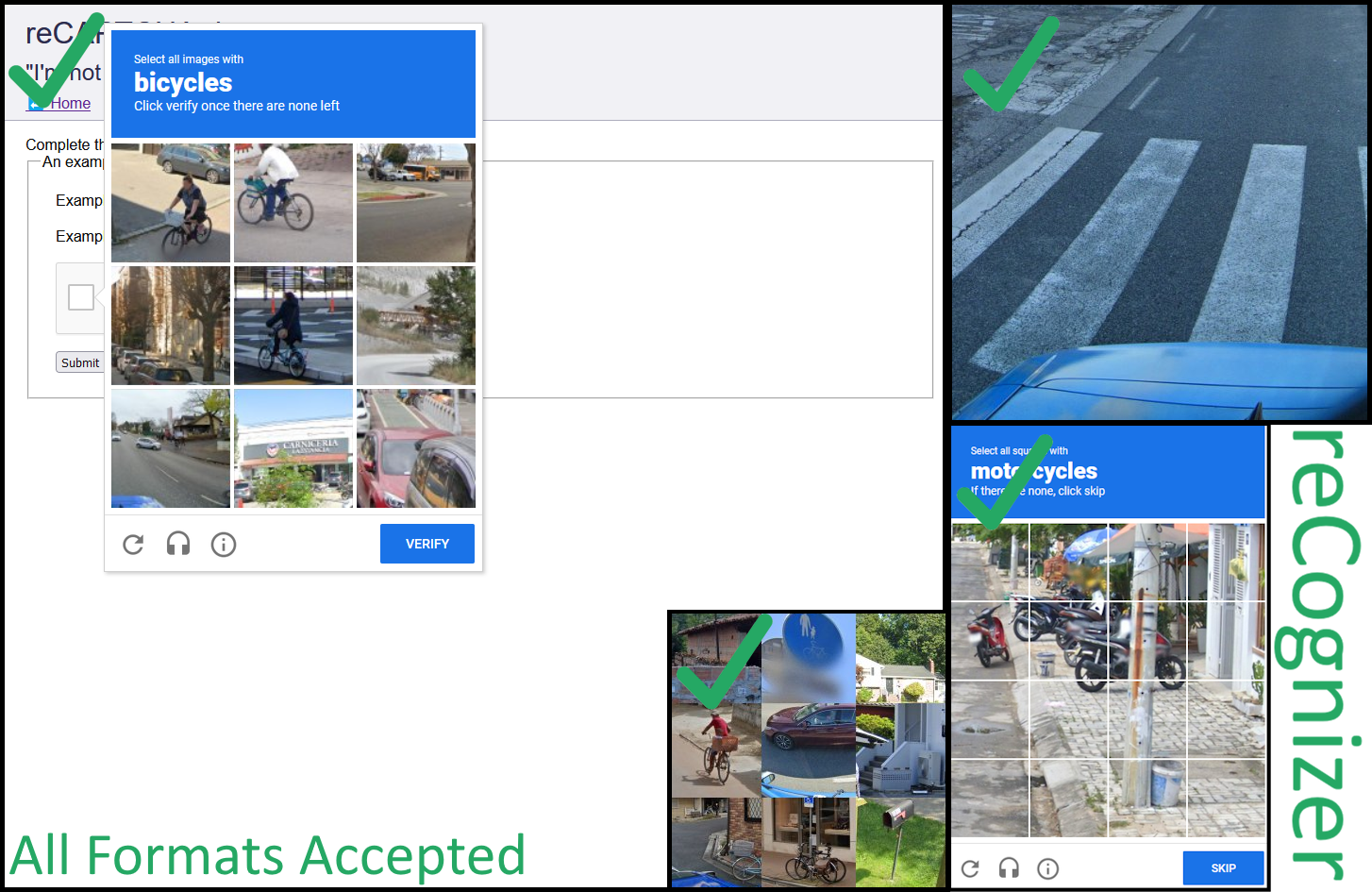
You can pass almost any format into the Challenger, from full-page screenshots, only-captcha images and no-border images to single images in a list.
Note: You Should use an undetected browser engine like Botright to solve the Captchas consistently.
reCaptcha detects normal Playwright easily and you probably wont get any successful solves despite correct recognitions.
Install it from PyPI
pip install recognizer
Examples
Possible Image Inputs
Example Solve Video (Good IP & Botright)
https://github.com/Vinyzu/recognizer/assets/50874994/95a713e3-bb46-474b-994f-cb3dacae9279
Basic Usage
# Only for Type-Hints
from typing import TypeVar, Sequence, Union
from pathlib import Path
from os import PathLike

accepted_image_types = TypeVar("accepted_image_types", Path, Union[PathLike[str], str], bytes, Sequence[Path], Sequence[Union[PathLike[str], str]], Sequence[bytes])

# Real Code
from recognizer import Detector

detector = Detector()

task_type: str = "bicycle"
images: accepted_image_types = "recaptcha_image.png"
area_captcha: bool = False

response, coordinates = detector.detect(task_type, images, area_captcha=area_captcha)
Playwright Usage
Sync Playwright
from playwright.sync_api import sync_playwright, Playwright
from recognizer.agents.playwright import SyncChallenger


def run(playwright: Playwright):
    browser = playwright.chromium.launch()
    page = browser.new_page()

    challenger = SyncChallenger(page)
    page.goto("https://recaptcha-demo.appspot.com/recaptcha-v2-checkbox-explicit.php")

    challenger.solve_recaptcha()

    browser.close()


with sync_playwright() as playwright:
    run(playwright)
Async Playwright
import asyncio

from playwright.async_api import async_playwright, Playwright
from recognizer.agents.playwright import AsyncChallenger


async def run(playwright: Playwright):
    browser = await playwright.chromium.launch()
    page = await browser.new_page()

    challenger = AsyncChallenger(page)
    await page.goto("https://recaptcha-demo.appspot.com/recaptcha-v2-checkbox-explicit.php")

    await challenger.solve_recaptcha()

    await browser.close()


async def main():
    async with async_playwright() as playwright:
        await run(playwright)


asyncio.run(main())
Copyright and License
© Vinyzu
(Commercial Usage is allowed, but source, license and copyright has to made available. reCaptcha Challenger does not provide and Liability or Warranty)
Thanks to
QIN2DIM (For basic project structure)





1 maintainer

Metadata
1 maintainer
Release files for recognizer 1.4
For a detailed explanation of source distributions (sdists) and built distributions (wheels), please see the package formats documentation.
Source distribution (sdist)
| File | Size | Uploaded | Provenance | |
|---|---|---|---|---|
| recognizer-1.4.tar.gz | 30.3 kB | Without provenance | Details |
Built distribution (wheel)
| File | Interpreter | ABI | Platform | Reset |
|---|---|---|---|---|
| recognizer-1.4-py3-none-any.whl | Python 3 | none | any | Details |
Total release size: 60.6 kB
Release files / recognizer-1.4.tar.gz
| Download URL | recognizer-1.4.tar.gz |
|---|---|
| Size | 30.3 kB |
| Tags | Source |
|
SHA-256 checksum How to use checksums |
657516e547b55cd9f82e63b72c854a9913117077fd1752164b5792fecb495192
|
|
BLAKE2b-256 checksum How to use checksums |
fde1cc4dda9800619046c5c297c8090dab18101c75879634344467f0032a2886
|
| Upload date | |
|
Uploaded using Trusted Publishing? What is trusted publishing? |
No |
| Uploaded via |
twine/5.0.0 CPython/3.10.1
|
Release files / recognizer-1.4-py3-none-any.whl
| Download URL | recognizer-1.4-py3-none-any.whl |
|---|---|
| Size | 30.2 kB |
| Tags | Python 3 |
|
SHA-256 checksum How to use checksums |
81c92c42cd02362e5a039e19d9af1757f777b093ecc471c675b7018da1df5bd4
|
|
BLAKE2b-256 checksum How to use checksums |
837028ced495a21f15fb769180d5f88630b72780de8c839221abf4bb858d44e4
|
| Upload date | |
|
Uploaded using Trusted Publishing? What is trusted publishing? |
No |
| Uploaded via |
twine/5.0.0 CPython/3.10.1
|
Security for recognizer 1.4
Provenance
Provenance describes where a file came from. On PyPI, provenance is shared via attestations, which provide a verifiable record of the build or publishing details. View details, limitations and caveats.
No provenance found
None of the files in this release were uploaded with provenance metadata.
A note on package security
PyPI is a repository for distributing packages, not a service for auditing them. While third-party security researchers and our staff do their best to detect and remove malicious packages, PyPI cannot guarantee the quality, security or suitability of any given package.
To learn more about protecting yourself from malicious actors, visit our package security documentation.














