
Redaction MCP
Find sensitive text in a document, then permanently redact it or replace it with sample data. Use it from an MCP client such as ChatGPT, or through the FastAPI server. It supports text-based PDFs, DOCX, PPTX/PPTM, TXT, CSV, and XLSX.
How it works: document → inspect_document → redact or replace → check the output.
With an AI agent
In the ChatGPT session, the agent identified the invoice fields, used Redaction MCP to remove them, verified the output, and returned the updated PDF. The metadata cleanup shown in the chat was a separate step performed by the agent.
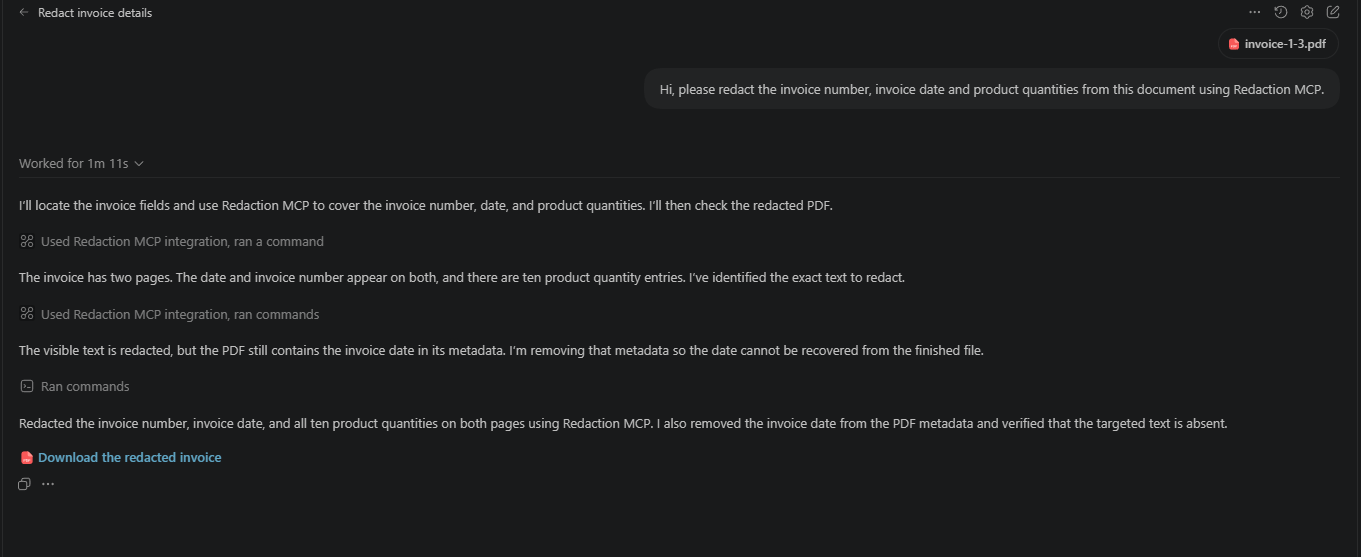
See it work
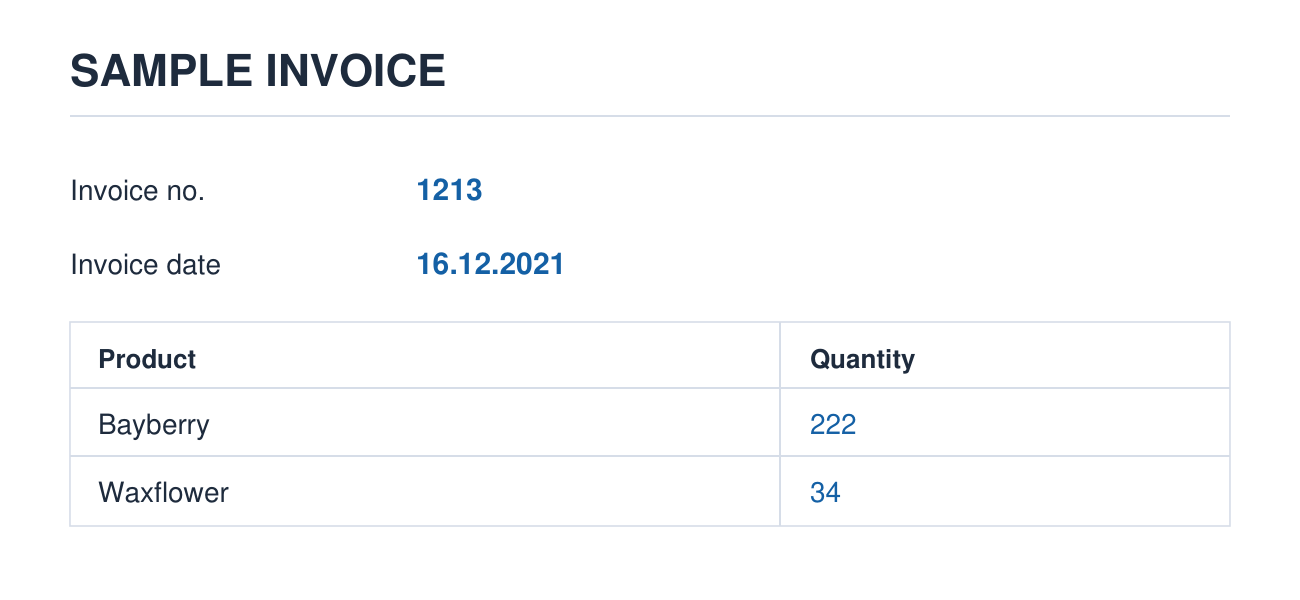
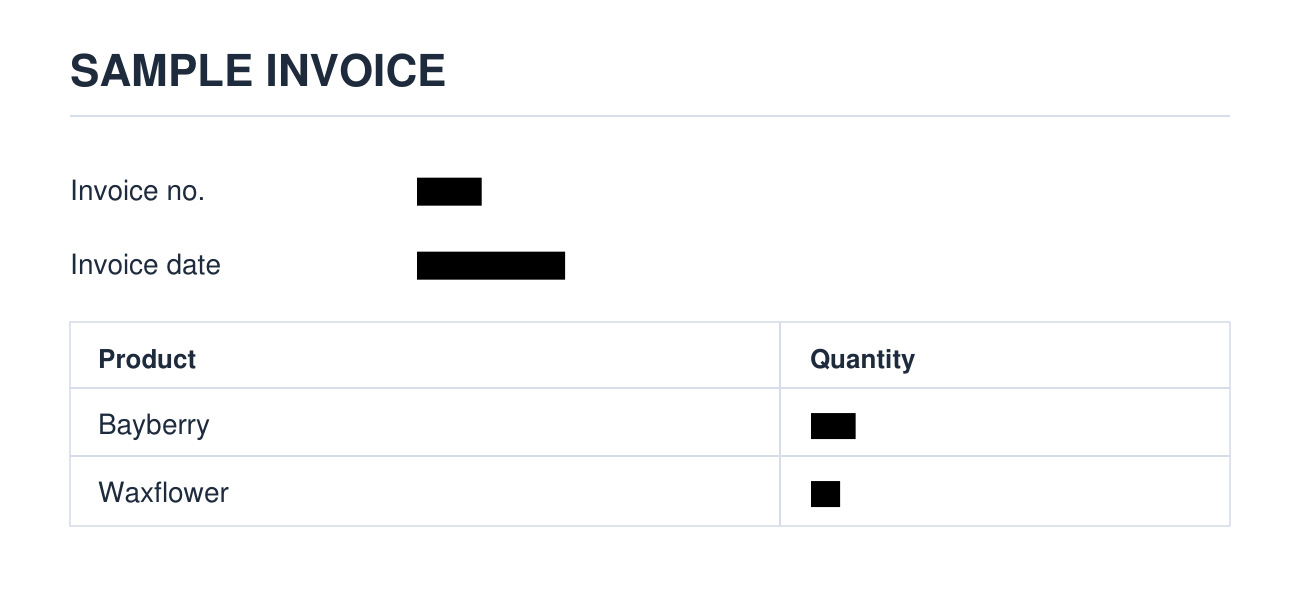
In this sample invoice, the invoice number, date, and product quantities are removed while the rest of the layout stays readable.
| Before | After redaction |
|---|---|
 |
 |
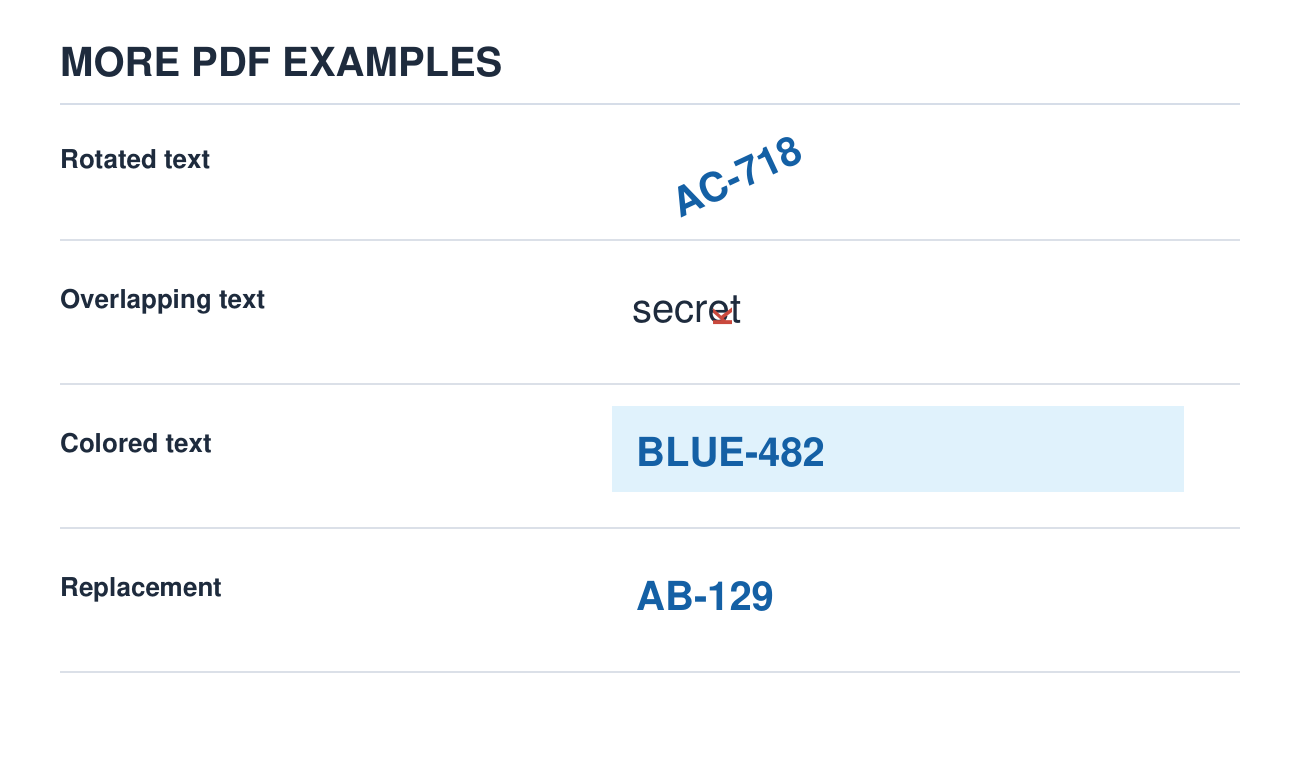
The PDF engine also handles text at an angle, text that overlaps other text, and colored text. Replacement removes the original value and inserts a new one.
| Before | After redaction or replacement |
|---|---|
 |
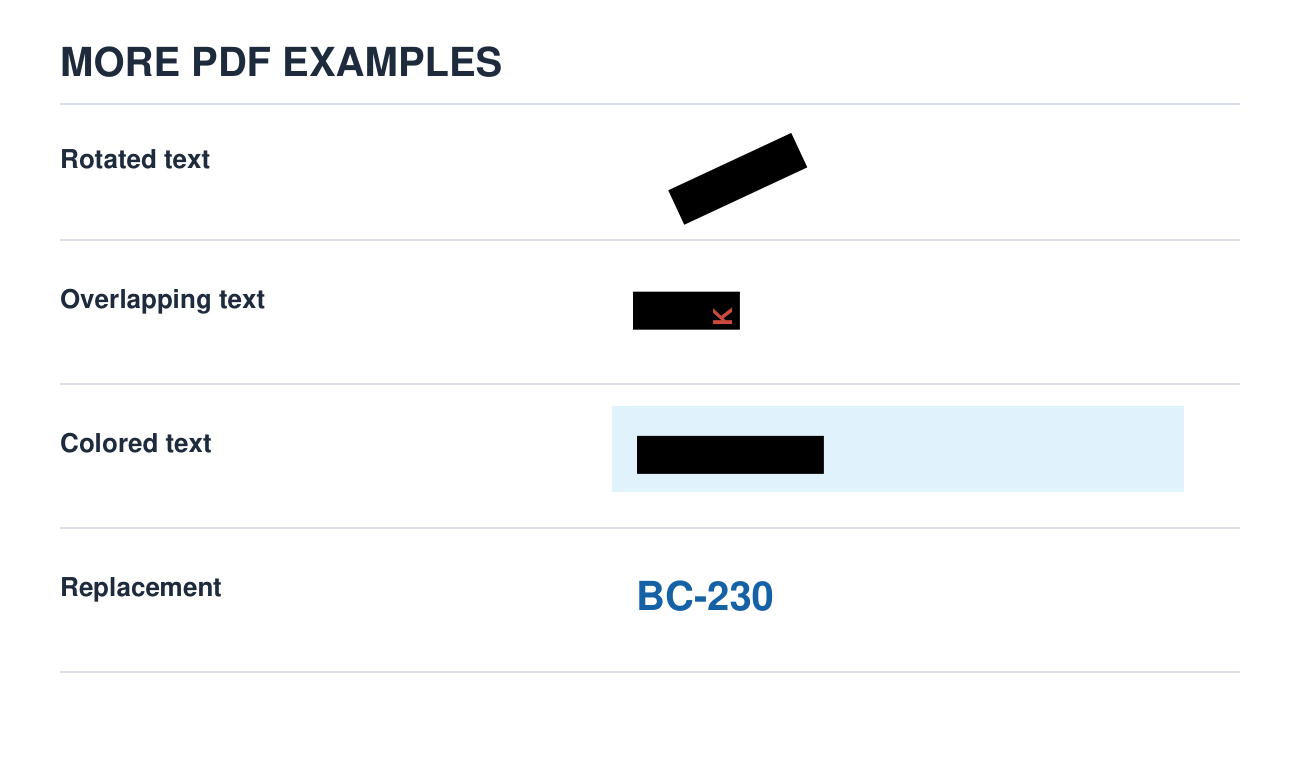 |
The images above are sample PDFs processed by this project. In the last row, AB-129 becomes BC-230 using the REGEX replacement mode.
Install and use
Requires Python 3.12 or newer.
python -m pip install redaction-mcp
Start the MCP server in HTTP mode:
redaction-mcp-http
# Choose a different port when needed:
redaction-mcp-http --port 9000
Local MCP clients can connect to http://127.0.0.1:8000/mcp by default, or http://127.0.0.1:9000/mcp with the example above. For a client that launches its own server process, use redaction-mcp-stdio. To use ChatGPT, make the HTTP endpoint available at a reachable HTTPS URL and add that URL as an MCP connection.
Then attach a document and ask, for example:
Redact the invoice number, invoice date, and product quantities from this PDF. Check the resulting document before returning it.
The server exposes inspect_document, redact, and replace tools. Keep the original file and check the output, including PDF metadata, before sharing it. See DEVELOPMENT.md for API requests, large-file jobs, and configuration.
Limitations
PDF support is for text-based PDFs. Scanned PDFs need a specialized PII detection and removal pipeline with OCR, structure analysis, a custom redaction or replacement engine, and generation of a new document. For more information about such solutions, contact me at zhimanshuk135@gmail.com.
1 maintainer

Metadata
1 maintainer
Release files for redaction-mcp 1.2.0
For a detailed explanation of source distributions (sdists) and built distributions (wheels), please see the package formats documentation.
Source distribution (sdist)
| File | Size | Uploaded | Provenance | Actions |
|---|---|---|---|---|
| redaction_mcp-1.2.0.tar.gz | 53.4 kB | With provenance | Details for redaction_mcp-1.2.0.tar.gz |
Built distribution (wheel)
| File | Interpreter | ABI | Platform | Actions Reset |
|---|---|---|---|---|
| redaction_mcp-1.2.0-py3-none-any.whl | Python 3 | none | any | Details for redaction_mcp-1.2.0-py3-none-any.whl |
Total release size: 104.8 kB
Release files / redaction_mcp-1.2.0.tar.gz
| Download URL | redaction_mcp-1.2.0.tar.gz |
|---|---|
| Size | 53.4 kB |
| Tags | Source |
|
SHA-256 checksum How to use checksums |
623fec9b9ce1904eadcd2ca0906e0ee041e7e4e50baa37733fe0c5e0a65968c8
|
|
BLAKE2b-256 checksum How to use checksums |
6ff6c708f60b3d9457f931609b879ec825ca35034bdac692528d69a426981b8d
|
| Upload date | |
|
Uploaded using Trusted Publishing? What is trusted publishing? |
Yes |
| Uploaded via |
twine/7.0.0 CPython/3.13.16
|
Provenance
Provenance describes where a file came from. On PyPI, provenance is shared via attestations, which provide a verifiable record of the build or publishing details. View details, limitations and caveats.


PyPI Publish Attestation
PyPI verified that this artifact, at this checksum, originated from the publisher listed below.
Signed by GitHub Actions, verified by PyPI on Nov 13, 2026.
Transparency logRelease files / redaction_mcp-1.2.0-py3-none-any.whl
| Download URL | redaction_mcp-1.2.0-py3-none-any.whl |
|---|---|
| Size | 51.4 kB |
| Tags | Python 3 |
|
SHA-256 checksum How to use checksums |
d407dbb9cd6907fc2676474a8256537c7afec4ef4dcd6829e57226b5e51afb93
|
|
BLAKE2b-256 checksum How to use checksums |
5db653b6c5ded6eba31d10168c6e3f5e6c9075100563a843bb3ea52586de3e31
|
| Upload date | |
|
Uploaded using Trusted Publishing? What is trusted publishing? |
Yes |
| Uploaded via |
twine/7.0.0 CPython/3.13.16
|
Provenance
Provenance describes where a file came from. On PyPI, provenance is shared via attestations, which provide a verifiable record of the build or publishing details. View details, limitations and caveats.
PyPI Publish Attestation
PyPI verified that this artifact, at this checksum, originated from the publisher listed below.
Signed by GitHub Actions, verified by PyPI on Nov 13, 2026.
Transparency logSecurity for redaction-mcp 1.2.0
Provenance
Provenance describes where a file came from. On PyPI, provenance is shared via attestations, which provide a verifiable record of the build or publishing details. View details, limitations and caveats.
Full provenance
Both files in this release have been uploaded with provenance metadata.
Attestation for redaction_mcp-1.2.0.tar.gz
PyPI Publish Attestation
PyPI verified that this artifact, at this checksum, originated from the publisher listed below.
Signed by GitHub Actions, verified by PyPI on Nov 13, 2026.
Transparency logA note on package security
PyPI is a repository for distributing packages, not a service for auditing them. While third-party security researchers and our staff do their best to detect and remove malicious packages, PyPI cannot guarantee the quality, security or suitability of any given package.
To learn more about protecting yourself from malicious actors, visit our package security documentation.














