
Remi Detector Calculation for Monitoring Electrons
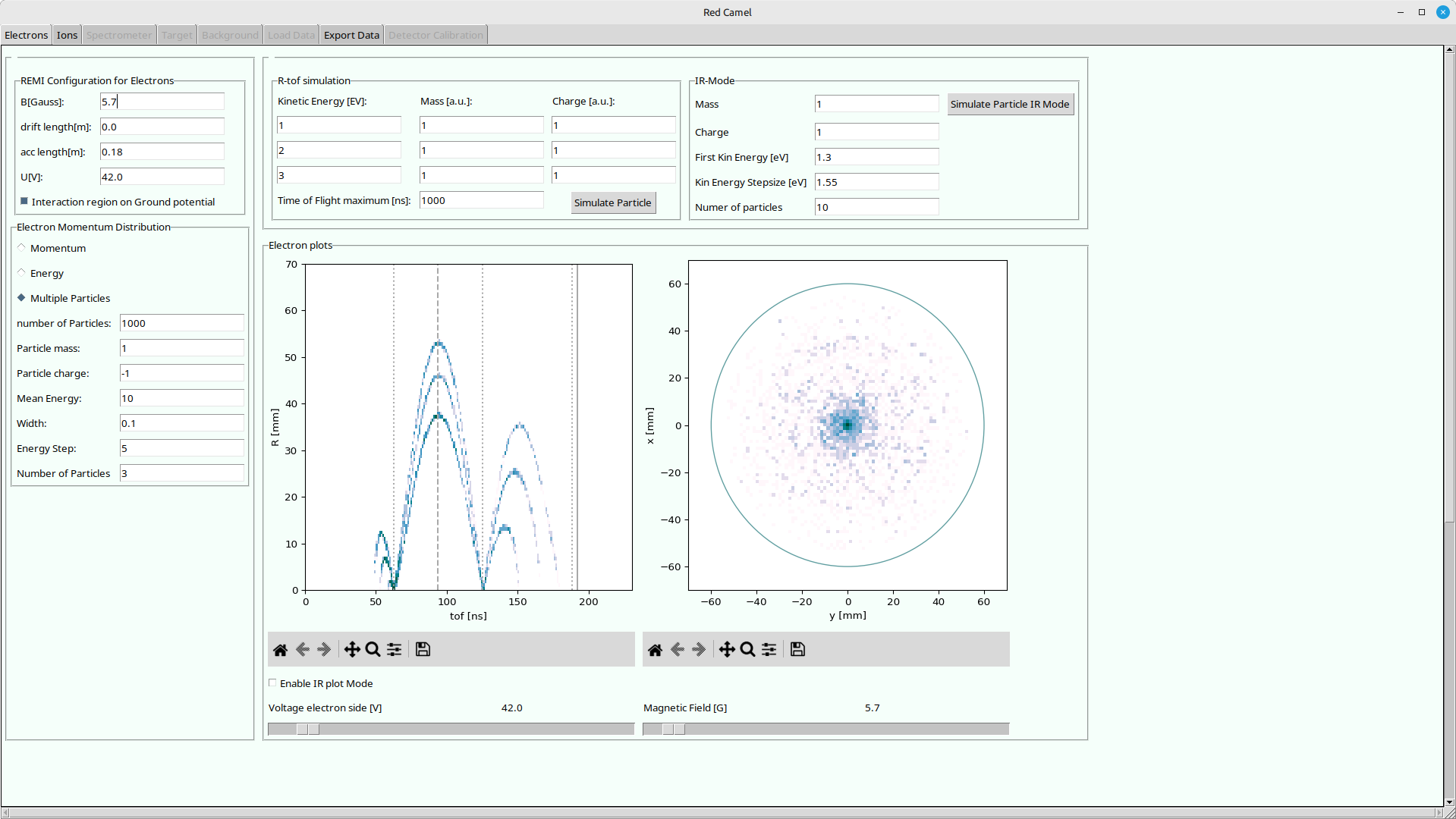
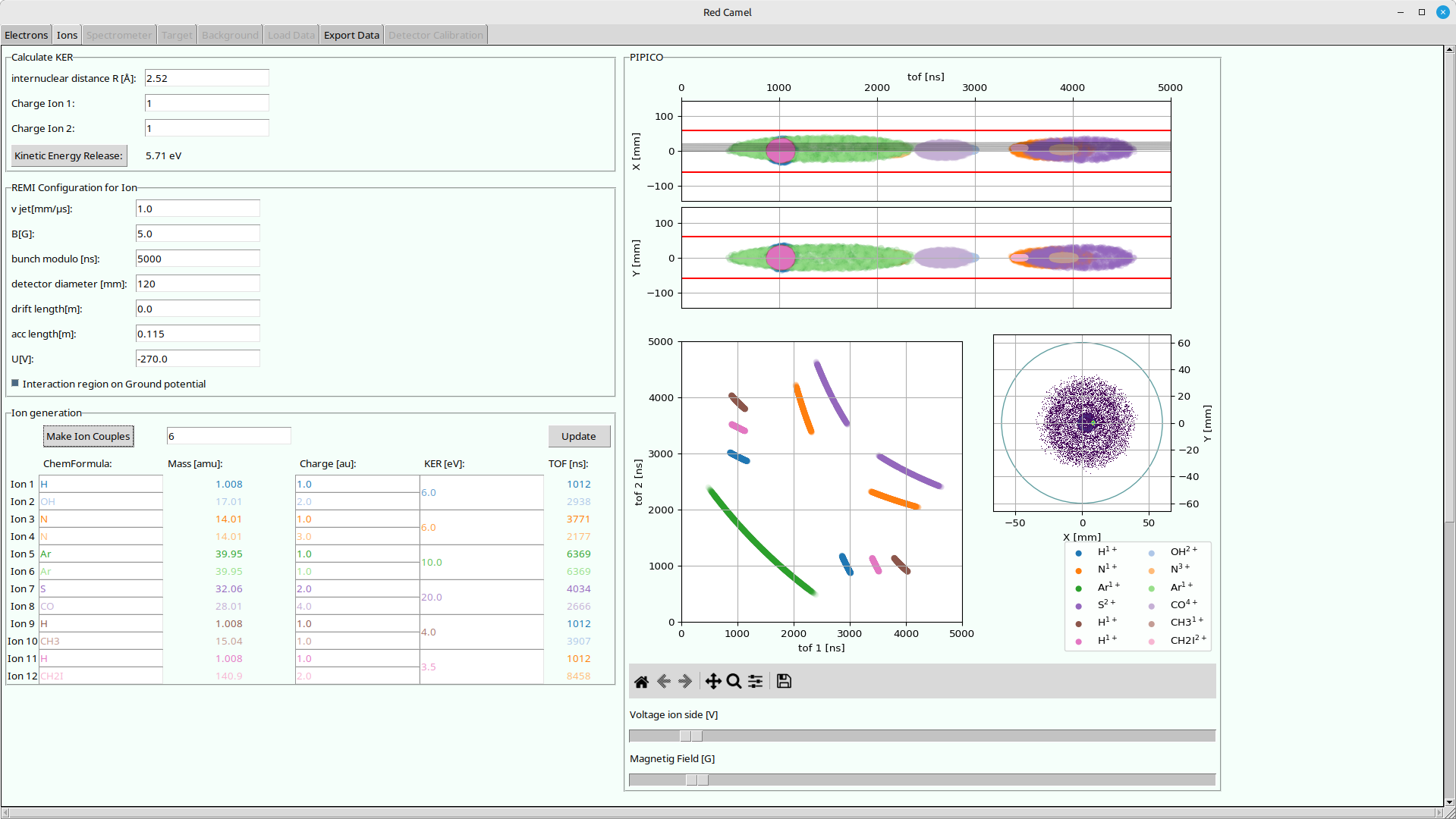
GUI tool to simulate Reaction Microscope detector images.
Try out the examples:







Example Outputs
Usage
With uv (recommended)
[!WARNING] You currently have to use your system python with included tkinter library (e.g.
apt install python3-tk). uv apparently can not bring a working tk library. (Until https://github.com/astral-sh/python-build-standalone/pull/676 is merged) If you can not get tk to run, you can try to follow the "For developers" section. You would notice something likeImportError: module '_tkinter' has no attribute '__file__'.
Try out with temporary python environment:
uvx redcamel
Permanently install in isolated python environment:
uv tool install redcamel
Run:
redcamel
Upgrade
uv tool upgrade redcamel
uv can be found here: https://docs.astral.sh/uv/getting-started/installation/
With pipx (recommended)
Install in isolated python environment:
pipx install redcamel
Run:
redcamel
Update:
pipx upgrade redcamel
pipx can be found here: https://pipx.pypa.io/latest/installation/
With pip
Installing in your current python environment:
Install:
pip install redcamel
Run:
redcamel
Update:
pip install --upgrade redcamel
With conda/mamba/pixi
Not yet implemented, sorry..
Authors
- Initial implementation by Patrizia Schoch
- Maintained by Hannes Lindenblatt
For developers
First get the repository:
git clone https://codeberg.org/FlashREMI/RedCamel.git
or if you have an codeberg.org account with an ssh key set up:
git clone ssh://git@codeberg.org/FlashREMI/RedCamel.git
Then work inside the RedCamel folder. uv or pixi will find their configuration files there. You might need to get the image files with git-lfs:
git lfs install
git lfs pull
Usage with pixi (recommended)
[!TIP] pixi / the conda-forge python distribution actually includes tk libraries so you do not need installed system tk :)
pixi can be found here: https://pixi.sh/latest/#installation If you are on a cluster like DESYs maxwell, check if you can load pixi from a module like this:
module load maxwell pixi
Check the available pixi tasks!
pixi task list
Run tasks like this, e.g. the RedCamel:
pixi run redcamel
Usage with uv
uv run redcamel
uv can be found here: https://docs.astral.sh/uv/getting-started/installation/
Usage with venv + pip
Set up and activate a virtual environment:
python3 -m venv .venv
source .venv/bin/activate
Install redcamel in development mode:
pip install -e ./
Usage with mamba / conda
Setup
- install environment with dependencies:
mamba env create
Usage
- activate environment:
mamba activate redcamel
- run GUI with:
python src/redcamel/remi_gui.py
- Play around with plots and sliders!
Updating
- pull changes:
git pull
- update environment:
mamba activate redcamel
mamba env update
1 maintainer

Download files
Download the file for your platform. If you're not sure which to choose, learn more about installing packages.
Source Distribution
Built Distribution
Filter files by name, interpreter, ABI, and platform.
If you're not sure about the file name format, learn more about wheel file names.
Copy a direct link to the current filters
File details
Details for the file redcamel-0.1.9.tar.gz.
File metadata
- Download URL: redcamel-0.1.9.tar.gz
- Upload date:
- Size: 76.5 kB
- Tags: Source
- Uploaded using Trusted Publishing? Yes
- Uploaded via:
uv/0.11.28 {"installer":{"name":"uv","version":"0.11.28","subcommand":["publish"]},"python":null,"implementation":{"name":null,"version":null},"distro":{"name":"Ubuntu","version":"24.04","id":"noble","libc":null},"system":{"name":null,"release":null},"cpu":null,"openssl_version":null,"setuptools_version":null,"rustc_version":null,"ci":true}
File hashes
| Algorithm | Hash digest | |
|---|---|---|
| SHA256 |
b13d064904deddbaf35b8028f6e60d01a876de6274563f3e6c9f8d697f9fb1dc
|
|
| MD5 |
206246bd7deceec58850ea16a225098c
|
|
| BLAKE2b-256 |
1275b5107eaa48957208ab7bc6cd3010a480e603d0f52019e3b085faf69c5ff9
|
File details
Details for the file redcamel-0.1.9-py3-none-any.whl.
File metadata
- Download URL: redcamel-0.1.9-py3-none-any.whl
- Upload date:
- Size: 83.1 kB
- Tags: Python 3
- Uploaded using Trusted Publishing? Yes
- Uploaded via:
uv/0.11.28 {"installer":{"name":"uv","version":"0.11.28","subcommand":["publish"]},"python":null,"implementation":{"name":null,"version":null},"distro":{"name":"Ubuntu","version":"24.04","id":"noble","libc":null},"system":{"name":null,"release":null},"cpu":null,"openssl_version":null,"setuptools_version":null,"rustc_version":null,"ci":true}
File hashes
| Algorithm | Hash digest | |
|---|---|---|
| SHA256 |
f76fb640bb55b77ac330093e947b2e94a86c4e65e31d9bb82aa6778da197514c
|
|
| MD5 |
9ca9639fe70a55afeba87cec48f2df32
|
|
| BLAKE2b-256 |
73095dbe9ffb230cc9eb6b335e997301e1184d6ca4e31213e461e05ec3b2f9b8
|














