
🛡️ reddacted
AI-Powered Reddit Privacy Suite






Local LLM powered, highly performant privacy analysis leveraging AI, sentiment analysis & PII detection
to provide insights into your true privacy with bulk remediation
For aging engineers who want to protect their future political careers 🏛️

✨ Key Features
🛡️ |
PII Detection Analyze the content of comments to identify anything that might reveal PII that you may not want correlated with your anonymous username |
🤫 |
Sentiment Analysis Understand the emotional tone of your Reddit history, combined with upvote/downvote counts & privacy risks to choose which posts to reddact |
🔒 |
Zero-Trust Architecture Client-side execution only, no data leaves your machine unless you choose to use a hosted API. Fully compatible with all OpenAI compatible endpoints |
⚡ |
Self-Host Ready Use any model via Ollama, llama.cpp, vLLM or other platform capable of exposing an OpenAI-compatible endpoint. LiteLLM works just dandy. |
📊 |
Smart Cleanup Preserve valuable contributions while removing risky content - clean up your online footprint without blowing away everything |
🔐 Can I trust this with my data?
You don't have to - read the code for yourself, only reddit is called
reddacted user yourusername --local-llm "http://localhost:11434"
- ✅ Client-side execution only, no tracking or external calls
- ✅ Session-based authentication if you choose - it is optional unless you want to delete
- ✅ Keep your nonsense comments with lots of upvotes and good vibes without unintentionally doxing yourself
reddacted user taylorwilsdon --limit 3
📋 Table of Contents
- Key Features
- Can I trust this with my data?
- Installation
- Usage
- How accurate is the PII detection?
- FAQ
- Troubleshooting
- Authentication
- Advanced Usage
- Development
- Testing
- Common Exceptions
- Support & Community
📥 Installation
# Install from brew (recommended)
brew install taylorwilsdon/tap/reddacted

# Install from PyPI (recommended)
pip install reddacted

# Or install from source
git clone https://github.com/taylorwilsdon/reddacted.git
cd reddacted
pip install -e ".[dev]"  # Installs with development dependencies
🚀 Usage
# Most basic possible quick start - this will walk you through selecting your LLM in the command line
reddacted user spez

# Analyze a user's recent comments with local LLM specified
reddacted user spez \
  --limit 5 \
  --local-llm "http://localhost:11434" \
  --model "qwen2.5:3b" \
  --sort new

# Analyze controversial comments with OpenAI
export OPENAI_API_KEY="your-api-key"
reddacted user spez \
  --sort controversial \
  --time month \
  --model "gpt-4" \
  --limit 10 \
  --pii-only

# Analyze a specific subreddit post with PII filter disabled
reddacted listing r/privacy abc123 \
  --local-llm "http://localhost:11434" \
  --model "qwen2.5:3b" \
  --disable-pii \
  --sort new

# Search for specific content (requires auth)
reddacted user spez \
  --enable-auth \
  --text-match "python" \
  --skip-text "deleted" \
  --sort top \
  --time all

# Bulk comment management
reddacted delete abc123,def456 --batch-size 5  # Delete comments
reddacted update abc123,def456                 # Replace with standard redaction message
reddacted update abc123,def456 --use-random-string  # Replace with random UUID
Available Commands
| Command | Description |
|---|---|
user |
Analyze a user's comment history |
listing |
Analyze a specific post and its comments |
delete |
Delete comments by their IDs |
update |
Replace comment content with r/reddacted |
Common Arguments
| Argument | Description |
|---|---|
--limit N |
Maximum comments to analyze (default: 100, 0 for unlimited) |
--sort |
Sort method: hot, new, controversial, top (default: new) |
--time |
Time filter: all, day, hour, month, week, year (default: all) |
--output-file |
Save detailed analysis to a file |
--enable-auth |
Enable Reddit API authentication |
--disable-pii |
Skip PII detection |
--pii-only |
Show only comments containing PII |
--text-match |
Search for comments containing specific text |
--skip-text |
Skip comments containing specific text pattern |
--batch-size |
Comments per batch for delete/update (default: 10) |
--use-random-string |
Use random UUID instead of standard message when updating comments |
LLM Configuration
| Argument | Description |
|---|---|
--local-llm URL |
Local LLM endpoint (OpenAI compatible) |
--openai-key KEY |
OpenAI API key |
--openai-base URL |
Custom OpenAI API base URL |
--model NAME |
Model to use (default: gpt-4 for OpenAI) |
--openai-key flag or set the environment variable:
export OPENAI_API_KEY="your-api-key"
❓ How accurate is the PII detection, really?
Surprisingly good. Good enough that I run it against my own stuff in delete mode. It's basically a defense-in-depth approach combining these methods:
📊 AI Detection
Doesn't need a crazy smart model, don't waste your money on r1 or o1.
- Cheap & light models like gpt-4o-mini, gpt-3.5-turbo, qwen2.5:3b or 7b and Mistral are all plenty
- Don't use something too dumb or it will be inconsistent, a 0.5b model will produce unreliable results
- Works well with cheap models like qwen2.5:3b (potato can run this) and gpt-4o-mini (~15¢ per million tokens)
🔍 Pattern Matching
50+ regex rules for common PII formats does a first past sweep for the obvious stuff
🧠 Context Analysis
Are you coming off as a dick? Perhaps that factors into your decision to clean up. Who could say, mine are all smiley faces.
💡 FAQ
Q: How does the AI handle false positives?
Adjust confidence threshold (default 0.7) per risk tolerance. You're building a repo from source off some random dude's github - don't run this and just delete a bunch of stuff blindly, you're a smart person. Review your results, and if it is doing something crazy, please tell me.
Q: What LLMs are supported?
Local: any model via Ollama, vLLM or other platform capable of exposing an openai-compatible endpoint.
Cloud: OpenAI-compatible endpoints
Q: Is my data sent externally?
If you choose to use a hosted provider, yes - in cloud mode - local analysis stays fully private.
🔧 Troubleshooting
If you get "command not found" after installation:
- Check Python scripts directory is in your PATH:
# Typical Linux/Mac location
export PATH="$HOME/.local/bin:$PATH"

# Typical Windows location
set PATH=%APPDATA%\Python\Python311\Scripts;%PATH%
- Verify installation location:
pip show reddacted
🔑 Authentication
Before running any commands that require authentication, you'll need to set up your Reddit API credentials:
Step 1: Create a Reddit Account
If you don't have one, sign up at https://www.reddit.com/account/register/
Step 2: Create a Reddit App
- Go to https://www.reddit.com/prefs/apps
- Click "are you a developer? create an app..." at the bottom
- Choose "script" as the application type
- Set "reddacted" as both the name and description
- Use "http://localhost:8080" as the redirect URI
- Click "create app"
Step 3: Get Your Credentials
After creating the app, note down:
- Client ID: The string under "personal use script"
- Client Secret: The string labeled "secret"
Step 4: Set Environment Variables
export REDDIT_USERNAME=your-reddit-username
export REDDIT_PASSWORD=your-reddit-password
export REDDIT_CLIENT_ID=your-client-id
export REDDIT_CLIENT_SECRET=your-client-secret
These credentials are also automatically used if all environment variables are present, even without the --enable-auth flag.
🧙♂️ Advanced Usage
Text Filtering
You can filter comments using these arguments:
| Argument | Description |
|---|---|
--text-match "search phrase" |
Only analyze comments containing specific text (requires authentication) |
--skip-text "skip phrase" |
Skip comments containing specific text pattern |
For example:
# Only analyze comments containing "python"
reddacted user spez --text-match "python"

# Skip comments containing "deleted"
reddacted user spez --skip-text "deleted"

# Combine both filters
reddacted user spez --text-match "python" --skip-text "deleted"
👨💻 Development
This project uses UV for building and publishing. Here's how to set up your development environment:
- Create and activate a virtual environment:
python -m venv venv
source venv/bin/activate  # On Windows: venv\Scripts\activate
- Install UV:
pip install uv
- Install in development mode with test dependencies:
pip install -e ".[dev]"
- Build the package:
uv build --sdist --wheel
- Create a new release:
./release.sh
The release script will:
- Build the package with UV
- Create and push a git tag
- Create a GitHub release
- Update the Homebrew formula
- Publish to PyPI (optional)
That's it! The package handles all other dependencies automatically, including NLTK data.
🧪 Testing
Run the test suite:
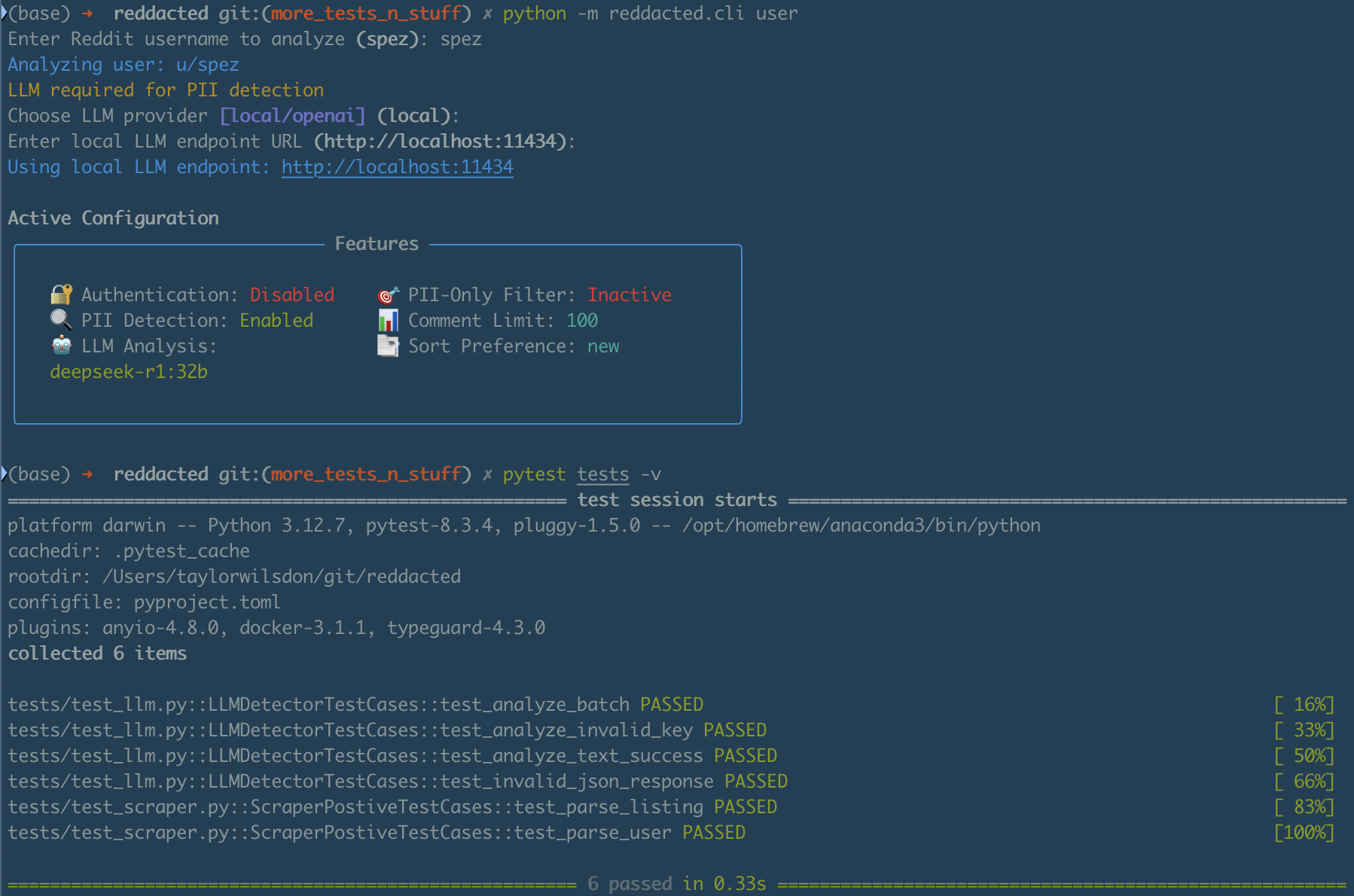
pytest tests
Want to contribute? Great! Feel free to:
- Open an Issue
- Submit a Pull Request
⚠️ Common Exceptions
too many requests
If you're unauthenticated, reddit has relatively low rate limits for it's API. Either authenticate against your account, or just wait a sec and try again.
the page you requested does not exist
Simply a 404, which means that the provided username does not point to a valid page.
Pro Tip: Always review changes before executing deletions!
🌐 Support & Community
Join our subreddit: r/reddacted
1 maintainer

Metadata
1 maintainer
Release files for reddacted 0.2.6
For a detailed explanation of source distributions (sdists) and built distributions (wheels), please see the package formats documentation.
Source distribution (sdist)
| File | Size | Uploaded | |
|---|---|---|---|
| reddacted-0.2.6.tar.gz | 66.2 kB | Details |
Built distribution (wheel)
| File | Interpreter | ABI | Platform | Reset |
|---|---|---|---|---|
| reddacted-0.2.6-py3-none-any.whl | Python 3 | none | any | Details |
Total release size: 133.2 kB
Release files / reddacted-0.2.6.tar.gz
| Download URL | reddacted-0.2.6.tar.gz |
|---|---|
| Size | 66.2 kB |
| Tags | Source |
|
SHA-256 checksum How to use checksums |
d5694b75fb5ebc3e068978600bf11ec336ff3ce91f0b4c25965710d68dd3fbff
|
|
BLAKE2b-256 checksum How to use checksums |
140f4ba9907050d130c6cbf4b72010cfd174bb8ecd364424f1ecb70f27311c3b
|
| Upload date | |
|
Uploaded using Trusted Publishing? What is trusted publishing? |
No |
| Uploaded via |
uv/0.6.9
|
Release files / reddacted-0.2.6-py3-none-any.whl
| Download URL | reddacted-0.2.6-py3-none-any.whl |
|---|---|
| Size | 67.0 kB |
| Tags | Python 3 |
|
SHA-256 checksum How to use checksums |
d49594f040f12f2b3b99720a9b61bcd0a8647fa748ffa36d7ad1ef91eb8114c4
|
|
BLAKE2b-256 checksum How to use checksums |
9f346e1b736be8282f6c399f0bb67cc3c5ff3e4f2d7d26ba70f764961d2525a3
|
| Upload date | |
|
Uploaded using Trusted Publishing? What is trusted publishing? |
No |
| Uploaded via |
uv/0.6.9
|














