
RedFox Python SDK


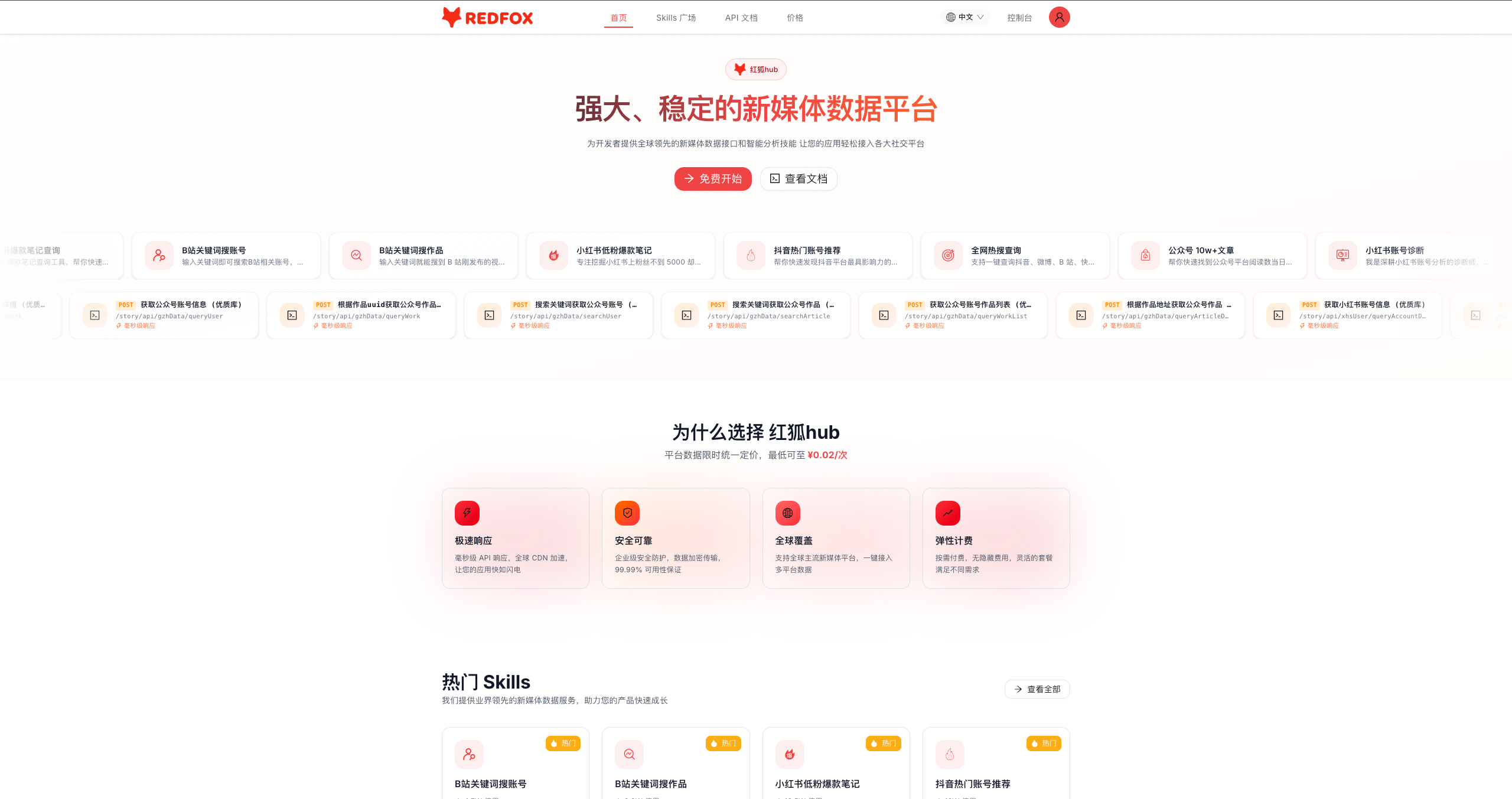
RedFoxHub Python SDK,提供 抖音、小红书、公众号、B站、今日头条、TikTok、快手、视频号、YouTube、X (Twitter)、Instagram、懂车帝、易车、汽车之家 14 大内容平台的数据采集接口,多平台热点榜单聚合接口,短视频去水印下载与素材上传工具,以及 GPT 图片生成、豆包图片/视频生成、AI 搜索(Kimi/豆包/Deepseek/元宝/千问/百度)AI 能力接口。
为什么选择 RedFoxHub
平台数据限时统一定价,最低可至 ¥0.02/次
|
⚡ 极速响应 毫秒级 API 响应,全球 CDN 加速,让您的应用快如闪电 |
🛡️ 安全可靠 企业级安全防护,数据加密传输,99.99% 可用性保证 |
🌍 全球覆盖 支持全球主流新媒体平台,一键接入多平台数据 |
💎 弹性计费 按需付费,无隐藏费用,灵活的套餐满足不同需求 |
SDK 核心特性
- 零配置 — 设置环境变量
REDFOX_API_KEY即可使用,无需配置对象,扁平化参数 - 指数退避自动重试 — 网络超时、服务端 5xx、限流 429 自动重试(含随机抖动防惊群)
- 同步 + 异步双客户端 —
RedFoxClient与AsyncRedFoxClient,API 完全一致 - 文件上传 — 内置 multipart 上传,支持文件路径 / bytes / 文件对象
- 结构化异常 —
RedFoxAuthError/RedFoxRateLimitError/RedFoxAPIError,含完整调试上下文 - 生产就绪 — 基于
httpx构建,支持连接复用、超时控制、上下文管理器
安装
pip install redfox-python-sdk
身份认证
获取 API Key
- 前往 https://redfox.hk/settings/api-keys?source=github 注册 / 登录。
- 在控制台复制你的 API Key。
- 设置为环境变量或直接传入:
export REDFOX_API_KEY="YOUR_API_KEY"
多平台API文档
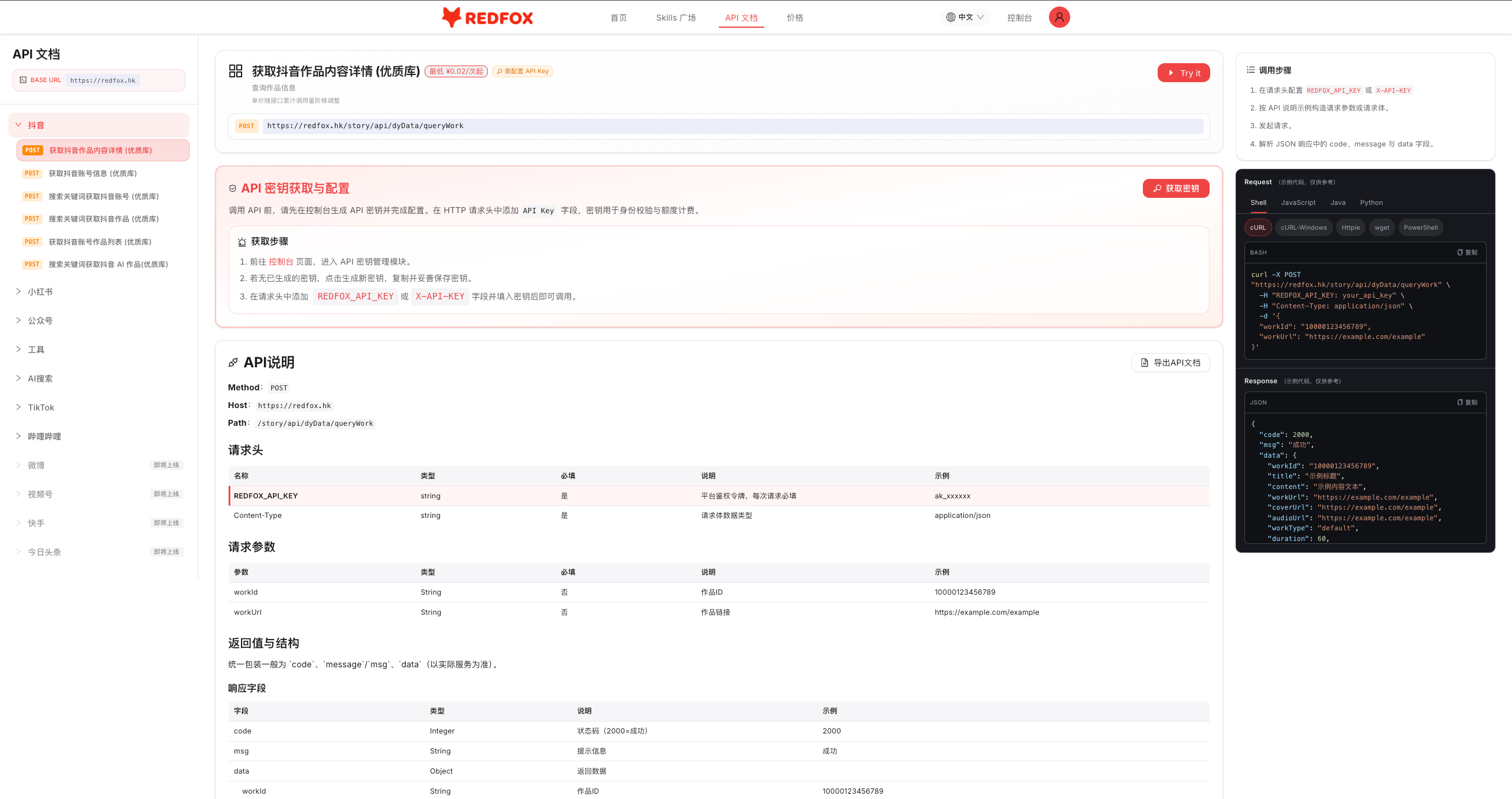
API文档中包含:
- 请求头说明
- 请求参数说明
- 返回值和数据结构说明
- 请求示例
- 响应示例
- 常见状态码说明
快速开始
from redfox import RedFoxClient

client = RedFoxClient(api_key="your_api_key")

# 搜索抖音作品
result = client.douyin.search_articles(keyword="AI")

# 搜索小红书笔记
result = client.xiaohongshu.search_articles(keyword="旅行")

# 搜索公众号文章
result = client.wechat.search_articles(keyword="科技")

# 搜索快手作品
result = client.kuaishou.search_works(keyword="美食")

# 搜索 YouTube 视频
result = client.youtube.search_videos(search_query="AI tutorial")

# 全网聚合热点 TOP10
result = client.hotspot.get_top10(
    start_date="2026-08-20 00:00:00",
    end_date="2026-08-21 00:00:00",
)

# 短视频去水印下载
result = client.tools.download(url="https://www.douyin.com/video/xxx")

# AI 搜索
task = client.ai_search.kimi_submit(inquiry_text="2026年AI发展趋势")
result = client.ai_search.kimi_result(task_id=task["taskId"])
支持的平台
| 平台 | 模块 | 方法数 | 说明 |
|---|---|---|---|
| 📱 抖音 | client.douyin |
16 | 作品/账号搜索(优质库+广域库)、账号信息、作品详情、AI作品搜索、热榜/飙升榜、热门账号、视频提文案 |
| 📕 小红书 | client.xiaohongshu |
15 | 笔记/账号搜索、账号信息、笔记详情、作品列表、AI笔记搜索、评论、日榜/周榜/黑马榜、热门账号、爆款洞察、视频提文案 |
| 💬 公众号 | client.wechat |
16 | 文章/账号搜索(优质库+广域库)、账号信息、文章详情、作品列表、AI文章搜索、10W+榜、原创榜、实力榜、阅读增长榜 |
| 📺 B站 | client.bilibili |
8 | 视频搜索、UP主搜索、UP主信息、UP主作品、视频详情、音频提取、视频提文案 |
| 📰 今日头条 | client.toutiao |
5 | 内容搜索、作品详情、作品评论、账号搜索、账号作品列表 |
| 🎵 TikTok | client.tiktok |
4 | 用户搜索、视频搜索、作品详情、用户作品列表 |
| 🎬 快手 | client.kuaishou |
6 | 作品搜索、作品详情、账号作品、账号搜索、视频提文案 |
| 💚 视频号 | client.wechat_channels |
7 | 作品搜索、作品详情、账号作品、链接实时详情、账号搜索、链接提文案 |
| ▶️ YouTube | client.youtube |
4 | 视频搜索、视频详情、视频评论、视频提文案(字幕提取) |
| 🐦 X (Twitter) | client.twitter |
4 | 推文搜索、推文详情、用户信息、推文评论 |
client.instagram |
4 | 综合搜索、帖子详情、帖子评论、用户信息 | |
| 🚗 懂车帝 | client.dongchedi |
4 | 作品搜索、作品详情、用户作品、用户搜索 |
| 🚙 易车 | client.yiche |
5 | 作品搜索、文章详情、视频详情、账号作品、账号搜索 |
| 🚘 汽车之家 | client.autohome |
4 | 作品搜索、文章详情、视频详情、账号作品 |
| 🔥 热点榜单 | client.hotspot |
3 | 各平台热点榜、全网热搜查询、全网聚合热点 TOP10 |
| 🖼️ GPT 图片 | client.gpt_image |
2 | 图片生成、结果查询 |
| 🎨 豆包图片 | client.doubao_image |
4 | Pro/Lite 图片生成及查询 |
| 🎬 豆包视频 | client.doubao_video |
2 | 视频生成、结果查询 |
| 🔍 AI 搜索 | client.ai_search |
12 | Kimi/豆包/Deepseek/元宝/千问/百度 搜索 |
| 🛠️ 通用工具 | client.tools |
12 | 多平台短视频去水印下载、图片/素材上传 |
API 参考
抖音
# 搜索抖音作品(优质库)
client.douyin.search_articles(keyword="AI", offset=0, sort_type="0")

# 搜索抖音用户(优质库)
client.douyin.search_users(keyword="科技", offset=0)

# 获取账号信息
client.douyin.get_user(account_id="nxpt260212")

# 获取账号作品列表
client.douyin.get_user_works(account_id="nxpt260212", offset=0)

# 获取作品详情(支持 work_id 或 work_url)
client.douyin.get_work(work_id="7654143095876898089")

# 搜索AI作品
client.douyin.search_ai_articles(keyword="AI", page_num=1, page_size=10)

# ─── 广域库(更大覆盖范围) ───
client.douyin.search_works_wide(keyword="AI", start_date="2026-08-01", end_date="2026-08-20")
client.douyin.search_accounts_wide(keyword="科技")
client.douyin.get_work_wide(video_id="7654143095876898089")
client.douyin.get_user_works_wide(unique_name="nxpt260212")

# ─── 榜单 ───
client.douyin.get_daily_hot_rank(type="美食")                          # 每日热门作品榜
client.douyin.get_daily_surge_rank(type="全部")                        # 每日点赞飙升榜
client.douyin.get_weekly_surge_rank(type="全部")                       # 七日点赞飙升榜
client.douyin.get_hot_accounts(date_type="days", rank_date="2026-08-20", type="全部")

# ─── 视频提文案 ───
task = client.douyin.transcript_submit(url="https://www.douyin.com/video/xxx")
result = client.douyin.transcript_result(task_id=task["taskId"])
小红书
# 搜索笔记
client.xiaohongshu.search_articles(keyword="旅行", offset=0, sort_type="0")

# 搜索博主
client.xiaohongshu.search_users(keyword="旅行", offset=0)

# 获取博主信息
client.xiaohongshu.get_account(account_id="5e1e4c8c0000000001023027")

# 获取笔记详情(支持 work_id 或 work_link)
client.xiaohongshu.get_work(work_id="6a2ac3020000000035022d8e")

# 获取博主作品列表
client.xiaohongshu.get_user_works(red_id="nxpt260212", offset=0)

# 搜索AI笔记
client.xiaohongshu.search_ai_articles(keyword="AI", page_num=1, page_size=10)

# ─── 评论 ───
task = client.xiaohongshu.comment_submit(opus_id="6a2ac3020000000035022d8e", data_num=-1)
result = client.xiaohongshu.comment_result(task_id=task["taskId"])

# ─── 榜单 / 洞察 ───
client.xiaohongshu.get_daily_hot_rank(rank_date="2026-08-20", category="综合全部")
client.xiaohongshu.get_weekly_hot_rank(rank_date="2026-08-20", category="综合全部")
client.xiaohongshu.get_hot_accounts(date_type=1, rank_date="2026-08-20", type="综合全部")
client.xiaohongshu.search_hot_notes(keyword="穿搭", start_date="2026-08-01", end_date="2026-08-20")
client.xiaohongshu.get_dark_horse_notes(keyword="AI,穿搭", start_date="2026-08-01")

# ─── 视频提文案 ───
task = client.xiaohongshu.transcript_submit(url="https://www.xiaohongshu.com/explore/xxx")
result = client.xiaohongshu.transcript_result(task_id=task["taskId"])
公众号
# 搜索文章
client.wechat.search_articles(keyword="AI", offset=0)

# 搜索账号
client.wechat.search_users(keyword="科技", offset=0)

# 获取账号信息
client.wechat.get_account(account="rmrbwx")

# 获取文章详情(支持全文内容)
client.wechat.get_article_detail(url="https://mp.weixin.qq.com/s/...")

# 获取文章元数据
client.wechat.get_work(work_uuid="3F4DE056583609162E0816FBE8C183A3")

# 获取账号文章列表
client.wechat.get_user_works(
    account="rmrbwx", offset=0,
    sort_type="_2",
    publish_time_start="2026-07-01",
    publish_time_end="2026-07-20"
)

# 搜索AI文章
client.wechat.search_ai_articles(keyword="AI", page_num=1, page_size=10)

# ─── 广域库(更大覆盖范围) ───
client.wechat.search_articles_wide(keyword="AI", offset=0)
client.wechat.search_users_wide(keyword="科技")
client.wechat.get_work_wide(work_uuid="3F4DE056583609162E0816FBE8C183A3")
client.wechat.get_user_works_wide(account="rmrbwx")
client.wechat.get_account_wide(wx_id="gh_5c7e8b7f586b")

# ─── 榜单 ───
client.wechat.get_ten_w_rank(type="科技数码", start_date="2026-08-19", end_date="2026-08-20")
client.wechat.get_original_rank(type="科技数码", start_date="2026-08-19", end_date="2026-08-20")
client.wechat.get_strength_rank(rank_type="day", rank_date="2026-08-20", category="科技数码")
client.wechat.get_reading_growth_rank(rank_date="2026-08-20")
视频号
# 搜索作品
client.wechat_channels.search_works(keyword="旅行", sort="综合", page=1, size=20)

# 获取作品详情
client.wechat_channels.get_work(video_id="export/UzFfAgtgekIEAQAAAAAAxx8")

# 获取账号作品列表(昵称精准匹配)
client.wechat_channels.get_user_works(nickname="央视新闻", page=1)

# 作品链接实时详情
client.wechat_channels.get_work_by_link(url="https://weixin.qq.com/sph/xxx")

# 搜索账号
client.wechat_channels.search_users(account_name="央视", page=1)

# 链接提文案
task = client.wechat_channels.transcript_submit(url="https://weixin.qq.com/sph/xxx")
result = client.wechat_channels.transcript_result(task_id=task["taskId"])
B站
# 搜索视频
client.bilibili.search_articles(keyword="Python", page=1, page_size=10, order="time")

# 搜索UP主
client.bilibili.search_users(keyword="影视飓风", page=1, page_size=10, order="follower")

# 获取UP主信息
client.bilibili.get_account(mid="946974")

# 获取UP主视频列表(支持 mid 或 account_url)
client.bilibili.get_user_works(mid="946974", page=1, page_size=10, order="time")

# 获取视频详情(支持 bvid 或 work_url)
client.bilibili.get_work(bvid="BV1ghJg6hEWV")

# 获取视频音频地址
client.bilibili.get_audio(url="https://www.bilibili.com/video/BV1ghJg6hEWV")

# 视频提文案
task = client.bilibili.transcript_submit(url="https://www.bilibili.com/video/BV1ghJg6hEWV")
result = client.bilibili.transcript_result(task_id=task["taskId"])
今日头条
# 搜索内容
client.toutiao.search_works(keyword="AI", offset=0)

# 获取作品详情
client.toutiao.get_work(opus_id="7592180245936046626")

# 获取作品评论
client.toutiao.get_comments(opus_id="7592180245936046626")

# 搜索账号
client.toutiao.search_users(name="科技")

# 获取账号作品列表
client.toutiao.get_user_works(category="profile_all", token="MS4wLjABAAAA...")
快手
# 搜索作品
client.kuaishou.search_works(keyword="美食", page=1, size=20, sort="综合")

# 获取作品详情
client.kuaishou.get_work(photo_id="3x9sm2nqxmbfbuq")

# 获取账号作品列表(kwai_id / three_x_id 二选一)
client.kuaishou.get_user_works(three_x_id="3x4wxhrrzefrq4y", page=1)

# 搜索账号
client.kuaishou.search_users(account_name="美食作家王刚", page=1)

# 视频提文案
task = client.kuaishou.transcript_submit(url="https://www.kuaishou.com/short-video/xxx")
result = client.kuaishou.transcript_result(task_id=task["taskId"])
TikTok
# 搜索用户
client.tiktok.search_users(keyword="tech", cursor=0)

# 搜索视频
client.tiktok.search_videos(keyword="AI", count="20", sort_type="0", region="US")

# 获取作品详情
client.tiktok.get_work(aweme_id="7532000000000000000")

# 获取用户主页作品
client.tiktok.get_user_works(sec_user_id="MS4wLjABAAAA...")
YouTube
# 搜索视频
client.youtube.search_videos(search_query="AI tutorial")

# 获取视频详情
client.youtube.get_video(video_id="sa8AzBK4dao")

# 获取视频评论
client.youtube.get_comments(video_id="sa8AzBK4dao", sort_by="top")

# 视频提文案(提取字幕/口播文案)
client.youtube.get_transcript(video_url="https://www.youtube.com/watch?v=sa8AzBK4dao")
X (Twitter)
# 搜索推文
client.twitter.search_tweets(keyword="AI", search_type="Top")

# 获取推文详情
client.twitter.get_tweet(tweet_id="1957000000000000000")

# 获取用户信息(screen_name / rest_id 至少传一个)
client.twitter.get_user(screen_name="elonmusk")

# 获取推文评论
client.twitter.get_comments(tweet_id="1957000000000000000")
# 综合搜索
client.instagram.search(keyword="travel")

# 获取帖子详情(Shortcode 或完整 URL)
client.instagram.get_post(code_or_url="DRhvwVLAHAG")

# 获取帖子评论
client.instagram.get_comments(code_or_url="DRhvwVLAHAG", sort_by="recent")

# 获取用户信息(username / user_id 至少传一个)
client.instagram.get_user(username="natgeo")
懂车帝
# 搜索作品
client.dongchedi.search_works(keyword="小米SU7", offset="0", source_type="1")

# 获取作品详情
client.dongchedi.get_work(work_id="7532000000000000000", work_type="video")

# 获取用户作品列表
client.dongchedi.get_user_works(user_id="60480000000000000", cursor=0)

# 搜索用户
client.dongchedi.search_users(keyword="陈震", offset=0)
易车
# 搜索作品(club=社区 / shipin=视频 / xinwen=文章)
client.yiche.search_works(keyword="小米SU7", page=1, source_type="xinwen")

# 获取文章详情
client.yiche.get_article(url="https://news.yiche.com/hao/wenzhang/xxx.html")

# 获取视频详情
client.yiche.get_video(work_id="50000000")

# 获取账号作品列表
client.yiche.get_user_works(user_id="600000000")

# 搜索账号
client.yiche.search_users(keyword="陈震", page=1)
汽车之家
# 搜索作品(club / article / video)
client.autohome.search_works(keyword="小米SU7", source_type="video")

# 获取文章详情(车家号)
client.autohome.get_article(work_id="3000000")

# 获取视频详情(0=原创账号,4=车家号)
client.autohome.get_video(video_id="5000000", video_type=4)

# 获取账号作品列表
client.autohome.get_user_works(author_id="7000000", page=0)
热点榜单
# 各平台热点榜:1=快手 2=抖音 5=微博 6=小红书 7=百度 8=B站 9=知乎 10=今日头条
client.hotspot.get_platform_rank(
    platform=2,
    start_date="2026-08-20",
    end_date="2026-08-21",
)

# 全网热搜查询(关键词,时间范围不超过 30 天)
client.hotspot.search_by_keywords(
    keywords=["三星"],
    start_date="2026-08-01",
    end_date="2026-08-21",
    platforms=[2, 5, 10],
)

# 全网聚合热点 TOP10
client.hotspot.get_top10(
    start_date="2026-08-20 00:00:00",
    end_date="2026-08-21 00:00:00",
)
通用工具
# 短视频下载器(通用,自动识别平台)
client.tools.download(url="https://www.douyin.com/video/xxx")

# 各平台视频下载(去水印)
client.tools.download_douyin(url="https://www.douyin.com/video/xxx")
client.tools.download_kuaishou(url="https://www.kuaishou.com/short-video/xxx")
client.tools.download_xiaohongshu(url="https://www.xiaohongshu.com/explore/xxx")
client.tools.download_bilibili(url="https://www.bilibili.com/video/BV1xxx")
client.tools.download_wechat_channels(url="https://weixin.qq.com/sph/xxx")
client.tools.download_tiktok(url="https://www.tiktok.com/@user/video/xxx")
client.tools.download_youtube(url="https://www.youtube.com/watch?v=xxx")
client.tools.download_instagram(url="https://www.instagram.com/reel/xxx")
client.tools.download_twitter(url="https://x.com/user/status/xxx")

# 上传图片(png / jpeg / webp)
client.tools.upload_image(file="./cover.png", format="png")

# 上传视频/音频/图片素材
client.tools.upload_file(file="./clip.mp4", format="mp4")
AI 搜索
# Kimi 搜索
task = client.ai_search.kimi_submit(inquiry_text="2026年AI发展趋势")
result = client.ai_search.kimi_result(task_id=task["taskId"])

# 豆包搜索
task = client.ai_search.doubao_submit(inquiry_text="夏日茶饮推荐")
result = client.ai_search.doubao_result(task_id=task["taskId"])

# Deepseek 搜索
task = client.ai_search.deepseek_submit(inquiry_text="Python性能优化")
result = client.ai_search.deepseek_result(task_id=task["taskId"])

# 元宝搜索
task = client.ai_search.yuanbao_submit(inquiry_text="新能源汽车推荐")
result = client.ai_search.yuanbao_result(task_id=task["taskId"])

# 千问搜索
task = client.ai_search.qianwen_submit(inquiry_text="杭州旅游攻略")
result = client.ai_search.qianwen_result(task_id=task["taskId"])

# 百度搜索
task = client.ai_search.baidu_submit(inquiry_text="今日财经要闻")
result = client.ai_search.baidu_result(task_id=task["taskId"])
GPT 图片生成
# 文生图
task = client.gpt_image.submit(
    prompt="一只坐在窗台上的橘猫,阳光洒在毛发上",
    size="1024x1024",
    quality="medium",
    output_format="png",
    model_name="gpt-image-2",
    operation="generate",
)
result = client.gpt_image.result(task_id=task["taskId"])

# 图生图/编辑
task = client.gpt_image.submit(
    prompt="将背景替换成海滩",
    size="1024x1024",
    model_name="gpt-image-2",
    operation="edit",
    input_fidelity=5,
    images=[{"url": "https://example.com/your-image.jpg"}],
)
result = client.gpt_image.result(task_id=task["taskId"])
豆包图片生成
# Pro 模型
task = client.doubao_image.pro_submit(
    prompt="一座漂浮在云端的未来城市",
    size="2048x2048",
    output_format="jpeg",
    response_format="url",
    watermark=False,
)
result = client.doubao_image.pro_result(task_id=task["taskId"])

# Lite 模型(支持组图)
task = client.doubao_image.lite_submit(
    prompt="春夏秋冬四季风景画",
    size="2048x2048",
    output_format="jpeg",
    response_format="url",
    sequential="auto",
    max_images=4,
)
result = client.doubao_image.lite_result(task_id=task["taskId"])
豆包视频生成
# 文生视频
task = client.doubao_video.submit(
    content=[{"type": "text", "text": "一只猫在阳光下打哈欠,毛发随着微风轻轻飘动"}],
    resolution="720p",
    ratio="16:9",
    duration=5,
    watermark=False,
    generate_audio=True,
)
result = client.doubao_video.result(task_id=task["taskId"])

# 图生视频
task = client.doubao_video.submit(
    content=[
        {"type": "text", "text": "让图中的人物微笑并挥手"},
        {"type": "image_url", "image_url": "https://example.com/photo.jpg"},
    ],
    resolution="720p",
    duration=5,
)
result = client.doubao_video.result(task_id=task["taskId"])
错误处理
SDK 提供三种异常类型:
from redfox import RedFoxAPIError, RedFoxAuthError, RedFoxRateLimitError

try:
    result = client.douyin.search_articles(keyword="AI")
except RedFoxAuthError as e:
    print(f"认证失败: {e}")
except RedFoxRateLimitError as e:
    print(f"频率超限: {e}")
except RedFoxAPIError as e:
    print(f"API错误: code={e.code}, msg={e}")
依赖
- Python >= 3.8
- httpx >= 0.25.0
许可证
MIT License
1 maintainer

Download files
Download the file for your platform. If you're not sure which to choose, learn more about installing packages.
Source Distribution
redfox_python_sdk-0.3.0.tar.gz
(35.8 kB
view details)
Built Distribution
Filter files by name, interpreter, ABI, and platform.
If you're not sure about the file name format, learn more about wheel file names.
Copy a direct link to the current filters
File details
Details for the file redfox_python_sdk-0.3.0.tar.gz.
File metadata
- Download URL: redfox_python_sdk-0.3.0.tar.gz
- Upload date:
- Size: 35.8 kB
- Tags: Source
- Uploaded using Trusted Publishing? No
- Uploaded via:
twine/7.0.0 CPython/3.14.7
File hashes
| Algorithm | Hash digest | |
|---|---|---|
| SHA256 |
e10c5209da93f433283602b1d45c84f4a9264e301e06407634646153b6482bd9
|
|
| MD5 |
09593cecd95498ec44740a63c1ee3c69
|
|
| BLAKE2b-256 |
d8e5146ea316d7a1799a0fee237a8767a73065cc023db5de8b3fa92f1acc1a3d
|
File details
Details for the file redfox_python_sdk-0.3.0-py3-none-any.whl.
File metadata
- Download URL: redfox_python_sdk-0.3.0-py3-none-any.whl
- Upload date:
- Size: 42.4 kB
- Tags: Python 3
- Uploaded using Trusted Publishing? No
- Uploaded via:
twine/7.0.0 CPython/3.14.7
File hashes
| Algorithm | Hash digest | |
|---|---|---|
| SHA256 |
9949ff32849d9d2c822e2f251d19c553f7b19ab5124261cfdb082b43fede62b3
|
|
| MD5 |
28fcd1983bdf1a14d0966925c97655a2
|
|
| BLAKE2b-256 |
c37ba06ec44197a042d71c773fd5a47b48a15a72ab3f0e98bbbff7b35962ba74
|














