
AI-powered Git workflow assistant with task management integration

Project description

AI-powered Git workflow assistant with task management integration







Installation • Quick Start • Features • Documentation • Integrations
What is RedGit?
RedGit analyzes your code changes, groups them logically, matches them with your active tasks (Jira, Linear, etc.), and creates well-structured commits automatically.
Stop writing commit messages manually. Let AI understand your changes and create meaningful commits that link to your issues.
# Before: Manual workflow
git add .
git commit -m "fix: resolve login issue PROJ-123"
git push

# After: RedGit workflow
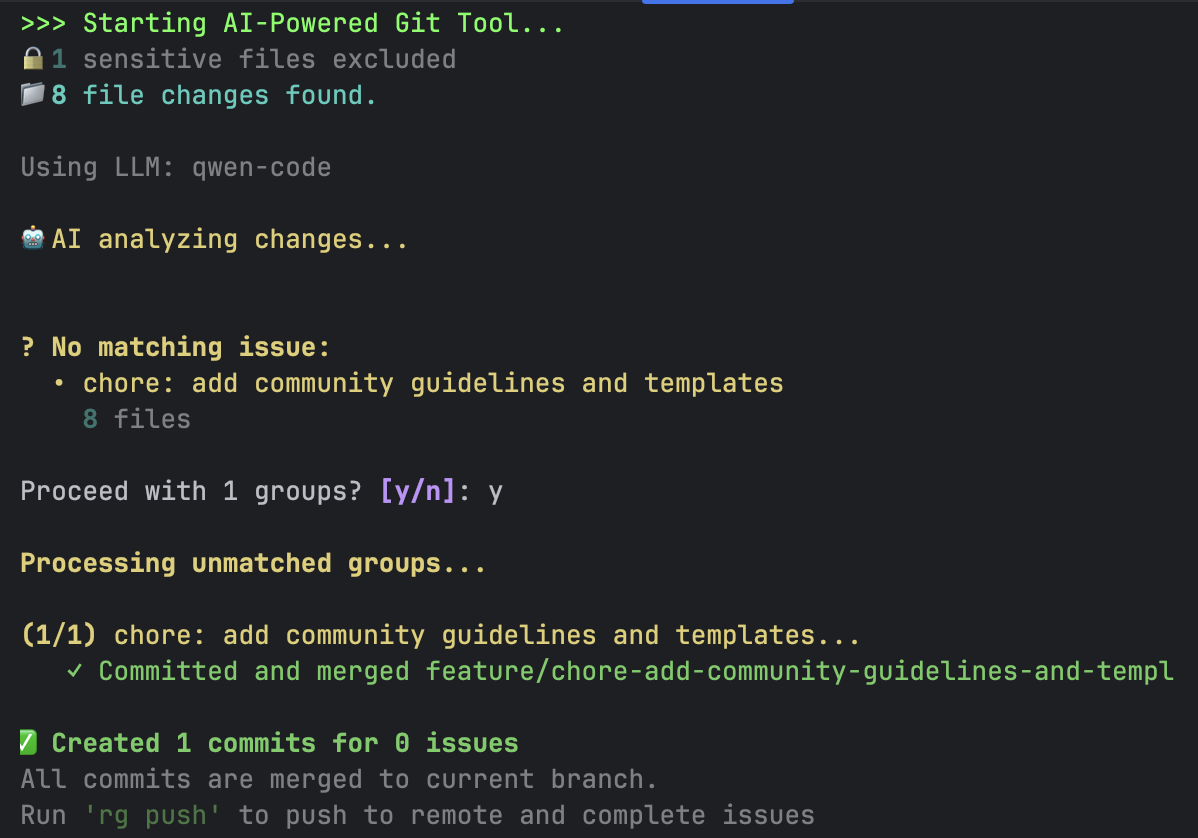
rg propose   # AI analyzes, groups, and commits
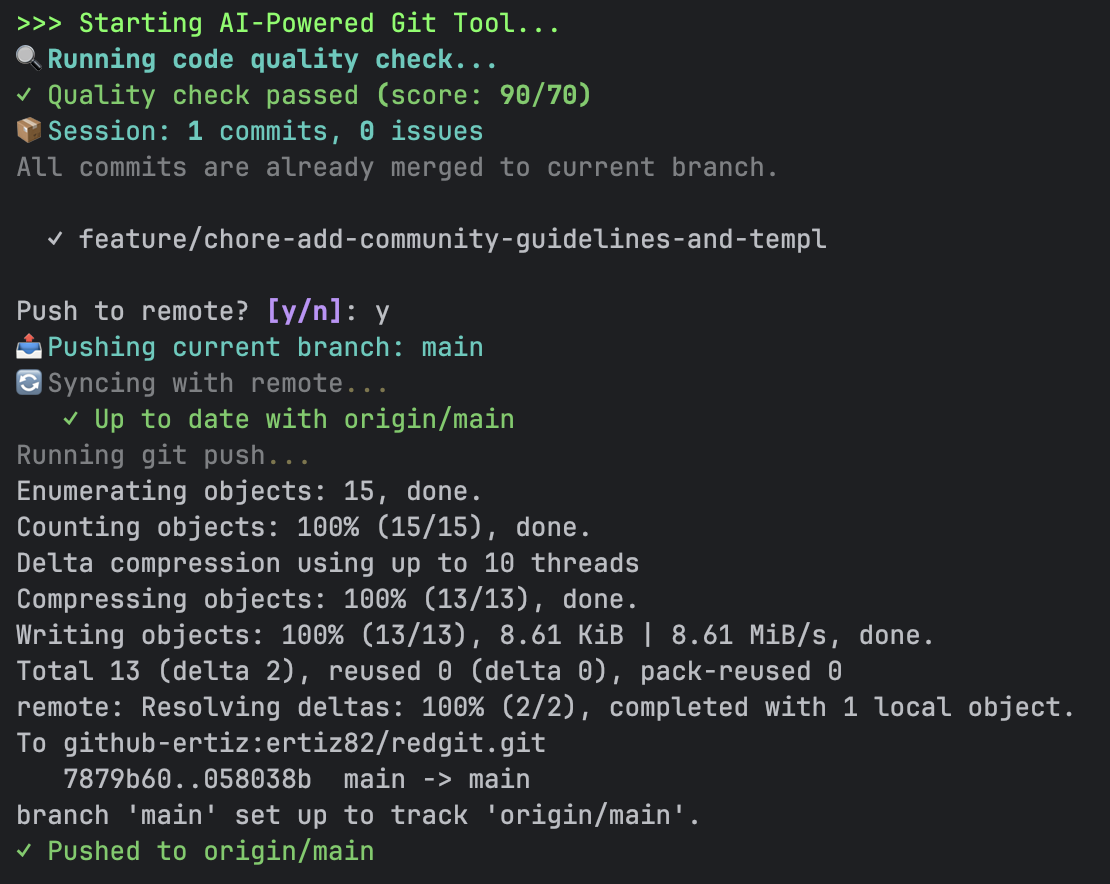
rg push      # Push and update Jira/Linear
Demo
Features
| Feature | Description |
|---|---|
| AI-Powered Grouping | Automatically groups related file changes into logical commits |
| Task Management | Integrates with Jira, Linear, Asana, Trello, and more |
| Smart Branching | Creates branches based on issue keys (feature/PROJ-123-description) |
| Task-Filtered Mode | Auto-create subtasks under parent task, detect task from branch name |
| Auto Transitions | Moves issues through workflow statuses (To Do → In Progress → Done) |
| PR Creation | Automatically creates pull requests with proper descriptions |
| Code Quality | Built-in quality checks with ruff/flake8 + AI analysis |
| Semgrep Integration | Multi-language static analysis (35+ languages) for security & best practices |
| CI/CD Integration | Trigger and monitor pipelines from the command line |
| Planning Poker | Real-time sprint estimation with WebSocket, task distribution, sprint creation |
| Tunnel Support | Expose local ports for webhooks and remote access (ngrok, cloudflare, etc.) |
| Plugin System | Framework-specific prompts (Laravel, Django, etc.) |
Why RedGit?
| RedGit | Commitizen | Manual | |
|---|---|---|---|
| AI-powered commit messages | ✅ | ❌ | ❌ |
| Groups related changes | ✅ | ❌ | ❌ |
| Task management integration | ✅ | ❌ | ❌ |
| Auto branch creation | ✅ | ❌ | ❌ |
| Issue status transitions | ✅ | ❌ | ❌ |
| PR creation | ✅ | ❌ | ❌ |
| Multi-language static analysis | ✅ | ❌ | ❌ |
| Works with any LLM | ✅ | - | - |
Installation
# Using Homebrew (macOS/Linux) - Recommended
brew tap ertiz82/tap
brew install redgit

# Using pip
pip install redgit

# Using pipx (isolated environment)
pipx install redgit
After installation, use either redgit or the short alias rg.
Quick Start
# 1. Initialize in your project
rg init

# 2. Make changes to your code...

# 3. Let AI analyze and create commits
rg propose

# 4. Push and complete issues
rg push
With Jira Integration
# Setup Jira
rg install jira

# Your workflow
rg propose        # AI matches changes with your Jira issues
rg push           # Push and transition issues to Done
With GitHub PRs
# Setup GitHub
rg integration install github

# Create commits and PRs
rg propose
rg push --pr      # Creates pull requests automatically
Task-Filtered Mode (Subtasks)
# Create subtasks under a parent task
rg propose -t PROJ-123

# Auto-detect task from branch name
git checkout feature/PROJ-123-some-work
rg propose  # Detects PROJ-123 automatically

# AI analyzes files, creates relevant subtasks, always returns to original branch
Integrations
RedGit supports 30+ integrations across different categories:
| Category | Integrations |
|---|---|
| Task Management | Jira, Linear, Asana, Trello, Notion |
| Code Hosting | GitHub, GitLab, Bitbucket, Azure Repos |
| CI/CD | GitHub Actions, GitLab CI, Jenkins, CircleCI |
| Notifications | Slack, Discord, Telegram, MS Teams |
| Code Quality | SonarQube, Snyk, Codecov, Codacy |
| Tunnel | ngrok, Cloudflare Tunnel, localtunnel, bore, serveo |
Install integrations from RedGit Tap:
rg install linear
rg install slack
rg install sonarqube
Documentation
Core Documentation
| Section | Description |
|---|---|
| Getting Started | Installation and first steps |
| Commands Reference | All CLI commands |
| Configuration | Config file options |
| Workflows | Local merge vs merge request strategies |
| Troubleshooting | Common issues and solutions |
Features
| Feature | Description |
|---|---|
| Planning Poker | Real-time sprint estimation with WebSocket |
| Tunnel | Expose local ports for remote access |
Integrations & Plugins
| Section | Description |
|---|---|
| Integrations | Task management, code hosting, CI/CD, notifications |
| Plugins | Framework plugins and release management |
| Custom Integrations | Build your own integrations |
LLM Support
RedGit works with multiple LLM providers:
- Claude Code - Anthropic's Claude (recommended)
- OpenAI - GPT-4, GPT-3.5
- Ollama - Local models (Qwen, Llama, etc.)
- Any OpenAI-compatible API
Contributing
We welcome contributions! See CONTRIBUTING.md for guidelines.
- Report bugs via GitHub Issues
- Submit integrations to RedGit Tap
Support
If you find RedGit useful, consider supporting the project:

License
MIT License - see LICENSE for details.

"Gölgenden hızlı commit at, Red Git!"
Made with ❤️ for developers who want smarter commits
Release history Release notifications | RSS feed


Download files
Download the file for your platform. If you're not sure which to choose, learn more about installing packages.
Source Distribution
Built Distribution
Filter files by name, interpreter, ABI, and platform.
If you're not sure about the file name format, learn more about wheel file names.
Copy a direct link to the current filters
File details
Details for the file redgit-1.3.2.tar.gz.
File metadata
- Download URL: redgit-1.3.2.tar.gz
- Upload date:
- Size: 234.7 kB
- Tags: Source
- Uploaded using Trusted Publishing? No
- Uploaded via: twine/6.2.0 CPython/3.9.6
File hashes
| Algorithm | Hash digest | |
|---|---|---|
| SHA256 |
feb6f16d3fb37f389da394812bbbd2a8d1b2532f3d4c6ed5683248d9b32bc5d0
|
|
| MD5 |
fe43e8d762942569faf8f804a0bf2489
|
|
| BLAKE2b-256 |
d41c01d280b096e38c4db058125d9dc2f2a9a9b177c2728c8e2b9adf350201c2
|
File details
Details for the file redgit-1.3.2-py3-none-any.whl.
File metadata
- Download URL: redgit-1.3.2-py3-none-any.whl
- Upload date:
- Size: 261.0 kB
- Tags: Python 3
- Uploaded using Trusted Publishing? No
- Uploaded via: twine/6.2.0 CPython/3.9.6
File hashes
| Algorithm | Hash digest | |
|---|---|---|
| SHA256 |
bcdd9969921a2a7d47c7484af54317605629d93cff855288f122b58d363a8cc0
|
|
| MD5 |
48147741b777b1448d4c6980af7ea937
|
|
| BLAKE2b-256 |
3ef804c51cef6cb89fe2e31b9d0ce9ad72fa8987582c86004305488a3523b269
|






