
redial



redial is a simple shell application that manages your SSH sessions on Unix terminal.
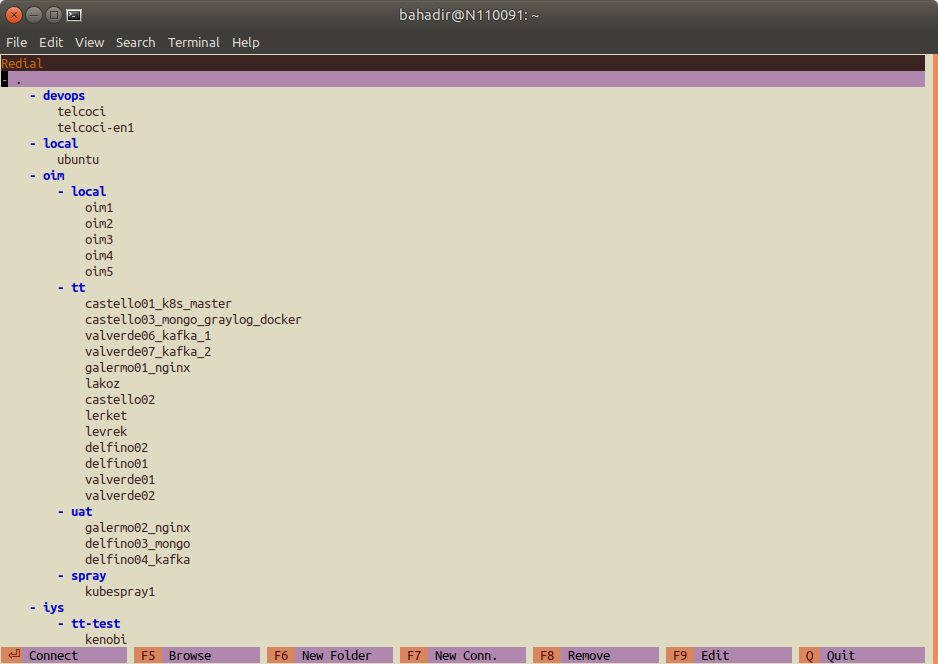
What's New
0.7 (19.12.2019)
- Basic support for adding ssh keys to connections
- Dynamic, Local and Remote port forwarding settings (only one of each can be defined for now)
- UI state is restored at startup. Redial now remembers last selected connection and folder expanded/collapsed states
Installation
Requirements
- Python 3 or later to run redial.
- mc (Midnight Commander) to use
F5 (Browse)feature.
Stable Version
Installing via pip
We recommend installing redial via pip:
pip3 install redial
Latest Version
Installing from Git
You can install the latest version from Git:
pip3 install git+https://github.com/taypo/redial.git
Docker
Dockerfile is provided.
Build Dockerfile:
docker build -t redial .
Run redial in Docker Container
docker run -it --rm redial:latest redial
Features
- Manage your connections in folders/groups
- Open a file manager to your remote host (Midnight Commander should be installed)
- Edit/Move/Delete connection
- Copy SSH Key to remote host
More features coming soon..
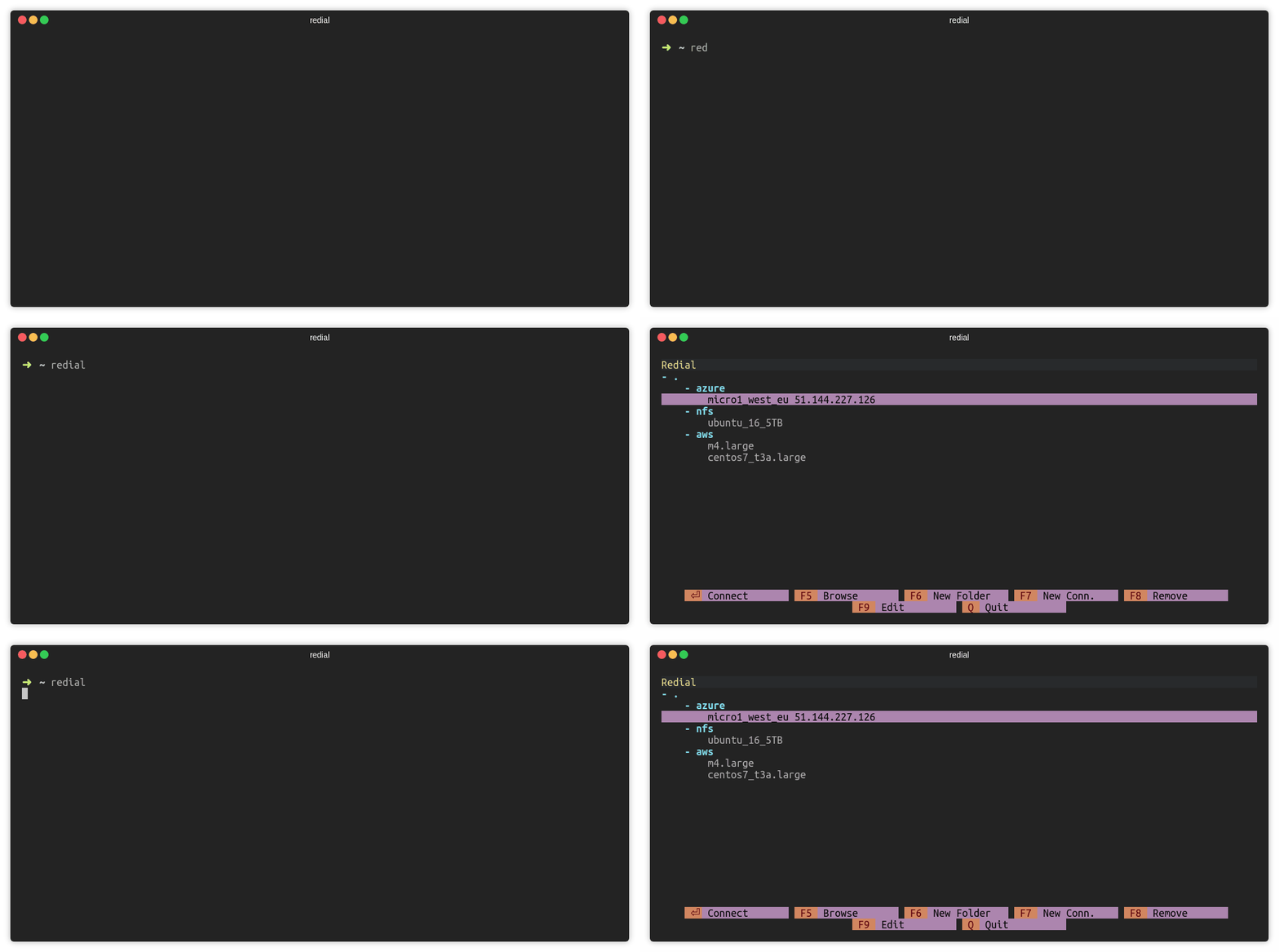
Connect to SSH Session (ENTER)
Press ENTER to connect a SSH session.
Add Folder (F6)
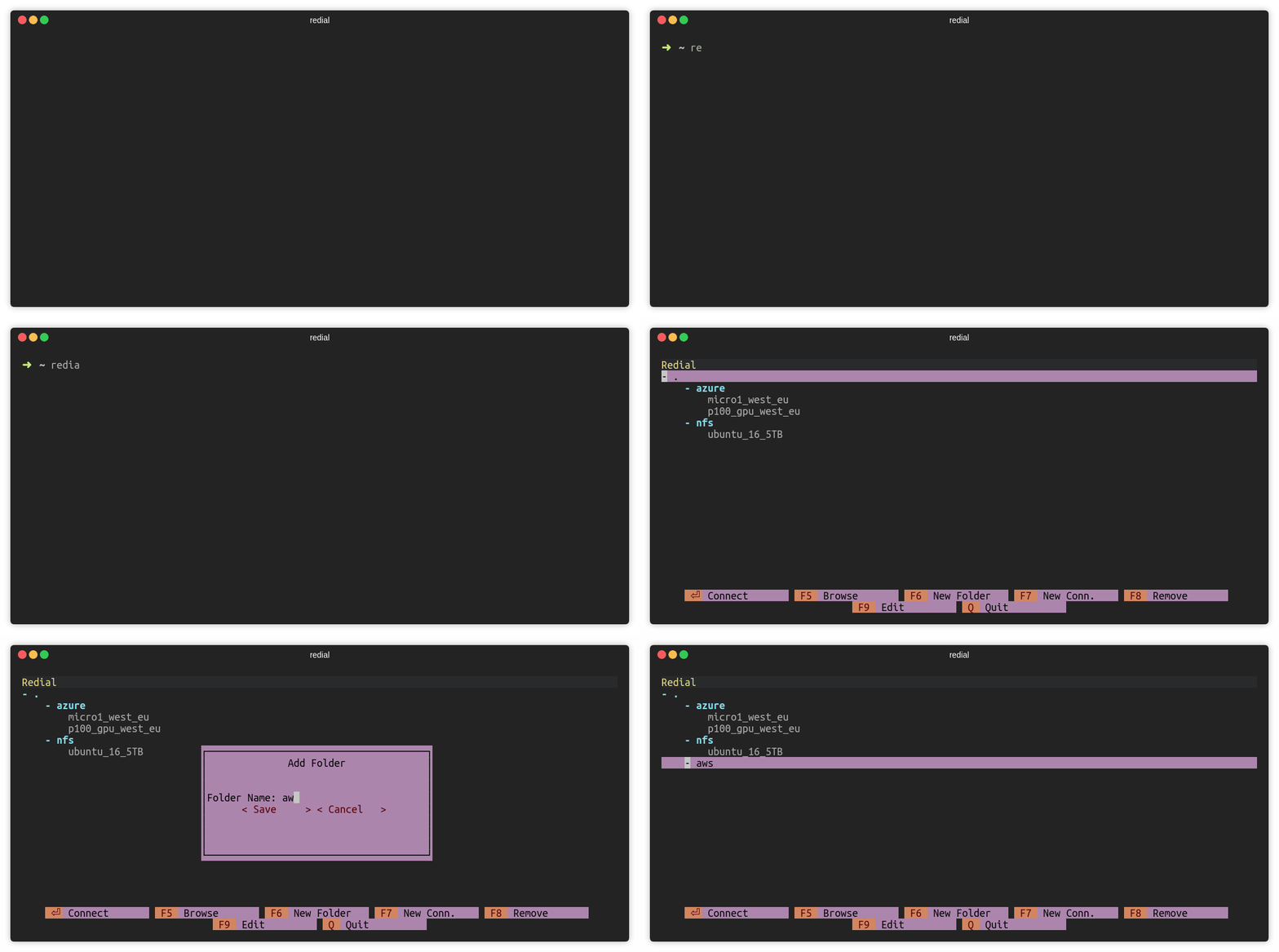
Press F6 or click F6 New Folder to add a folder. There must be at least
one connection under the folder.
Add Connection (F7)
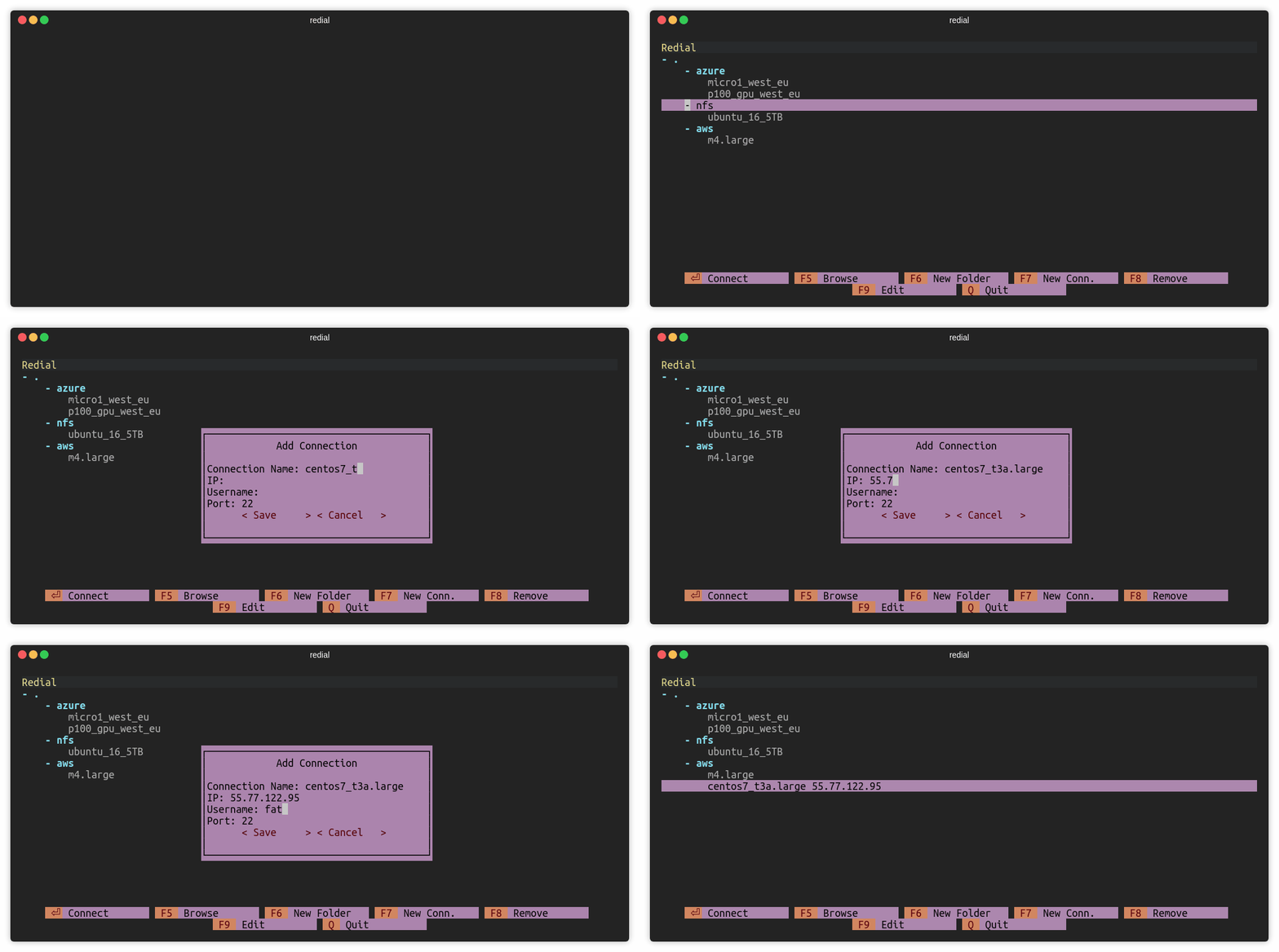
Press F7 or click F7 New Conn. to add a ssh connection.
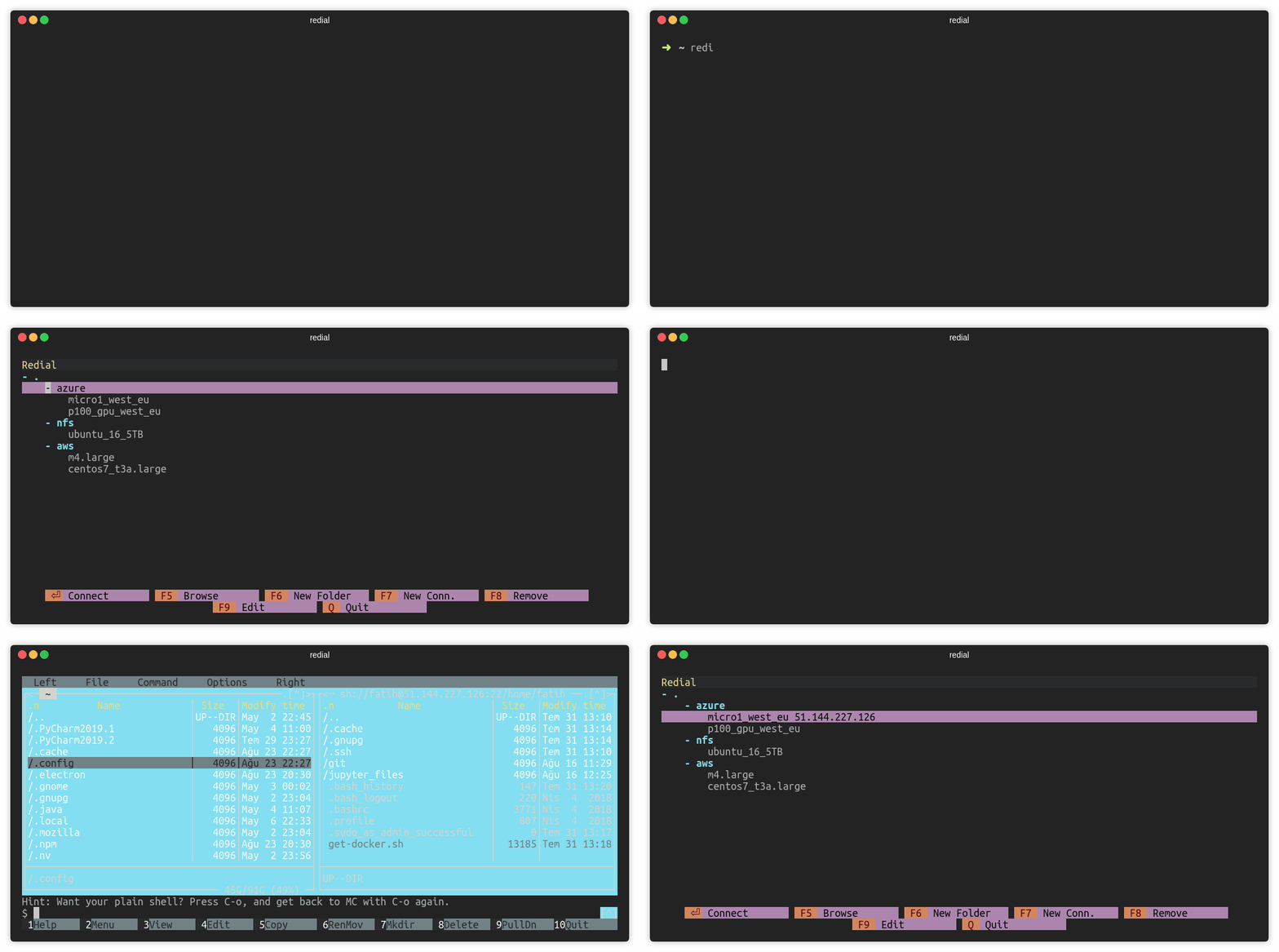
Browse over mc (F5)
Press F5 or click F5 Browse to open mc (Midnight Commander) session.
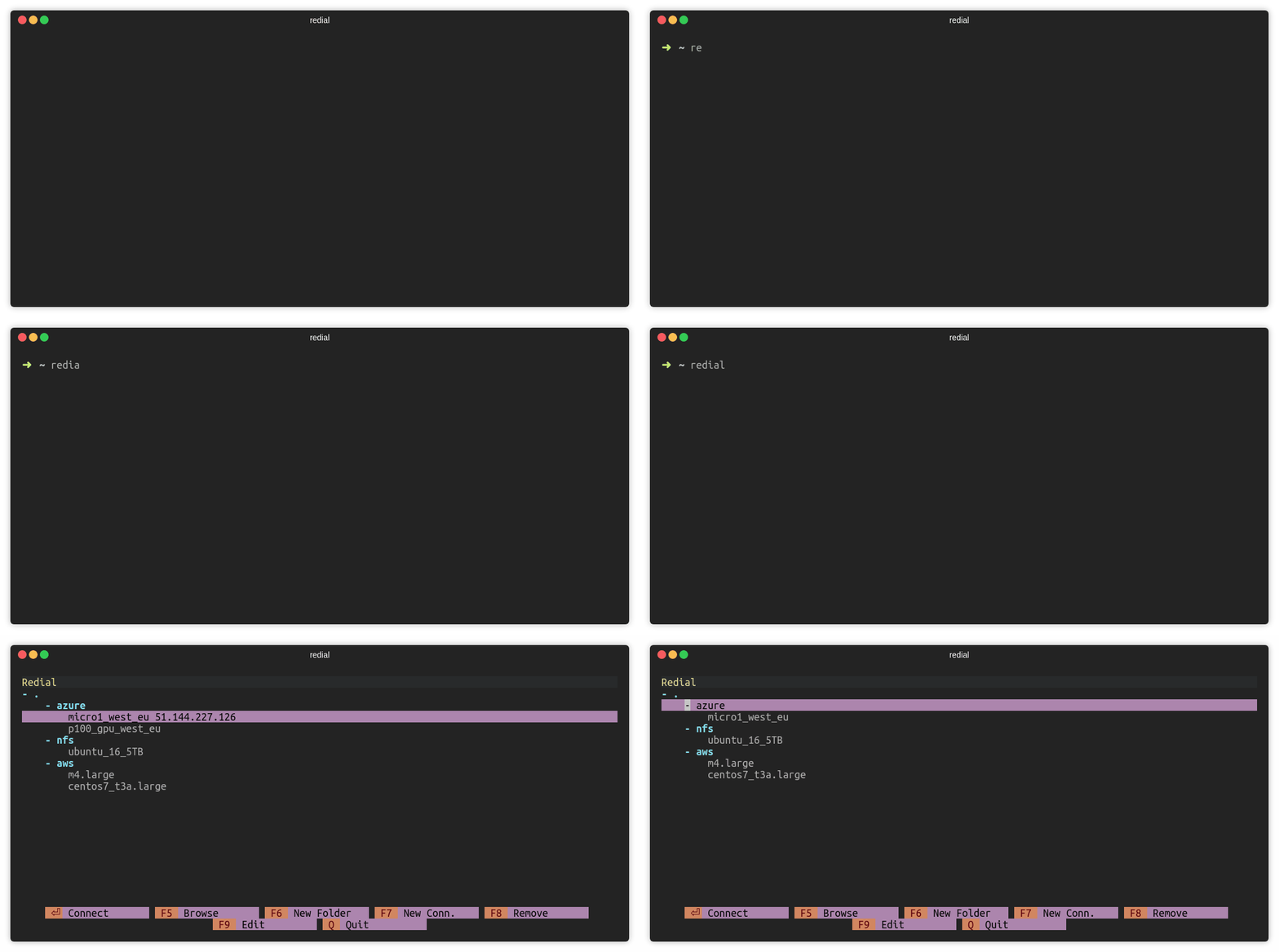
Remove Connection (F8)
Press F8 or click F8 Remove to remove a session.
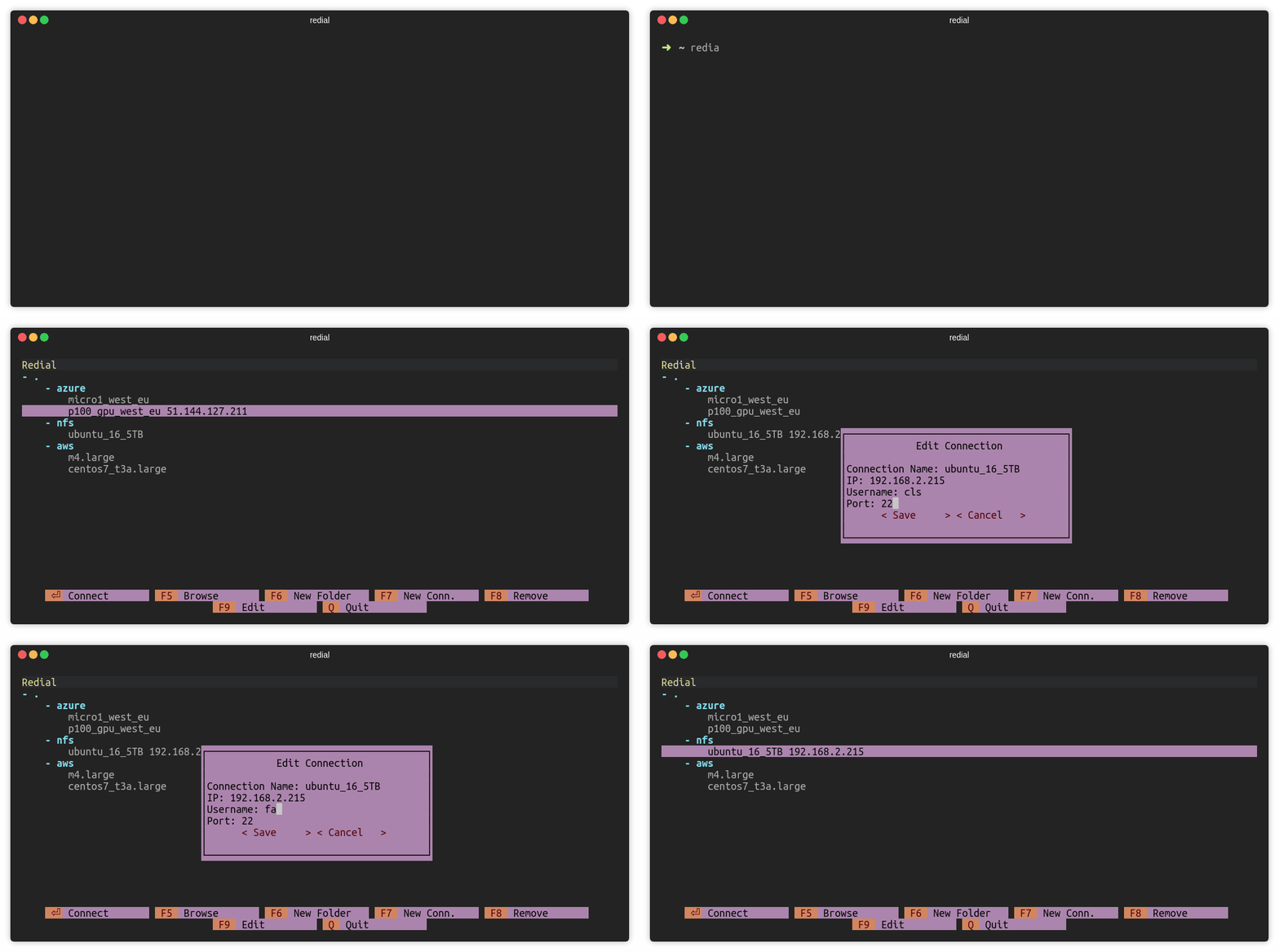
Edit Connection (F9)
Press F9 or click F9 Edit to edit a session.
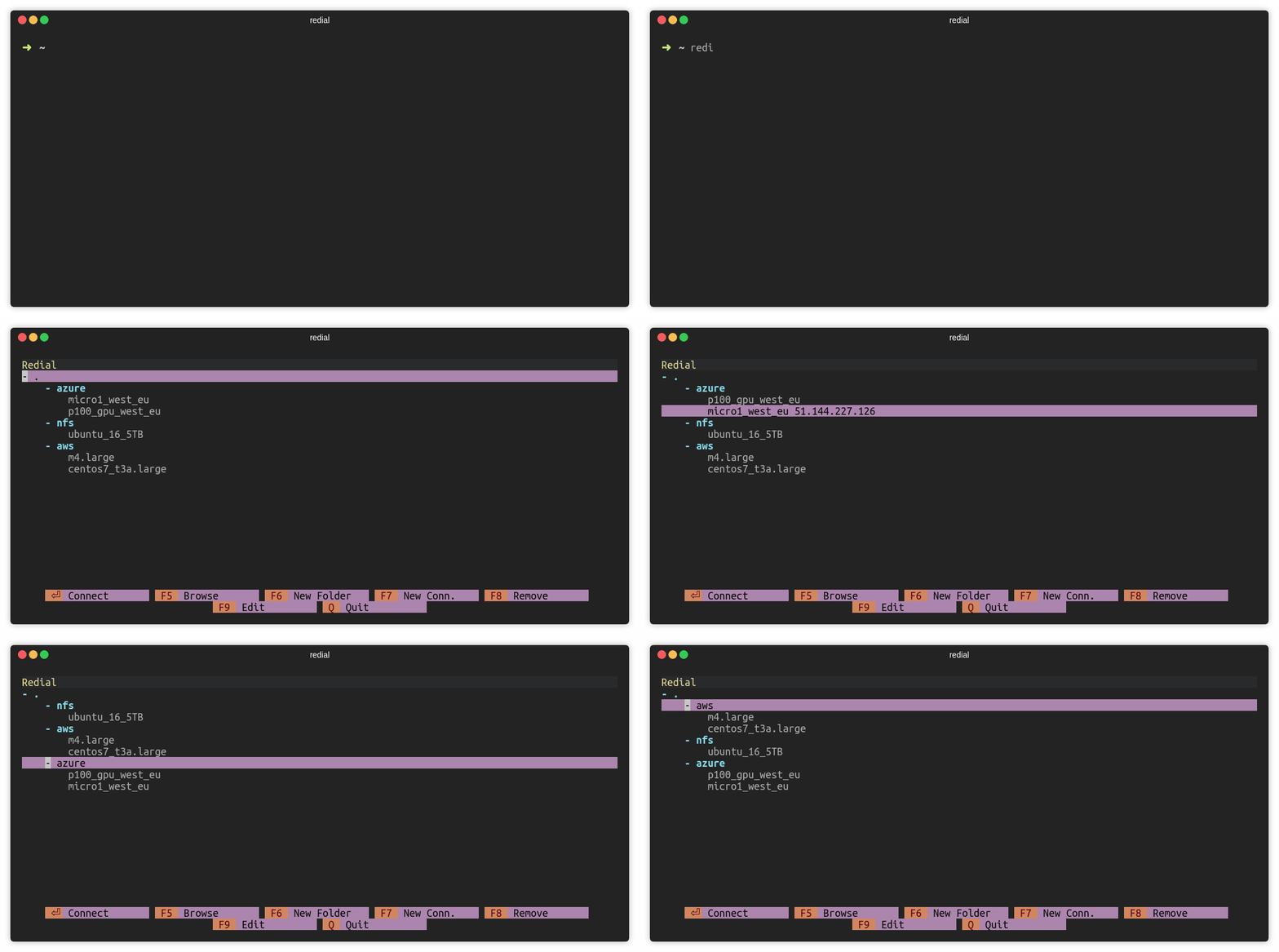
Move sessions and folders
Press CTRL and up/down keys to move session or folder. For macOS users: Use ALT and up/down keys.
Notes
Configuration file is stored in ~/.config/redial/sessions. File format
is same as the SSH config file. Configuration file can be included in
SSH config file with the following way (Make sure that ~/.ssh/config file exists):
sed -i -e '1iInclude ~/.config/redial/sessions' ~/.ssh/config
Platforms
- Linux
- macOS
Windows is currently not supported.
License
redial is licensed under the GNU General Public License v3.0.
2 maintainers


Release files for redial 0.9
For a detailed explanation of source distributions (sdists) and built distributions (wheels), please see the package formats documentation.
Source distribution (sdist)
| File | Size | Uploaded | |
|---|---|---|---|
| redial-0.9.tar.gz | 3.4 MB | Details |
Built distribution (wheel)
| File | Interpreter | ABI | Platform | Reset |
|---|---|---|---|---|
| redial-0.9-py2.py3-none-any.whl | Python 3, Python 2 | none | any | Details |
Total release size: 3.5 MB
Release files / redial-0.9.tar.gz
| Download URL | redial-0.9.tar.gz |
|---|---|
| Size | 3.4 MB |
| Tags | Source |
|
SHA-256 checksum How to use checksums |
db36dd41c762b5fa8b6aef91a6ea144433bcc829341a9629256a1e41aeda4e91
|
|
BLAKE2b-256 checksum How to use checksums |
2e406930d9202e79990732310daf25abdd01b80fb92b9e1d55ea6c77a8866901
|
| Upload date | |
|
Uploaded using Trusted Publishing? What is trusted publishing? |
No |
| Uploaded via |
twine/1.15.0 pkginfo/1.5.0.1 requests/2.23.0 setuptools/46.0.0 requests-toolbelt/0.9.1 tqdm/4.43.0 CPython/3.5.7
|
Release files / redial-0.9-py2.py3-none-any.whl
| Download URL | redial-0.9-py2.py3-none-any.whl |
|---|---|
| Size | 26.8 kB |
| Tags | Python 2 Python 3 |
|
SHA-256 checksum How to use checksums |
3b806f9c45565dfd9a94f79fd6ae6a599ea4903cbbc71280c4cfade31bcc62d3
|
|
BLAKE2b-256 checksum How to use checksums |
2c0d95723dcd8f9c06ac9eca6115b8a618ef4a8b3bc8c9494887fd2490b3e176
|
| Upload date | |
|
Uploaded using Trusted Publishing? What is trusted publishing? |
No |
| Uploaded via |
twine/1.15.0 pkginfo/1.5.0.1 requests/2.23.0 setuptools/46.0.0 requests-toolbelt/0.9.1 tqdm/4.43.0 CPython/3.5.7
|














