
SSH Connection Manager Improved

Project description
redial22 improved



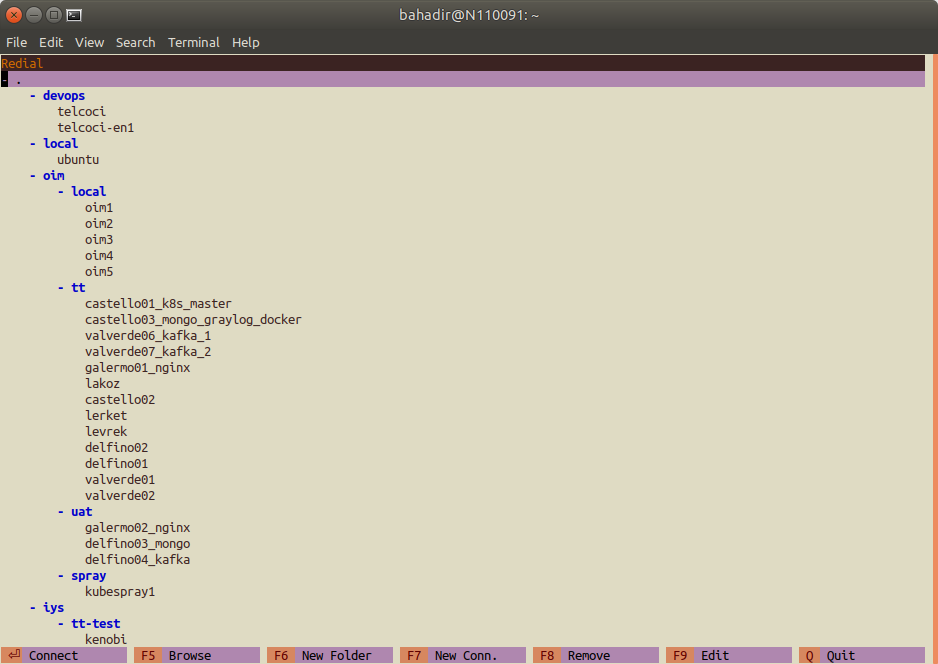
redial22 improved is a simple shell application that manages your SSH sessions on Unix terminal. This application is a fork of the original redail developed by: Author: Bahadır Yağan
What's New
1.1.0 (07-09-2025)
- Basic support for adding ssh keys to connections
- Dynamic, Local and Remote port forwarding settings (only one of each can be defined for now)
- UI state is restored at startup. Redial22 now remembers last selected connection and folder expanded/collapsed states
- Support to use ProxyJump (Bastion servers)
- Now you can remove a folder
- Run on Docker container (updated with Debian Bookworm)
Installation
Requirements
- Python 3 or later to run redial22.
- mc (Midnight Commander) to use
F5 (Browse)feature.
Installing mc (Midnight Commander)
Ubuntu/Debian:
sudo apt-get install mc
CentOS/RHEL/Fedora:
sudo yum install mc
# or for newer versions:
sudo dnf install mc
macOS:
brew install mc
Arch Linux:
sudo pacman -S mc
Stable Version
Installing via pip
We recommend installing redial22 via pip:
pip3 install redial22
Latest Version
Installing from Git
You can install the latest version from Git:
pip3 install git+https://github.com/FelipeMiranda/redial22.git
Docker
Dockerfile is provided.
Build Dockerfile:
docker build -t redial22 .
Run redial22 in Docker Container
docker run -it --rm redial22:latest redial22
Features
- Manage your connections in folders/groups
- Open a file manager to your remote host (Midnight Commander should be installed)
- Edit/Move/Delete connection
- Copy SSH Key to remote host
- ProxyJump (Bastion server)
- Type-to-search for connections and folders (see below)
Type-to-Search (Incremental Search)
Press / to enter search mode, then start typing the name or IP of a connection or folder. The first visible match will be selected automatically. Press ESC or Enter to exit search mode.
Note: The search only works for folders and connections that are currently visible (i.e., inside expanded folders). If a folder is collapsed, its contents will not be found by search until you expand it.
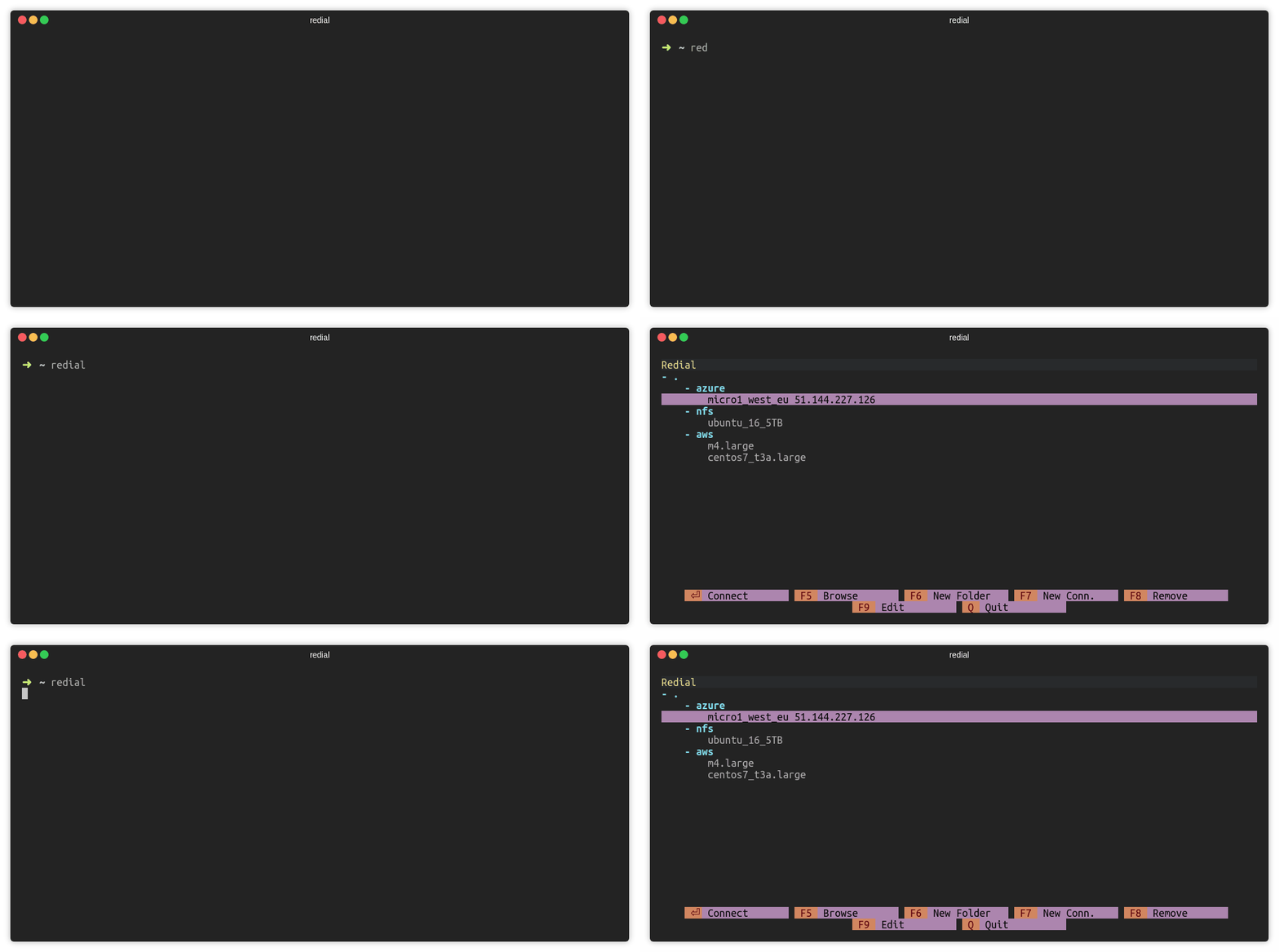
Connect to SSH Session (ENTER)
Press ENTER to connect a SSH session.
Add Folder (F6)
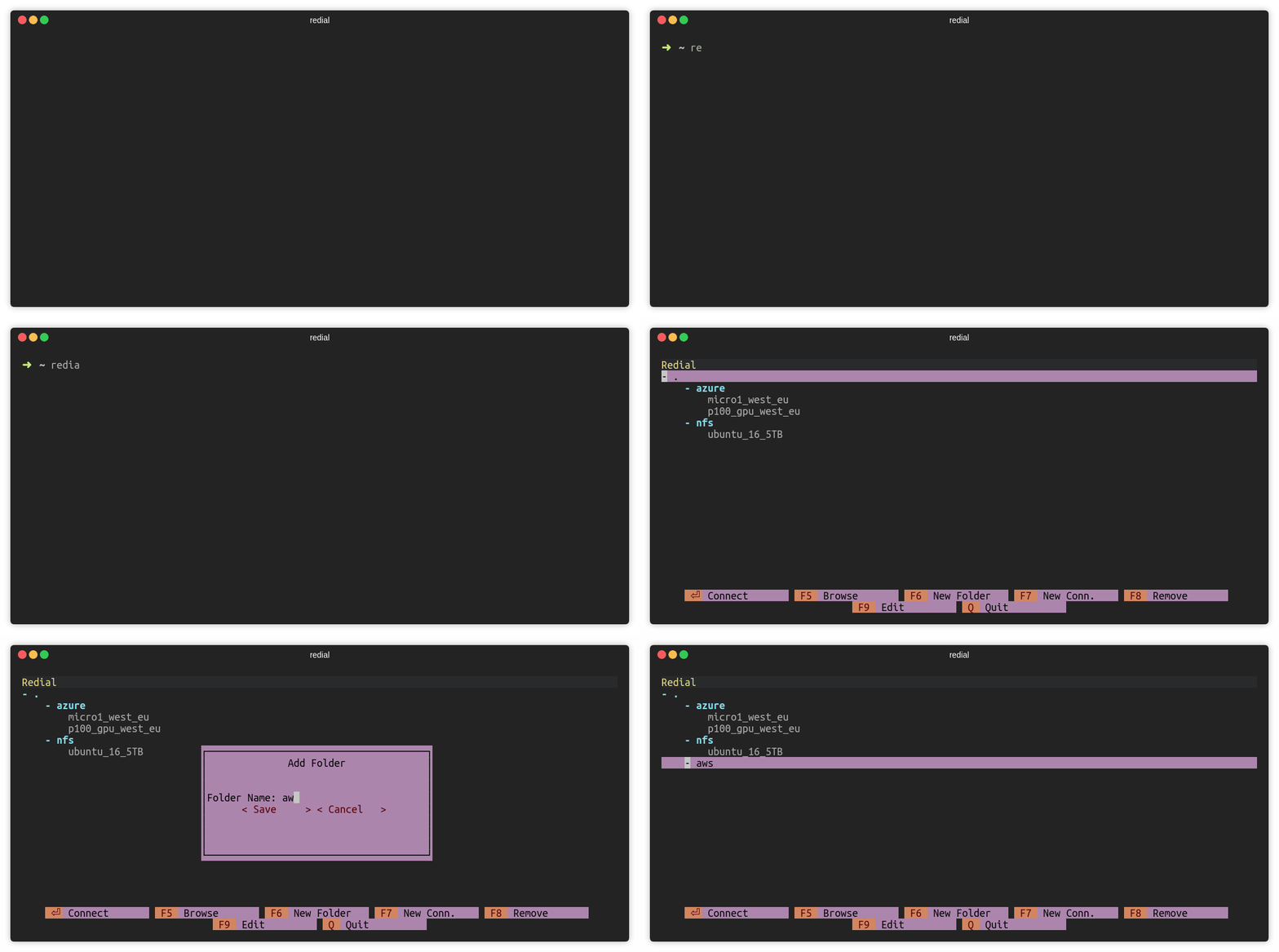
Press F6 or click F6 New Folder to add a folder. There must be at least
one connection under the folder.
Add Connection (F7)
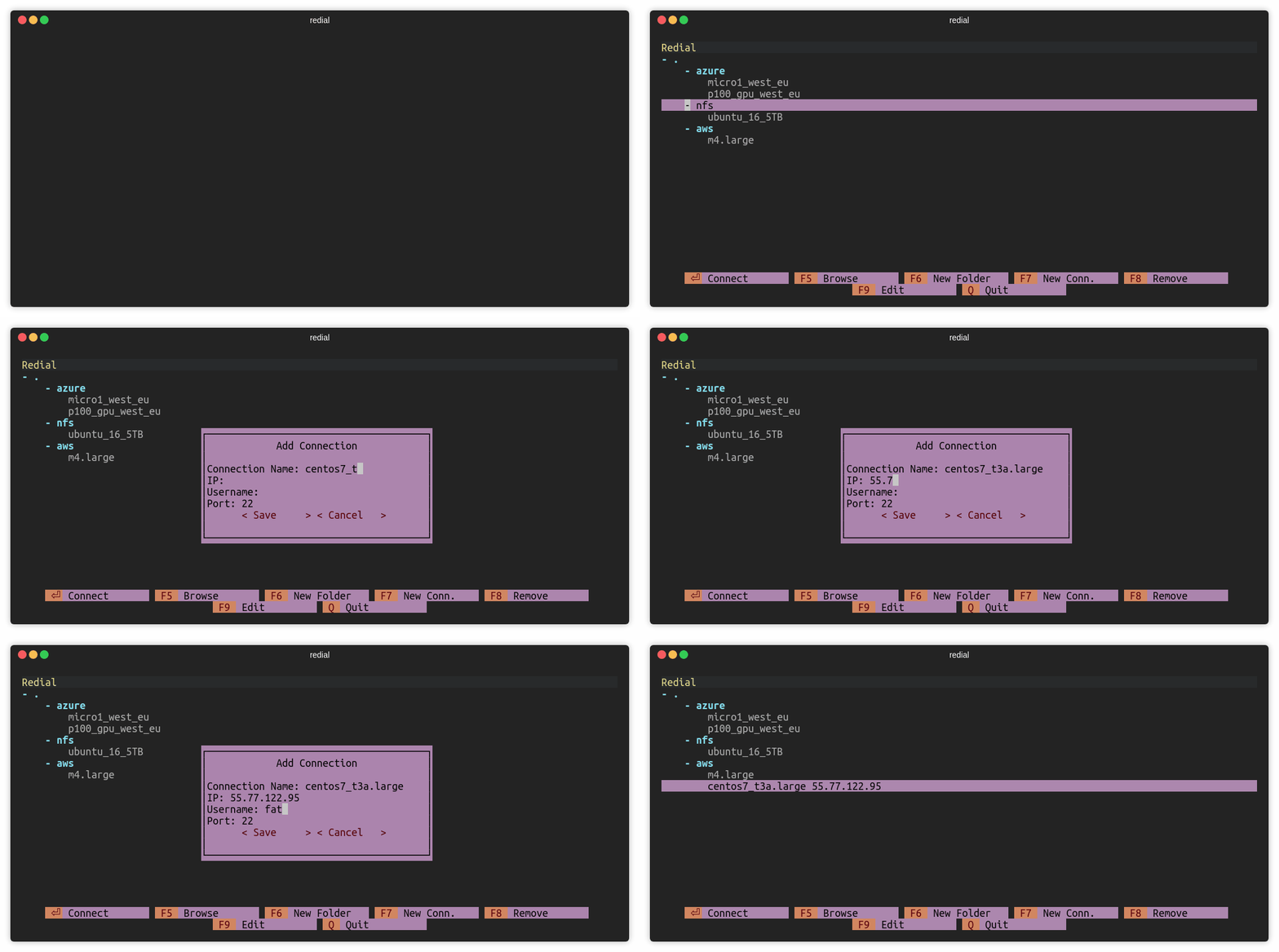
Press F7 or click F7 New Conn. to add a ssh connection.
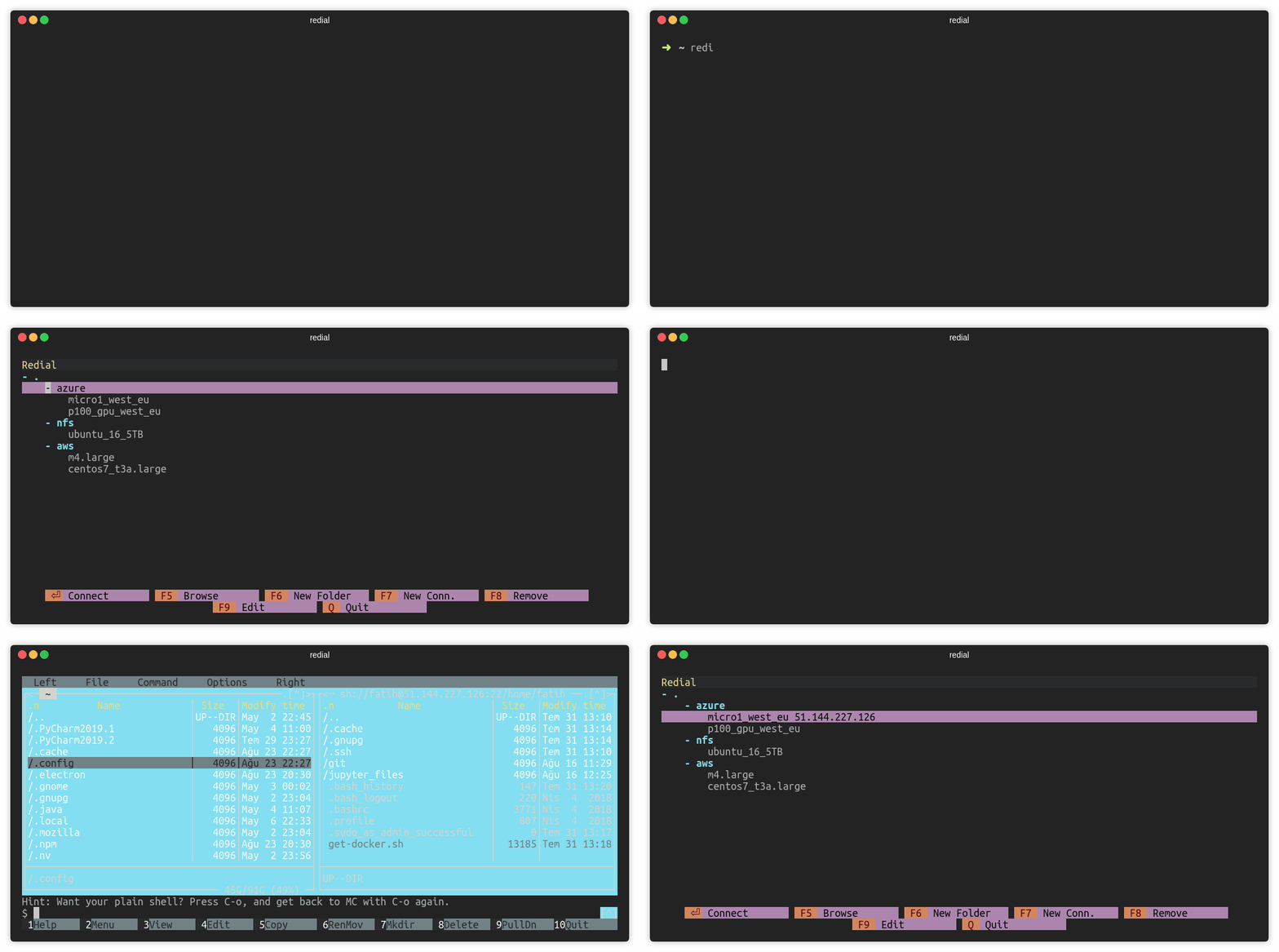
Browse over mc (F5)
Press F5 or click F5 Browse to open mc (Midnight Commander) session.
Note: This feature requires mc (Midnight Commander) to be installed on your system. If you don't have it installed, you'll see an error message. See the installation instructions above.
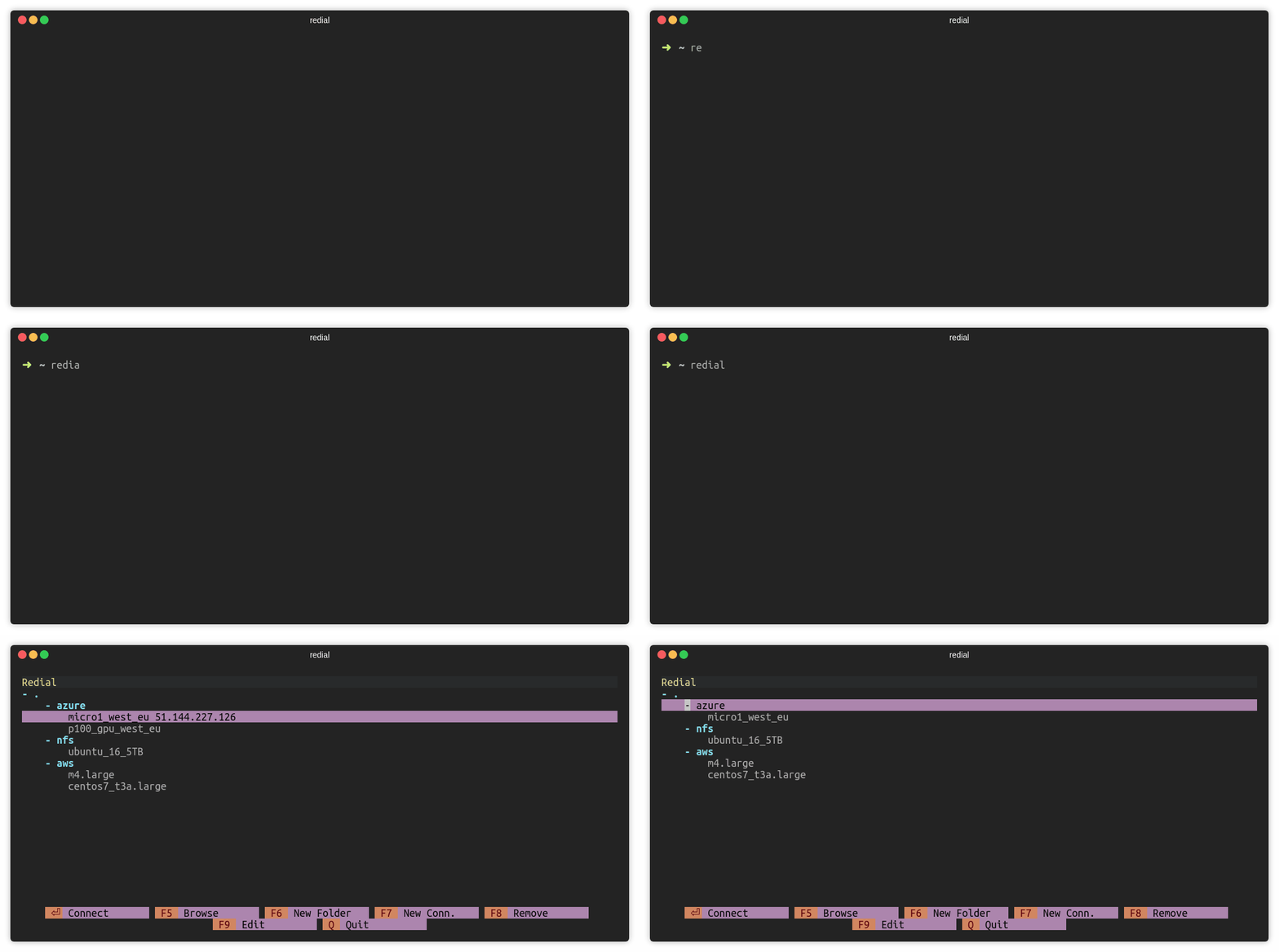
Remove Connection (F8)
Press F8 or click F8 Remove to remove a session/folder.
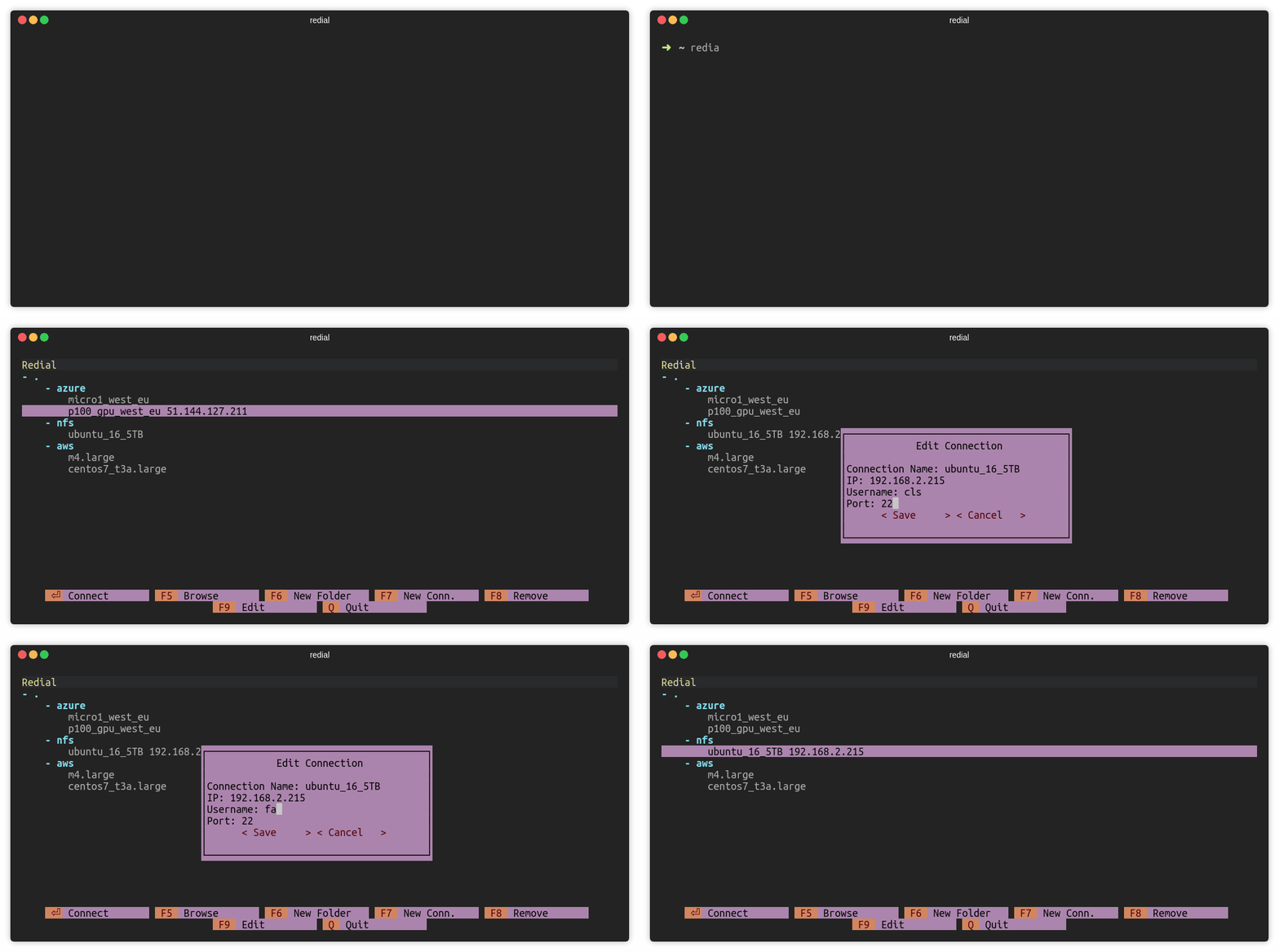
Edit Connection (F9)
Press F9 or click F9 Edit to edit a session.
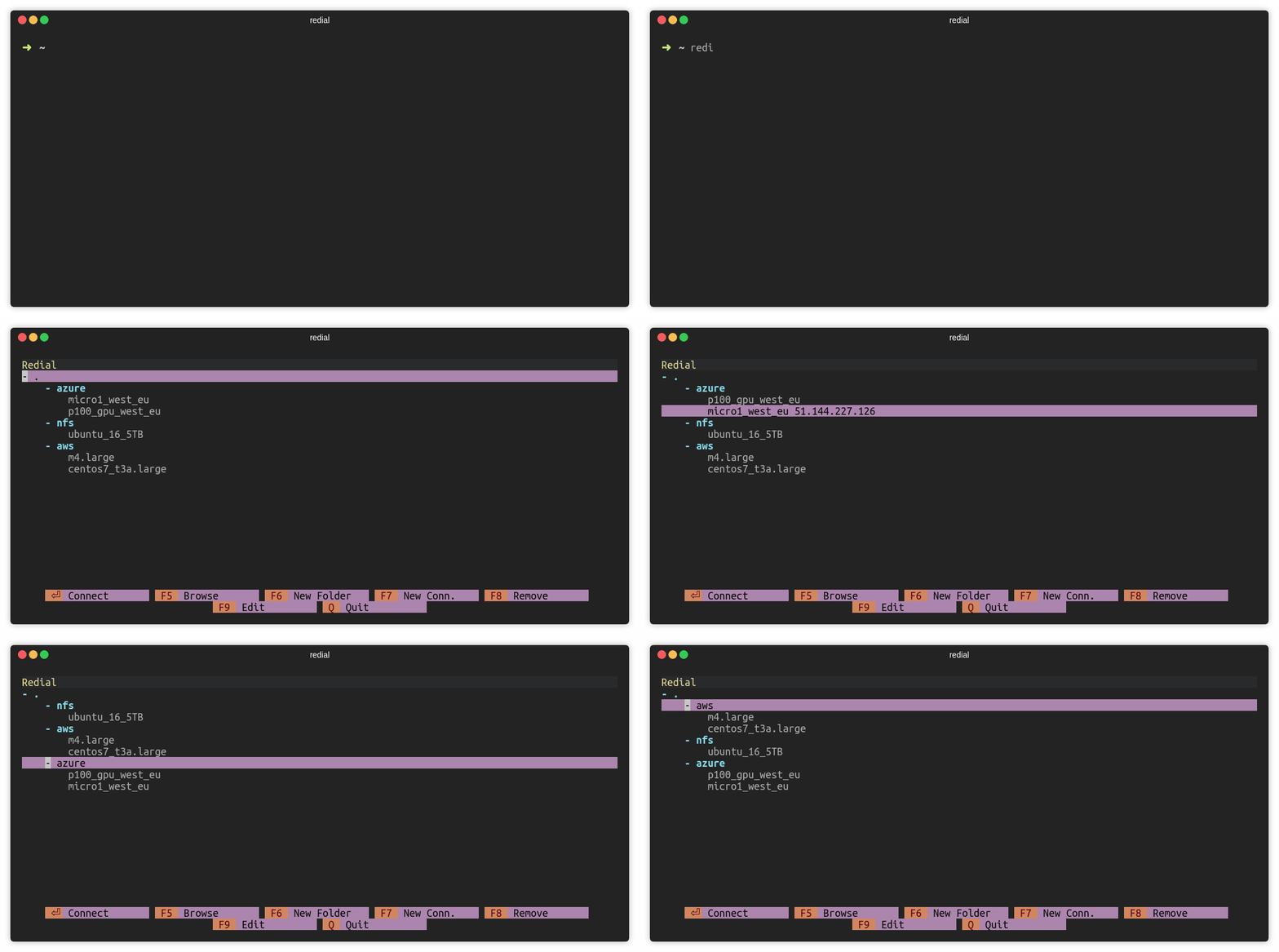
Move sessions and folders
Press CTRL and up/down keys to move session or folder. For macOS users: Use ALT and up/down keys.
Notes
Configuration file is stored in ~/.config/redial22/sessions. File format
is same as the SSH config file. Configuration file can be included in
SSH config file with the following way (Make sure that ~/.ssh/config file exists):
sed -i -e '1iInclude ~/.config/redial22/sessions' ~/.ssh/config
Platforms
- Linux
- macOS
Windows is currently not supported.
License
redial22 is licensed under the GNU General Public License v3.0.


Download files
Download the file for your platform. If you're not sure which to choose, learn more about installing packages.
Source Distribution
Built Distribution
Filter files by name, interpreter, ABI, and platform.
If you're not sure about the file name format, learn more about wheel file names.
Copy a direct link to the current filters
File details
Details for the file redial22-1.1.0.tar.gz.
File metadata
- Download URL: redial22-1.1.0.tar.gz
- Upload date:
- Size: 3.4 MB
- Tags: Source
- Uploaded using Trusted Publishing? No
- Uploaded via: twine/6.1.0 CPython/3.12.3
File hashes
| Algorithm | Hash digest | |
|---|---|---|
| SHA256 |
0099ce6892981a66956674e7b03f40237a596871bf844719f4bb362eb5477129
|
|
| MD5 |
8a75422731fb0efd37a4eb25761e2292
|
|
| BLAKE2b-256 |
b866067490fab9469e692bda056742fcdb15804d067b551d39c60a3222c6622c
|
File details
Details for the file redial22-1.1.0-py2.py3-none-any.whl.
File metadata
- Download URL: redial22-1.1.0-py2.py3-none-any.whl
- Upload date:
- Size: 28.9 kB
- Tags: Python 2, Python 3
- Uploaded using Trusted Publishing? No
- Uploaded via: twine/6.1.0 CPython/3.12.3
File hashes
| Algorithm | Hash digest | |
|---|---|---|
| SHA256 |
5856faeb20cb73e4f706844559d36edd7348626a960cc419294424dda71002ec
|
|
| MD5 |
37e94e10e7b76a94825d501c4dae6bba
|
|
| BLAKE2b-256 |
ac91104965fcf3c8c27a18dd8293e99c5a1d838d28f3a99537804863a85b341b
|






