
Redis Lens
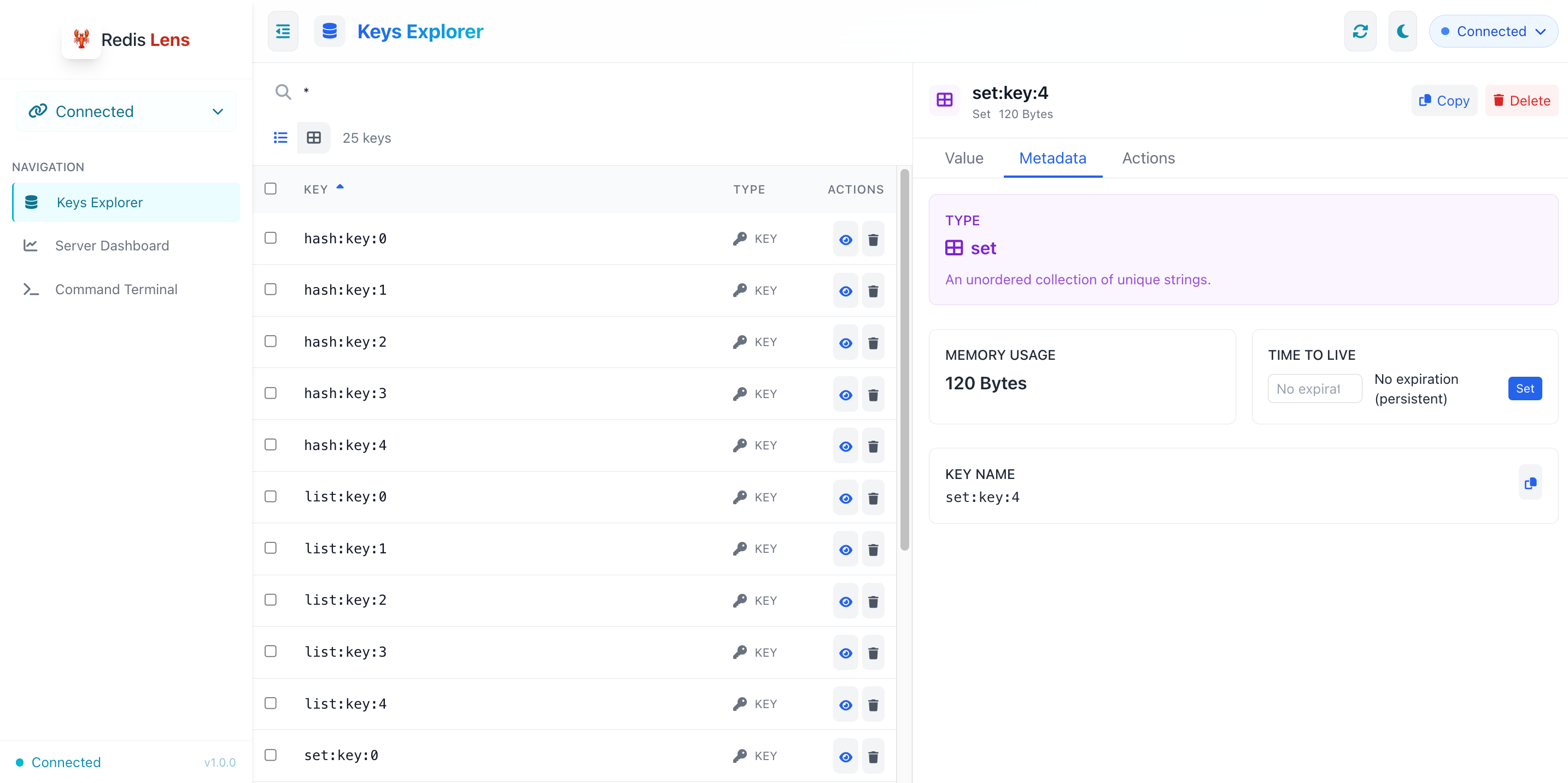
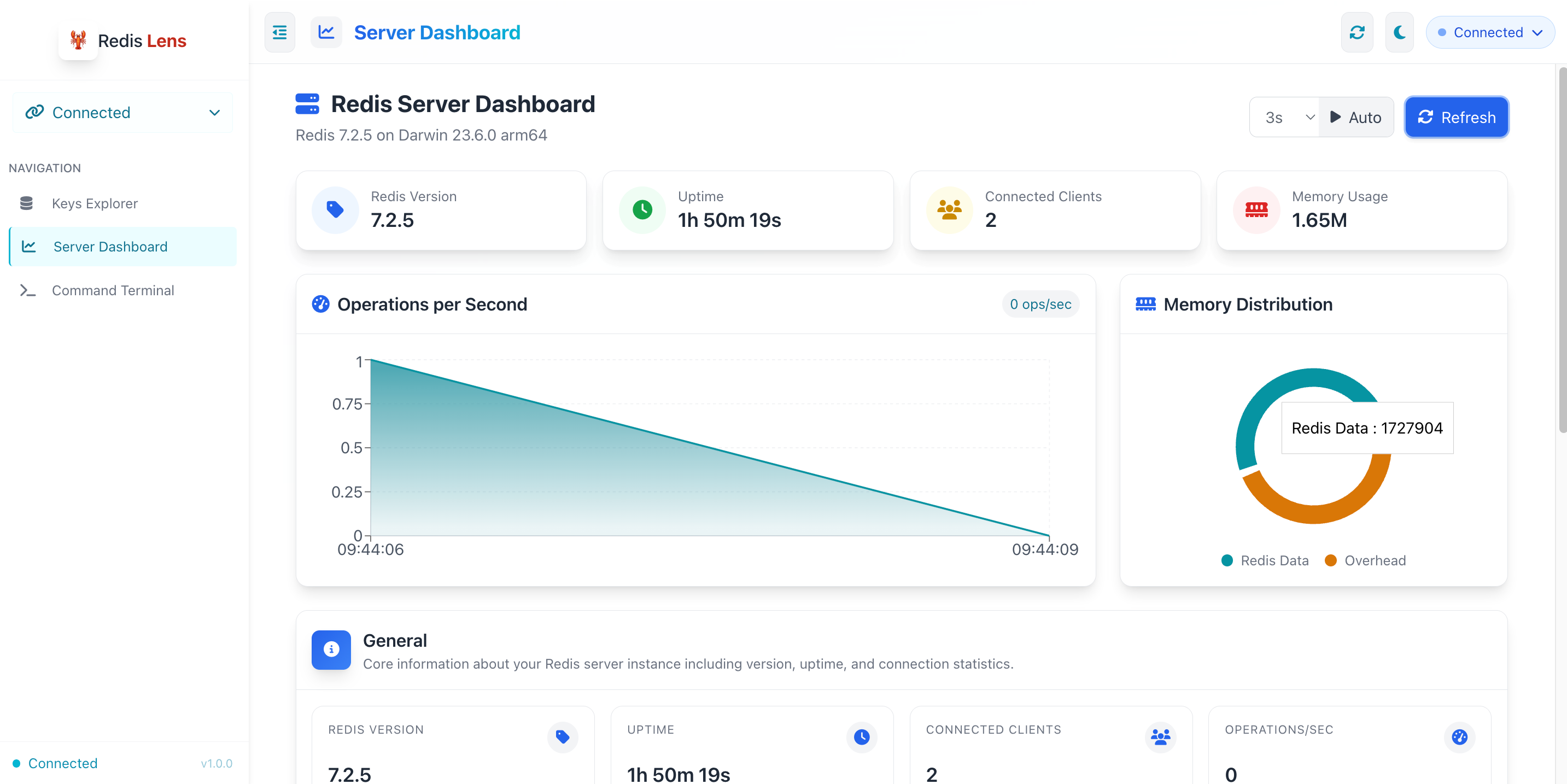
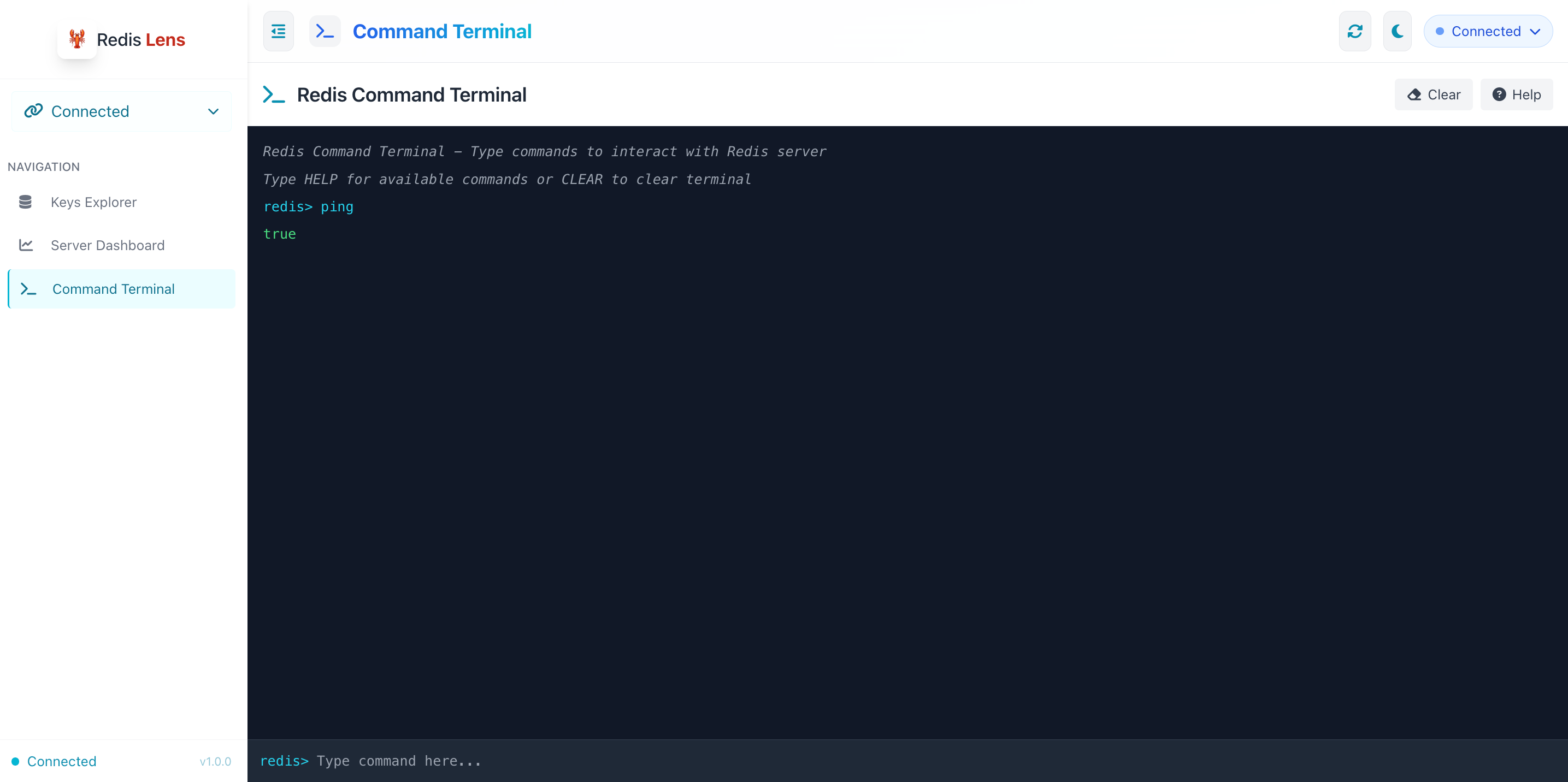
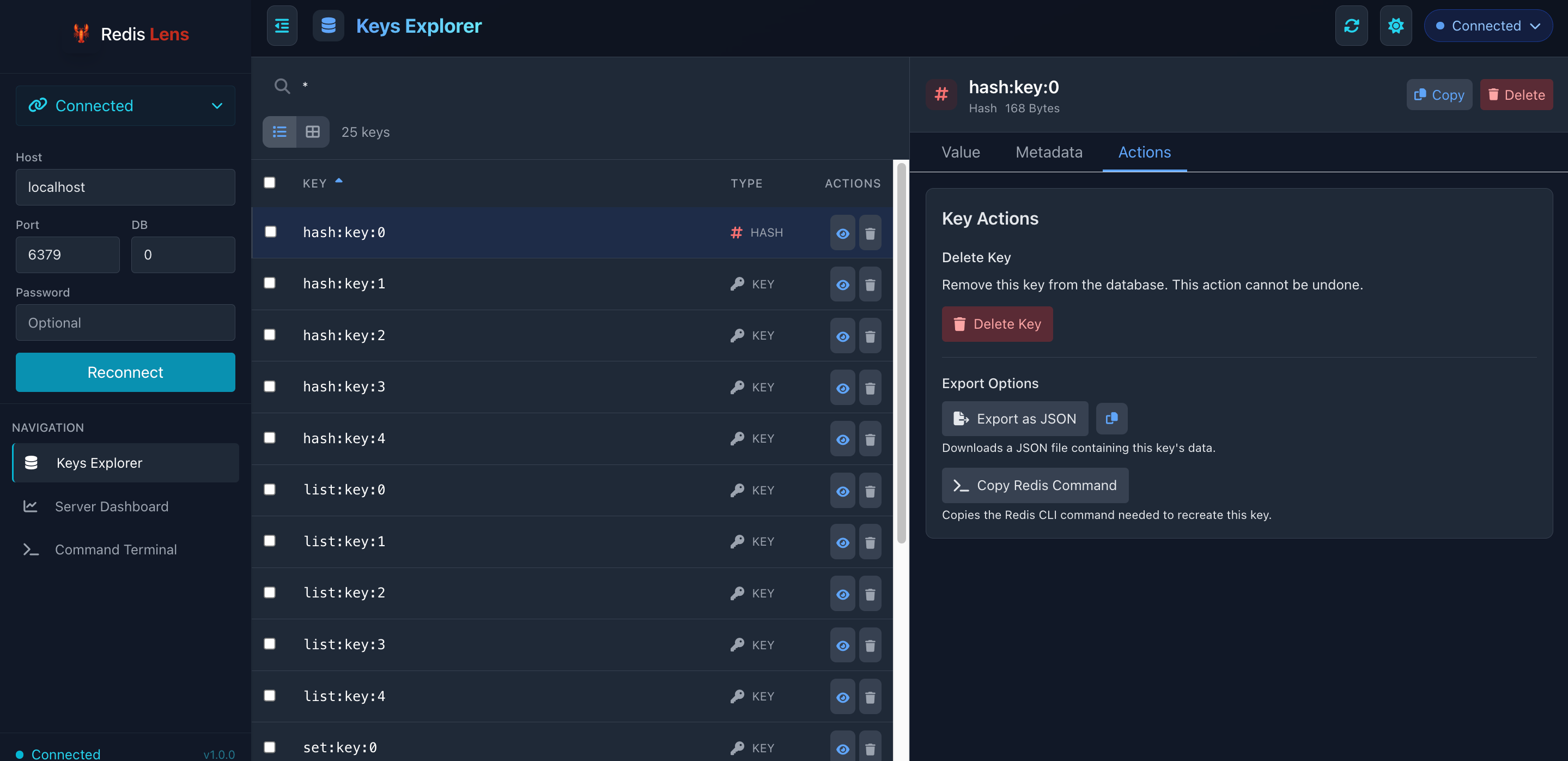
Redis Lens is a Simple, beautiful Redis monitoring and management tool with a clean interface built using React and FastAPI. It allows you to connect to Redis servers, explore keys, execute commands, and monitor server performance.
| Key Explorer | Performance Monitor | Command Runner |
|---|---|---|
 |
 |
 |
| Edit Keys | Connection Manager | |
|---|---|---|
 |
 |
Features
- 🔍 Key Explorer: Browse, search, and manage Redis keys with pagination
- 🖥️ Command Terminal: Execute any Redis command with a built-in command history
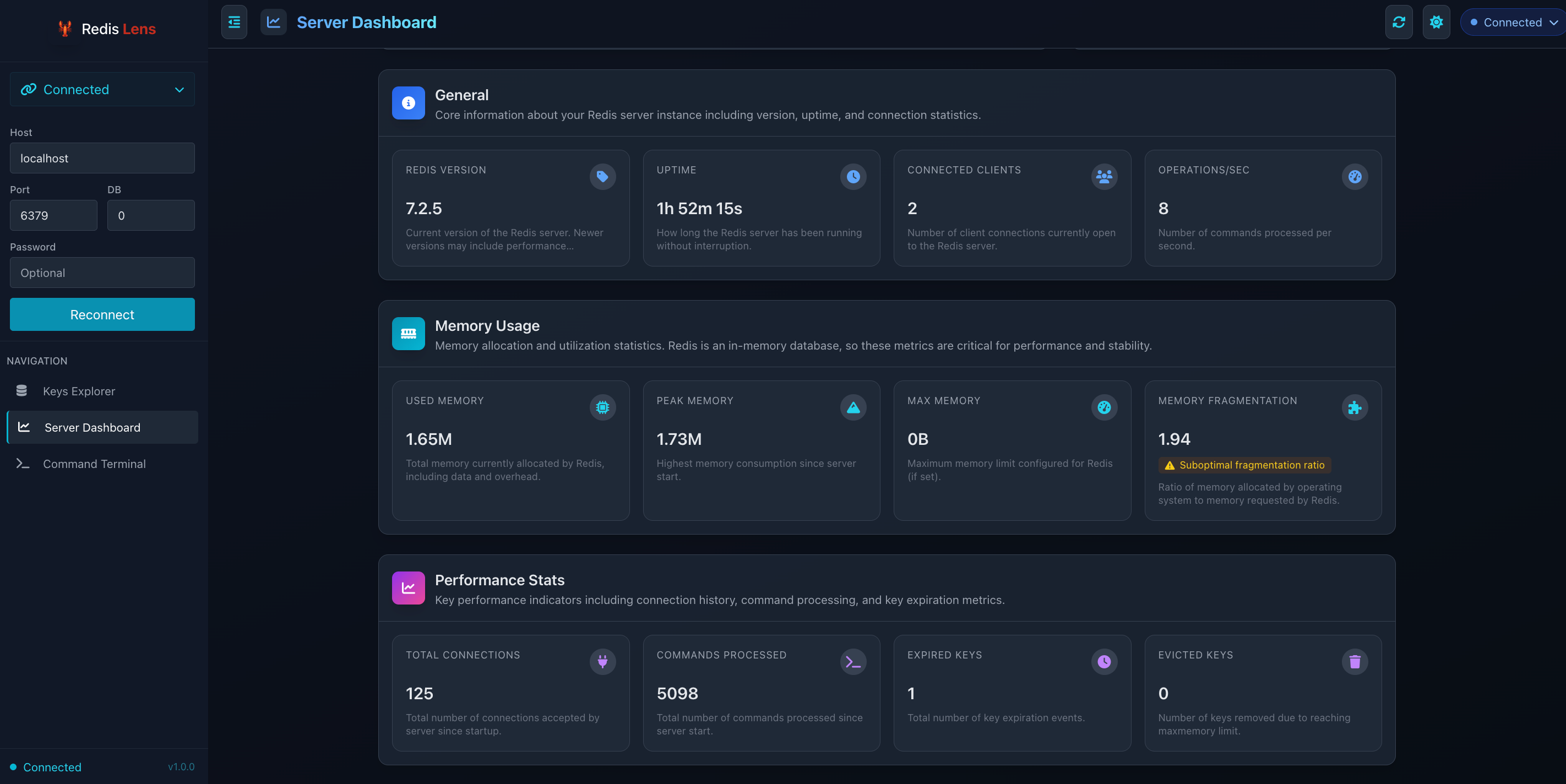
- 📊 Server Dashboard: Monitor Redis server performance metrics with real-time charts
- 🌓 Dark/Light Mode: Eye-friendly interface that works in any lighting condition
- 🚀 Offline Mode: Works without internet connection by bundling all required assets
Installation
Redis Lens can be installed via pip:
pip install redislens
Usage
Start Redis Lens with a simple command:
redislens
This will start the server on http://localhost:8005 and automatically open it in your default web browser.
Command-Line Options
# Start on a different host/port
redislens start --host 0.0.0.0 --port 8080

# Do not open the browser automatically
redislens start --no-browser

# Run in debug mode (auto-reload on code changes)
redislens start --debug

# Show version information
redislens version
Development
To set up a development environment:
-
Clone the repository:
git clone https://github.com/arun477/redislens.git
cd redislens
-
Create and activate a virtual environment:
python -m venv venv
source venv/bin/activate  # On Windows: venv\Scripts\activate
-
Install in development mode:
pip install -e .
-
Run with debug mode:
redislens start --debug
Building the Frontend
The frontend is a React application. To build it:
-
Navigate to the frontend directory:
cd frontend
-
Install dependencies:
npm install -
Build the production version:
npm run build
-
Copy the build directory to the package:
cp -r build ../redis_lens/
License
MIT License - See LICENSE file for details.
Acknowledgements
- Thanks to the Redis team for creating an amazing in-memory database
- React, FastAPI, Tailwind CSS, and other open-source libraries that made this project possible
1 maintainer

Metadata
1 maintainer
Release files for redislens 1.0.0
For a detailed explanation of source distributions (sdists) and built distributions (wheels), please see the package formats documentation.
Source distribution (sdist)
| File | Size | Uploaded | Provenance | |
|---|---|---|---|---|
| redislens-1.0.0.tar.gz | 1.7 MB | Without provenance | Details |
Built distribution (wheel)
| File | Interpreter | ABI | Platform | Reset |
|---|---|---|---|---|
| redislens-1.0.0-py3-none-any.whl | Python 3 | none | any | Details |
Total release size: 3.4 MB
Release files / redislens-1.0.0.tar.gz
| Download URL | redislens-1.0.0.tar.gz |
|---|---|
| Size | 1.7 MB |
| Tags | Source |
|
SHA-256 checksum How to use checksums |
c8371aab1e056cd201d1f5f8af85dcf0f52c7e82bc0a6ee91ea4e3bc5371999e
|
|
BLAKE2b-256 checksum How to use checksums |
2e0f48f8d07b130f7777bed4dd95b63298cc9540980ea726afbbeabe730482d3
|
| Upload date | |
|
Uploaded using Trusted Publishing? What is trusted publishing? |
No |
| Uploaded via |
twine/6.1.0 CPython/3.13.3
|
Release files / redislens-1.0.0-py3-none-any.whl
| Download URL | redislens-1.0.0-py3-none-any.whl |
|---|---|
| Size | 1.7 MB |
| Tags | Python 3 |
|
SHA-256 checksum How to use checksums |
5fd927c00e0bf45ead7feab486eb345a6fb3905a39c72458b836096d997a4f7b
|
|
BLAKE2b-256 checksum How to use checksums |
8ec3b6c66024d69445993ffbab69636bf8eda8bec35eac632fbe7bdcc9d98e6a
|
| Upload date | |
|
Uploaded using Trusted Publishing? What is trusted publishing? |
No |
| Uploaded via |
twine/6.1.0 CPython/3.13.3
|
Security for redislens 1.0.0
Provenance
Provenance describes where a file came from. On PyPI, provenance is shared via attestations, which provide a verifiable record of the build or publishing details. View details, limitations and caveats.
No provenance found
None of the files in this release were uploaded with provenance metadata.
A note on package security
PyPI is a repository for distributing packages, not a service for auditing them. While third-party security researchers and our staff do their best to detect and remove malicious packages, PyPI cannot guarantee the quality, security or suitability of any given package.
To learn more about protecting yourself from malicious actors, visit our package security documentation.













