
reflex-google-analytics-reactjs
Google Analytics 4 for Reflex, powered by react-ga4.
- Wraps react-ga4 3.0.1 (gtag.js) in a small React bridge, mounted once around the whole app with
rga.install(app) - Config file:
google_analytics.tomlnext torxconfig.py(or[tool.reflex-google-analytics]inpyproject.toml, or JSON), validated on load, withGOOGLE_ANALYTICS_*environment overrides so the real id stays out of git - Automatic SPA page views: one
page_viewper React Router navigation, withpage_title, andsend_page_view: falseonconfigso the landing page is never counted twice;exclude_pathsfor routes you don't want tracked - Consent mode v2: defaults sent before
config, aconsentprop you can bind to State (every change becomesgtag("consent", "update", ...)),grant_consent/deny_consenthelpers,ads_data_redaction,url_passthrough - GA4 events from Python:
rga.event(...)plus recommended events (login,sign_up,search,share, ...) and ecommerce (view_item,add_to_cart,begin_checkout,purchase,refund) with a typedItem. Event names are checked against GA4's rules before anything is sent - User and privacy:
set_user_id,set_user_properties,opt_out/opt_in(Google's officialga-disable-<ID>flag, remembered in localStorage), optional Do-Not-Track / Global Privacy Control respect - Test mode that never loads gtag.js,
only_in_productionto switch it on automatically outside--env prod, and anon_commandtrigger that reports every gtag command to your State
Screenshots
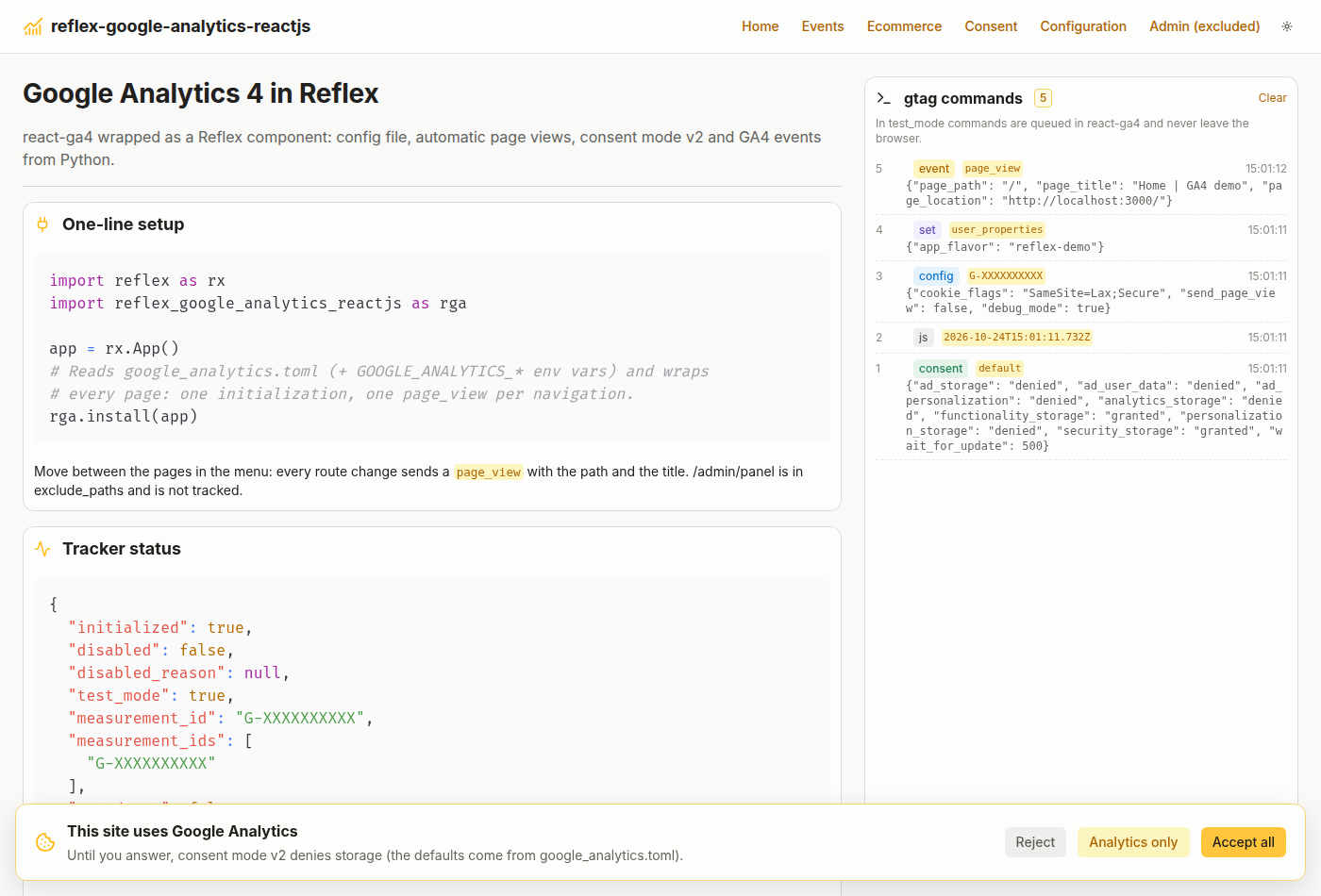
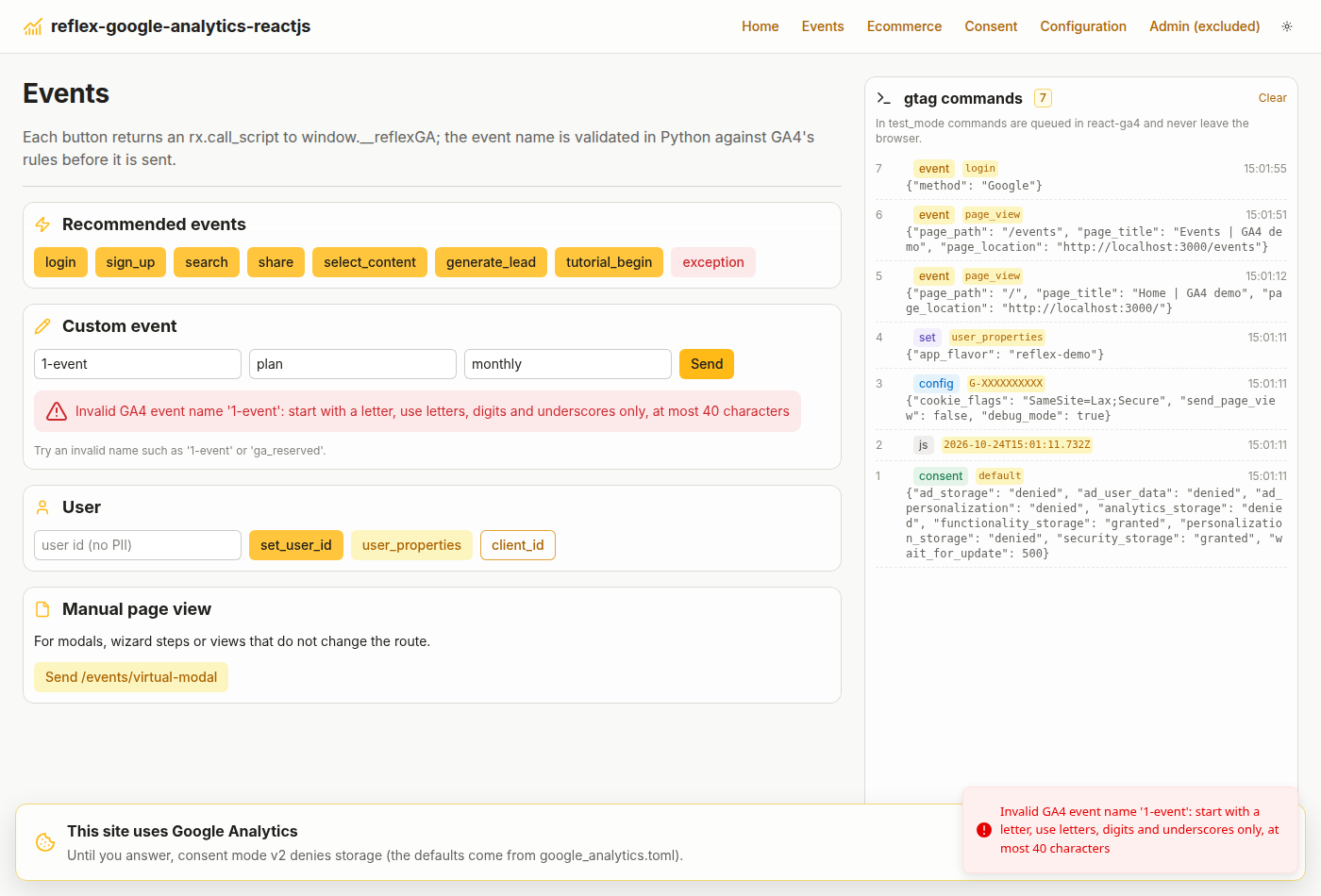
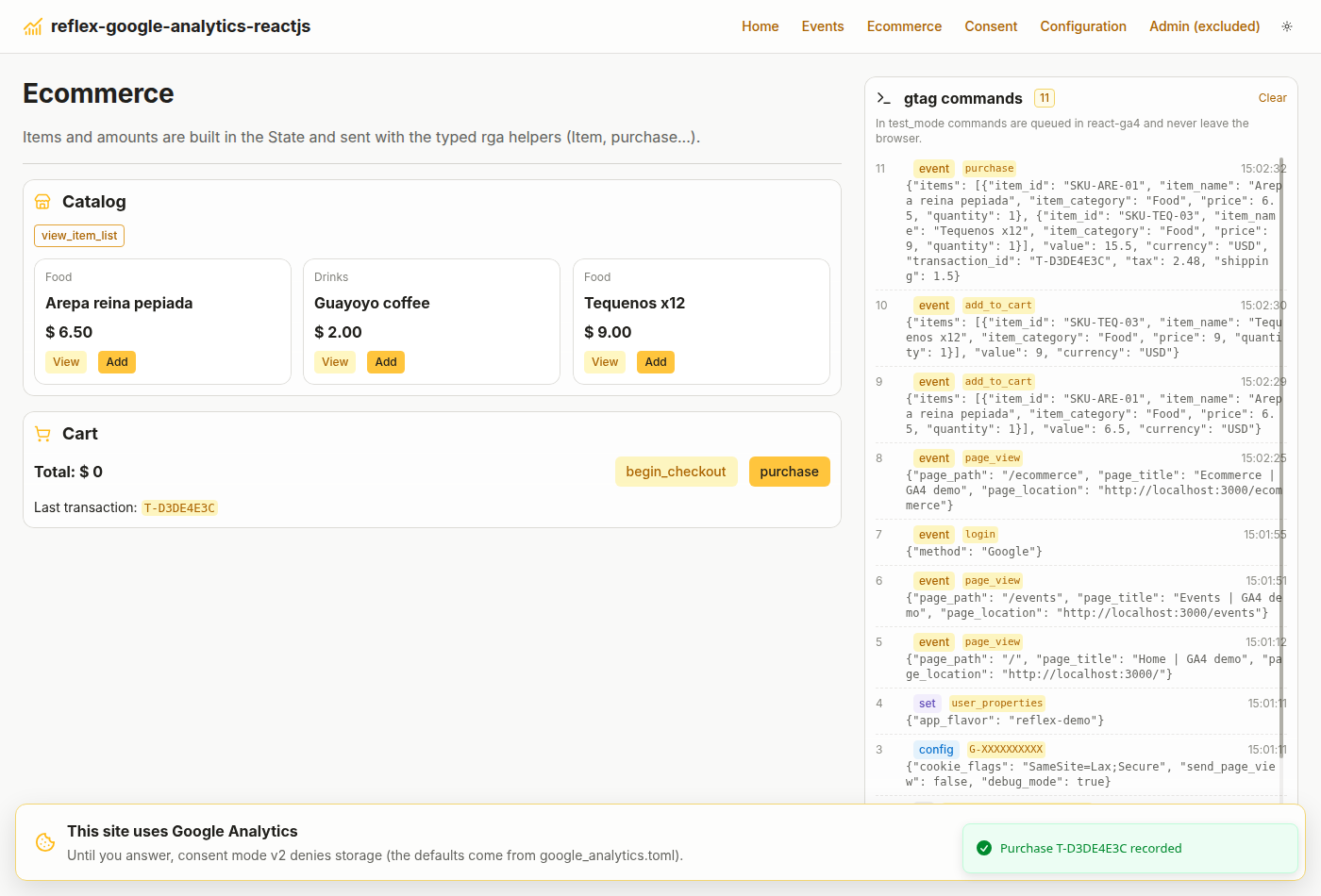
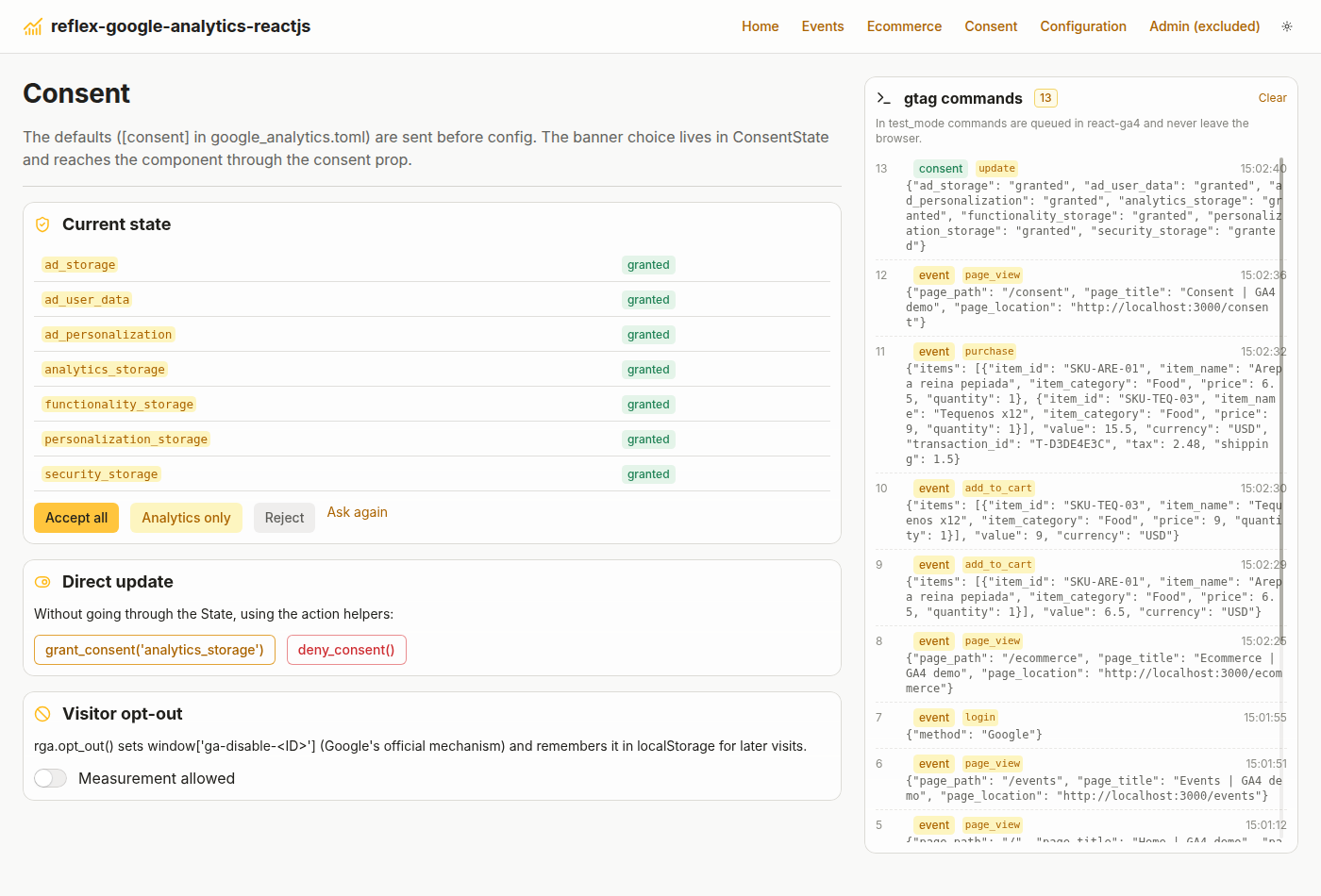
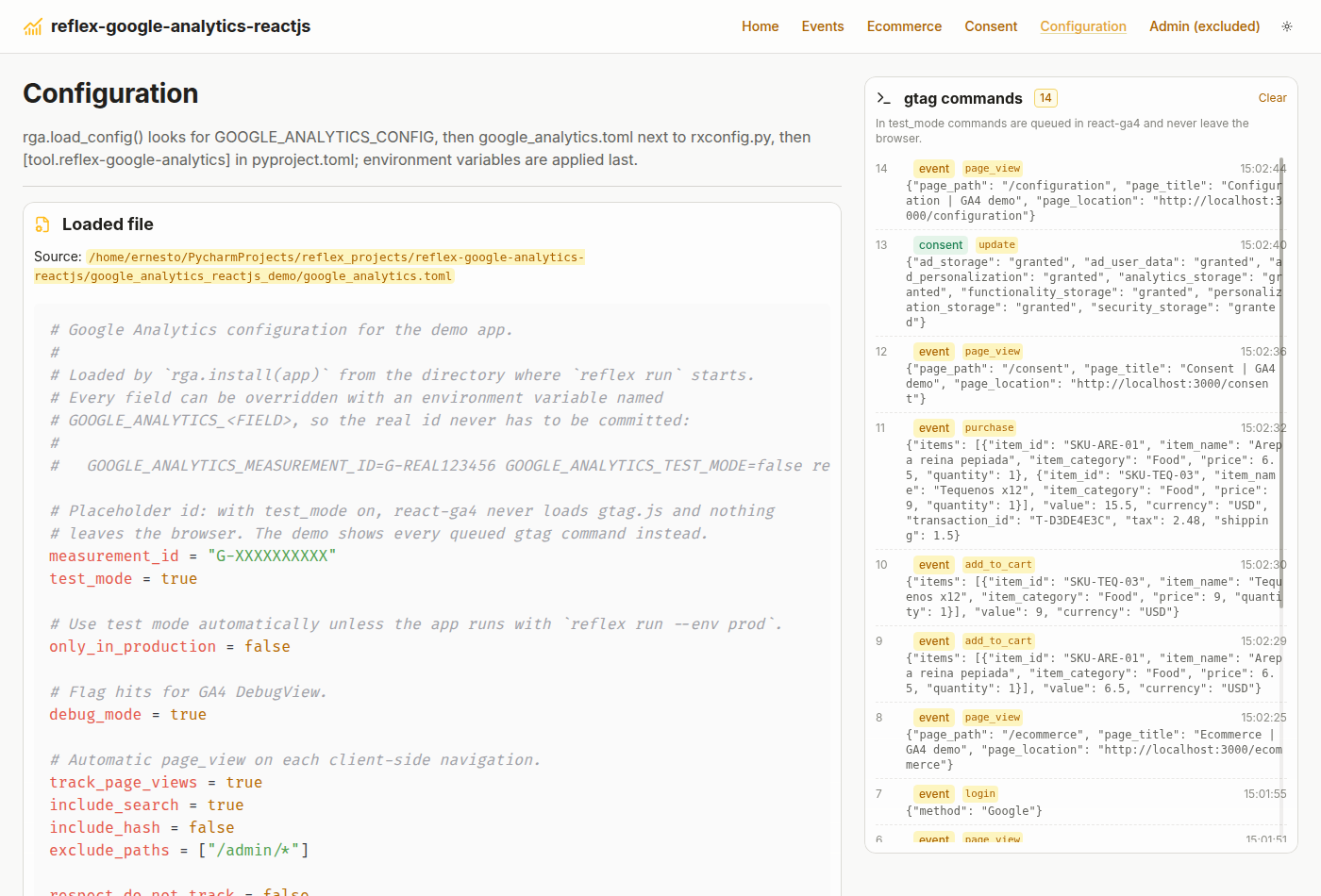
The demo app ships with test_mode = true, so the panel on the right shows each gtag command instead of sending it to Google.
 |
 |
Consent defaults, js, config and the first page_view, with the consent banner |
Recommended and custom events; invalid names are rejected in Python |
 |
 |
add_to_cart and purchase built from the State |
Consent mode v2 driven by the banner, direct updates and opt-out |
 |
|
The loaded google_analytics.toml and where it came from |
Installation
pip install reflex-google-analytics-reactjs
# or
uv add reflex-google-analytics-reactjs
The npm package (react-ga4@3.0.1) is installed by Reflex automatically.
Quick start
- Create
google_analytics.tomlnext torxconfig.py:
measurement_id = "G-XXXXXXXXXX"   # GA4 > Admin > Data streams > Web
only_in_production = true          # test mode under `reflex run`, real hits with --env prod
- Install it on the app:
import reflex as rx
import reflex_google_analytics_reactjs as rga

app = rx.App()
rga.install(app)
- Send events:
def index() -> rx.Component:
    return rx.vstack(
        rx.button("Sign up", on_click=rga.sign_up(method="email")),
        rx.button("Watch intro", on_click=rga.event("video_start", {"video_title": "intro"})),
    )
Page views are tracked automatically from then on.
The config file
rga.load_config() (which install and google_analytics call for you) looks for, in order:
- the file named by
$GOOGLE_ANALYTICS_CONFIG(.tomlor.json); google_analytics.tomlin the directory wherereflex runstarts;pyproject.toml, if it has a[tool.reflex-google-analytics]table.
Then any GOOGLE_ANALYTICS_<FIELD> environment variable overrides that field. Unknown keys and malformed ids raise rga.ConfigError at startup, not silently in the browser.
measurement_id = "G-XXXXXXXXXX"
additional_ids = ["AW-123456789"]    # more Google products on the same tag
enabled = true
test_mode = false                    # never load gtag.js, just queue and report
only_in_production = false           # force test_mode unless `--env prod`
debug_mode = false                   # show hits in GA4 DebugView
track_page_views = true
include_search = true                # "/search?q=x" instead of "/search" (also applies to page_location)
include_hash = false
exclude_paths = ["/admin/*", "/preview"]   # "/x" exact, "/x/*" prefix
respect_do_not_track = false
gtag_url = ""                        # server-side tagging / first-party proxy
nonce = ""                           # CSP nonce for the gtag.js <script>
ads_data_redaction = false
url_passthrough = false

[consent]                            # consent mode v2 defaults (omit to not use consent mode)
ad_storage = "denied"
ad_user_data = "denied"
ad_personalization = "denied"
analytics_storage = "denied"
functionality_storage = "granted"
personalization_storage = "denied"
security_storage = "granted"
wait_for_update = 500                # ms the banner has to call `update`
# region = ["ES", "FR", "US-CA"]

[gtag_options]                       # anything else gtag("config", id, {...}) accepts
cookie_flags = "SameSite=None;Secure"

[user_properties]
app_flavor = "web"
Environment variables: GOOGLE_ANALYTICS_MEASUREMENT_ID, _ENABLED, _TEST_MODE, _DEBUG_MODE, _ONLY_IN_PRODUCTION, _TRACK_PAGE_VIEWS, _EXCLUDE_PATHS (comma separated), _ADDITIONAL_IDS, _GTAG_URL, _NONCE, ... and _CONSENT, _GTAG_OPTIONS, _USER_PROPERTIES as JSON.
GOOGLE_ANALYTICS_MEASUREMENT_ID=G-REAL123456 reflex run --env prod
You can also build the config in code: rga.install(app, rga.GoogleAnalyticsConfig(measurement_id="G-...")), pass a path (rga.install(app, "config/ga.toml")), or skip files entirely with config=False and plain props.
Consent mode v2
The [consent] defaults are sent before config. Bind the visitor's choice to the consent prop and every change is forwarded as an update:
class ConsentState(rx.State):
    choice: str = rx.LocalStorage("", name="consent")

    @rx.var
    def consent(self) -> dict[str, str]:
        if self.choice == "all":
            return dict.fromkeys(rga.CONSENT_TYPES, rga.GRANTED)
        if self.choice == "none":
            return dict(rga.DENY_ALL_CONSENT)
        return {}  # not answered yet: the defaults apply

    @rx.event
    def choose(self, choice: str):
        self.choice = choice


rga.install(app, consent=ConsentState.consent)
Or call the helpers directly: rga.grant_consent("analytics_storage"), rga.deny_consent(), rga.update_consent(ad_storage="granted").
Actions
All helpers return an rx.call_script event: use them as triggers, or return/yield them from an event handler. Calls made before gtag.js is initialized are queued; when tracking is disabled they do nothing.
| Helper | gtag equivalent |
|---|---|
event(name, params=None, **params) |
gtag("event", name, params) |
page_view(path=None, title=None, **params) |
page_view for virtual pages (modals, wizard steps) |
set_params(**fields) |
gtag("set", fields) |
set_user_id(user_id) / set_user_id(None) |
gtag("config", id, {user_id}) |
set_user_properties(**props) |
gtag("set", "user_properties", props) |
update_consent(**values), grant_consent(*types), deny_consent(*types) |
gtag("consent", "update", ...) |
opt_out(), opt_in() |
window["ga-disable-<ID>"] |
get_client_id(callback), get_field(field, callback) |
gtag("get", id, field, cb) |
get_status(callback) |
tracker status dict |
gtag(command, *args) |
anything else |
login, sign_up, search, share, select_content, generate_lead, tutorial_begin, tutorial_complete, exception |
GA4 recommended events |
view_item, view_item_list, add_to_cart, remove_from_cart, begin_checkout, purchase, refund |
GA4 ecommerce events |
From a handler, with values from the State:
class Shop(rx.State):
    cart: list[dict] = []

    @rx.event
    def pay(self):
        order_id = save_order(self.cart)
        total = sum(i["price"] * i["quantity"] for i in self.cart)
        return rga.purchase(order_id, total, "USD", items=self.cart, tax=round(total * 0.16, 2))
Arguments must be plain Python values; read State vars inside a handler rather than passing State.var to a helper.
Component props
rga.google_analytics(...) / rga.install(app, ...) accept every config field as a prop, plus:
| Prop | Description |
|---|---|
measurement_id |
G-XXXXXXXXXX |
trackers |
[{"trackingId": "G-..."}, {"trackingId": "AW-...", "gtagOptions": {...}}] |
default_consent |
consent defaults dict (what [consent] produces) |
consent |
current consent, usually a State var |
ga_options / gtag_options |
react-ga4 gaOptions / raw config parameters |
user_id, user_properties |
sent on initialization |
on_ready |
{initialized, disabled, disabled_reason, test_mode, measurement_id, measurement_ids, opted_out, last_page} |
on_page_view |
{page_path, page_title, page_location} after each automatic page view |
on_command |
{command, args, test_mode, timestamp} for every gtag command (debugging only: one backend round trip per command) |
Mount it once. install puts it in app.extra_app_wraps, so it lives above the pages and is not re-created on navigation; you can also place rga.google_analytics() in a shared layout yourself.
How it works
google_analytics.toml ─┐
GOOGLE_ANALYTICS_* env ┴─> load_config() -> GoogleAnalyticsConfig -> props
                                                                       │
rga.install(app) ── extra_app_wraps ──> <ReflexGoogleAnalytics> (google_analytics.jsx)
                                          ├─ gtag("consent", "default", ...)
                                          ├─ ReactGA.initialize(...)   js + config (send_page_view: false)
                                          ├─ useLocation() -> page_view on every route change
                                          └─ window.__reflexGA  <── rga.event(...), rga.purchase(...) (rx.call_script)
Demo app
git clone https://github.com/ecrespo/reflex-google-analytics-reactjs
cd reflex-google-analytics-reactjs
uv sync
uv pip install -e .
cd google_analytics_reactjs_demo
uv run reflex run
Six pages (home, events, ecommerce, consent, configuration, and /admin/panel, which is excluded from tracking) with a live log of every gtag command. To send real hits to your property:
GOOGLE_ANALYTICS_MEASUREMENT_ID=G-YOURID GOOGLE_ANALYTICS_TEST_MODE=false uv run reflex run
Then open GA4 > Admin > DebugView (the demo sets debug_mode = true).
Development
uv sync
uv pip install -e .
uv run pre-commit install --install-hooks   # ruff, uv.lock and file checks on commit; pytest on push
uv run pytest
uv run ruff check .
uv run reflex component build   # .pyi stubs + sdist/wheel in dist/
Releasing
GitHub Actions runs .github/workflows/ci.yml (pre-commit, pytest on Python 3.10-3.13, build + twine check) on every push and pull request. .github/workflows/publish.yml publishes to PyPI through Trusted Publishing, so no API token is stored:
- Bump
versioninpyproject.tomland add an entry toCHANGELOG.md. - Push to
mainand create a GitHub release taggedvX.Y.Z(it must match the version). - The workflow runs CI, builds, and uploads to PyPI. Running it manually (Actions > Publish to PyPI > Run workflow) publishes to TestPyPI instead.
Notes
- Google Analytics 4 anonymizes IP addresses by default; there is no
anonymize_ipto set. - Never send personally identifiable information (emails, names, phone numbers) as
user_id, event parameters or user properties; it violates Google's terms. - In the GA4 data stream, open Enhanced measurement > Page views > Advanced and turn off "Page changes based on browser history events". This component already sends one
page_viewper navigation (and disablesconfig's automatic one); leaving that option on makes gtag.js count each route change twice.
License
MIT
1 maintainer

Metadata
1 maintainer
Release files for reflex-google-analytics-reactjs 0.1.0
For a detailed explanation of source distributions (sdists) and built distributions (wheels), please see the package formats documentation.
Source distribution (sdist)
| File | Size | Uploaded | Provenance | |
|---|---|---|---|---|
| reflex_google_analytics_reactjs-0.1.0.tar.gz | 33.3 kB | With provenance | Details |
Built distribution (wheel)
| File | Interpreter | ABI | Platform | Reset |
|---|---|---|---|---|
| reflex_google_analytics_reactjs-0.1.0-py3-none-any.whl | Python 3 | none | any | Details |
Total release size: 63.3 kB
Release files / reflex_google_analytics_reactjs-0.1.0.tar.gz
| Download URL | reflex_google_analytics_reactjs-0.1.0.tar.gz |
|---|---|
| Size | 33.3 kB |
| Tags | Source |
|
SHA-256 checksum How to use checksums |
5bf3af704afba9ea9ae5ae2256969acb2ecab5dcd42d3fcbf94756699a2a74f5
|
|
BLAKE2b-256 checksum How to use checksums |
4eca010252eaa9f647894baa72835c3081bdaad51182c39868d8f6e8183aeff4
|
| Upload date | |
|
Uploaded using Trusted Publishing? What is trusted publishing? |
Yes |
| Uploaded via |
twine/7.0.0 CPython/3.13.16
|
Provenance
Provenance describes where a file came from. On PyPI, provenance is shared via attestations, which provide a verifiable record of the build or publishing details. View details, limitations and caveats.


PyPI Publish Attestation
PyPI verified that this artifact, at this checksum, originated from the publisher listed below.
Signed by GitHub Actions, verified by PyPI on Oct 24, 2026.
Transparency logRelease files / reflex_google_analytics_reactjs-0.1.0-py3-none-any.whl
| Download URL | reflex_google_analytics_reactjs-0.1.0-py3-none-any.whl |
|---|---|
| Size | 29.9 kB |
| Tags | Python 3 |
|
SHA-256 checksum How to use checksums |
12545325837e1e350ad25112d88e7d2d668a5405e2f8f0d03d1a5d64689c39ad
|
|
BLAKE2b-256 checksum How to use checksums |
5814fad7327d40755755ff055d02cf32b22e4fd58b534002e492bcf6727f06ad
|
| Upload date | |
|
Uploaded using Trusted Publishing? What is trusted publishing? |
Yes |
| Uploaded via |
twine/7.0.0 CPython/3.13.16
|
Provenance
Provenance describes where a file came from. On PyPI, provenance is shared via attestations, which provide a verifiable record of the build or publishing details. View details, limitations and caveats.
PyPI Publish Attestation
PyPI verified that this artifact, at this checksum, originated from the publisher listed below.
Signed by GitHub Actions, verified by PyPI on Oct 24, 2026.
Transparency logSecurity for reflex-google-analytics-reactjs 0.1.0
Provenance
Provenance describes where a file came from. On PyPI, provenance is shared via attestations, which provide a verifiable record of the build or publishing details. View details, limitations and caveats.
Full provenance
All 2 files in this release have been uploaded with provenance metadata.
Attestation for reflex_google_analytics_reactjs-0.1.0.tar.gz
PyPI Publish Attestation
PyPI verified that this artifact, at this checksum, originated from the publisher listed below.
Signed by GitHub Actions, verified by PyPI on Oct 24, 2026.
Transparency logA note on package security
PyPI is a repository for distributing packages, not a service for auditing them. While third-party security researchers and our staff do their best to detect and remove malicious packages, PyPI cannot guarantee the quality, security or suitability of any given package.
To learn more about protecting yourself from malicious actors, visit our package security documentation.













