
This release is a pre-release and may not be stable for production use.







Introduction
Reflex is a library to build full-stack web apps in pure Python.
Key features:
- Pure Python - Write your app's frontend and backend all in Python, no need to learn Javascript.
- Full Flexibility - Reflex is easy to get started with, but can also scale to complex apps.
See our architecture page to learn how Reflex works under the hood.
⚙️ Installation
Important: We strongly recommend using a virtual environment to ensure the reflex command is available in your PATH.
🥳 Create your first app
Create a project, add Reflex, and start the development server with uv:
mkdir my_app_name
cd my_app_name
uv init

uv add reflex
uv run reflex init
uv run reflex run
You should see your app running at http://localhost:3000.
Now you can modify the source code in my_app_name/my_app_name.py. Reflex has fast refreshes so you can see your changes instantly when you save your code.
🫧 Example App
Build an image generation app in Python with Reflex: define the UI, manage state in a class, and call an image model from an event handler.
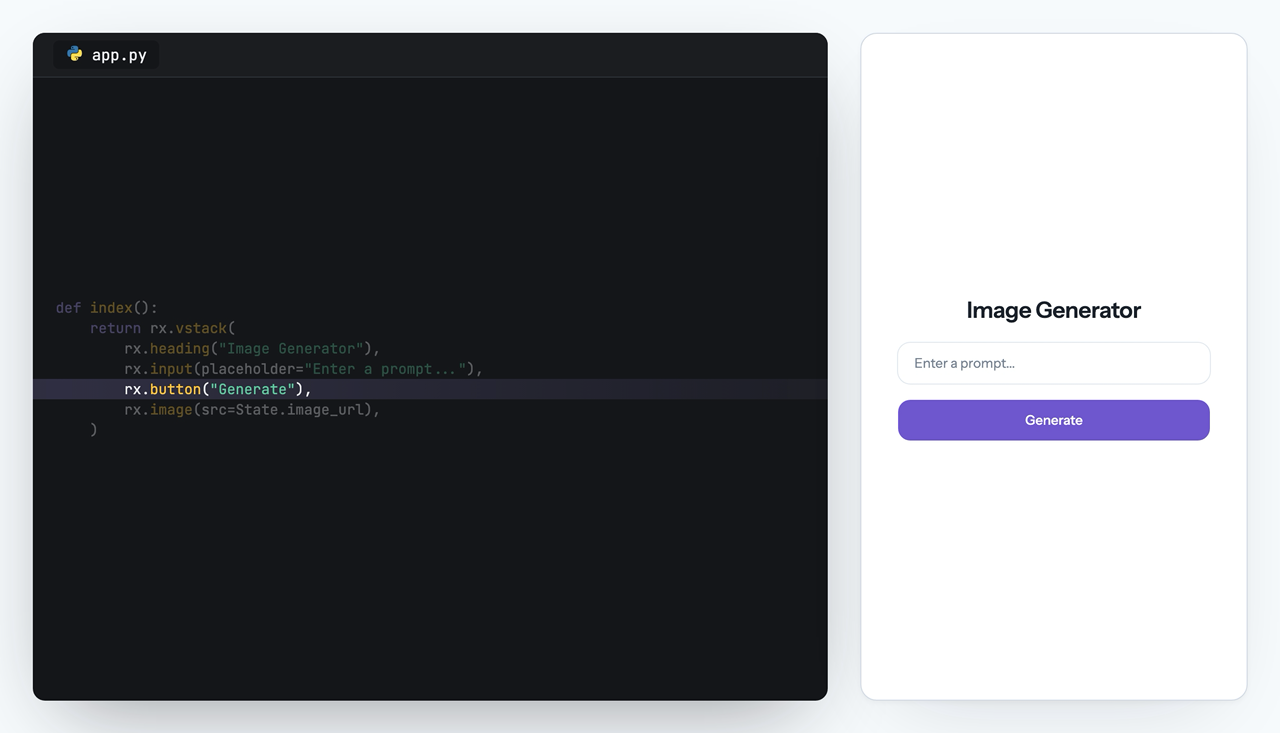
import reflex as rx
import openai

client = openai.AsyncOpenAI()


class State(rx.State):
    prompt: str = ""
    image_url: str = ""
    processing: bool = False

    @rx.event
    def set_prompt(self, value: str):
        self.prompt = value

    @rx.event
    async def generate(self):
        self.processing = True
        yield
        response = await client.images.generate(
            model="gpt-image-1.5",
            prompt=self.prompt,
        )
        self.image_url = f"data:image/png;base64,{response.data[0].b64_json}"
        self.processing = False


def index():
    return rx.vstack(
        rx.heading("Image Generator"),
        rx.input(placeholder="Enter a prompt...", on_change=State.set_prompt),
        rx.button("Generate", on_click=State.generate, loading=State.processing),
        rx.image(src=State.image_url),
    )


app = rx.App()
app.add_page(index, title="Reflex:Image Generation")
All Thanks To Our Contributors:

Release files for reflex 0.9.12a1
For a detailed explanation of source distributions (sdists) and built distributions (wheels), please see the package formats documentation.
Source distribution (sdist)
| File | Size | Uploaded | |
|---|---|---|---|
| reflex-0.9.12a1.tar.gz | 259.9 kB | Details |
Built distribution (wheel)
| File | Interpreter | ABI | Platform | Reset |
|---|---|---|---|---|
| reflex-0.9.12a1-py3-none-any.whl | Python 3 | none | any | Details |
Total release size: 564.3 kB
Release files / reflex-0.9.12a1.tar.gz
| Download URL | reflex-0.9.12a1.tar.gz |
|---|---|
| Size | 259.9 kB |
| Tags | Source |
|
SHA-256 checksum How to use checksums |
148dbce62b4d18a1c2c18ca5c768caff8c2ce267ce14876cd63ead5610f22651
|
|
BLAKE2b-256 checksum How to use checksums |
fc2c43958f8179d7c668763fa6d082c15c5adafe23999568326ef8abfc07b66f
|
| Upload date | |
|
Uploaded using Trusted Publishing? What is trusted publishing? |
Yes |
| Uploaded via |
uv/0.12.5 {"installer":{"name":"uv","version":"0.12.5","subcommand":["publish"]},"python":null,"implementation":{"name":null,"version":null},"distro":{"name":"Ubuntu","version":"24.04","id":"noble","libc":null},"system":{"name":null,"release":null},"cpu":null,"openssl_version":null,"setuptools_version":null,"rustc_version":null,"ci":true}
|
Release files / reflex-0.9.12a1-py3-none-any.whl
| Download URL | reflex-0.9.12a1-py3-none-any.whl |
|---|---|
| Size | 304.4 kB |
| Tags | Python 3 |
|
SHA-256 checksum How to use checksums |
d1c3415ab591e47b4808146781426acb2d626cdf1e112e52c8a66b6cff435290
|
|
BLAKE2b-256 checksum How to use checksums |
022906b4028265b874aa231f9a039b581ae7b319225dedb46320812cf0fdeb77
|
| Upload date | |
|
Uploaded using Trusted Publishing? What is trusted publishing? |
Yes |
| Uploaded via |
uv/0.12.5 {"installer":{"name":"uv","version":"0.12.5","subcommand":["publish"]},"python":null,"implementation":{"name":null,"version":null},"distro":{"name":"Ubuntu","version":"24.04","id":"noble","libc":null},"system":{"name":null,"release":null},"cpu":null,"openssl_version":null,"setuptools_version":null,"rustc_version":null,"ci":true}
|














