
Interactive WebGL scatterplots for single-cell data (AnnData/MuData/SpatialData) in Jupyter, VS Code and Shiny for Python

Project description
reglscatterpy


Interactive WebGL scatterplots for single-cell / spatial data in Python —
AnnData, MuData, SpatialData, pandas, numpy. Renders millions of points in
the browser via regl-scatterplot,
in Jupyter, JupyterLab, VS Code and Colab.
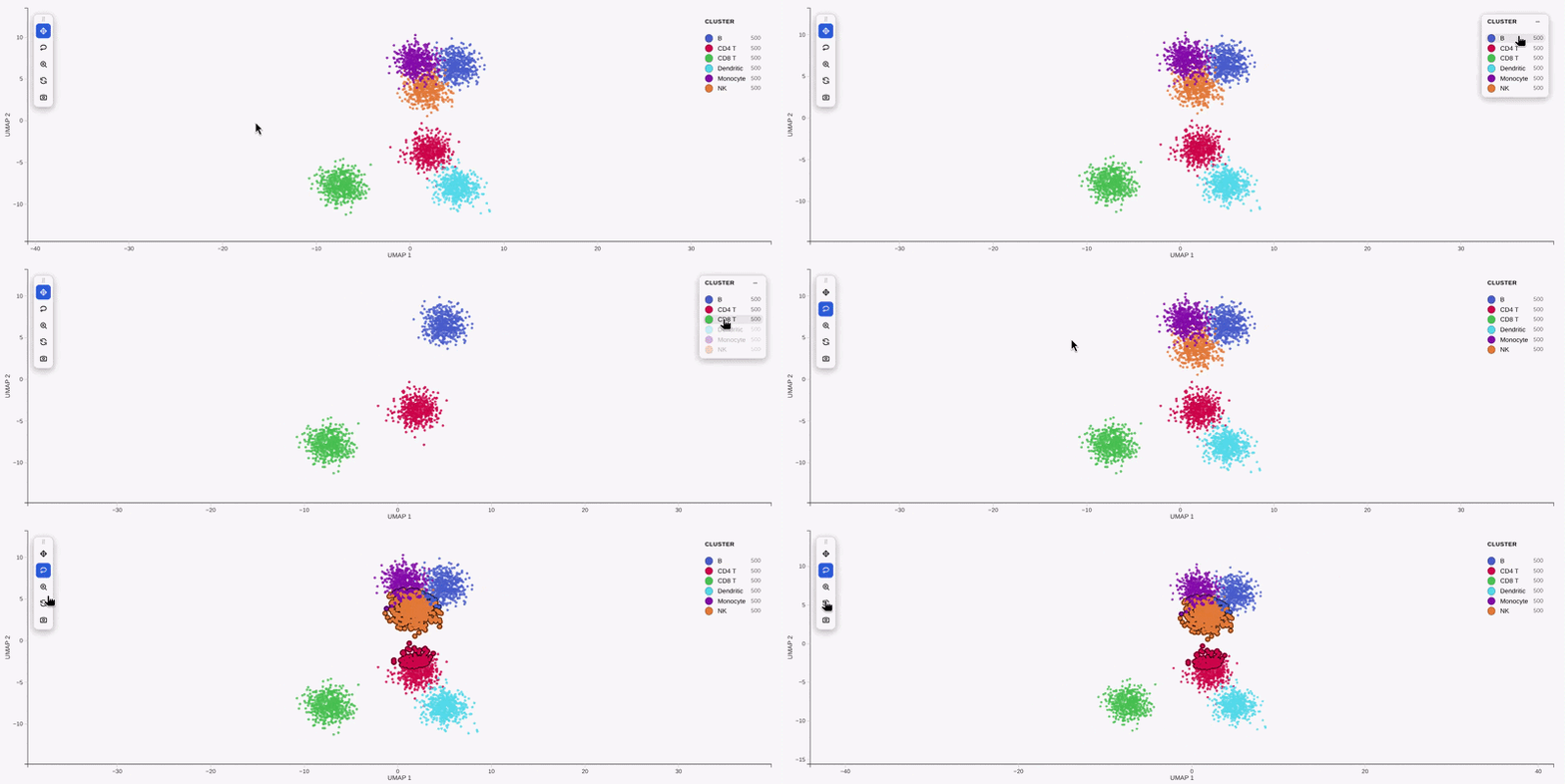
This is the Python companion to the R package
reglScatterplotR. Both
drive the same compiled widget, so a plot looks and behaves identically across
R and Python — the draggable legend, filter_by distribution sliders, lasso,
tooltips and PNG/SVG/PDF export all come from one shared codebase. (Equivalence
is locked down by tests/test_payload_parity.py, which checks the Python
payload byte-for-byte against R fixtures.)
Install
pip install reglscatterpy            # numpy, pandas, anywidget
pip install anndata                  # for AnnData; mudata / spatialdata as needed
Quick start
import scanpy as sc
import reglscatterpy as rs

adata = sc.datasets.pbmc3k_processed()
rs.scatterplot(adata, x="X_umap", color_by="louvain")   # an obs column
rs.scatterplot(adata, x="X_umap", color_by="CST3")      # a gene
import numpy as np, pandas as pd
df = pd.DataFrame({"x": np.random.rand(10_000), "y": np.random.rand(10_000),
                   "ct": np.random.choice(list("ABC"), 10_000)})
rs.scatterplot(df, x="x", y="y", color_by="ct")
Plots fill the notebook cell width by default; pass width= (pixels) for a
fixed size.
Gallery
| Categorical colouring | Continuous (gene) colouring |
|---|---|
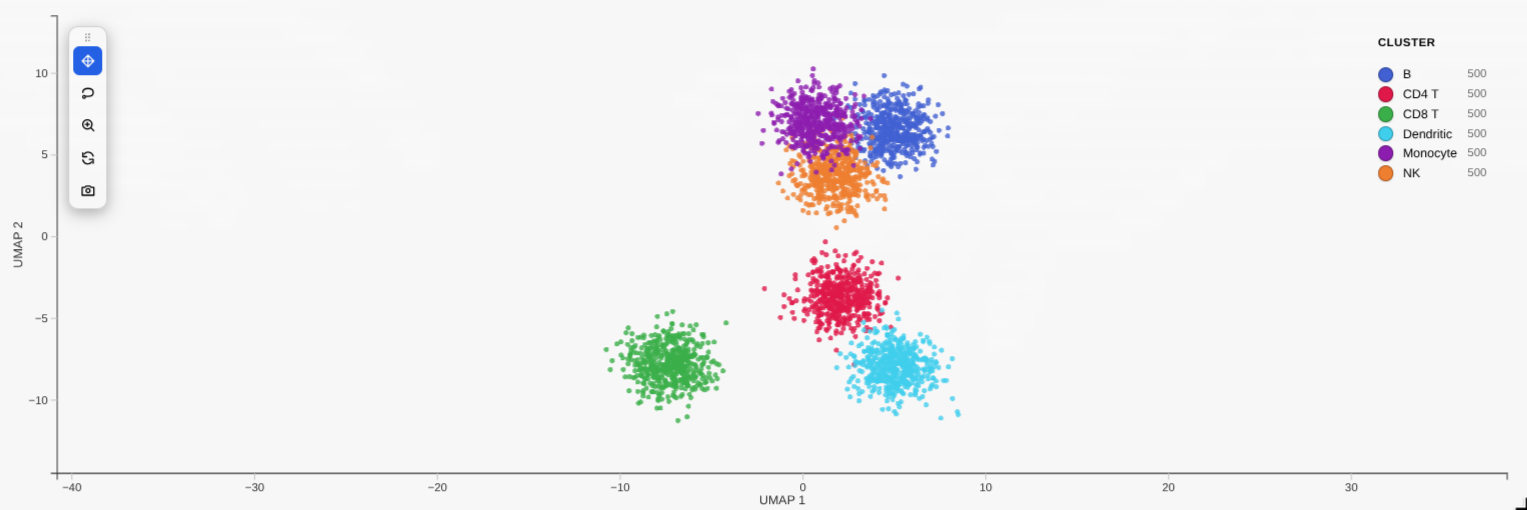 |
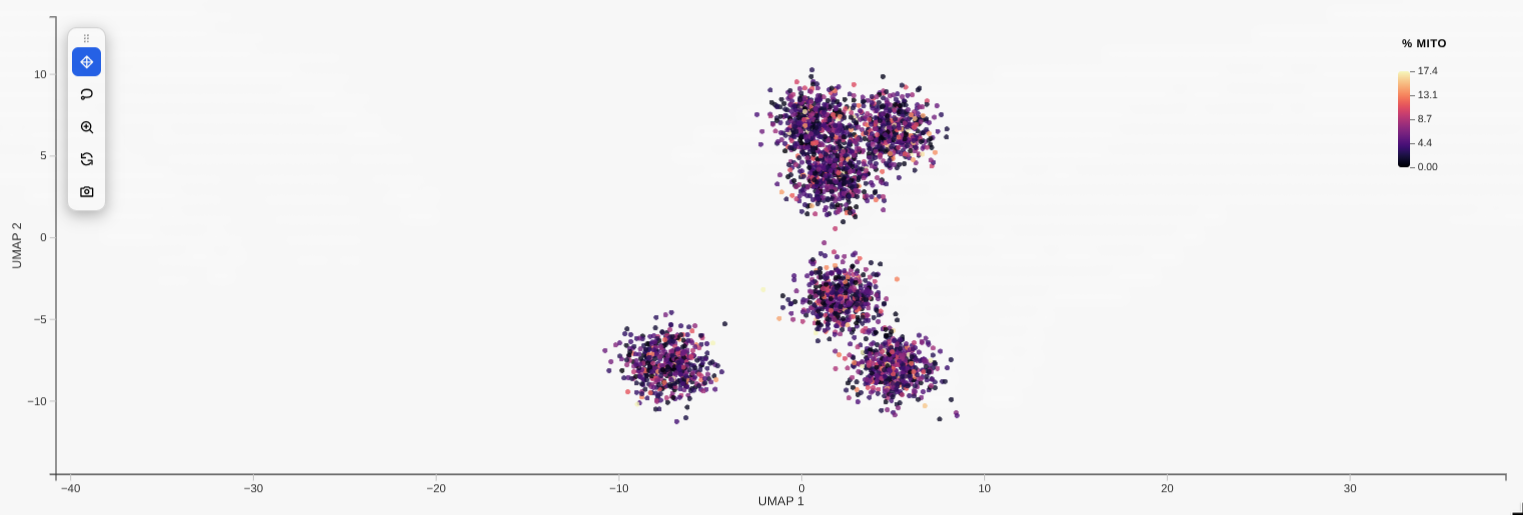 |
filter_by distribution sliders |
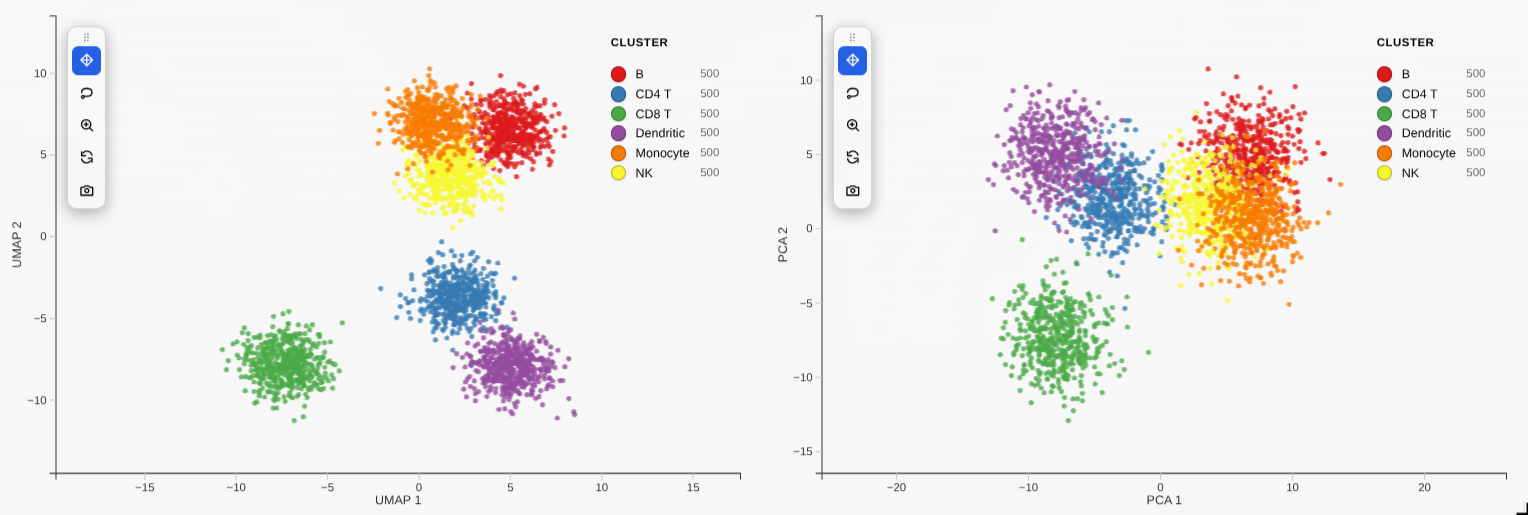
Linked grid (compose) |
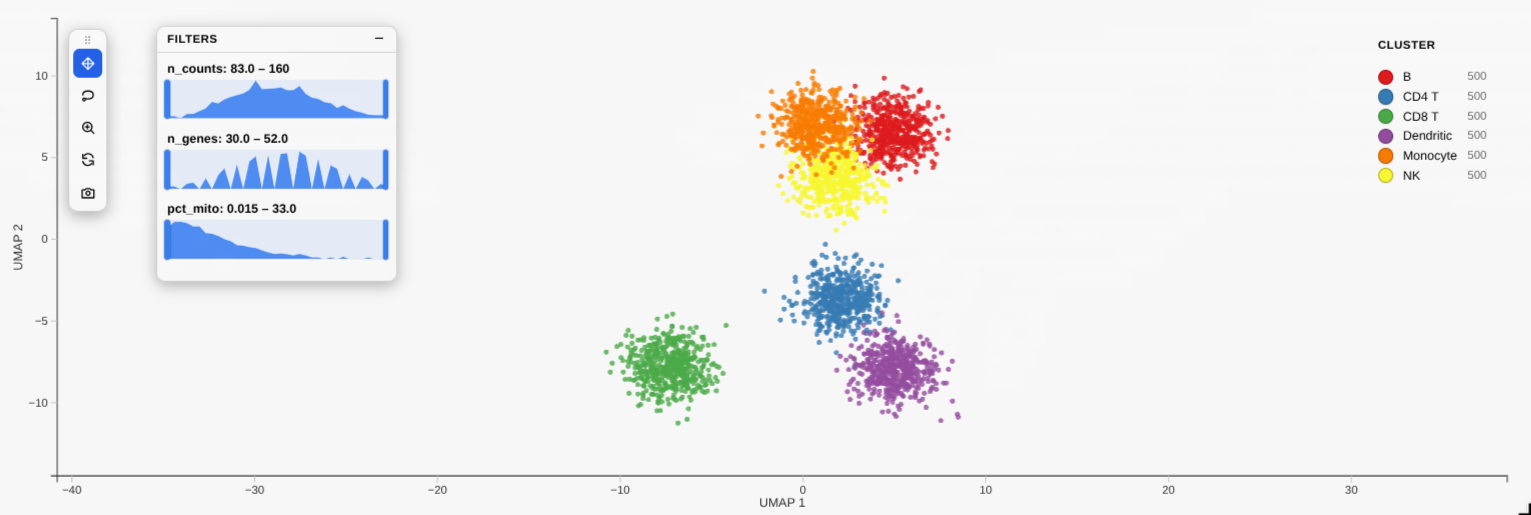 |
 |
Note: like other Jupyter widgets, a plot's large state isn't reliably saved into the
.ipynb, so after reopening a notebook the cell may show blank (orCould not render … widget-view) until you re-run it. To keep an interactive copy that survives reopening — and to share a plot with someone who has no kernel — export it to a standalone HTML file (see below).
Save a standalone HTML (offline, kernel-free)
The Python equivalent of R's htmlwidgets::saveWidget: write a single
self-contained .html that inlines the widget and the plot's data, so it
opens in any browser with no kernel and no internet:
w = rs.scatterplot(adata, x="X_umap", color_by="leiden")
rs.save_html(w, "umap.html")      # or:  w.to_html("umap.html")
The saved file is fully interactive (pan/zoom, legend, lasso, tooltips,
PNG/SVG/PDF export) but it's a snapshot — it has no kernel, so the Python
round-trips (w.selection, w.annotate, …) only work in the live notebook. The
widget bundle is inlined gzip-compressed (~0.5 MB, decompressed in-browser), so
a one-plot file is well under 1 MB. No R is involved — it's pure Python.
A whole notebook → one HTML report (no re-running)
Plain jupyter nbconvert --to html leaves the plots blank (the same widget-state
limitation). The fix that avoids re-executing a heavy notebook is record
mode: call rs.record_html() once at the top, then run your notebook normally —
each plot bakes a static, interactive copy into its own cell output. After that:
import reglscatterpy as rs
rs.record_html()                 # run once near the top, then work as usual
# ... rs.scatterplot(...) cells ...
# reopening the notebook now shows the plots, and either of these makes a report
# WITHOUT re-running anything:
jupyter nbconvert --to html analysis.ipynb
reglscatterpy-report analysis.ipynb -o analysis_report.html
reglscatterpy-report (and rs.save_notebook_html(...)) default to not
re-executing — they use the recorded outputs and share one copy of the
bundle across all plots. For a notebook that wasn't recorded, pass --execute
(CLI) / execute=True to re-run it once.
rs.save_notebook_html("analysis.ipynb", "report.html")             # uses outputs
rs.save_notebook_html("analysis.ipynb", "report.html", execute=True)  # re-runs
Recorded plots are a one-way snapshot: pan/zoom/lasso/tooltips/export all work, but
w.selection/w.annotateno longer round-trip to Python (there's no kernel). Callrs.record_html(False)to go back to the live widget.
Needs nbconvert + ipykernel (pip install 'reglscatterpy[report]'). The
plots are fully offline; nbconvert's own page chrome (MathJax/RequireJS) is still
CDN-referenced — use nb_offline_convert
if you need the surrounding report shell to be 100% offline too.
Selection round-trip
Lasso points in the plot, then read them back in another cell — or drive the selection from Python:
w = rs.scatterplot(adata, x="X_umap", color_by="leiden")
w                          # show it, lasso some cells in the widget

w.selection                # -> [12, 87, 134, ...]  positional indices
adata[w.selection]         # subset the AnnData directly
sub = w.subset()           # same thing, as a convenience

w.selection = list(range(100))   # or set it from Python to highlight points
Annotate cells by lassoing
Lasso a population, label it, and the label is written straight back into
adata.obs (or a DataFrame column) — curate cell types interactively:
w = rs.scatterplot(adata, x="X_umap", color_by="leiden")
w                                  # lasso a cluster
w.annotate("cell_type", "T cells") # -> writes adata.obs["cell_type"] for those cells
# lasso another, w.annotate("cell_type", "B cells"), ... then:
rs.scatterplot(adata, x="X_umap", color_by="cell_type")
Differential expression of a selection
Lasso a population and get its top markers vs the rest (or vs another lasso):
w = rs.scatterplot(adata, x="X_umap", color_by="leiden")
w                          # lasso a cluster
w.diff_expression(n=10)    # top genes for the selection vs all other cells
# or two saved selections:
a = w.selection            # after lassoing group A
# (lasso group B)
w.diff_expression(a, w.selection)
Richer tooltips
Show extra fields on hover:
rs.scatterplot(adata, x="X_umap", color_by="leiden",
               tooltip_by=["n_genes", "sample", "CST3"])   # obs cols or genes
Composition of a selection
Lasso a region and see what it's made of:
w = rs.scatterplot(adata, x="X_umap", color_by="leiden")
w                                  # lasso a region
w.composition("leiden")            # -> count + fraction per cluster in the selection
Linked grid
Compare embeddings side by side — pan/zoom and lasso selection stay in sync:
from reglscatterpy import scatterplot, compose

a = scatterplot(adata, x="X_umap", color_by="leiden")
b = scatterplot(adata, x="X_pca",  color_by="leiden")
compose([a, b])            # 2-up grid, linked camera + selection
Toolbar & selection extras
scatterplot(..., toolbar="left") (or "top", "none") shows an in-plot
toolbar: pan, lasso, zoom-to-selection, reset, screenshot. Pass
zoom_on_selection=True to auto-frame a lasso selection.
Encode a numeric column on point size or opacity (in addition to
colour): scatterplot(adata, x="X_umap", color_by="leiden", size_by="n_genes")
or opacity_by="total_counts".
Supported objects
| Input | x (embedding) |
color_by / group_by |
|---|---|---|
AnnData |
obsm key ("X_umap", "umap", "spatial", …) |
obs column or var_names feature |
MuData |
global obsm or "modality:embedding" |
obs column or "modality:feature" |
SpatialData |
table's obsm (defaults to "spatial") |
table's obs / features |
pandas.DataFrame |
column name | column name or vector |
numpy.ndarray |
column index | vector |
API parity with R
rs.scatterplot(...) mirrors R's reglScatterplot(...): color_by / group_by,
point_size, opacity, point_color, pixel_ratio, continuous_palette /
categorical_palette, custom_colors, vmin / vmax, center_zero,
filter_by, legend styling, enable_download, and more.
A
backend="jscatter"option also exists if you'd rather render with jupyter-scatter (pip install reglscatterpy[render]); the default native widget is recommended.
The widget bundle
src/reglscatterpy/static/widget.js is a built artifact (an anywidget ESM
bundle). Its source — the shared rendering widget plus the anywidget adapter —
lives in the reglScatterplotR repo under js/. To refresh it after a JS
change, build there and copy the result here:
# from a sibling checkout of reglScatterplotR
cd reglScatterplotR/js && npm install && npm run build
cp dist/widget.js ../../reglscatterpy/src/reglscatterpy/static/widget.js
Develop / test
pip install -e .[dev]
pytest          # extraction tests skip cleanly without anndata/scipy


Download files
Download the file for your platform. If you're not sure which to choose, learn more about installing packages.
Source Distribution
Built Distribution
Filter files by name, interpreter, ABI, and platform.
If you're not sure about the file name format, learn more about wheel file names.
Copy a direct link to the current filters
File details
Details for the file reglscatterpy-0.4.0.tar.gz.
File metadata
- Download URL: reglscatterpy-0.4.0.tar.gz
- Upload date:
- Size: 8.7 MB
- Tags: Source
- Uploaded using Trusted Publishing? No
- Uploaded via: twine/6.2.0 CPython/3.11.15
File hashes
| Algorithm | Hash digest | |
|---|---|---|
| SHA256 |
45f8d58a0d5241a63c1ea2ec12606beb15e166e5afee3a076234642086ffbca3
|
|
| MD5 |
df52f10d1348b8159eeb8c24b51cc5c9
|
|
| BLAKE2b-256 |
e05080f20490eeadf5be12c7aab4362e462c249551e44dae908feb1b1bd1d5ee
|
File details
Details for the file reglscatterpy-0.4.0-py3-none-any.whl.
File metadata
- Download URL: reglscatterpy-0.4.0-py3-none-any.whl
- Upload date:
- Size: 449.9 kB
- Tags: Python 3
- Uploaded using Trusted Publishing? No
- Uploaded via: twine/6.2.0 CPython/3.11.15
File hashes
| Algorithm | Hash digest | |
|---|---|---|
| SHA256 |
0ed479a023936e9c91ca4e1c9cc65c5c0599e0a76ed2b6bd2bd3fe303eb87dfd
|
|
| MD5 |
da1edd25efab89d1a431b92c44a53edf
|
|
| BLAKE2b-256 |
e0e9c91a7a951584e885fddf2272bad8c5b1746681773ba4c2eed733167bdd4f
|






