
RejX
Deal with .rej files with reasonable pain
The application is designed to work with .rej files generated during patch application failures or from updating git templates using tools s.a. cookiecutter or cruft
It provides functionality to either fix these files individually or in bulk, view differences, list them, and clean them up.
The rich library is used for better console output formatting, providing a more user-friendly and visually appealing interface.
It's important to use the commands cautiously, especially fix_all and clean, as they perform bulk operations.
This documentation provides a clear guide on how to interact with the rejx Typer application, making it easier for users to understand and utilize its functionalities.
Installation
# Pip
pip install rejx

# Poetry
poetry add rejx
Usage
Your Python Typer application, rejx, provides a command line interface (CLI) for managing .rej files, which are typically generated when patches fail to apply cleanly. Below, I'll detail each command, its purpose, and how to use it, including optional arguments.
Most rejx commands support the flags:
--all- Recursively apply the command in subfolders--preview- Preview what a command would do before applying--show-hidden- Include hidden files (.file) when applying the command--exclude-hidden- Exclude hidden files from command
For more details, rejx provides help for each commands
rejx --help
rejx <command> --help
fix
Applies the changes from one or more specified .rej file to their corresponding original file.
rejx fix path/to/file1.rej path/to/file2.rej ...
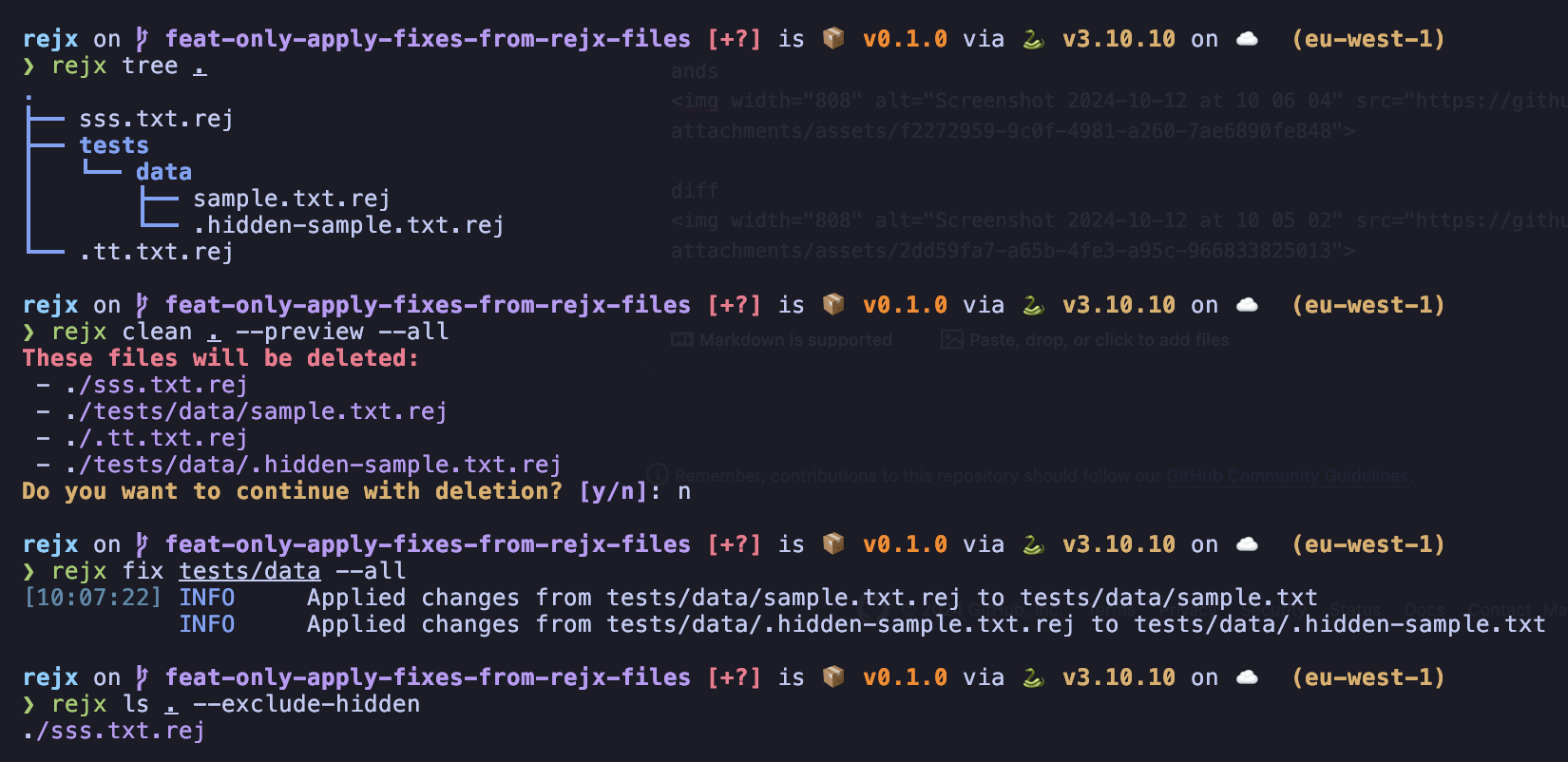
Passing the optional flag --all applies the changes from all .rej files to their corresponding original files.
rejx fix --all
diff
Displays the differences between the current file(s) and the changes proposed in the corresponding .rej file(s).
rejx diff <filename1> <filename2> ...
If no file name is passed, this displays the difference for all .rej files.
[!NOTE] This command uses a pager for output. Use arrow keys or Vim bindings to navigate, and q to quit.
ls
Lists all .rej files in the current directory and subdirectories. By default, it lists files, but can also display them in a tree structure. For listing files:
rejx ls .
The ls command supports different view modes. Default view is a list of files, but there's also a tree view mode
For tree view:
rejx ls . --view tree
rejx tree .
clean
Deletes specified .rej files. It has an optional preview feature. The preview flag makes it possible to preview which files would be staged for deletion before applying it.
rejx clean path/to/file1.rej path/to/file2.rej ...
With preview:
rejx clean path/to/file1.rej path/to/file2.rej ... --preview
By passing the optional --all flag, this command deletes all the .rej files in the current directory and subdirectories.
rejx clean . --all
This can be combined with the --preview option.
rejx clean . --all --preview
Shell Completion
To install shell completion for rejx commands
rejx --install-completion && exec $SHELL
Dev
For developers looking to apply changes or contribute changes, install the project with the just command
This will install the project, pre-commit and the dev dependencies
just setup
1 maintainer

Metadata
1 maintainer
Release files for rejx 0.2.0
For a detailed explanation of source distributions (sdists) and built distributions (wheels), please see the package formats documentation.
Source distribution (sdist)
| File | Size | Uploaded | |
|---|---|---|---|
| rejx-0.2.0.tar.gz | 11.8 kB | Details |
Built distribution (wheel)
| File | Interpreter | ABI | Platform | Reset |
|---|---|---|---|---|
| rejx-0.2.0-py3-none-any.whl | Python 3 | none | any | Details |
Total release size: 22.9 kB
Release files / rejx-0.2.0.tar.gz
| Download URL | rejx-0.2.0.tar.gz |
|---|---|
| Size | 11.8 kB |
| Tags | Source |
|
SHA-256 checksum How to use checksums |
bfa5b587d7dbade41938b9396d347700b43dcd7656fb02be936923f8cb3c4f8e
|
|
BLAKE2b-256 checksum How to use checksums |
08c07c9037e1cb9203759e642d56706729fa37c0ffd4cddbac878eee7994ac61
|
| Upload date | |
|
Uploaded using Trusted Publishing? What is trusted publishing? |
No |
| Uploaded via |
poetry/1.7.1 CPython/3.10.10 Darwin/23.1.0
|
Release files / rejx-0.2.0-py3-none-any.whl
| Download URL | rejx-0.2.0-py3-none-any.whl |
|---|---|
| Size | 11.1 kB |
| Tags | Python 3 |
|
SHA-256 checksum How to use checksums |
656641cd97c4c432397f3337650e0394c75f28fa014538afabda58cd599dbc75
|
|
BLAKE2b-256 checksum How to use checksums |
2b8e93d806bff2f5d8cb99697ac1ff572d3be5aaa043dbccc0feddea470fe9d5
|
| Upload date | |
|
Uploaded using Trusted Publishing? What is trusted publishing? |
No |
| Uploaded via |
poetry/1.7.1 CPython/3.10.10 Darwin/23.1.0
|














