
Release exporter for GitHub and GitLab.

Project description
Release Exporter
Blog: https://www.gollahalli.com/blog/export-your-github-and-gitlab-releases-as-a-changelog/
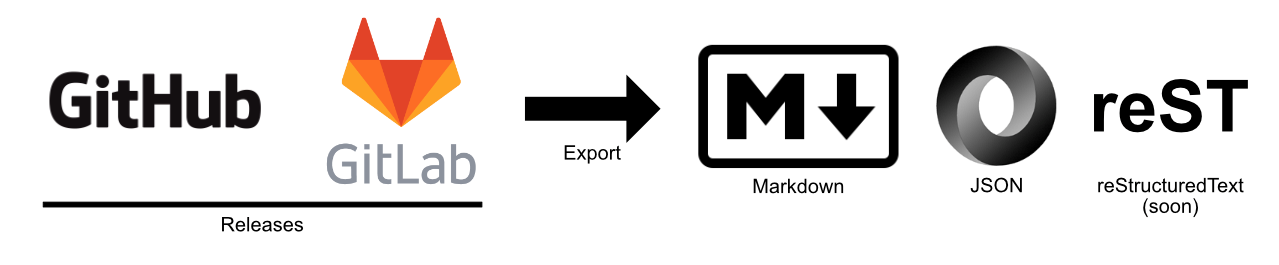
This CLI exports your project releases to a markdown based on keep a changelog and markdownlint and JSON, it currently supports GitHub and GitLab.
Install
pip install release-exporter
Or download this repository and type in the following in your terminal/cmd
python setup.py install
Usage
In your terminal/cmd, change to the folder where your repository is located and do the following:
rex --token <your token> markdown
That's it. You should see a CHANGELOG.md in your folder.
Advance Usage
Release exporter has the following options
Usage: rex [OPTIONS] COMMAND [ARGS]...

Options:
    --token TEXT      Token number if its a private repository.
    --url TEXT        URL of your repository. This is optional if your current
                    directory has .git folder with remote url.
    --location TEXT   Local location of your repository.
    --version
    --universal TEXT  Create a global settings file. Defaults to True.
    --help            Show this message and exit.

Commands:
    all       Creates change log for all formats.
    init      Creates .rex file.
    json      Creates JSON file.
    markdown  Creates markdown file.
    rst       Creates reStructuredText file.
If you don't have a repository on your computer, but you still want to generate a change log you can manually add your repository URL as follows:
rex markdown --token <your token> --url <your url>
If you have your repository in a different location and you are lazy
(like me) to change into that directory, get the absolute path of your
repository add it to the --location <location>.
rex --token <your token> --location <absolute path>
You can also export your releases to JSON file by just replacing
markdown with json. The output looks something like this:
{
    "repositoryName": "release-exporter",
    "provider": "github.com",
    "owner": "akshaybabloo",
    "repoUrl": "https://github.com/akshaybabloo/release-exporter",
    "totalTags": 2,
    "data": [
        {
            "tagName": "Unreleased",
            "description": "",
            "createdAt": "",
            "compareUrl": "https://github.com/akshaybabloo/release-exporter/compare/1.0.1...HEAD"
        },
        {
            "tagName": "v1.0.1",
            "description": "### Added\n- Unreleased tag added to the template and GitHub\n- Unreleased tag added to GitHub\n\n### Fixed\n- Tag missing in GitHub JSON fixed\n- Tag missing in GitLab JSON fixed",
            "createdAt": "2018-01-16",
            "compareUrl": "https://github.com/akshaybabloo/release-exporter/compare/v1.0...v1.0.1"
        },
        {
            "tagName": "v1.0",
            "description": "Initial release.",
            "createdAt": "2018-01-15",
            "compareUrl": null
        }
    ]
}
Note: The
Unreleasedtag is not counted intotalTags.
Problems you might encounter
If you are using rex on your repository folder or if you are using
--location you might get an error saying that there are duplicate
keys, this is because sometimes the file .git/config has more than
one [remote "origin"]. In such case, it is best to give the URL of
your repository by giving --url <repo URL>.
Reference
- Markdown logo from https://github.com/dcurtis/markdown-mark/
Release history Release notifications | RSS feed


Download files
Download the file for your platform. If you're not sure which to choose, learn more about installing packages.
Source Distributions
Built Distribution
Filter files by name, interpreter, ABI, and platform.
If you're not sure about the file name format, learn more about wheel file names.
Copy a direct link to the current filters
File details
Details for the file release_exporter-1.1.1-py3-none-any.whl.
File metadata
- Download URL: release_exporter-1.1.1-py3-none-any.whl
- Upload date:
- Size: 20.8 kB
- Tags: Python 3
- Uploaded using Trusted Publishing? No
- Uploaded via: twine/4.0.1 CPython/3.11.2
File hashes
| Algorithm | Hash digest | |
|---|---|---|
| SHA256 |
ca37460ea8c26aa92b0de6183c9d2b6cb5cb549a8184e2bb0e0ac04da23bd28b
|
|
| MD5 |
a05b81e2ea85f9e8dbee5c767d37e547
|
|
| BLAKE2b-256 |
ebe4fab7bd01e9024a9369ec8045f7a6300d3738efa529c7a4e2427ef1684c03
|






