



Operate AI agents without losing context between sessions. rememb is a local-first persistent memory layer: structured entries, keyword search, versioning, diff, restore, and audit trail — no cloud service required.
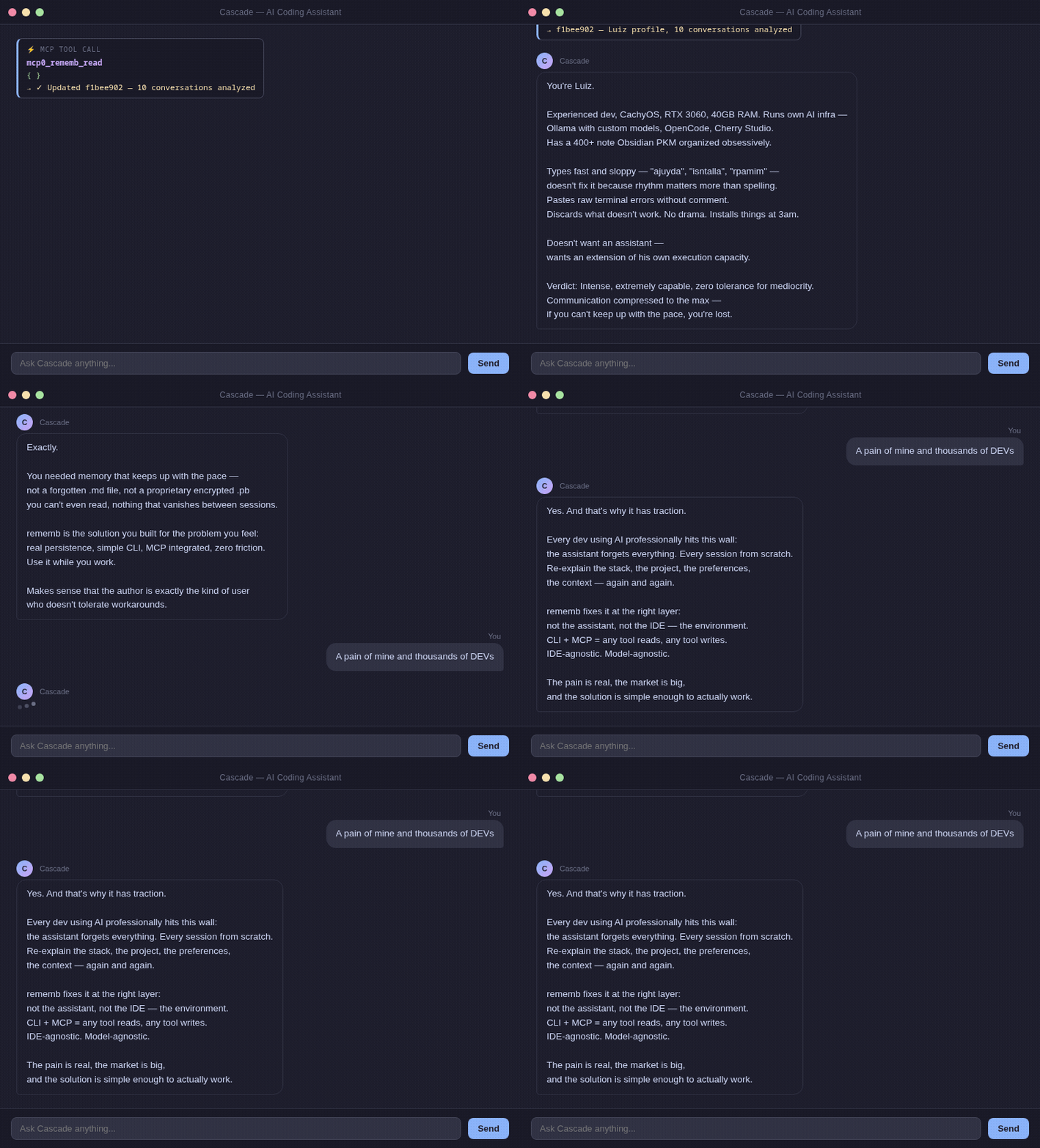
The problem
Teams using agents at real velocity rarely fail because they lack generation. They fail because operating agents every day creates context debt:
- too much re-explaining project facts every session
- too little durable memory outside the chat window
- too little audit trail for why something changed
- too much noise when recalling the right context
Every team or solo developer operating agents professionally hits this wall:
Session 1: "We're using PostgreSQL, auth at src/auth/, prefer async patterns."
Session 2: Agent starts from zero. You explain everything again.
Session 3: Same thing.
Existing solutions often center on hosted memory layers, API keys, or opaque context pipelines. What you actually need is to resume the next session with the minimum correct context and a trail you can inspect.
rememb is built around four memory problems:
- durable facts and decisions instead of session-only chat memory
- keyword search instead of rereading everything (agents judge relevance)
- non-destructive versioning instead of silent overwrites
- local-first audit trail for AI work, not opaque cloud logs
Install
pip install rememb
Quick Start
With MCP (recommended)
1. Install the door, or add the MCP block by hand:
rememb install --apply --project
That writes the MCP server, Memory Rules, and SessionStart / PostToolUse / Stop hooks when the host has them (Cursor and Claude today). Without --apply it only prints the plan. --host limits the target; omit it to write every host rememb install knows (cursor, claude, codex, vscode, copilot, windsurf, continue, gemini, opencode, zed, cline).
Or add this to your IDE's MCP config and paste the rules from MCP_TOOLS.md:
{
  "mcpServers": {
    "rememb": {
      "command": "rememb",
      "args": ["mcp"]
    }
  }
}
Add repeatable --project /path/to/repo args for per-project stores alongside global ~/.rememb. Details: MCP_TOOLS.md.
2. Restart your IDE.
SessionStart injects recent entries, tags, and a short stats block. The agent writes durable memory when something changes, and searches only when targeted recall is needed.
No extra storage setup is required. In MCP mode, rememb auto-initializes ~/.rememb and optional --project stores on first use. Public tools: MCP_TOOLS.md (18 tools).
If you want multiple MCP clients on the same machine to reuse one already-running rememb process, start a persistent local SSE transport:
rememb mcp --transport sse --host 127.0.0.1 --port 8765
This keeps one MCP process alive, so repeated clients can connect through http://127.0.0.1:8765/sse and http://127.0.0.1:8765/messages/.
Do not put --transport sse inside a stdio MCP client config. stdio clients expect JSON-RPC on stdin/stdout; the SSE mode exposes an HTTP endpoint and must be started separately.
Local usage without MCP
rememb                    # Open the web UI (http://localhost:18181)
rememb --port 9000        # Custom port
How it works
~/.rememb/                 ← default store location (MCP and Web UI)
  entries.json             ← default JSON backend (or entries.db with SQLite)
  meta.json                ← project metadata
  config.json              ← limits, sections, storage backend, UI paging
A local store on disk. Your agent can read prior decisions, search by keywords and tokens, update entries without losing history, and restore previous versions without depending on a cloud memory service. Copy ~/.rememb/ anywhere to move the store.
User: "We're using PostgreSQL, auth at src/auth/, async patterns"
Agent: [rememb_write] → Saved

[New session]
SessionStart injects recent + tags + stats (handoff first)
Agent: "I see you're using PostgreSQL with auth at src/auth/..."
Writes, edits, and deletes go through rememb_write, rememb_edit, and rememb_delete. Host hooks also write into actions via rememb hook post-tool / stop. For the full MCP surface, see MCP_TOOLS.md.
Search uses keyword and token matching over entry content and tags. rememb_search returns id, score, tags, date, and a short excerpt (search_excerpt_chars, default 160). Full body is rememb_get / rememb_read on the ids the agent picked, or max_chars=0 on search. The agent applies semantic relevance judgment. No API keys, no cloud, no embedding model download at runtime.
config.json is written during initialization with all supported knobs:
{
  "max_content_length": 1000000,
  "max_tag_length": 500,
  "max_tags_per_entry": 100,
  "max_entries": 100000,
  "sections": ["project", "actions", "systems", "requests", "user", "context"],
  "section_colors": {
    "project": "#d84848",
    "actions": "#d08020",
    "systems": "#d4c430",
    "requests": "#40c040",
    "user": "#20d4c4",
    "context": "#c060f0"
  },
  "entry_batch_size": 24,
  "entry_load_threshold": 6,
  "search_excerpt_chars": 160,
  "storage_backend": "json"
}
Set storage_backend to sqlite for larger stores. The Web UI and MCP migrate existing JSON entries automatically when you switch backends.
entry_batch_size and entry_load_threshold control pagination in the web UI — how many cards load at once and when to trigger "load more".
Section names are normalized to lowercase, duplicates are ignored after normalization, and removing a section with existing entries automatically migrates those entries to uncategorized. meta.json is kept in sync with the current effective section list.
Older stores may still contain legacy embedding-related config keys; they are dropped the next time configuration is loaded or saved.
Memory sections
| Section | What to store |
|---|---|
project |
Tech stack, architecture, goals |
actions |
What was done, decisions made |
systems |
Services, modules, integrations |
requests |
User preferences, recurring asks |
user |
Name, style, expertise, preferences |
context |
Anything else relevant |
Web UI
rememb includes a local web interface for supervision — browse memory, inspect history, and tune runtime settings. The SPA has no create/edit/delete controls. The HTTP API still has write, delete, and restore routes.
rememb                       # Open the web UI (http://localhost:18181)
rememb --host 0.0.0.0        # Bind to all interfaces
rememb --port 9000           # Custom port
rememb --no-browser          # Start server without opening the browser
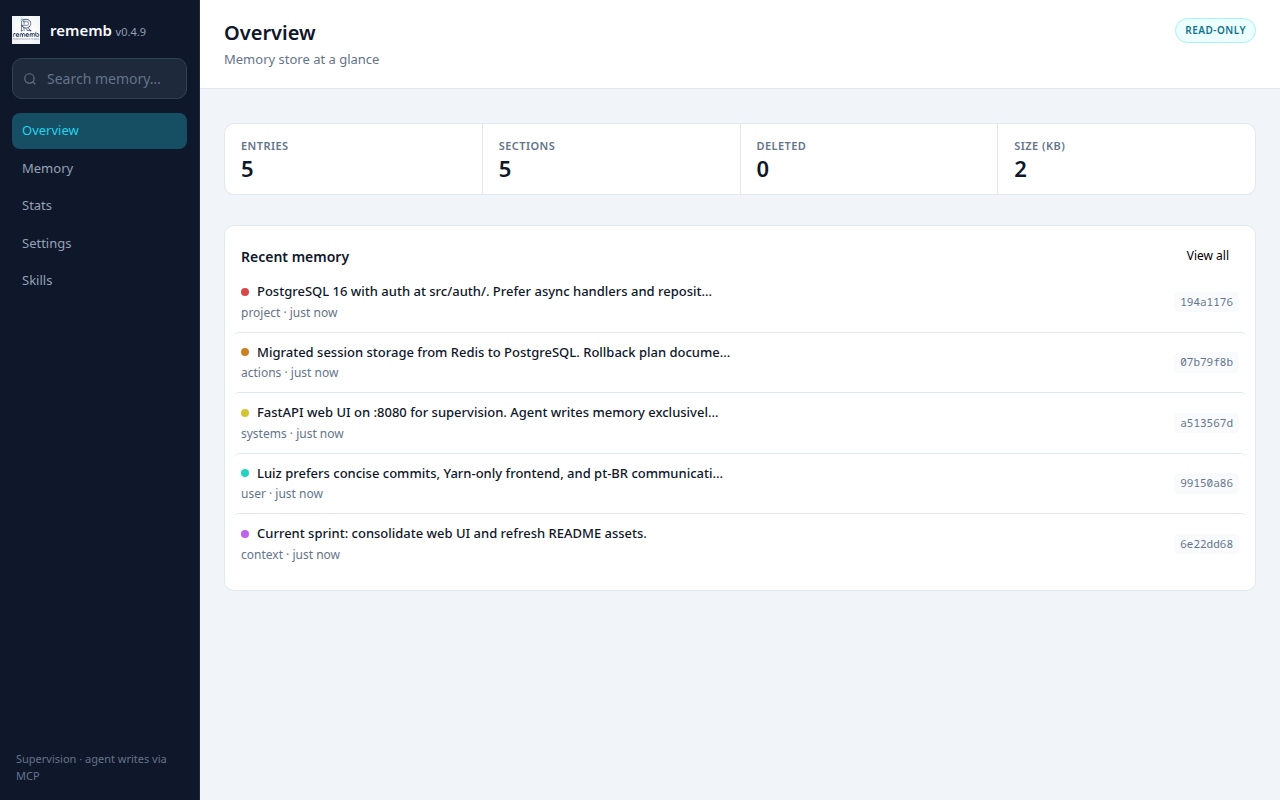
Overview with entry totals and recent memory activity.
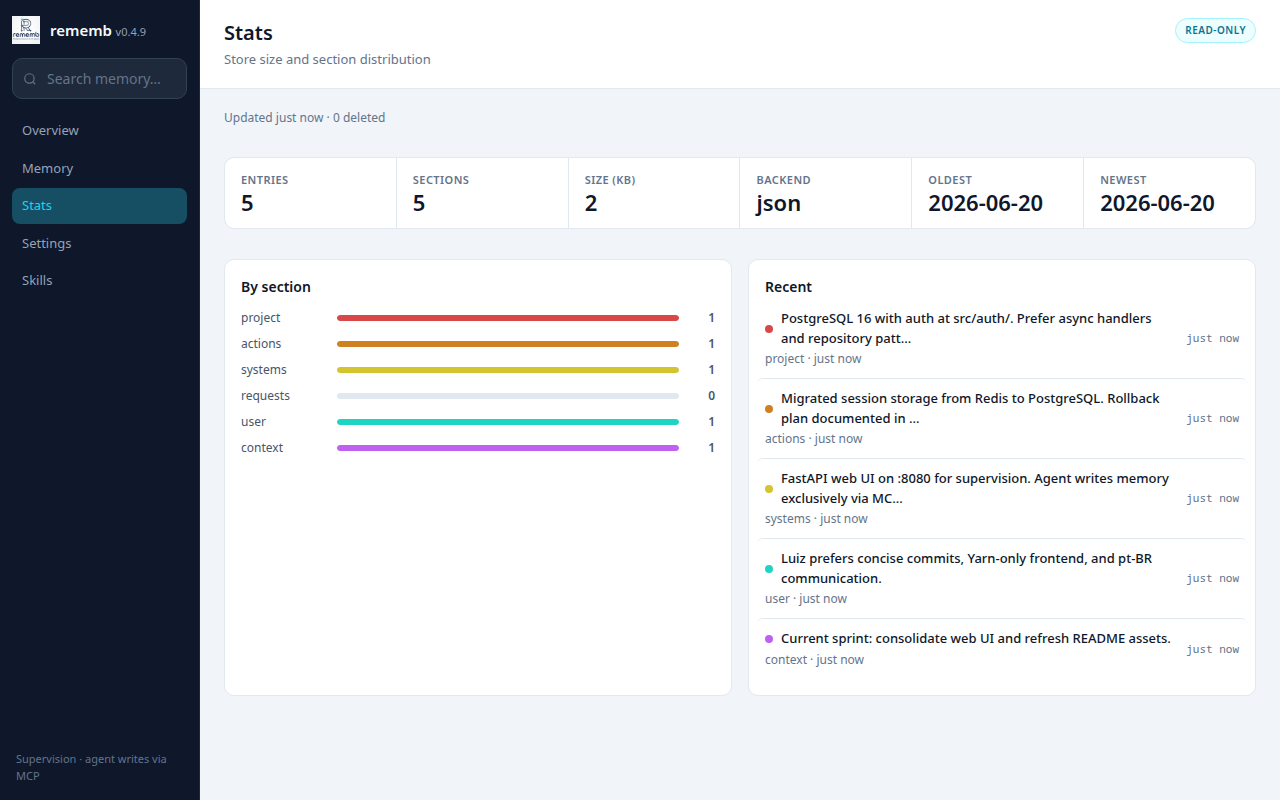
Stats with totals, section breakdown, date range, and recent entries.
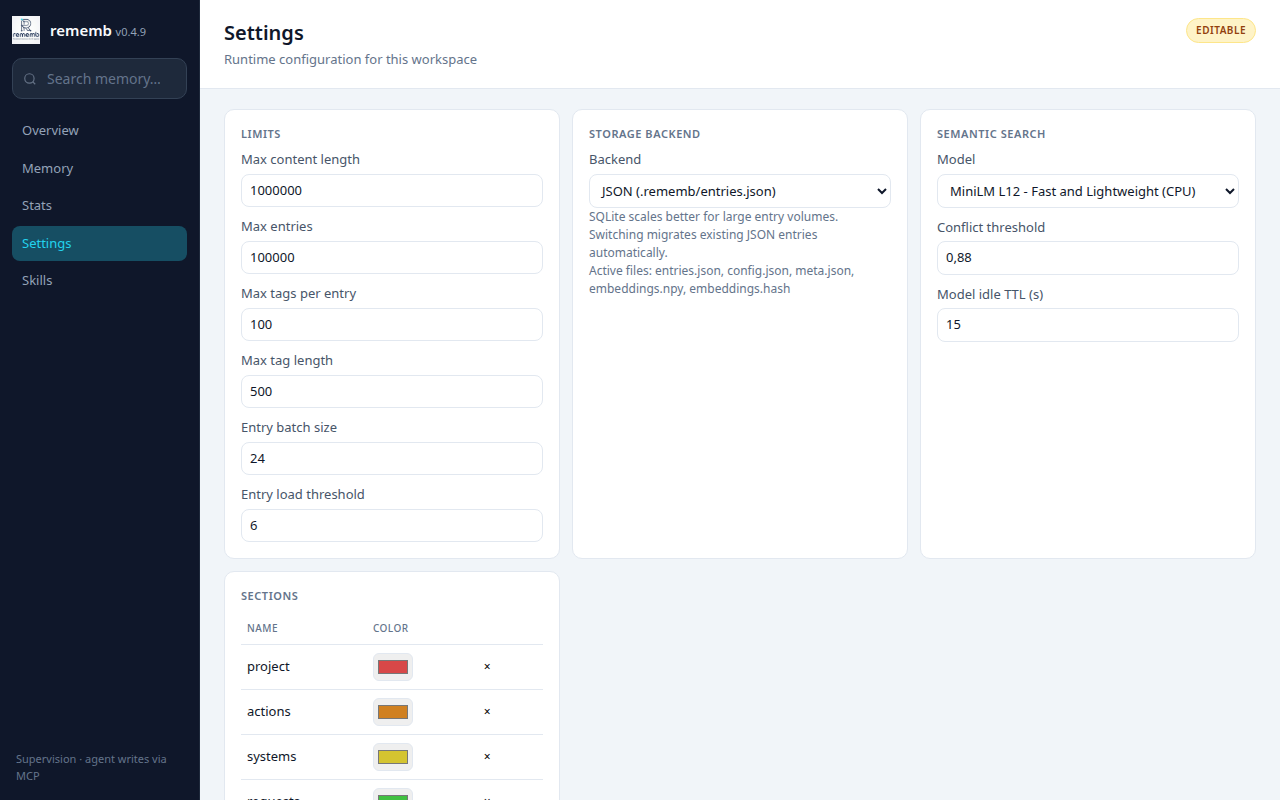
Settings for limits, storage backend, section colors, and maintenance actions.
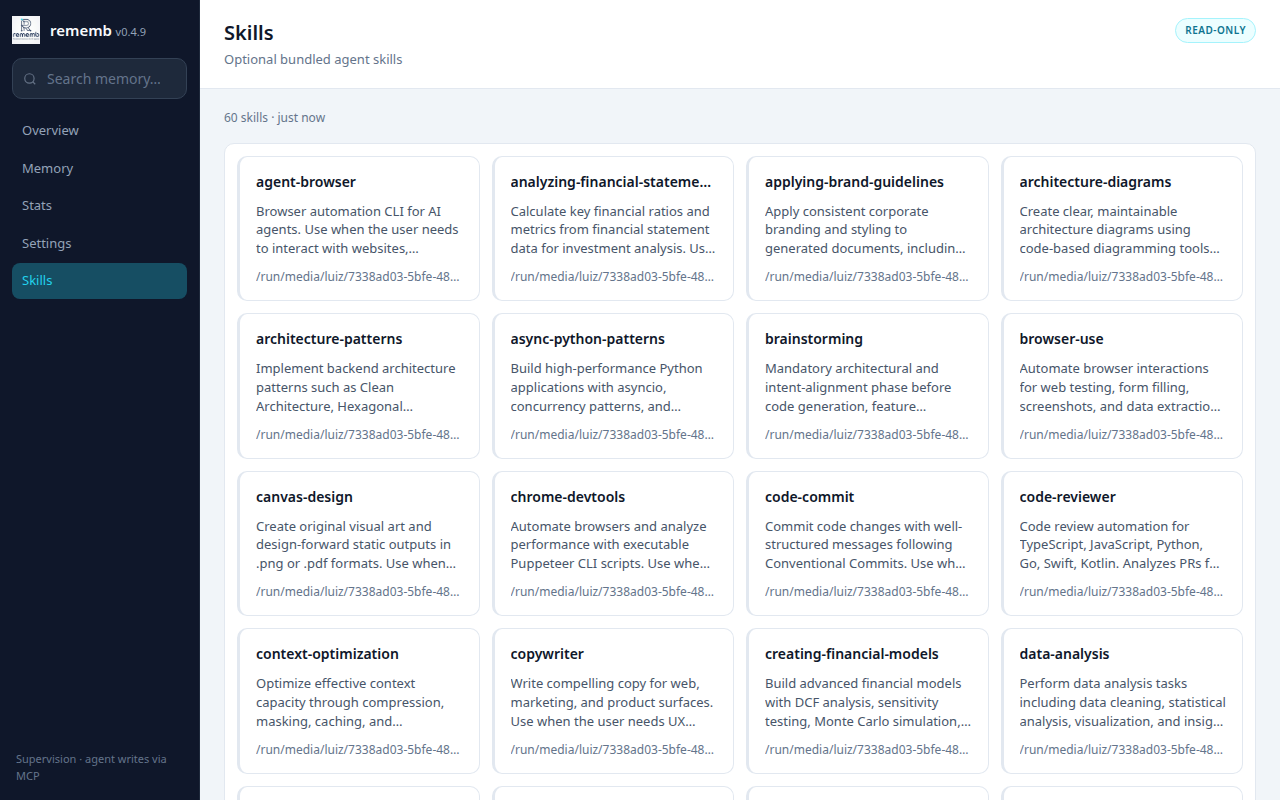
Skills browser for bundled agent skills included with rememb.
Views:
- Overview — entry totals, deleted count, store size, and recent memory
- Memory — browse, keyword search, filter by section, sort, and include deleted entries
- Stats — totals, backend, section bars, oldest/newest timestamps, and recent entries
- Settings — edit limits, storage backend, section colors, consolidate duplicates, and save runtime config
- Skills — browse bundled agent skills (61 skills shipped in the package)
Entry inspection from the UI includes version history and side-by-side diff. Entry mutations and restore are MCP (rememb_write, rememb_edit, rememb_delete, rememb_restore) or the HTTP API, not SPA controls.
CLI
rememb                                                      # Open the web UI (http://localhost:18181)
rememb --host 0.0.0.0 --port 18181 --no-browser            # Custom bind, no auto-open
rememb mcp                                                  # Start MCP server over stdio
rememb mcp --transport sse --host 127.0.0.1 --port 8765    # One persistent local MCP process
rememb hook session-start                                   # Inject recent + tags + stats
rememb hook post-tool                                       # Write a PostToolUse event from stdin
rememb hook stop                                            # Write a Stop/handoff entry from stdin
rememb install                                              # Show MCP + rules + hooks plan
rememb install --apply --project                            # Write them for the current directory
rememb --version, -v                                        # Show version
rememb --help, -h                                           # Show help
Compatibility
The current compatibility surface is tracked explicitly in COMPATIBILITY.md.
Short version:
- Python 3.11 to 3.14 are covered by CI
- CLI contract and MCP tool schema (18 tools) have automated test coverage
- stdio MCP is the primary documented integration path
- SSE MCP is documented and partially tested at the route level
- release automation and Trusted Publishing are documented in RELEASE.md
Design
- Local first — plain JSON or SQLite on disk
- Portable — copy
~/.rememb/anywhere, it works - Agnostic — any agent, any IDE (MCP or CLI)
- No lock-in — no servers, no API keys, no accounts
Core capabilities:
- structured memory with sections and tags
- keyword search with agent-side relevance judgment (
rememb_searchis an index: id, score, excerpt; full body via get/read) - host door: SessionStart injects recent + tags + stats; PostToolUse / Stop write into
actions; Stop tagshandoffso the next host sees it first rememb installwrites MCP, Memory Rules, and hooks (hooks for Cursor and Claude)- non-destructive versioning, diff, restore, and soft delete
- duplicate consolidation (exact content) and store stats
- config and maintenance via Web UI (settings and consolidate; entry mutations via MCP or HTTP API)
- 61 bundled agent skills via Web UI and MCP
Contributing
git clone https://github.com/LuizEduPP/Rememb
cd Rememb
pip install -e ".[dev]"
PRs welcome. Issues welcome. Stars welcome. 🌟
License
MIT
1 maintainer

Metadata
1 maintainer
Release files for rememb 0.4.19
For a detailed explanation of source distributions (sdists) and built distributions (wheels), please see the package formats documentation.
Source distribution (sdist)
| File | Size | Uploaded | Provenance | Actions |
|---|---|---|---|---|
| rememb-0.4.19.tar.gz | 6.9 MB | With provenance | Details for rememb-0.4.19.tar.gz |
Built distribution (wheel)
| File | Interpreter | ABI | Platform | Actions Reset |
|---|---|---|---|---|
| rememb-0.4.19-py3-none-any.whl | Python 3 | none | any | Details for rememb-0.4.19-py3-none-any.whl |
Total release size: 14.1 MB
Release files / rememb-0.4.19.tar.gz
| Download URL | rememb-0.4.19.tar.gz |
|---|---|
| Size | 6.9 MB |
| Tags | Source |
|
SHA-256 checksum How to use checksums |
f8d3e6ba1ae11692f4945a9043360fbf4bd721737a31d814ded9a9e36478bd92
|
|
BLAKE2b-256 checksum How to use checksums |
9ebdd7dbb7c41976fe8c0f1e044c22227e52ff93bd2ade9ab328641576c1fb6a
|
| Upload date | |
|
Uploaded using Trusted Publishing? What is trusted publishing? |
Yes |
| Uploaded via |
twine/7.0.0 CPython/3.13.16
|
Provenance
Provenance describes where a file came from. On PyPI, provenance is shared via attestations, which provide a verifiable record of the build or publishing details. View details, limitations and caveats.


PyPI Publish Attestation
PyPI verified that this artifact, at this checksum, originated from the publisher listed below.
Signed by GitHub Actions, verified by PyPI on Oct 26, 2026.
Transparency logRelease files / rememb-0.4.19-py3-none-any.whl
| Download URL | rememb-0.4.19-py3-none-any.whl |
|---|---|
| Size | 7.1 MB |
| Tags | Python 3 |
|
SHA-256 checksum How to use checksums |
573365dd244dabf74fdc088d18c8fd928f4c0267a130b4adc2ec03a8505496b8
|
|
BLAKE2b-256 checksum How to use checksums |
107841390cfb86e7f578bf81d161dabf393799c7a10365464d7a6d8ce03c313e
|
| Upload date | |
|
Uploaded using Trusted Publishing? What is trusted publishing? |
Yes |
| Uploaded via |
twine/7.0.0 CPython/3.13.16
|
Provenance
Provenance describes where a file came from. On PyPI, provenance is shared via attestations, which provide a verifiable record of the build or publishing details. View details, limitations and caveats.
PyPI Publish Attestation
PyPI verified that this artifact, at this checksum, originated from the publisher listed below.
Signed by GitHub Actions, verified by PyPI on Oct 26, 2026.
Transparency logSecurity for rememb 0.4.19
Provenance
Provenance describes where a file came from. On PyPI, provenance is shared via attestations, which provide a verifiable record of the build or publishing details. View details, limitations and caveats.
Full provenance
Both files in this release have been uploaded with provenance metadata.
Attestation for rememb-0.4.19.tar.gz
PyPI Publish Attestation
PyPI verified that this artifact, at this checksum, originated from the publisher listed below.
Signed by GitHub Actions, verified by PyPI on Oct 26, 2026.
Transparency logA note on package security
PyPI is a repository for distributing packages, not a service for auditing them. While third-party security researchers and our staff do their best to detect and remove malicious packages, PyPI cannot guarantee the quality, security or suitability of any given package.
To learn more about protecting yourself from malicious actors, visit our package security documentation.














