
Universal memory layer for AI applications. Self-host in minutes.

Project description

Remembra
The memory layer for AI that actually works.
Persistent memory with entity resolution, temporal decay, and graph-aware recall.
Self-host in minutes. No vendor lock-in.



Documentation • Website • Quick Start • Why Remembra? • Twitter • Discord
🚀 What's New in v0.9.0
- ⏳ Temporal Knowledge Graph — Bi-temporal relationships with
valid_from,valid_to, and point-in-time queries. Ask "Where did Alice work in January 2022?" - 🛠️ 11 MCP Tools — 6 new tools:
update_memory,search_entities,list_memories,share_memory,timeline,relationships_at - 📊 Entity Graph Visualization — Interactive force-directed graph with flowing particle effects on relationship edges
- 🔄 Contradiction Detection — New relationships automatically supersede old ones with full history preserved
- 🔐 AES-256-GCM Field Encryption — Encrypt memory content at rest with OWASP-compliant key derivation
- 🛡️ Enterprise Security Suite — PII detection, anomaly monitoring, audit logging
The Problem
Every AI app needs memory. Your chatbot forgets users between sessions. Your agent can't recall decisions from yesterday. Your assistant asks the same questions over and over.
Existing solutions have tradeoffs:
- Mem0: Graph features require $249/mo plan; limited self-hosting documentation
- Zep: Academic approach, complex deployment
- Letta: Research-grade, not production-ready
- LangChain Memory: Too basic, no persistence
The Solution
from remembra import Memory

memory = Memory(user_id="user_123")

# Store — entities and facts extracted automatically
memory.store("Had a meeting with Sarah from Acme Corp. She prefers email over Slack.")

# Recall — semantic search finds relevant memories
result = memory.recall("How should I contact Sarah?")
print(result.context)
# → "Sarah from Acme Corp prefers email over Slack."

# It knows "Sarah" and "Acme Corp" are entities. It builds relationships.
# It persists across sessions, reboots, context windows. Forever.
⚡ Quick Start (2 Minutes)
One Command Install
curl -sSL https://raw.githubusercontent.com/remembra-ai/remembra/main/quickstart.sh | bash
That's it. Remembra + Qdrant + Ollama start locally. No API keys needed.
Or with Docker Compose directly:
git clone https://github.com/remembra-ai/remembra && cd remembra
docker compose -f docker-compose.quickstart.yml up -d
Try it:
# Store a memory
curl -X POST http://localhost:8787/api/v1/memories \
  -H "Content-Type: application/json" \
  -d '{"content": "Alice is CEO of Acme Corp", "user_id": "demo"}'

# Recall it
curl -X POST http://localhost:8787/api/v1/memories/recall \
  -H "Content-Type: application/json" \
  -d '{"query": "Who runs Acme?", "user_id": "demo"}'
Connect to Claude (MCP)
Claude Desktop — add to ~/Library/Application Support/Claude/claude_desktop_config.json:
{
  "mcpServers": {
    "remembra": {
      "command": "remembra-mcp",
      "env": {
        "REMEMBRA_URL": "http://localhost:8787",
        "REMEMBRA_USER_ID": "default"
      }
    }
  }
}
Claude Code:
claude mcp add remembra -e REMEMBRA_URL=http://localhost:8787 -- remembra-mcp
Cursor — add to .cursor/mcp.json:
{
  "mcpServers": {
    "remembra": {
      "command": "remembra-mcp",
      "env": {
        "REMEMBRA_URL": "http://localhost:8787"
      }
    }
  }
}
Now ask Claude: "Remember that Alice is CEO of Acme Corp" — then later: "Who runs Acme?"
Python SDK
pip install remembra
from remembra import Memory

memory = Memory(user_id="user_123")
memory.store("Had a meeting with Sarah from Acme Corp. She prefers email over Slack.")
result = memory.recall("How should I contact Sarah?")
print(result.context)  # "Sarah from Acme Corp prefers email over Slack."
TypeScript SDK
npm install remembra
import { Remembra } from 'remembra';

const memory = new Remembra({ url: 'http://localhost:8787' });
await memory.store('User prefers dark mode');
const result = await memory.recall('preferences');
🔥 Why Remembra?
Feature Comparison
| Feature | Remembra | Mem0 | Zep/Graphiti | Letta | Engram |
|---|---|---|---|---|---|
| One-Command Install | ✅ curl | bash |
✅ pip | ✅ pip | ⚠️ Complex | ✅ brew |
| Bi-Temporal Relationships | ✅ Point-in-time | ❌ | ⚠️ Basic | ❌ | ❌ |
| Entity Resolution | ✅ Free | 💰 $249/mo | ✅ | ❌ | ❌ |
| Conflict Detection | ✅ Auto-supersede | ❌ | ❌ | ❌ | ❌ |
| PII Detection | ✅ Built-in | ❌ | ❌ | ❌ | ❌ |
| Hybrid Search | ✅ BM25+Vector | ❌ | ✅ | ❌ | ❌ |
| 6 Embedding Providers | ✅ Hot-swap | ❌ (1-2) | ❌ (1) | ❌ | ❌ |
| Plugin System | ✅ | ❌ | ❌ | ✅ | ❌ |
| Sleep-Time Compute | ✅ | ❌ | ❌ | ✅ | ❌ |
| Self-Host + Billing | ✅ Stripe | ❌ | ❌ | ❌ | ❌ |
| Memory Spaces | ✅ Multi-tenant | ❌ | ❌ | ❌ | ❌ |
| MCP Server | ✅ 11 Tools | ✅ | ❌ | ❌ | ✅ |
| Pricing | Free / $49 / $199 | $19 → $249 | $25+ | Free | Free |
| License | MIT | Apache 2.0 | Apache 2.0 | Apache 2.0 | MIT |
Core Features
🧠 Smart Extraction — LLM-powered fact extraction from raw text
👥 Entity Resolution — "Adam", "Mr. Smith", "my husband" → same person
⏱️ Temporal Memory — TTL, decay curves, historical queries
🔍 Hybrid Search — Semantic + keyword for accurate recall
🔒 Security — PII detection, anomaly monitoring, audit logs
📊 Dashboard — Visual memory browser, entity graphs, analytics
📊 Benchmark Results
Tested on the LoCoMo benchmark (Snap Research, ACL 2024) — the standard academic benchmark for AI memory systems.
| Category | Accuracy | Questions |
|---|---|---|
| Single-hop (direct recall) | 100% | 37 |
| Multi-hop (cross-session reasoning) | 100% | 32 |
| Temporal (time-based queries) | 100% | 13 |
| Open-domain (world knowledge + memory) | 100% | 70 |
| Overall (memory categories) | 100% | 152 |
Scored with LLM judge (GPT-4o-mini). Adversarial detection not yet implemented. Run your own:
python benchmarks/locomo_runner.py --data /tmp/locomo/data/locomo10.json
📖 Documentation
| Resource | Description |
|---|---|
| Quick Start | Get running in minutes |
| Python SDK | Full Python reference |
| TypeScript SDK | JavaScript/TypeScript guide |
| MCP Server | Tool reference + setup guides for 11 tools |
| REST API | API reference |
| Self-Hosting | Docker deployment guide |
🛠️ MCP Server
Give any AI coding tool persistent memory with one command. Works with Claude Code, Cursor, VS Code + Copilot, Windsurf, JetBrains, Zed, OpenAI Codex, and any MCP-compatible client.
pip install remembra[mcp]
claude mcp add remembra -e REMEMBRA_URL=http://localhost:8787 -- remembra-mcp
Available Tools (11 total):
| Tool | Description |
|---|---|
store_memory |
Save facts, decisions, context |
recall_memories |
Semantic search across memories |
update_memory |
Update content without delete+recreate |
forget_memories |
GDPR-compliant deletion |
list_memories |
Browse stored memories |
search_entities |
Search the entity graph |
share_memory |
Cross-agent memory sharing via Spaces |
timeline |
Temporal browsing by entity and date |
relationships_at |
Point-in-time relationship queries |
ingest_conversation |
Auto-extract from chat history |
health_check |
Verify connection |
🏗️ Architecture
┌─────────────────────────────────────────────────────────────┐
│                    Your Application                          │
├──────────┬──────────────┬───────────────────────────────────┤
│ Python   │ TypeScript   │ MCP Server (Claude/Cursor)        │
│ SDK      │ SDK          │ remembra-mcp                      │
├──────────┴──────────────┴───────────────────────────────────┤
│                   Remembra REST API                          │
├──────────────┬──────────────┬───────────────┬───────────────┤
│  Extraction  │   Entities   │   Retrieval   │   Security    │
│  (LLM)       │  (Graph)     │ (Hybrid)      │  (PII/Audit)  │
├──────────────┴──────────────┴───────────────┴───────────────┤
│                    Storage Layer                             │
│         Qdrant (vectors) + SQLite (metadata/graph)          │
└─────────────────────────────────────────────────────────────┘
🤝 Contributing
We welcome contributions! See CONTRIBUTING.md for guidelines.
# Clone
git clone https://github.com/remembra-ai/remembra
cd remembra

# Install dev dependencies
pip install -e ".[dev]"

# Run tests
pytest

# Start dev server
remembra-server --reload
📄 License
MIT License — Use it however you want.
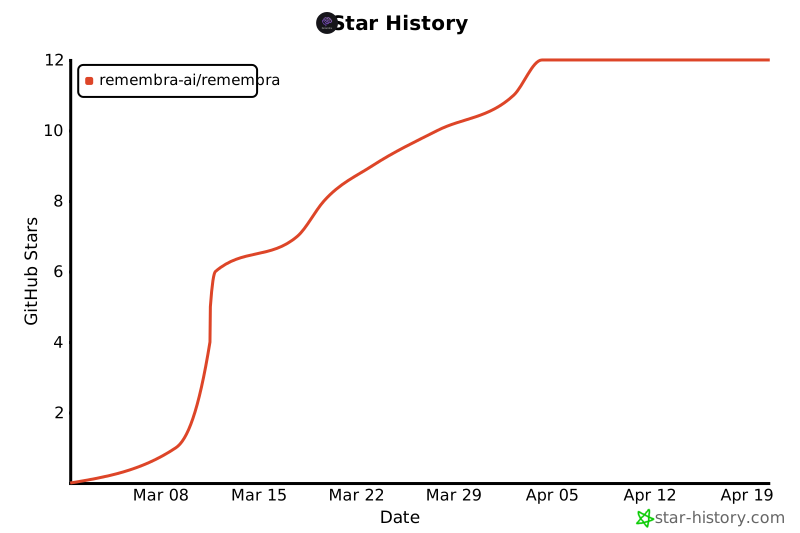
⭐ Star History
If Remembra helps you, please star the repo! It helps others discover the project.
Built with ❤️ by DolphyTech
remembra.dev • docs • twitter • discord
Release history Release notifications | RSS feed


Download files
Download the file for your platform. If you're not sure which to choose, learn more about installing packages.
Source Distribution
Built Distribution
Filter files by name, interpreter, ABI, and platform.
If you're not sure about the file name format, learn more about wheel file names.
Copy a direct link to the current filters
File details
Details for the file remembra-0.10.0.tar.gz.
File metadata
- Download URL: remembra-0.10.0.tar.gz
- Upload date:
- Size: 268.8 kB
- Tags: Source
- Uploaded using Trusted Publishing? No
- Uploaded via: twine/6.2.0 CPython/3.14.2
File hashes
| Algorithm | Hash digest | |
|---|---|---|
| SHA256 |
c03502efa8332899198a1980d5fefcaddecef63702e444ec83764cfcdb881b3e
|
|
| MD5 |
d51bc1a6b43df5c62dd247d8d2f3f0a9
|
|
| BLAKE2b-256 |
5b3e52135f04d9ce85e56483778e620dcd9f2630cf37cca8f085ab3fe1e1e36c
|
File details
Details for the file remembra-0.10.0-py3-none-any.whl.
File metadata
- Download URL: remembra-0.10.0-py3-none-any.whl
- Upload date:
- Size: 305.8 kB
- Tags: Python 3
- Uploaded using Trusted Publishing? No
- Uploaded via: twine/6.2.0 CPython/3.14.2
File hashes
| Algorithm | Hash digest | |
|---|---|---|
| SHA256 |
042af7fc619b1aff1948694d1da5dc6dcfee85c2653902c47aac3c21bac1d29f
|
|
| MD5 |
8747a3c61adad3db9910723aadfe81d0
|
|
| BLAKE2b-256 |
9c173bd1e2a96a490f3028788b32a2d8b662c8f2fbca910fb378a825ec58a093
|






