
Write file storage code once. Run it against local files, S3, SFTP, or Azure.
Verified details
These details have been verified by PyPIProject links
GitHub Statistics
Maintainers

Project description
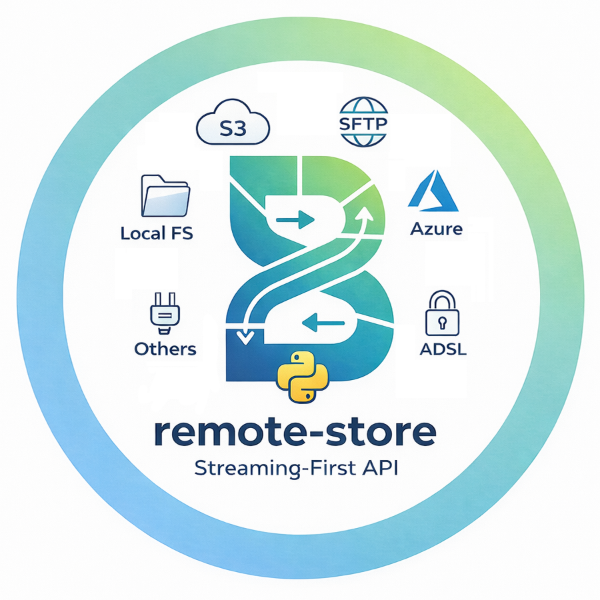
remote-store
Write file storage code once. Run it against local files, S3, SFTP, or Azure.






Beta. The API is settling, but until 1.0, minor releases may include breaking changes. See the changelog for what's new, and open an issue if something breaks.
Most Python projects that deal with files eventually grow storage glue: small wrappers around local paths, S3 clients, SFTP connections, and cloud SDKs. Those wrappers are usually duplicated across projects, slightly inconsistent, and painful to replace later.
remote-store replaces them with one simple interface.
Where files live is configuration, not application code.
Under the hood, established Python libraries like s3fs, paramiko,
and azure-storage-file-datalake do the real work.
Requires Python 3.10+. The core API is synchronous; see the concurrency guide for atomicity caveats and race conditions.
Installation
Install from PyPI:
pip install remote-store
Backends that need extra dependencies use extras:
pip install "remote-store[s3]"           # Amazon S3 / MinIO
pip install "remote-store[s3-pyarrow]"   # S3 via PyArrow (high-throughput)
pip install "remote-store[sftp]"         # SFTP / SSH
pip install "remote-store[azure]"        # Azure Blob / ADLS Gen2
Optional extras for integrations:
pip install "remote-store[arrow]"          # PyArrow filesystem adapter
pip install "remote-store[otel]"           # OpenTelemetry instrumentation
pip install "remote-store[yaml]"           # YAML config support
pip install "remote-store[pydantic]"       # Pydantic BaseSettings config
pip install "remote-store[toml]"           # TOML config on Python < 3.11
Quick Start
The simplest way to use remote-store (examples/quickstart.py):
from remote_store import Store
from remote_store.backends import LocalBackend

store = Store(LocalBackend(root="/tmp/data"))
store.write_text("hello.txt", "Hello, world!")
print(store.read_text("hello.txt"))  # 'Hello, world!'
For applications that manage multiple backends or switch between environments, use a Registry with declarative config:
from remote_store import Registry, RegistryConfig

config = RegistryConfig.from_dict({
    "backends": {"main": {"type": "local", "options": {"root": "/tmp/data"}}},
    "stores": {"data": {"backend": "main", "root_path": ""}},
})

with Registry(config) as registry:
    store = registry.get_store("data")
    store.write_text("hello.txt", "Hello, world!")
    print(store.read_text("hello.txt"))  # 'Hello, world!'
Same code, different environment
Switch from local to S3 by changing the config file. The application code stays the same:
Dev -- local filesystem:
[backends.main]
type = "local"
options = { root = "/tmp/data" }

[stores.reports]
backend = "main"
root_path = "reports"
Production -- S3:
[backends.main]
type = "s3"
options = { bucket = "analytics-data" }

[stores.reports]
backend = "main"
root_path = "reports"
# Identical in both environments:
config = RegistryConfig.from_toml("remote-store.toml")
with Registry(config) as registry:
    store = registry.get_store("reports")
    store.write_text("monthly/2026-03.csv", report_csv)
Configuration supports TOML, YAML, Pydantic BaseSettings, and plain dicts. Credentials are automatically masked in repr()/str() to prevent leakage in logs.
Who this is for
- Platform and internal tooling teams -- provide one stable storage interface across environments
- Data engineering teams -- pipelines that run against local storage, S3, or SFTP depending on the environment
- Teams that include citizen developers -- analysts and domain experts who write Python shouldn't need to learn cloud SDKs just to read and write files
- Anyone tired of writing storage wrappers in every project
What you get
- One interface, many backends: local filesystem, S3, SFTP, Azure, in-memory
- Folder-scoped stores: each Store is rooted at a folder -- compose layouts with multiple stores or narrow scope with
child() - Swap backends via config: move between environments without changing code
- Streaming by default: large files just work without blowing up memory
- Atomic writes where supported: safer updates for file-producing workflows
- Established libraries underneath:
s3fs,paramiko, etc. do the real work
Zero runtime dependencies, strict mypy, spec-driven test suite. Optional integrations for PyArrow, OpenTelemetry, and more.
What it is not
- Not a query engine (no SQL, no predicate pushdown)
- Not a table format (no Delta Lake log, no Iceberg manifests)
- Not a filesystem reimplementation (delegates to
s3fs,paramiko,pyarrow, etc. -- the libraries you'd pick anyway)
Supported Backends
| Backend | Extra | Library | Atomic write | Native glob | move() atomic |
|---|---|---|---|---|---|
| Local filesystem | (built-in) | stdlib | Yes | Yes | Yes* |
| Memory (in-process) | (built-in) | -- | Yes | -- | Yes |
| Amazon S3 / MinIO | remote-store[s3] |
s3fs |
Yes | Yes | No (copy+delete) |
| S3 (PyArrow) | remote-store[s3-pyarrow] |
pyarrow + s3fs |
Yes | Yes | No (copy+delete) |
| SFTP / SSH | remote-store[sftp] |
paramiko |
Yes | -- | Yes** |
| Azure Blob / ADLS | remote-store[azure] |
azure-storage-file-datalake |
Yes | Yes | HNS: Yes / non-HNS: No |
* Same-filesystem only; cross-filesystem falls back to copy+delete.
** Via posix_rename on most OpenSSH servers; falls back to copy+delete.
All backends support read, write, delete, list, copy, move, and metadata. Glob is supported natively by Local, S3, S3-PyArrow, and Azure; for others use the portable fallback ext.glob.glob_files(). See the capabilities matrix and concurrency guide for full details.
Store API
The Store provides 27 methods across read/write, browsing, management, and utility. Key highlights:
store.read_text("path/to/file.txt")             # → str
store.write_text("path/to/file.txt", content)   # write string
store.read_bytes("path/to/file.csv")            # → bytes
store.write("path/to/data.bin", binary_stream)  # streaming write

store.list_files("reports/", pattern="*.csv")   # iterate FileInfo
store.glob("**/*.parquet")                      # native glob (capability-gated)
store.exists("path/to/file.txt")                # → bool

store.move("old.txt", "new.txt")                # move / rename
store.copy("src.txt", "dst.txt")                # copy
store.delete("path/to/file.txt")                # delete

store.child("subfolder")                        # scoped child store
store.supports(Capability.ATOMIC_WRITE)         # runtime capability check
store.ping()                                    # health check
For the full method list, see the API reference. All write, move, and copy methods accept overwrite=True to replace existing files.
Extensions
The core library handles storage operations. Extensions add optional capabilities on top -- e.g. PyArrow integration, observability, caching, or bulk operations. All live in remote_store.ext; import only what you need.
| Extension | Extra | What it does |
|---|---|---|
| PyArrow adapter | remote-store[arrow] |
Use any Store as a pyarrow.fs.FileSystem -- works with Parquet, Pandas, Polars, DuckDB |
| Batch operations | (none) | Bulk delete, copy, and exists with error aggregation |
| Transfer operations | (none) | Upload, download, and cross-store transfer with progress |
| Observability hooks | (none) | Callback-based instrumentation for logging, metrics, and tracing |
| OpenTelemetry bridge | remote-store[otel] |
Pre-built OTel spans and metrics for Store operations |
| Caching middleware | (none) | TTL-based read cache with automatic invalidation on mutations |
Plus glob helpers, partition helpers, YAML and Pydantic config adapters. See the extensions guide for details.
Learn more
To explore remote-store beyond the Quick Start:
- Examples: self-contained scripts in
examples/covering core operations (file I/O, streaming, atomic writes, error handling, etc.) and backend-specific setups for S3, SFTP, and Azure. - Notebooks: interactive Jupyter notebooks that walk through common workflows step by step.
- Guides: topic-focused walkthroughs in the documentation covering backends, extensions, configuration, and patterns like data lake layouts or health checks.
How it compares
There are several excellent Python libraries for file I/O across backends. Here is where remote-store sits:
| fsspec | smart_open | cloudpathlib | obstore | remote-store | |
|---|---|---|---|---|---|
| API surface | ~56 methods | open() only |
pathlib-style | ~10 methods | 27 methods |
| Backends | 30+ filesystems | S3, GCS, Az, SFTP | S3, GCS, Azure | S3, GCS, Azure | Local, S3, SFTP, Az, Memory |
| SFTP | via sshfs | Yes | No | No | Built-in |
| Streaming I/O | Yes | Yes | No (downloads) | Bytes-oriented | Yes (BinaryIO) |
| Atomic writes | No | No | No | No | Yes (capability-gated) |
| Async | Yes | No | No | Yes (first-class) | Sync-only (for now) |
| Observability | No | No | No | No | ext.observe + OTel |
| Config model | Per-filesystem | URI-based | Per-client | Per-store kwargs | Immutable Registry |
| Runtime deps | Yes | Minimal | SDK-based | Rust binary | Zero (core) |
Comparison as of March 2026. Method counts and feature sets may change as these libraries evolve.
In short: remote-store is for teams that need more than open() (smart_open) but less than a full filesystem abstraction (fsspec), with streaming, SFTP, atomic writes, observability, and immutable config. Under the hood, it delegates to the same libraries you'd pick anyway (s3fs/boto3, paramiko, Azure SDK, PyArrow).
Contributing
See CONTRIBUTING.md for the spec-driven development workflow, code style, and how to add new backends.
Security
To report a vulnerability, please use GitHub Security Advisories instead of opening a public issue. See SECURITY.md for details.
License
MIT
Project details
Verified details
These details have been verified by PyPIProject links
GitHub Statistics
Maintainers
Release history Release notifications | RSS feed


Download files
Download the file for your platform. If you're not sure which to choose, learn more about installing packages.
Source Distribution
Built Distribution
Filter files by name, interpreter, ABI, and platform.
If you're not sure about the file name format, learn more about wheel file names.
Copy a direct link to the current filters
File details
Details for the file remote_store-0.17.0.tar.gz.
File metadata
- Download URL: remote_store-0.17.0.tar.gz
- Upload date:
- Size: 960.4 kB
- Tags: Source
- Uploaded using Trusted Publishing? Yes
- Uploaded via: twine/6.1.0 CPython/3.13.7
File hashes
| Algorithm | Hash digest | |
|---|---|---|
| SHA256 |
9a0fc1657bc28989334bd29b524135863882bc6a0a18f5613d5f5cc3bf53d8d4
|
|
| MD5 |
44a4279d29cb18f05a8fa361309fb3db
|
|
| BLAKE2b-256 |
18882e86973d242a83ea6c8cc6479342d836eca642229a59958bdef0aadfe8f7
|
Provenance
The following attestation bundles were made for remote_store-0.17.0.tar.gz:
Publisher:
publish.yml on haalfi/remote-store
-
Statement:
-
Statement type:
https://in-toto.io/Statement/v1 -
Predicate type:
https://docs.pypi.org/attestations/publish/v1 -
Subject name:
remote_store-0.17.0.tar.gz -
Subject digest:
9a0fc1657bc28989334bd29b524135863882bc6a0a18f5613d5f5cc3bf53d8d4 - Sigstore transparency entry: 1102878549
- Sigstore integration time:
-
Permalink:
haalfi/remote-store@563021c0a9337d6fbc65984d58749815d734e5f0 -
Branch / Tag:
refs/tags/v0.17.0 - Owner: https://github.com/haalfi
-
Access:
public
-
Token Issuer:
https://token.actions.githubusercontent.com -
Runner Environment:
github-hosted -
Publication workflow:
publish.yml@563021c0a9337d6fbc65984d58749815d734e5f0 -
Trigger Event:
release
-
Statement type:
File details
Details for the file remote_store-0.17.0-py3-none-any.whl.
File metadata
- Download URL: remote_store-0.17.0-py3-none-any.whl
- Upload date:
- Size: 87.9 kB
- Tags: Python 3
- Uploaded using Trusted Publishing? Yes
- Uploaded via: twine/6.1.0 CPython/3.13.7
File hashes
| Algorithm | Hash digest | |
|---|---|---|
| SHA256 |
720212e45070348736d49828a3b8efa5594bf19a7c5b5f84fdcc46bb1f65a945
|
|
| MD5 |
f0071f207a4f785df54c503bd3b0eb8a
|
|
| BLAKE2b-256 |
221c110d837af3f2a0935be54d1c4ed606354db5e8e2026a7edc7f2560dcb20d
|
Provenance
The following attestation bundles were made for remote_store-0.17.0-py3-none-any.whl:
Publisher:
publish.yml on haalfi/remote-store
-
Statement:
-
Statement type:
https://in-toto.io/Statement/v1 -
Predicate type:
https://docs.pypi.org/attestations/publish/v1 -
Subject name:
remote_store-0.17.0-py3-none-any.whl -
Subject digest:
720212e45070348736d49828a3b8efa5594bf19a7c5b5f84fdcc46bb1f65a945 - Sigstore transparency entry: 1102878614
- Sigstore integration time:
-
Permalink:
haalfi/remote-store@563021c0a9337d6fbc65984d58749815d734e5f0 -
Branch / Tag:
refs/tags/v0.17.0 - Owner: https://github.com/haalfi
-
Access:
public
-
Token Issuer:
https://token.actions.githubusercontent.com -
Runner Environment:
github-hosted -
Publication workflow:
publish.yml@563021c0a9337d6fbc65984d58749815d734e5f0 -
Trigger Event:
release
-
Statement type:






