
Remove AI Watermarks
Remove AI provenance marks from images, video, and audio you generated yourself:
- known visible labels such as the Google Gemini sparkle watermark and vendor text marks;
- invisible pixel watermarks through direct local-format disruption or diffusion regeneration;
- compatible public audio watermarks, with source and saved-output decoder checks;
- C2PA, EXIF, XMP, IPTC, and related AI metadata.
| Before | After |
|---|---|
 |
 |
uv tool install "remove-ai-watermarks[visible]"   # CLI for visible marks and metadata
npx skills add wiltodelta/remove-ai-watermarks    # agent skill for Claude Code, Codex, Cursor, and other agents
Video support covers provenance identification, complete visible-plus-metadata cleaning, directory batches, visible Sora, Veo, Seedance, Doubao, Dola, Hailuo AI, and Kling AI mark removal, and oracle-certified VAE regeneration for video SynthID removal.
raiw.cc runs this library as a hosted service, with the GPU included and nothing to install. Visible mark and metadata removal at Standard output up to 12 MP are free there; original resolution above 12 MP and invisible watermark removal are paid. Project page · by Victor Kuznetsov.








This is a research project on AI provenance signals, for lawful use on content you own. It is provided as is, without warranty or liability, and each user is responsible for how they use it. It does not target stock agency previews or other watermarks that protect third party paid content. Some jurisdictions, including China, restrict removing AI labels or supplying tools that do. See scope, safety, and legal notes.
Choose what you want to do
| Goal | Command | GPU |
|---|---|---|
| Find provenance signals and watermarks | identify |
No |
| Classify likely AI provider and model version from pixels (opt-in, not provenance) | classify-source |
No |
| Remove known visible AI marks | visible |
No |
| Erase a region you select | erase |
No |
| Strip AI metadata | metadata |
No |
| Identify supported video provenance | video identify |
No |
| Inspect audio metadata and compatible public-model evidence | audio identify (--scheme auto, audioseal, wavmark, perth, silentcipher, silentcipher16, or all) |
No |
| Strip AI metadata from audio | audio metadata |
No |
Process a detected compatible audio watermark and verify the saved file (.wav, .flac, .mp3, .m4a, .ogg, .opus) |
audio invisible |
No |
| Strip AI metadata and optionally clean compatible audio watermarks | audio all / audio batch |
No |
Process one or all audio tracks (--all-streams) while copying encoded video |
video audio |
No |
| Remove visible marks, AI metadata, and opt-in video/audio invisible marks | video all |
Depends on --invisible |
| Strip AI metadata from video | video metadata |
No |
| Remove a registered visible AI mark from video | video visible |
No |
Erase user-specified (x, y, w, h) regions across video frames |
video erase / erase |
No |
| Process a directory of videos | video batch |
Depends on mode |
| Detect or disrupt public VideoSeal/PixelSeal/ChunkySeal video marks | video message (detect / identify / remove) |
Optional |
Regenerate video pixels (--profile auto, calibrated SynthID, Seedance, or Wan 2.1 on CUDA/MPS) |
video invisible |
Recommended |
Identify C2PA text/HTML wrappers, VSRMark, and Unicode steganography |
text identify |
No |
Strip C2PA text/HTML wrappers, VSRMark, and Unicode steganography |
text metadata |
No |
| Regenerate unlocked prose for best-effort token-watermark removal | text invisible |
Recommended |
| Strip text provenance and optionally regenerate prose spans | text all |
Depends on --invisible |
| Regenerate an image to disrupt invisible watermarks | invisible |
Required (CUDA) |
| Run visible, invisible, and metadata removal | all |
Recommended |
| Process a directory | batch |
Depends on mode |
Install remove-ai-watermarks[text] for the default local Transformers text
rewriter and its packaged language checker. Local text regeneration also supports
optional Apple silicon MLX models through
remove-ai-watermarks[text-mlx] and
--rewriter-backend mlx --rewriter-model /path/to/checkpoint.
An explicitly configured API rewriter is available through the
Python API with
remove-ai-watermarks[text-api]. The same extra connects the CLI to a
locally served Ollama model. Review generated prose for factual fidelity.
See the text CLI.
Experimental public VideoSeal, PixelSeal, and ChunkySeal video checks and processing
use video message.
Known-message checks and processing require an independently known encoder
message; video message detect is a blind presence check. Neither certifies
arbitrary unknown marks or provider deployments.
Microsoft Paint and Photos InvisMark declarations are routed automatically to
pixel regeneration. The all command removes both the hidden pixel watermark and
its linked C2PA manifest; metadata stripping alone removes only the manifest. A
specialized Python API can inspect and disrupt the validated local
Watermarker.dll payload without diffusion.
Installation modes
| Need | Install |
|---|---|
| Metadata inspection and stripping | remove-ai-watermarks |
| 10-provider source-export & model-version classification | remove-ai-watermarks[source-classify] |
| Visible detection and removal | remove-ai-watermarks[visible] |
| Visible video processing | remove-ai-watermarks[video] |
| Public VideoSeal/PixelSeal/ChunkySeal checks | remove-ai-watermarks[video-detect], add diffusion for VAE |
| Video SynthID removal | remove-ai-watermarks[video,diffusion] |
| Audio sample processing and spectral disruption | remove-ai-watermarks[audio] |
| Compatible public audio watermark detection (AudioSeal) | remove-ai-watermarks[audio-detect] |
| Neural audio codec resynthesis (EnCodec / FocalCodec / DAC) | remove-ai-watermarks[audio-codec] |
| Torch-free DWT-DCT detection | remove-ai-watermarks[detect] |
| Direct local Paint InvisMark disruption | remove-ai-watermarks[pixels] |
| Invisible image removal (needs CUDA) | remove-ai-watermarks[qwen-zimage] |
| Production removal and default classifier backends | remove-ai-watermarks[all] |
| Optional OCR proposals for operator verification | remove-ai-watermarks[text-draft] |
Lower-level and specialized extras include pixels, heif, trustmark,
migan, lama, diffusion, source-classify, audio-vocoder,
audio-wavmark, audio-perth, and audio-silentcipher. The
installation guide documents their exact
dependency composition, Python compatibility, and model requirements.
Quick start
Install the metadata-focused default CLI:
uv tool install remove-ai-watermarks
Inspect an image:
remove-ai-watermarks identify image.png
For an abstaining, CPU-only 10-provider source-export and model-version
classifier from pixels after metadata removal (classify_source and CLI
classify-source), install source-classify. identify never runs it, and it
is not a SynthID detector:
uv tool install --force "remove-ai-watermarks[source-classify]"
remove-ai-watermarks classify-source image.png
import remove_ai_watermarks as raiw

result = raiw.classify_source("image.png")
print(result.label, result.version_subfamily, result.synthetic_detected, result.confidence)
Guide: source-pipeline classification. Model card and weights: wiltodelta/raiw-source-classify on Hugging Face and GitHub.
Signed provenance is the supported route for SynthID and identify reads it.
There is no local SynthID pixel detector in the package. Research on a
periodic lattice expert is in scripts/synthid_runtime/ and
synthid-detector-research.md.
For visible watermark removal, install the pixel dependencies:
uv tool install --force "remove-ai-watermarks[visible]"
Then remove a known visible mark and AI metadata:
remove-ai-watermarks visible image.png -o clean.png
Strip metadata without running visible inpainting or diffusion:
remove-ai-watermarks metadata image.png --remove -o clean.png
Without -o this command overwrites the source in place.
Inspect or remove AI metadata from an MP4, MOV, M4V, WebM, MKV, AVI, or FLV file:
remove-ai-watermarks video metadata input.mp4 --check
remove-ai-watermarks video metadata input.mp4 --remove -o clean.mp4
The video metadata command does not transcode video or audio streams. Unlike
the image command above, when -o is omitted it writes <source>_clean and
preserves the original. MP4 and MOV
inspection includes the native TC260 AIGC tag in
moov.udta.meta.keys/ilst, including a moov placed after the media payload,
plus the QuickTime-form meta variants Doubao's iOS export writes (a bare
meta box as a direct moov child, and a keyless hdlr=mdir metadata list).
Keyed workflow and prompt entries in the same metadata-list structure are
also detected and removed, including ComfyUI exports.
MKV and WebM inspection reads the normative
Segment.Tags.Tag.SimpleTag placement. AVI uses LIST/INFO/AIGC, while FLV
uses script.onMetaData.AIGC. The non-ISOBMFF formats are remuxed with stream
copy for removal.
Use the product-oriented video path to identify or clean a file:
uv tool install --force "remove-ai-watermarks[video]"
remove-ai-watermarks video identify input.mp4
remove-ai-watermarks video all input.mp4 -o clean.mp4
video identify also names invisible watermark hints from metadata and provider
policy. These are separate from pixel detection and per-file removal verification.
video all removes a stable registered visible mark when present and always
strips verified AI metadata. If neither signal is found, it still writes a
same-container passthrough, so application callers get one predictable output
contract. Proprietary invisible-video removal is excluded by default:
--invisible opts into the lossy, oracle-certified video SynthID profile (with motion-compensated temporal stabilization enabled by default and --keep-fps to retain native frame rate), and --audio-invisible inspects and cleans compatible watermarked audio tracks in the same atomic pipeline.
Process a directory with the same contract:
remove-ai-watermarks video batch ./videos --mode all
Remove a supported visible video mark:
remove-ai-watermarks video visible input.mp4 -o clean.mp4
remove-ai-watermarks video visible veo.mp4 --mark veo -o veo_clean.mp4
remove-ai-watermarks video visible seedance.mp4 --mark seedance -o seedance_clean.mp4
remove-ai-watermarks video visible dola.mp4 --mark dola -o dola_clean.mp4
remove-ai-watermarks video visible hailuo.mp4 --mark hailuo -o hailuo_clean.mp4
remove-ai-watermarks video visible kling.mp4 --mark kling -o kling_clean.mp4
This path scans the complete sequence before changing pixels. It accepts only a
mark that repeats at a stable position across adjacent frames, then reuses the
same OpenCV, MI-GAN, or LaMa fill backends as image removal. Audio is copied
without re-encoding and is allowed to reach its natural end; the video stream
is transcoded because its pixels change. By default, a guarded optical-flow
pass motion-aligns the preceding accepted fill and blends it only when the
nearby source context agrees; use --no-temporal-consistency to disable it.
The encoder preserves supported 8-bit and 10-bit HDR (yuv420p10le, bt2020nc,
smpte2084/arib-std-b67) source chroma sampling, color tags, and MP4/MOV track timescale instead
of relying on ffmpeg's implicit raw-BGR defaults. Variable frame intervals are
preserved through a timestamped in-memory NUT bridge instead of being flattened
to the average frame rate. Non-zero source start timestamps are retained
together with the copied audio offset. The default --mark auto
scans all providers in one decode pass and selects the first stable match in
the specificity order shown below. Valid Google AI-video provenance breaks a
Sora/Veo cross-match in favor of Veo when the diamond is nested in the Sora
region or Veo persists through the complete clip while Sora does not.
Pass an explicit mark to restrict detection to one provider.
Sora covers the moving Sora 2 mascot, with or without the wordmark; mascot-only
matches also require the complete two-eye shape. Veo covers both the current
four-point diamond and the legacy Veo text. Seedance covers the fixed boxed
AI label, Dola covers the fixed Dola AI text, Hailuo AI covers the composite
MINIMAX | hailuo AI label, and Kling AI covers the bottom-right KLING AI or
KlingAI label with its version suffix. A completed encode is published
atomically. No output is written when no stable mark is found.
Unsupported pixel formats are rejected before encoding rather than silently
reduced to 8-bit SDR.
Apply the calibrated video-pixel SynthID-removal profile:
uv tool install --force "remove-ai-watermarks[video,diffusion]"
remove-ai-watermarks video invisible input.mp4 -o clean.mp4
This path regenerates the complete sequence with one latent-noise field shared
across time, copies complete audio, strips source metadata, and publishes the
completed encode atomically. The default noise_std=0.15 profile passed both
the two-carrier calibration and a complete public eight-second Veo oracle
check. Google does not publish a local decoder, so a fresh provider check
remains useful for unusually important files or after provider changes, but it
is not a product result state. The CLI therefore describes video-pixel
regeneration instead of claiming a per-file SynthID verdict, and reports the
copied audio watermark as UNVERIFIED.
For invisible watermark removal through the CLI or high-level API, install the
qwen-zimage extra. An NVIDIA GPU is required: all diffusion profiles are
CUDA-only, and there is no CPU or MPS fallback. The specialized local Paint API
uses the pixels extra without CUDA.
uv tool install --force "remove-ai-watermarks[qwen-zimage]"
remove-ai-watermarks invisible image.png -o clean.png
If the local detectors cannot confirm an invisible watermark but you know the
image came from an AI generator, add --force:
remove-ai-watermarks invisible image.png -o clean.png --force
Typography-heavy images can opt into the experimental verified-text post-pass. It accepts manually reviewed strings and line boxes or an operator-verified geometry-only manifest; it never treats raw OCR output as ground truth or runs automatically:
uv tool install --force "remove-ai-watermarks[text-restoration]"
remove-ai-watermarks invisible image.png -o clean.png \
  --text-manifest verified-lines.json --force
See the CLI guide for the manifest schema, compatibility restrictions, and oracle caveats.
See the installation guide for Homebrew, uv, optional features, and development setup.
Examples
Visible Gemini mark
The after raster at the top of this page is generated from the tracked before
raster by the public path:
uv run remove-ai-watermarks visible demo_banana_before.png \
  --backend cv2 -o demo_banana_after.png
High quality invisible removal
qwen-zimage is the default profile: a Qwen-Image-2512 Lightning pass under Canny
ControlNet, followed by SAM-masked Z-Image repair of any detected face. The
alternative, sdxl-zimage, swaps the global stage for SDXL and keeps the same face
stage. chroma-zimage uses the Apache-2.0 Chroma1 global pass with its own flat
vendor floors; see docs/chroma1-engine-research.md for the calibration. An opt-in
profile, qwen21-zimage, swaps the global stage for Qwen-Image-2.1 (with
madebyollin/texture-fix-vae-for-qwen-image-2.1 and Qwen-Image-2.1-Fun-Controlnet-Union
Canny); because Qwen/Qwen-Image-2.1 is released under the Qwen Research License,
qwen21-zimage is for non-commercial research, evaluation, and personal use only
(not for commercial use). --pipeline auto picks sdxl-zimage for Google,
chroma-zimage for Microsoft, and qwen-zimage otherwise, keeping auto commercial-safe.
All are CUDA only.
Since 0.57.0, qwen21-zimage includes bounded geometric alignment by default after the shared
Qwen-2.1 global and face stages, accepting a result only when both source MSE and local LPIPS improve.
It retains the Qwen Research License restrictions. Qualified text geometry can
be supplied through the Python API; the CLI does not run automatic OCR. See
the fidelity profile for limits and fallback behavior.
uv tool install --force "remove-ai-watermarks[qwen-zimage]"
remove-ai-watermarks invisible image.png -o clean.png --force
| OpenAI example before | OpenAI example after |
|---|---|
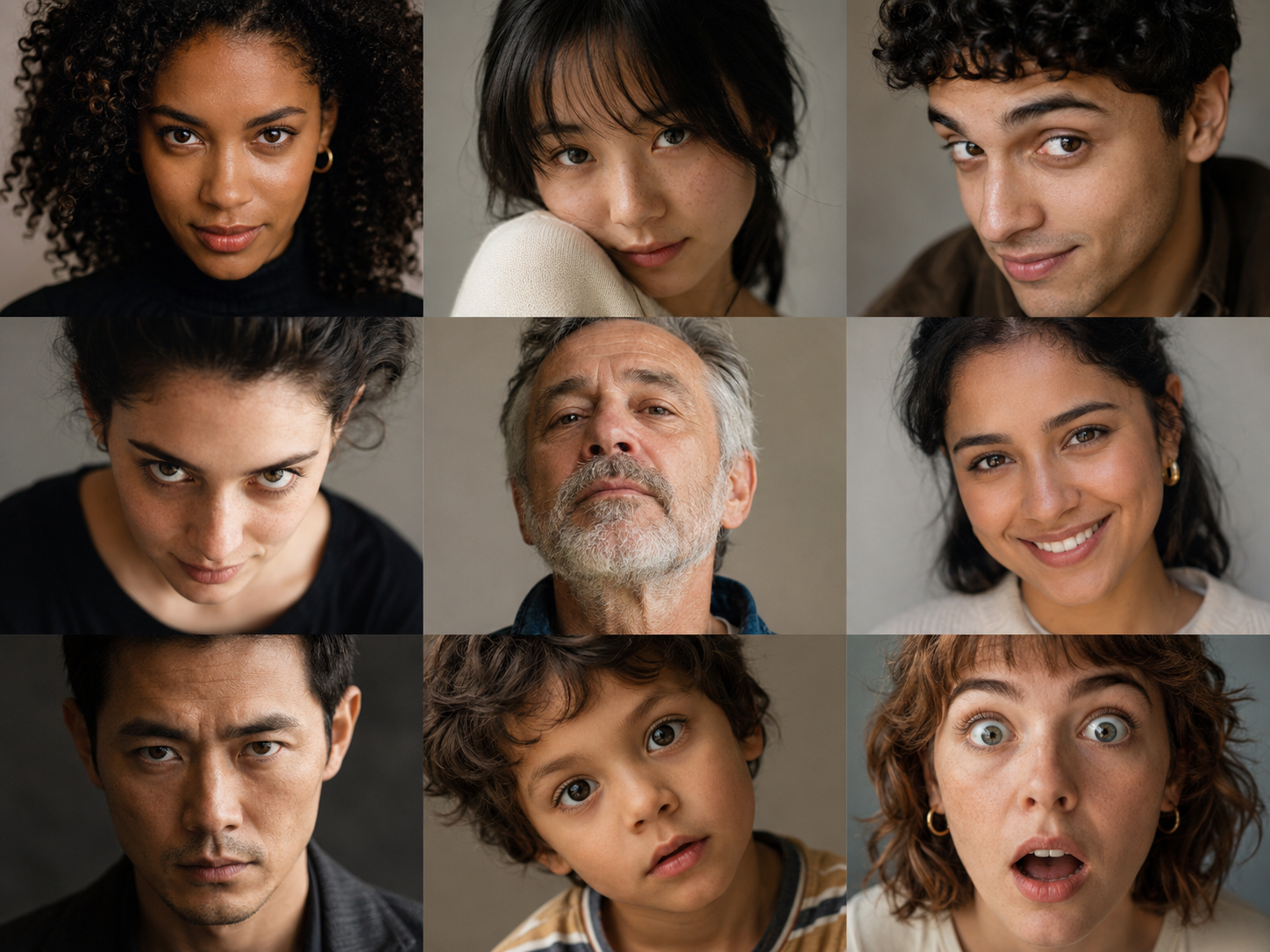 |
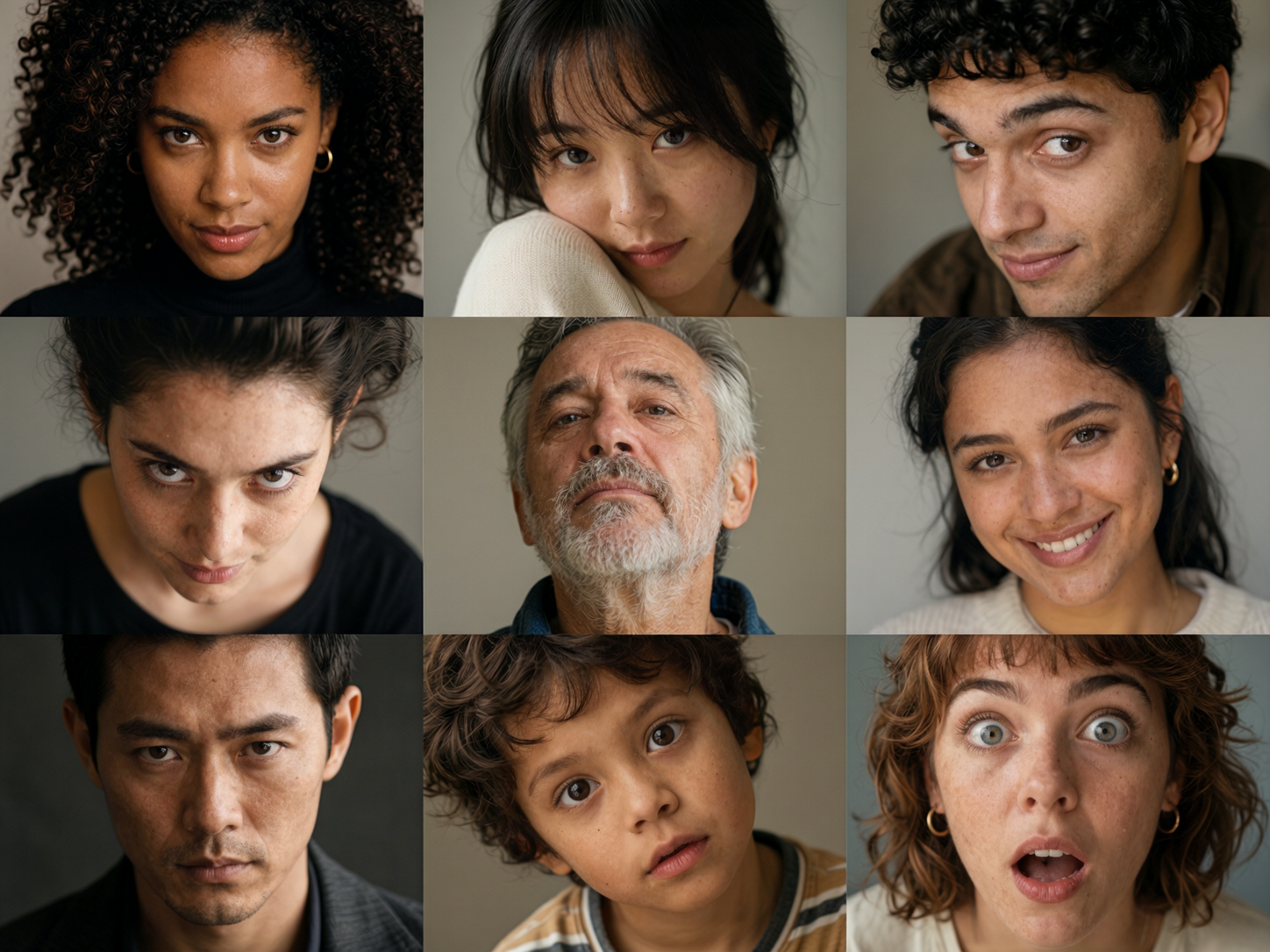 |
| Gemini example before | Gemini example after |
|---|---|
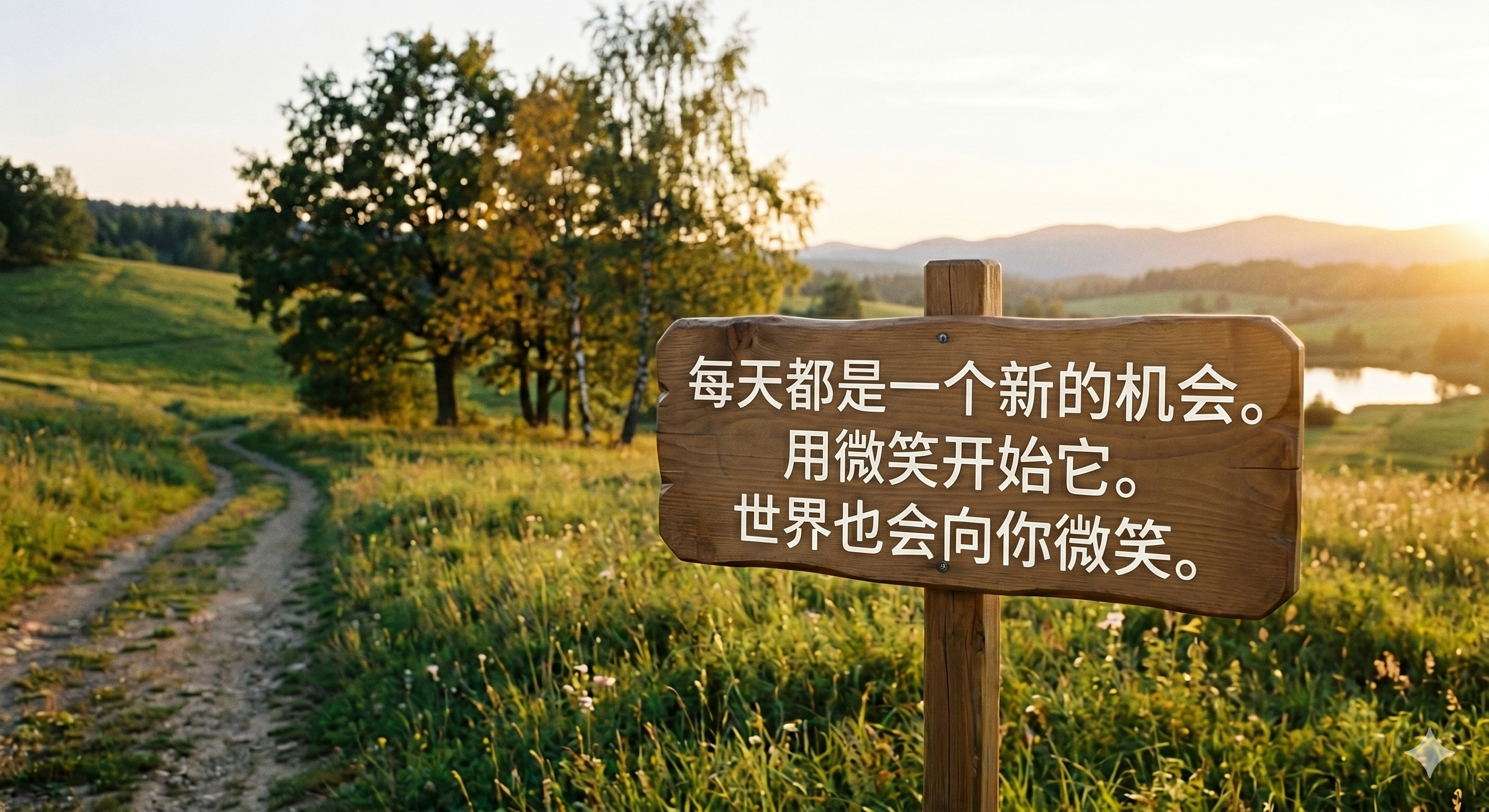 |
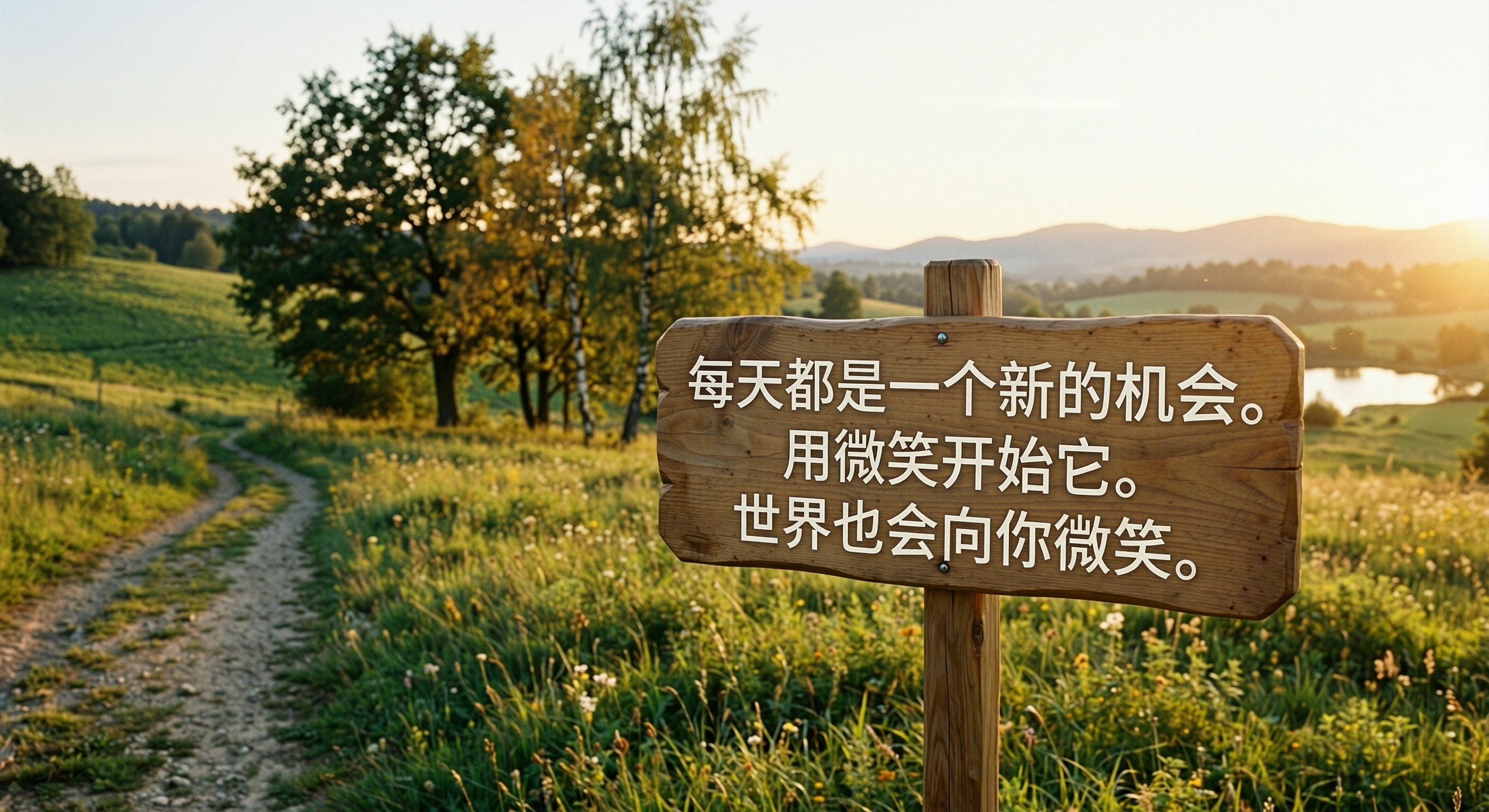 |
These exact output files were checked with the matching provider verifiers. That result applies to these files, not to every seed, image, or future watermark version.
Popular formats and invisible watermarks (images, video, audio, text)
One command (remove-ai-watermarks all <file> -o <clean>) handles visible marks,
provenance-triggered invisible removal, and metadata stripping across images
(PNG, JPG, WebP, HEIC, TIFF), video (MP4, MOV, WebM, MKV,
including 10-bit HEVC/HDR), audio (WAV, MP3, M4A, FLAC, OGG, Opus),
and text (MD, HTML, TXT):
# Images with invisible watermarks (InvisMark, TrustMark, SDXL DWT-DCT, SynthID)
remove-ai-watermarks all data/fixtures/provenance/microsoft-invismark.png -o microsoft_clean.png
remove-ai-watermarks all data/fixtures/provenance/adobe-trustmark-p.png -o firefly_clean.png
remove-ai-watermarks all data/fixtures/provenance/sdxl-dwt-dct.png -o sdxl_clean.png
remove-ai-watermarks all data/fixtures/provenance/recraft-v3.webp -o recraft_clean.webp

# Video (Google Veo visible + SynthID video/audio; ByteDance Seedance 10-bit HEVC/HDR)
remove-ai-watermarks all data/fixtures/provenance/google-gemini-omni-app.mp4 -o veo_clean.mp4
remove-ai-watermarks all data/fixtures/provenance/dreamina-seedance-2-mini.mp4 -o seedance_clean.mp4
remove-ai-watermarks video message marked.mp4 -o clean.mp4 --scheme videoseal

# Audio (AudioSeal, WavMark, Perth, SilentCipher, Google SynthID, ElevenLabs, Cartesia)
remove-ai-watermarks all track.wav -o track_clean.wav
remove-ai-watermarks all speech.mp3 -o speech_clean.mp3 --vendor elevenlabs
See docs/examples.md for the complete format-by-format guide, or try the interactive presets in the Hugging Face Space.
Common recipes
Remove every detected visible mark
remove-ai-watermarks visible image.png -o clean.png
The default --mark auto checks all registered visible marks and removes every
match. If the mark is visible to you but the detector misses it, select its
region explicitly:
remove-ai-watermarks erase image.png \
  --region 1640,1930,400,100 \
  -o clean.png
--region uses x,y,width,height and may be repeated.
Use a learned fill backend
The visible extra uses OpenCV inpainting when no learned backend is installed.
For more difficult backgrounds, the learned-backend extras include the same
pixel dependencies automatically:
uv tool install --force "remove-ai-watermarks[migan]"
remove-ai-watermarks visible image.png -o clean.png --backend migan
uv tool install --force "remove-ai-watermarks[lama]"
remove-ai-watermarks visible image.png -o clean.png --backend lama
Reduce CUDA memory use
remove-ai-watermarks invisible image.png -o clean.png \
  --cpu-offload --force
CPU offload lowers CUDA memory pressure by moving model components between CPU and GPU, at the cost of speed.
Process a directory
remove-ai-watermarks batch ./images --mode visible
remove-ai-watermarks batch ./images --mode all
What the tool can recognize
Visible mark support includes:
- Google Gemini and Nano Banana visible sparkle watermark;
- Doubao, the Jimeng wordmark and top-left
AI生成layouts, Qwen, Kling AI, Yuanbao, Dola, WorkBuddy, Baidu, LiblibAI's bottom-center wordmark and compact top-left pill, and RunningHub labels; - calibrated Microsoft top-right white and beige AI-badge layouts;
- calibrated Italian and Korean Samsung Galaxy AI disclosures;
- a generic brand-less bottom-right
AI生成fallback for OS/gallery-level AI-edit stamps that carry no vendor wordmark of their own (vivo and Xiaomi Gallery confirmed); synthetic-only calibration, weaker evidence than the vendor-tuned detectors above; - the OpenArt wordmark, placed at the frame center rather than a corner; uncalibrated (one confirmed real case, no captured corpus).
Metadata and provenance inspection covers C2PA, EXIF, XMP, IPTC, common generator parameters in image and video containers, China TC260 AIGC labels, and several vendor specific signals. Optional decoders add support for open DWT-DCT watermarks and Adobe TrustMark.
The exact support matrix, including important locale and detector limits, lives in supported signals. The synthetic example gallery carries one canonical sample for every registered image and video mark.
How it works
Visible removal follows three steps:
- Detect a registered mark in its expected area.
- Build a mask around the mark.
- Fill only the masked region with OpenCV, MI-GAN, or LaMa.
Metadata removal uses format aware stripping. JPEG metadata removal preserves the encoded image scan instead of recompressing it. Native MP4/MOV TC260 values and keyed generation parameters are blanked without changing box sizes or media offsets. Other supported containers use their corresponding metadata path.
Invisible removal through the CLI and high-level API regenerates the image through a diffusion pipeline. Specialized callers can instead decode and disrupt the positively identified local Microsoft Paint format with much smaller pixel changes. Neither path can guarantee that every proprietary verifier will reject every output.
See supported signals and known limitations for the full technical boundary.
Python API
The visible-removal API requires remove-ai-watermarks[visible].
import remove_ai_watermarks as raiw

result, removed = raiw.remove_visible("watermarked.png", "clean.png")
print(removed)

report = raiw.remove_visible_detailed("watermarked.png", "clean.png")
print(report.status)  # cleaned | partial | unvalidated | no_watermark

complete = raiw.remove_all("watermarked.png", "clean.png")
print(complete.visible_status, complete.visible_marks)

images = raiw.remove_batch("images", "images_clean", mode="visible")
for item in images.items:
    print(item.source, item.visible_status, item.visible_marks)

provenance = raiw.identify_video("input.mp4")
report = raiw.inspect_video_metadata("input.mp4")
complete = raiw.remove_video_all("input.mp4", "clean.mp4")
print(complete.visual_invisible_action, complete.audio.watermark_status)
batch = raiw.remove_video_batch("videos", "videos_clean")
cleaned = raiw.remove_video_metadata("input.mp4")
synthid_cleaned = raiw.remove_video_invisible("input.mp4", "synthid_clean.mp4")
auto_cleaned = raiw.remove_video_invisible(
    "input.mp4", "auto_clean.mp4", profile="auto"
)  # routes ByteDance/Seedance vs SynthID and prefers CUDA Wan 2.1 when available
seedance_experiment = raiw.remove_video_seedance_experimental(
    "owned-label-cleaned.mp4", "seedance_clean.mp4", quality="delivery"
)  # experimental pixel reconstruction; handle visible labels first
seedance_complete = raiw.remove_video_all(
    "input.mp4", "seedance-clean.mp4",
    include_invisible=True, invisible_profile="seedance-experimental",
)  # supported visible removal, then experimental reconstruction
wan_synthid = raiw.remove_video_wan_experimental(
    "owned-veo.mp4", "veo_wan_clean.mp4", profile="wan21-synthid-experimental"
)  # optional CUDA 3D Wan 2.1 video diffusion at native resolution (multi-window >193 frames)
print(synthid_cleaned.visual_invisible_action, synthid_cleaned.audio.watermark_status)
visible = raiw.remove_video_visible("input.mp4", "clean.mp4")
print(visible.mark)
veo = raiw.remove_video_visible("veo.mp4", "veo_clean.mp4", mark="veo")
seedance = raiw.remove_video_visible(
    "seedance.mp4",
    "seedance_clean.mp4",
    mark="seedance",
)
dola = raiw.remove_video_visible("dola.mp4", "dola_clean.mp4", mark="dola")
The high level API accepts a file path or a BGR NumPy array. For path inputs it also reads provenance metadata, preserves alpha, and can strip AI metadata from the written result.
See the Python API guide for visible removal, the full
remove_all and remove_batch pipeline, provenance inspection, metadata
stripping, and diffusion usage.
Agent skill
Coding agents can install the published skill and drive this CLI:
npx skills add wiltodelta/remove-ai-watermarks
Claude Code can add this repository as a plugin marketplace:
/plugin marketplace add wiltodelta/remove-ai-watermarks
/plugin install remove-ai-watermarks@remove-ai-watermarks
Codex reads the same skill through .codex-plugin/plugin.json, Cursor through .cursor-plugin/plugin.json, and Gemini CLI through gemini-extension.json.
The skill refuses stock-agency and other third-party paid-asset marks. See
the agent skill guide.
MCP server
remove-ai-watermarks mcp serves identify, remove, batch, and one tool per
CLI command as Model Context Protocol tools over stdio, each a thin wrapper
around one CLI command:
{"mcpServers": {"remove-ai-watermarks": {"command": "uvx", "args": ["--python", "3.12", "--with", "remove-ai-watermarks[all,text-draft]", "remove-ai-watermarks", "mcp"]}}}
See the MCP server guide.
ComfyUI
The separate ComfyUI Remove AI Watermarks package provides nodes for visible removal, detection, region erasing, and invisible removal.
Important limitations
- A missing local signal means unknown, not clean. Proprietary pixel watermarks may remain after metadata has been stripped. What each path leaves behind lists, per command, what may remain and how to check it.
- Visible removal reconstructs a small region. Results depend on the background and selected fill backend.
- Invisible removal changes the whole image and may alter faces, text, or fine detail.
- Visible video removal recognizes the moving Sora 2 wordmark, the current Veo
diamond plus legacy
Veotext, the Seedance boxedAIlabel, and the fixed Doubao, Dola, Hailuo AI, Vidu, and Kling AI labels. It does not recognize the older Sora Turbo corner swirl or unregistered layouts from those providers. The classical OpenCV backend can smear structured backgrounds; use MI-GAN or LaMa when recovery quality matters. - Video SynthID regeneration changes resolution, frame rate, and image detail. The shipped profile is oracle-certified, but no public local decoder can certify an arbitrary output at runtime. Recheck unusually important outputs after provider changes.
- Invisible-watermark removal through the CLI and high-level API requires CUDA.
All diffusion profiles refuse any other device at construction rather than
falling back to one that cannot run them. The specialized local Paint API,
visible removal, metadata stripping and
identifyrun without CUDA. - Provider watermark systems can change. Validate important outputs with the provider's own verifier when one is available.
The shipped video invisible command uses the certified noise_std=0.15
profile. The companion scripts/video_synthid_sweep.py research harness builds
a matched re-encode control plus VAE-regenerated candidates and leaves the
verifier verdict blank:
uv run --extra video --extra diffusion python scripts/video_synthid_sweep.py input.mp4 -o sweep/
To score what an output actually cost, use scripts/video_fidelity_probe.py:
the engine's own PSNR is measured after the input resize and before final
encoding, so only the probe sees the delivered picture.
uv run --extra video python scripts/video_fidelity_probe.py input.mp4 input_clean.mp4
The control must still be SynthID-positive before a negative candidate can
count as removal evidence. In the 2026-07-29 two-clip calibration, both matched
controls were positive in Gemini's built-in SynthID verifier; the stronger
candidate was negative on both carriers, while a weaker candidate was
negative on one. A later adversarial follow-up that asked ordinary Gemini to
reinterpret the pixel result returned UNAVAILABLE; that follow-up was not a
verifier rerun and does not invalidate the built-in verdicts. A 2026-07-31
full-clip check on a public eight-second Veo sample found 0.10 still detected
and 0.15 not detected, so 0.15 is now the certified default. The
reproducible hashes and verdicts for that full-clip check -- one carrier, two
rows -- live in data/evaluations/video-synthid-oracle.csv. The earlier
two-clip calibration is narrative only: its verdicts were not recorded in a
tracked manifest, so treat the certified default as resting on the 2026-07-31
rows.
Documentation
Start with the documentation index.
- Installation
- CLI guide
- Python API
- Supported signals
- Known limitations
- Scope, safety, and legal notes
- Module internals
- Release and distribution
- Agent skill
Research notes and historical experiments are listed separately in the documentation index. They explain past decisions but do not define the current public API.
Contributing
Install the development environment and run the project gate:
uv sync --frozen --extra dev
bash maintain.sh
See module internals before changing a subsystem with documented invariants. Report vulnerabilities as described in SECURITY.md.
License
Apache 2.0. Copyright 2025-2026 wiltodelta.
Made by Victor Kuznetsov.
1 maintainer

Metadata
1 maintainer
Release files for remove-ai-watermarks 0.68.0
For a detailed explanation of source distributions (sdists) and built distributions (wheels), please see the package formats documentation.
Source distribution (sdist)
| File | Size | Uploaded | Provenance | Actions |
|---|---|---|---|---|
| remove_ai_watermarks-0.68.0.tar.gz | 931.5 kB | Without provenance | Details for remove_ai_watermarks-0.68.0.tar.gz |
Built distribution (wheel)
| File | Interpreter | ABI | Platform | Actions Reset |
|---|---|---|---|---|
| remove_ai_watermarks-0.68.0-py3-none-any.whl | Python 3 | none | any | Details for remove_ai_watermarks-0.68.0-py3-none-any.whl |
Total release size: 2.0 MB
Release files / remove_ai_watermarks-0.68.0.tar.gz
| Download URL | remove_ai_watermarks-0.68.0.tar.gz |
|---|---|
| Size | 931.5 kB |
| Tags | Source |
|
SHA-256 checksum How to use checksums |
8577e8aa94d8085b5176a395240a658692dc0bb75c37d59abaf450c08f6a5cac
|
|
BLAKE2b-256 checksum How to use checksums |
6abac468a14ed4024d51d54dbf5800145f28b269e50677af9413503d0179690c
|
| Upload date | |
|
Uploaded using Trusted Publishing? What is trusted publishing? |
Yes |
| Uploaded via |
uv/0.13.9 {"installer":{"name":"uv","version":"0.13.9","subcommand":["publish"]},"python":null,"implementation":{"name":null,"version":null},"distro":{"name":"Ubuntu","version":"26.04","id":"resolute","libc":null},"system":{"name":null,"release":null},"cpu":null,"openssl_version":null,"setuptools_version":null,"rustc_version":null,"ci":true}
|
Release files / remove_ai_watermarks-0.68.0-py3-none-any.whl
| Download URL | remove_ai_watermarks-0.68.0-py3-none-any.whl |
|---|---|
| Size | 1.0 MB |
| Tags | Python 3 |
|
SHA-256 checksum How to use checksums |
cfdcef11e9ab98af148563f2ab33d7956bc34745a9b804a70bda0d390c526f68
|
|
BLAKE2b-256 checksum How to use checksums |
d7bc163edfbb0ae107223b5c012623d702fe601031b95067390bb4025fe8ed52
|
| Upload date | |
|
Uploaded using Trusted Publishing? What is trusted publishing? |
Yes |
| Uploaded via |
uv/0.13.9 {"installer":{"name":"uv","version":"0.13.9","subcommand":["publish"]},"python":null,"implementation":{"name":null,"version":null},"distro":{"name":"Ubuntu","version":"26.04","id":"resolute","libc":null},"system":{"name":null,"release":null},"cpu":null,"openssl_version":null,"setuptools_version":null,"rustc_version":null,"ci":true}
|
Security for remove-ai-watermarks 0.68.0
Provenance
Provenance describes where a file came from. On PyPI, provenance is shared via attestations, which provide a verifiable record of the build or publishing details. View details, limitations and caveats.
No provenance found
None of the files in this release were uploaded with provenance metadata.
A note on package security
PyPI is a repository for distributing packages, not a service for auditing them. While third-party security researchers and our staff do their best to detect and remove malicious packages, PyPI cannot guarantee the quality, security or suitability of any given package.
To learn more about protecting yourself from malicious actors, visit our package security documentation.














