
Render PDF
render_pdf is python script based on weasyprint that converts any source code to pdf file.
Showcase
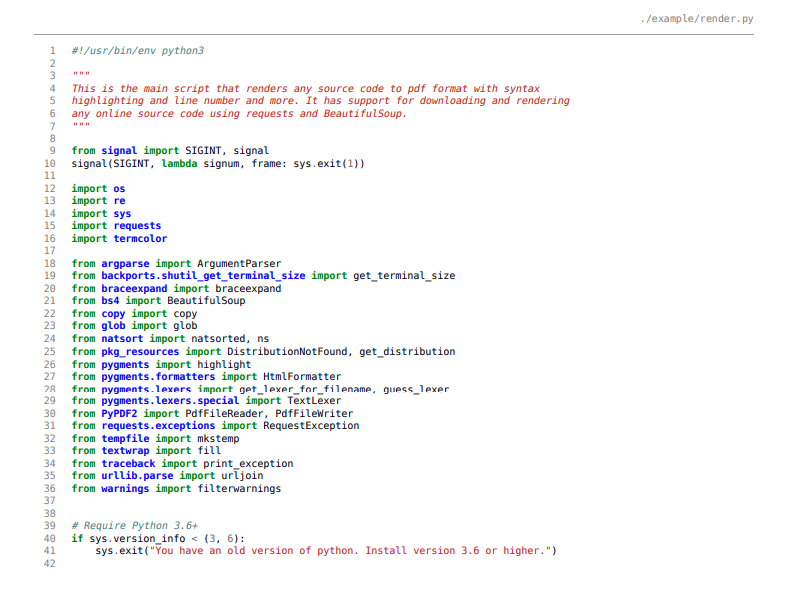
Single Code Base
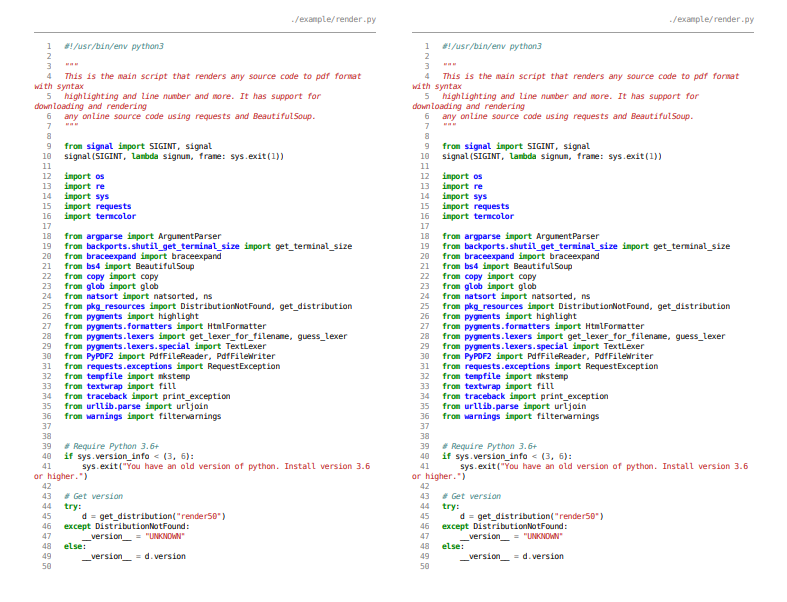
Two Source Codes Side By Side
Features
This script has the following features.
- syntax highlighting for any source code using pygments.
- line number for the source code.
- rendering any online materials or source code by downloading it.
Installation
You can install this package from the pypi index using the following commands.
For Linux Based OS
pip install render_pdf
For windows
python -m pip install render_pdf
Usage
This script can be used in variety of ways. The following examples and the results are stored in the example directory in this repository.
- rendering single source code from local directory
render ./example/render.py -o ./example/render.pdf
- rendering multiple source codes from local directory
render ./setup.py ./example/render.py -o ./example/render.pdf
rendering two source codes side by side for comparison.
render -y ./setup.py ./example/render.py -o ./example/render.pdf
rendering source code by downloading from the internet.
To render the setup.py file from this repository by downloading it from github server. P
render https://raw.githubusercontent.com/endalk200/render_pdf/main/setup.py -o setup.pdf
Source Code
You can see the source code by cloning the repository as follows.
git clone https://github.com/endalk200/render_pdf.git
1 maintainer

Metadata
1 maintainer
Release files for render-pdf 0.2.2
For a detailed explanation of source distributions (sdists) and built distributions (wheels), please see the package formats documentation.
Source distribution (sdist)
| File | Size | Uploaded | |
|---|---|---|---|
| render_pdf-0.2.2.tar.gz | 8.1 kB | Details |
Built distribution (wheel)
| File | Interpreter | ABI | Platform | Reset |
|---|---|---|---|---|
| render_pdf-0.2.2-py3-none-any.whl | Python 3 | none | any | Details |
Total release size: 16.8 kB
Release files / render_pdf-0.2.2.tar.gz
| Download URL | render_pdf-0.2.2.tar.gz |
|---|---|
| Size | 8.1 kB |
| Tags | Source |
|
SHA-256 checksum How to use checksums |
5691eeaaf92d9e06df75174290ae2b6ceaf41d90e61b0a4962bd4a739af0a868
|
|
BLAKE2b-256 checksum How to use checksums |
315acf12f7bb8086a05468ef7420f48744e6f33fc29ae7614dca33b9836848bf
|
| Upload date | |
|
Uploaded using Trusted Publishing? What is trusted publishing? |
No |
| Uploaded via |
twine/3.2.0 pkginfo/1.6.1 requests/2.25.0 setuptools/49.2.1 requests-toolbelt/0.9.1 tqdm/4.54.0 CPython/3.9.0
|
Release files / render_pdf-0.2.2-py3-none-any.whl
| Download URL | render_pdf-0.2.2-py3-none-any.whl |
|---|---|
| Size | 8.7 kB |
| Tags | Python 3 |
|
SHA-256 checksum How to use checksums |
08a8eb66147fc84e4c6c5f3ac951c23c0bc78dea04fdc82966f7a70a10806c5b
|
|
BLAKE2b-256 checksum How to use checksums |
ba5dbd1ba2e4b3a49c02676d29ac3df309fd0bed0e0e341cac3ddb84884757ed
|
| Upload date | |
|
Uploaded using Trusted Publishing? What is trusted publishing? |
No |
| Uploaded via |
twine/3.2.0 pkginfo/1.6.1 requests/2.25.0 setuptools/49.2.1 requests-toolbelt/0.9.1 tqdm/4.54.0 CPython/3.9.0
|














