
renest
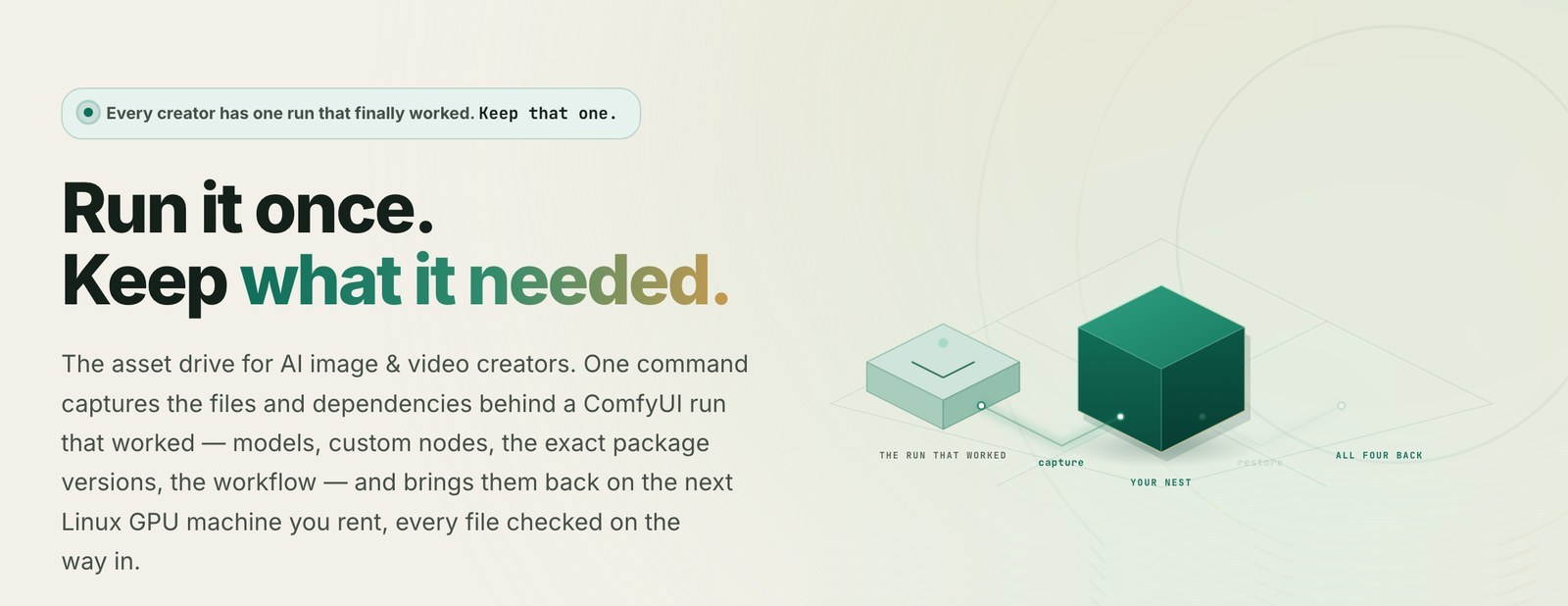
Renest keeps a ComfyUI or fine-tuning setup (kohya_ss, LLaMA-Factory) that already worked on a rented GPU, and brings it back on the next Linux GPU machine you rent: the model files, custom nodes, exact package versions and workflow, every file checked against its SHA-256 on the way in. Then it starts the app on the new machine, runs the packed workflow once, and reports what passed and what didn't.
It promises that the files and dependencies come back, checked. Whether the app then runs is tested on every restore and reported, not promised.
- Try it free, without a setup of your own: a starter nest is a run we packed after it produced output. Take one with a free account, rent a GPU in your own RunPod or vast.ai account, and restore it with one command.
- The Renest drive: a hosted place for nests at https://renest.ai. A free account can take starter nests and nests handed to it, and restore them on any machine. Keeping your own nests in the drive, so they wait in storage instead of on a pod that bills by the hour, is what the paid plans are for. Files several nests share are stored once.
- What we have measured: https://renest.ai/proof, and the field reports at https://renest.ai/blog/topic/field-reports.
Install
uv tool install --upgrade renest
renest --version
Python 3.11 or newer. No uv yet? curl -LsSf https://astral.sh/uv/install.sh | sh
(only have pip? pip install uv). On a proxy network, export HTTPS_PROXY first: uv and
curl read the proxy only from the environment.
--upgrade matters if you installed renest before: without it, uv treats the old version
as done and leaves it in place. Use uv rather than pip install renest, because pip
installs into whatever environment is active, and that is often the very environment you are
about to capture; installing us there can move versions inside it. uv tool install keeps the
command in its own environment, and restoring calls uv anyway.
Capture a run that worked
Pack after the run produced output, on the machine where it did. The easiest way lets Renest find the run itself:
renest pack --dir /workspace/run --auto --out ./nests
--dir is the environment root, the folder that holds ComfyUI/. --auto looks for a
picture ComfyUI already produced (the recipe travels inside the picture) and uses the newest
one to check the file list.
To name the workflow yourself, --workflow takes it in API format: in ComfyUI, Export
(API). A workflow saved the ordinary way is refused with a note saying so. If you also want
the ordinary one to open from ComfyUI's Workflows sidebar after a restore, pass it with
--workflow-ui:
renest pack --dir /workspace/run --workflow workflow-api.json --dry-run
renest pack --dir /workspace/run --workflow workflow-api.json --workflow-ui workflow.json --out ./nests
--dry-run prints what would be captured and writes nothing. For fine-tuning, name the
framework and a small record of the training command that worked:
renest pack --dir /workspace/run --framework kohya --run-record run.json --out ./nests
If a package can't be installed on another machine as recorded (one that came from conda or
the operating system, or pip install -e .), the pack says so, names it, and marks the nest.
Restore it somewhere else
renest restore --manifest ./nests/<id>/manifest.json --dir /workspace/run
renest restore --grant grant.json --dir /workspace/run
The second form restores a nest from your drive, with a short-lived restore code from the web console. Before anything downloads, the restore checks the machine (GPU generation, driver, disk) and refuses one the packed build can't run on. Then it brings every file back and checks it, reinstalls the locked package versions without re-resolving them, starts the app, runs the packed workflow (or training config) once, and tells you which of three gates passed: the machine check, the app starting, and real output coming out.
renest doctor asks whether this machine can restore at all. renest --help lists the rest.
What a nest holds, and what it doesn't
A nest is one run that worked: the workflow or training config, the model files it used, each custom node's source pinned to its commit, the dependency lock, and a record of the machine it ran on (GPU, driver, the system libraries the run loaded).
- One run, one nest. Fifteen workflows you care about are fifteen nests. The models they
share are stored once, both in a local
--outfolder and in the drive. - Not in a nest: finished outputs, ComfyUI's personal settings, and saved workflows the run didn't use. They don't belong to any one run. Keep an ordinary backup of those.
- Not in a nest: system libraries. They belong to the machine. The nest records which ones the run loaded; on a machine that lacks one, the restore names it and the command to install it.
Renest and Docker images
An image is the right tool when you already know exactly what goes in and need the same start many times: deployment, serverless. Renest is for a setup that grew by hand on a rented machine until a run finally worked. Two things differ:
- You don't have to work out what you installed. The nest is captured from the run that worked: the files the workflow touched and the package versions that were actually there.
- A restore doesn't stop at "the files are there". It runs the workflow once on the new machine and reports whether the app started and output came out.
Images still matter, and we publish one: ghcr.io/renest-ai/nest-base, a minimal Ubuntu
22.04 image with the renest tool, uv and sshd, and deliberately no torch, ComfyUI or
models, so nothing in it competes with what the nest brings. The image is the floor; the nest
is what you carry onto it. Any Linux machine with an NVIDIA GPU works as well.
Details: https://renest.ai/docs/base-image.
What it promises, and what it doesn't
- Promised: the files and dependencies come back, each one checked against its SHA-256.
- Tested and reported, not promised: that the app starts and produces output.
- Not promised: an identical image on different hardware. The same GPU model and CPU brand give the same file back; other hardware gives small differences.
- Not offered: getting an unfamiliar setup working for the first time, or arbitrary Python environments. Renest reproduces what already ran.
What our own restores on rented GPUs show, and every kind of failure our stress tests have produced, is written up on https://renest.ai/proof with what changed because of each. When you don't need Renest at all: https://renest.ai/answers/when-you-dont-need-renest.
The escape hatch
Every nest ships with restore.sh, a plain shell script that brings the files and locked
dependencies back using nothing but curl, jq, sha256sum, uv and tar. It imports no
code from this project, asks no server, and is Apache-2.0 together with the format
specification (in specs/). If this project disappears, your nests still open. For that day,
renest presign signs a download link for an object in your own bucket with keys that stay
on your machine.
Licence: three layers
- Apache-2.0, genuinely open: the format specification and the escape hatch.
- GPL-3.0: the ComfyUI plugin, which runs inside ComfyUI and follows that ecosystem. It lives in its own repository.
- This command-line tool: source-available, not open-source software. The code is
published in full: read it, audit it, modify it for your own use. The one thing not granted
is using it to run a hosted service that competes with ours. Any individual may use it on
their own data forever, unconditionally. Text:
LICENSE-CLI.
The archive format carries its own version, separate from the tool's 0.x: an archive
written today stays readable by later tools in the same major format version.
Links
- Website and docs: https://renest.ai · Quick start: https://renest.ai/docs/quick-start
- ComfyUI plugin: https://github.com/renest-ai/comfyui-renest
- Compatibility data: https://github.com/renest-ai/renest-rules
The hosted service is operated by the author of this project.
1 maintainer

Metadata
1 maintainer
Release files for renest 0.1.24
For a detailed explanation of source distributions (sdists) and built distributions (wheels), please see the package formats documentation.
Source distribution (sdist)
| File | Size | Uploaded | |
|---|---|---|---|
| renest-0.1.24.tar.gz | 914.2 kB | Details |
Built distribution (wheel)
| File | Interpreter | ABI | Platform | Reset |
|---|---|---|---|---|
| renest-0.1.24-py3-none-any.whl | Python 3 | none | any | Details |
Total release size: 1.7 MB
Release files / renest-0.1.24.tar.gz
| Download URL | renest-0.1.24.tar.gz |
|---|---|
| Size | 914.2 kB |
| Tags | Source |
|
SHA-256 checksum How to use checksums |
2f204d4fe4e503abb92c9154a9db35d0b1eca396bed1641ddc5bfc3c3415d412
|
|
BLAKE2b-256 checksum How to use checksums |
8a81161076eeb226618f33ac4d4faf5d3a168e285ea357e2eb4faf95c61e83d1
|
| Upload date | |
|
Uploaded using Trusted Publishing? What is trusted publishing? |
No |
| Uploaded via |
uv/0.12.3 {"installer":{"name":"uv","version":"0.12.3","subcommand":["publish"]},"python":null,"implementation":{"name":null,"version":null},"distro":{"name":"macOS","version":null,"id":null,"libc":null},"system":{"name":null,"release":null},"cpu":null,"openssl_version":null,"setuptools_version":null,"rustc_version":null,"ci":null}
|
Release files / renest-0.1.24-py3-none-any.whl
| Download URL | renest-0.1.24-py3-none-any.whl |
|---|---|
| Size | 802.1 kB |
| Tags | Python 3 |
|
SHA-256 checksum How to use checksums |
8484abd8155fd7a0573db4e53318e13710a6078636856aa043f9f05326503927
|
|
BLAKE2b-256 checksum How to use checksums |
29499f26c51005e2505ab52bf2feff7841298c74025b9e8d09d2734f2e1a85fe
|
| Upload date | |
|
Uploaded using Trusted Publishing? What is trusted publishing? |
No |
| Uploaded via |
uv/0.12.3 {"installer":{"name":"uv","version":"0.12.3","subcommand":["publish"]},"python":null,"implementation":{"name":null,"version":null},"distro":{"name":"macOS","version":null,"id":null,"libc":null},"system":{"name":null,"release":null},"cpu":null,"openssl_version":null,"setuptools_version":null,"rustc_version":null,"ci":null}
|














