
renpy-capture
Every line of a Ren'Py game, in its scene, in every branch — without playing it.




English · Русский · Українська · 简体中文 · 日本語 · 한국어 · Español · Français
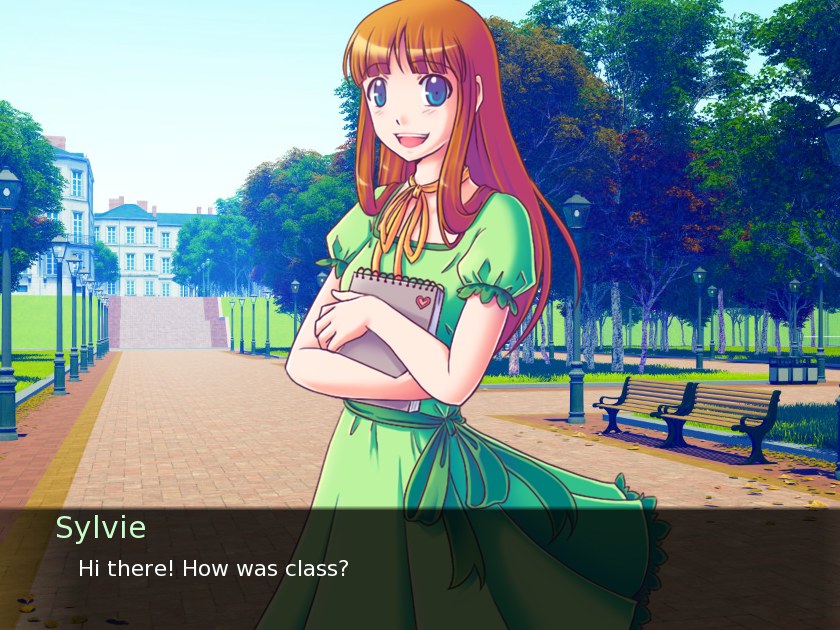
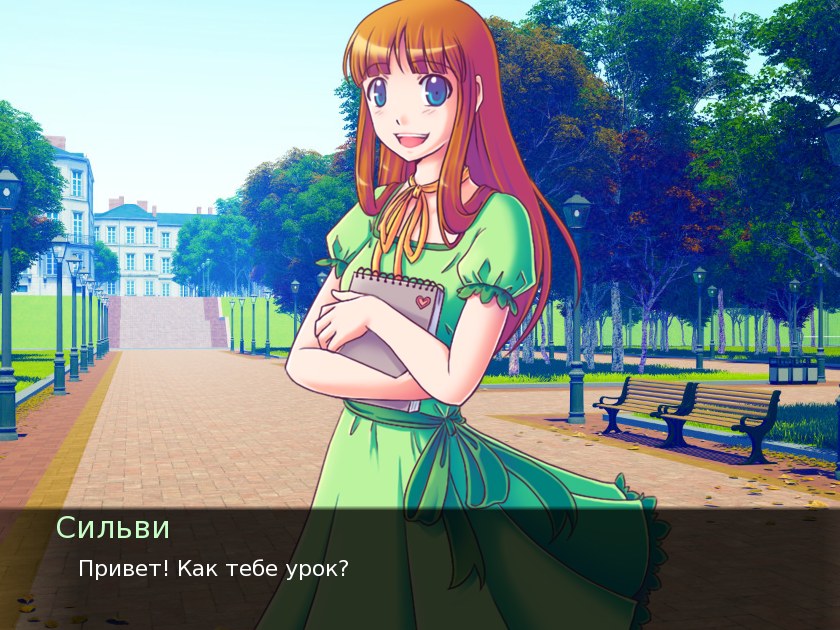
One moment of The Question, the sample game that ships with Ren'Py, in English and in the Russian translation that comes with it: two frames drawn by the game's own engine. The artwork is released under the MIT license.
See the live example →
renpy-capture runs a Ren'Py game in its own engine on a hidden screen, answers every menu every way, and keeps the picture the player sees at every line. What comes out is a small website: read it in a browser, search it, send it to anyone.
What you get
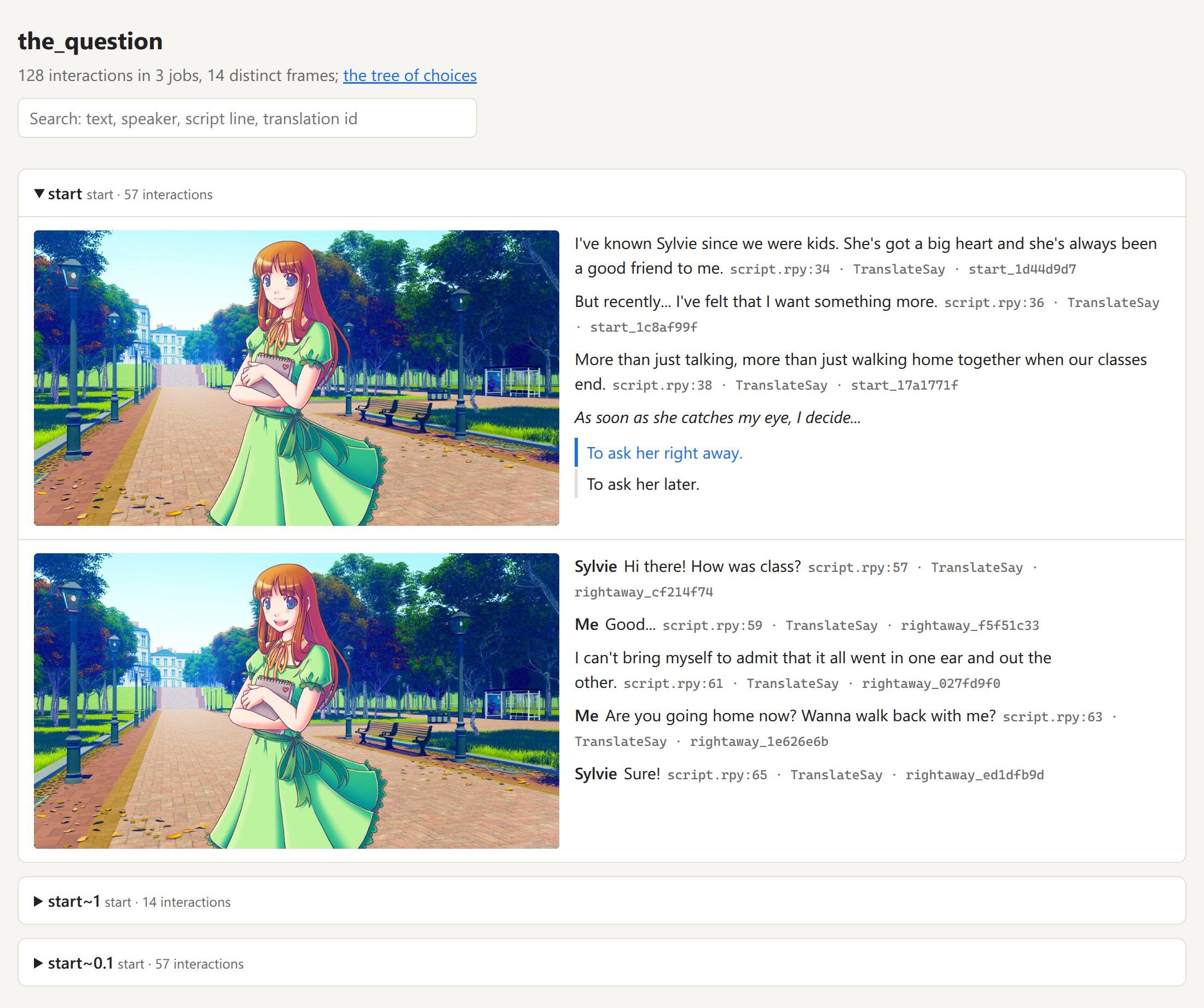
- The book of the game. Every line beside the picture the player sees, with the speaker and the line of the script. Search it; link to any line.
- The tree of choices. Every menu and every option, down to how each path ends; each option opens its moment in the book.
- The translation beside the original. For a
game that already has a translation (
game/tl/<language>): every translated line as the game itself draws it, in its own dialogue window, beside the original. Does the text fit, does the font have the letters. renpy-capture shows translations; it does not make them. - Proof that nothing was missed. After the capture the game's scripts are read, and every scene no path reached is named, with its label, file and line.
Who it's for
| You are | It gives you |
|---|---|
| Translators | Every line with its context: who speaks, what is on screen, what came before. |
| Editors and proofreaders | The whole translation as the game shows it, behind one link: nothing to install, no routes to replay. |
| Authors and testers | Every route in one run: see a line that overflows the window or a missing picture, find the branches no player can reach, compare two builds line by line. |
| Guide and wiki writers | The tree of choices with every ending, and a picture for every step. |
| Language learners | A game you love and its translation as a bilingual book, line by line. |
| Reviewers and archivists | Every scene of every branch without playing: before an age rating, for research, to keep a game readable. |
Try it
pipx install renpy-capture
renpy-capture capture ~/Games/SomeGame work/
xdg-open work/export/index.html
One command does the whole job: it fetches the official Ren'Py SDK of the game's version, plays every branch on a hidden screen, looks for scenes no branch reached, and writes the pages. Run it again to go on after an interruption. The Question takes six seconds; a large commercial game of 22,000 lines, about eight minutes.
A translation the game already has in game/tl/russian: capture the original and the translation, both with the
game's dialogue window, and open the translation's book, where the original stands beside every line.
renpy-capture capture ~/Games/SomeGame work/ --text
renpy-capture capture ~/Games/SomeGame work/ --text --language russian
xdg-open work/export-text-russian/index.html
Why you can trust the pictures
- The game's own engine draws them. The official Ren'Py SDK of the game's version runs the game: its fonts, transitions, layered images, animations and screens. Nothing is rebuilt from the script.
- Every branch, then a check. Every menu is answered every way; then the scripts are read, and any scene no path reached is named.
- The same picture, every time. Game time follows frames, not the clock; randomness is seeded; a scene is kept once it has settled. Run it twice and the files are identical, so a difference between two captures is a real one.
- Your copy stays untouched. The game runs from a separate folder that only links to it; the SDK comes from renpy.org and is checked against its official checksum.
Tested on a large commercial game: 44 branches and 21,945 lines in about eight minutes on four engines, every picture identical, byte for byte, to the run before.
Compared with what you do now
| Playing through | Translation files and tools | renpy-capture | |
|---|---|---|---|
| Each line in its scene | ✓ | — | ✓ |
| Every branch, and proof that none was missed | by hand, route by route | every string, reachable or not | ✓ |
| The translation beside the original | replay in each language | text only | ✓ frame beside frame, as the game draws it |
| Search, a link to any line, one page to share | — | search | ✓ |
| Editing the translation | — | ✓ | — |
renpy-capture does not replace your translation tools: it shows what they produce, in the game.
Good to know
- It answers menus; it does not play mini-games. A map, a quiz or a timed challenge can be guided by the game's config, see the guide.
- The official SDK has to run the game: a game shipped with a modified engine may not start.
How it works
flowchart LR
    G["Your copy of the game"] --> L["Launch folder<br/>links to the game + capture.rpy"]
    S["Official Ren'Py SDK<br/>from renpy.org, sha256 checked"] --> L
    L -->|every menu, every option| O["Every picture<br/>and a log of every line"]
    O --> E["The book, the tree of choices,<br/>a table of every line"]
    O --> X["Scenes no path reached"]
- Inside the engine, a small script takes the picture once the scene has settled: animations and transitions are over and nothing asks for a redraw any more. An endless animation is caught at a fixed phase.
- A job plays the game from a label and answers menus with the options it was given. Every option not taken yet becomes a new job, until none is left; several engines run at once, and a watchdog restarts one that hangs.
- Mods that draw over the game are left out of the launch folder, so the pictures are the game's own.
More
- The guide: installing, the hidden screen, translations, every command, what each file holds, games that need help, when something is off.
- The config and the output, field by field · Changelog
Be kind to the authors
Capture games you own. The pictures and the words are their authors' work: do not publish them without permission.
License
MIT, see LICENSE. Made by Aiken and Claude.
1 maintainer

Metadata
1 maintainer
Release files for renpy-capture 0.2.1
For a detailed explanation of source distributions (sdists) and built distributions (wheels), please see the package formats documentation.
Source distribution (sdist)
| File | Size | Uploaded | |
|---|---|---|---|
| renpy_capture-0.2.1.tar.gz | 90.2 kB | Details |
Built distribution (wheel)
| File | Interpreter | ABI | Platform | Reset |
|---|---|---|---|---|
| renpy_capture-0.2.1-py3-none-any.whl | Python 3 | none | any | Details |
Total release size: 157.5 kB
Release files / renpy_capture-0.2.1.tar.gz
| Download URL | renpy_capture-0.2.1.tar.gz |
|---|---|
| Size | 90.2 kB |
| Tags | Source |
|
SHA-256 checksum How to use checksums |
cce031364c64759d7504ecd9520db5e45ba730342ab3fcdc1af886dfb99e65b8
|
|
BLAKE2b-256 checksum How to use checksums |
918105c019147bfdc135a4fccf504d2858562211e65c91a405e3fc05393ff889
|
| Upload date | |
|
Uploaded using Trusted Publishing? What is trusted publishing? |
Yes |
| Uploaded via |
twine/7.0.0 CPython/3.13.14
|
Provenance
Provenance describes where a file came from. On PyPI, provenance is shared via attestations, which provide a verifiable record of the build or publishing details. View details, limitations and caveats.


PyPI Publish Attestation
PyPI verified that this artifact, at this checksum, originated from the publisher listed below.
Signed by GitHub Actions, verified by PyPI on Oct 3, 2026.
Transparency logRelease files / renpy_capture-0.2.1-py3-none-any.whl
| Download URL | renpy_capture-0.2.1-py3-none-any.whl |
|---|---|
| Size | 67.3 kB |
| Tags | Python 3 |
|
SHA-256 checksum How to use checksums |
99b2d6c265f31d0e314fdd2bb90ddf09b1705dfdb7c2498334478c083303c635
|
|
BLAKE2b-256 checksum How to use checksums |
79568811ed816b9a401d70790e511ae33a8a85e30bce4339daa0392d9c0d6ec0
|
| Upload date | |
|
Uploaded using Trusted Publishing? What is trusted publishing? |
Yes |
| Uploaded via |
twine/7.0.0 CPython/3.13.14
|
Provenance
Provenance describes where a file came from. On PyPI, provenance is shared via attestations, which provide a verifiable record of the build or publishing details. View details, limitations and caveats.
PyPI Publish Attestation
PyPI verified that this artifact, at this checksum, originated from the publisher listed below.
Signed by GitHub Actions, verified by PyPI on Oct 3, 2026.
Transparency log













