
repo-release-tools


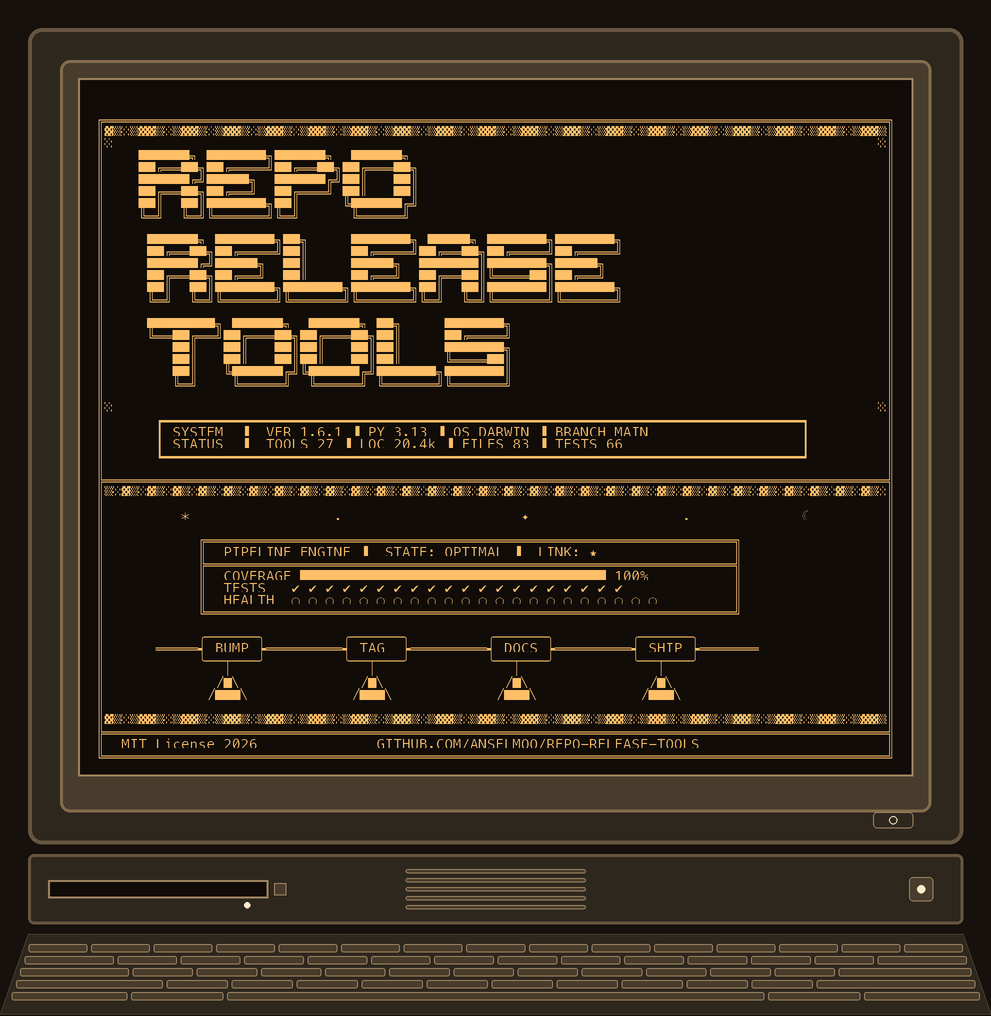
repo-release-tools keeps release policy boring in the best possible way.
Use it from GitHub Marketplace when you want CI to validate branch names, commit subjects, and changelog policy. Install it from PyPI when you want a local CLI, hook integration, version bumps, and release-branch automation.
- GitHub Marketplace action: https://github.com/marketplace/actions/repo-release-tools-policy-checks
- PyPI package: https://pypi.org/project/repo-release-tools/
- Choose your entry point
- Changelog workflows
- What the project includes
- Get your AI agent to actually use rrt
- Start with the doc that matches your task
- License
Choose your entry point
Use the GitHub Action for CI policy checks
Choose the action if you want pull requests and pushes to fail fast when a repo drifts from your release policy.
- validates branch names such as
feat/add-parser - validates Conventional Commit subjects
- validates changelog policy in CI
- optionally checks that the working tree stays clean
- can run
rrt doctoras a pre-release health gate
- uses: actions/checkout@v6
  with:
    fetch-depth: 0

- uses: Anselmoo/repo-release-tools@v1.17.0
  with:
    check-branch-name: "true"
    check-commit-subject: "true"
    check-changelog: "true"
See the full action guide: https://anselmoo.github.io/repo-release-tools/action/
See the full CLI and commands reference: https://github.com/Anselmoo/repo-release-tools/blob/main/docs/commands/rrt-cli.md
Use the Python package for local workflow automation
Choose the package if you want the developer-side tools: branch helpers, version bumps, config inspection, pre-commit hooks, and release automation. The Python package is published on PyPI and has a CI counterpart in the GitHub Action guide.
pip install repo-release-tools
rrt init
rrt branch new feat "add parser"
rrt git commit "add parser"
rrt git doctor
rrt bump patch
Or run the CLI without installing it permanently:
uvx repo-release-tools branch new feat "add parser"
If rrt is already installed and you want the bundled agent skill for Copilot,
Claude, or Codex, install it with:
rrt skill install --target copilot-local
rrt skill install --target claude-local --target codex-local
rrt skill install --target codex-global --dry-run
For basic versioning, bump and ci-version can run without [tool.rrt] by
auto-detecting repo-root pyproject.toml, package.json, Cargo.toml,
.rrt.toml, or .config/rrt.toml.
If multiple version files are found, they are updated together. Explicit config
is for the nice extras: grouped releases, changelog paths, release branches,
lock commands, generated files, and custom patterns.
Version targets also support common language/project files such as Python
(pep621, python_version), Node/JS/TS (package_json), Go (go_version),
Rust (cargo_toml), and .NET (csproj) so multi-language repositories can
keep their release versions aligned. A mcp_server_json target keeps an MCP
Registry server.json (top-level version, each package's version, and
any oci package's image tag) in sync alongside a project's primary target.
Changelog workflows
Pick the style that matches how your repository lands changes.
incremental (default) — for teams that maintain changelog entries during development.
rrt-update-unreleasedandrrt-changeloghooks stay active.- The GitHub Action resolves
changelog-strategy: autotoper-commit. rrt bumpdefaults toauto.
squash — for repositories that squash many commits into one PR merge.
- Changelog write and check hooks skip enforcement.
- The GitHub Action resolves
changelog-strategy: autotorelease-only. rrt bumpdefaults togenerate.
Minimal config:
[tool.rrt]
release_branch = "release/v{version}"
changelog_file = "CHANGELOG.md"
changelog_workflow = "incremental"  # or "squash"

[[tool.rrt.version_targets]]
path = "pyproject.toml"
kind = "pep621"
Native config is also supported in package.json ("rrt": { ... }) and
Cargo.toml ([package.metadata.rrt] / [workspace.metadata.rrt]). Go repos
should use .rrt.toml or .config/rrt.toml.
What the project includes
rrtCLI for branches, bumps, config inspection, and Git helpersrrt-hooksforpre-commit,lefthook,husky, and CI validation- a reusable GitHub Action in
action.yml - bundled agent skills for
uvxand installed-CLI workflows - docs for branch policy, hook setup, and release workflows
Get your AI agent to actually use rrt
If you use Claude Code, Copilot, Cursor, or Codex on a repository that has rrt
configured, the agent will happily reimplement what rrt already does — hand-editing a
version string in three files, inventing a branch name the pre-commit hook then rejects,
or writing a changelog entry in the wrong section. Not because it lacks the tools, but
because nothing told it these are the tools for this job.
Two things fix that. Do both.
1. Tell your agent, once, in its instruction file
Paste the block from Agent instruction snippet below into
your repository's CLAUDE.md, AGENTS.md, or .github/copilot-instructions.md. This is
the highest-leverage step by a wide margin: it is read on every session, before the agent
has formed a plan, and it costs nothing at runtime.
2. Connect the MCP server (optional, but better for anything that writes)
uv add "repo-release-tools[mcp]"
Then add .mcp.json at the repository root — Claude Code picks it up on next start:
{
  "mcpServers": {
    "rrt": { "type": "stdio", "command": "uv", "args": ["run", "rrt-mcp"] }
  }
}
With the server connected, most tools give the agent typed JSON instead of terminal
output it has to parse (the four lock readers and rrt_config return raw dicts instead),
commit subjects and branch names are passed as arguments instead of through shell
quoting, and mutating operations default to a dry-run preview. See the
MCP Server guide for
Claude Desktop, global install, and HTTP transport with bearer auth.
The MCP server does not cover everything. rrt docs map, rrt docs generate,
rrt docs publish, rrt docs inject, rrt tree --check, rrt toc, rrt changelog lint,
rrt changelog compare, rrt drift generate/check, rrt artifacts --check, every other
--snapshot write, and every rrt-hooks subcommand are CLI-only — a mixed session is
expected, not a fallback.
Prompt phrasings that work
These reliably route to rrt rather than to hand-editing:
- "Check with rrt whether this branch name will pass the hooks before you create it."
- "Use rrt to preview a minor bump — dry run — and show me every file it would touch."
- "Read the Unreleased changelog with rrt before adding an entry, so you don't duplicate one."
- "Run rrt doctor and tell me which hook integrations are missing."
- "Before you write that commit message, validate the subject with rrt."
- "What version is this repo at according to rrt?" — not "what's the version", which invites reading a random file.
- "Run rrt release check before you open the PR."
The pattern: name rrt explicitly, and name the moment ("before you create it",
"before you open the PR"). Agents route on triggers, not on capabilities.
Agent instruction snippet
## Use `rrt` for release policy

This repo uses `repo-release-tools` (`rrt`) to enforce branch naming, Conventional
Commits, changelog format, and version consistency. Do not hand-roll any of it.

Before you act, use `rrt`:

| When you are about to… | Use |
|---|---|
| create a branch | `rrt branch new <type> "<desc>"` — or validate the name first with `rrt-hooks check-branch-name --branch <candidate>` |
| write a commit message | `rrt git commit --type <type> "<description>"`, which builds and validates the subject before committing |
| change a version number anywhere | `rrt bump <level> --dry-run` first — never edit version strings by hand; pins and the changelog move with it |
| add a changelog entry | read the existing `[Unreleased]` first; it is hook-managed |
| open a PR | `rrt release check` and `rrt doctor` |

Rules:
- Every mutating `rrt` command takes `--dry-run`. Use it first, show the user the
  preview, and only apply after they confirm.
- Never edit a version string by hand in more than one file — that is what `rrt bump` is for.
- Never hand-edit the `[Unreleased]` changelog section while the rrt hooks are active.
- If `rrt` is connected over MCP, prefer the `mcp__rrt__*` tools over shelling out:
  typed responses for most tools, no shell quoting of commit subjects, and dry-run is
  the default. Shell out for anything with no MCP tool (`rrt docs map`, `rrt docs
  generate`, `rrt docs publish`, `rrt docs inject`, `rrt tree --check`, `rrt toc`,
  `rrt changelog lint`, `rrt changelog compare`, `rrt drift generate`/`check`,
  `rrt artifacts --check`, other `--snapshot` writes, `rrt-hooks *`).
- `rrt --help` lists every command. Check it before concluding rrt cannot do something.
Start with the doc that matches your task
- Docs index: https://anselmoo.github.io/repo-release-tools/
- GitHub Action: https://anselmoo.github.io/repo-release-tools/action/
- CLI reference: https://github.com/Anselmoo/repo-release-tools/blob/main/docs/commands/rrt-cli.md
- Hook setup: https://github.com/Anselmoo/repo-release-tools/blob/main/docs/commands/hooks.md
- Conventional branches: https://github.com/Anselmoo/repo-release-tools/blob/main/docs/commands/branch.md
- Git workflow helpers: https://github.com/Anselmoo/repo-release-tools/blob/main/docs/commands/git_cmd.md
- Agent skills: https://github.com/Anselmoo/repo-release-tools/blob/main/docs/commands/skill.md
- Project tree: https://github.com/Anselmoo/repo-release-tools/blob/main/docs/commands/tree.md
- Markdown TOC: https://github.com/Anselmoo/repo-release-tools/blob/main/docs/commands/toc.md
- Config health checks: https://github.com/Anselmoo/repo-release-tools/blob/main/docs/commands/doctor.md
- Runtime EOL tracking: https://github.com/Anselmoo/repo-release-tools/blob/main/docs/commands/eol_check.md
- MCP Server: https://anselmoo.github.io/repo-release-tools/mcp-server/
- Agent instructions: https://anselmoo.github.io/repo-release-tools/agent-instructions/
License
repo-release-tools is released under the MIT License.
Some workflow ideas were initially inspired by
joseluisq/gitnow, but the rrt git
surface is intentionally narrower and reshaped around conventional branching,
safe commits, and release automation.
1 maintainer

Metadata
1 maintainer
Release files for repo-release-tools 1.17.0
For a detailed explanation of source distributions (sdists) and built distributions (wheels), please see the package formats documentation.
Source distribution (sdist)
| File | Size | Uploaded | |
|---|---|---|---|
| repo_release_tools-1.17.0.tar.gz | 432.2 kB | Details |
Built distribution (wheel)
| File | Interpreter | ABI | Platform | Reset |
|---|---|---|---|---|
| repo_release_tools-1.17.0-py3-none-any.whl | Python 3 | none | any | Details |
Total release size: 973.1 kB
Release files / repo_release_tools-1.17.0.tar.gz
| Download URL | repo_release_tools-1.17.0.tar.gz |
|---|---|
| Size | 432.2 kB |
| Tags | Source |
|
SHA-256 checksum How to use checksums |
7ab3d97cd6318b177430cbedb07e4dcf4ee040936e7b14a8dc0da5d4340b1490
|
|
BLAKE2b-256 checksum How to use checksums |
629e010e0df8bfcc4ef6743b5a959b6cd4203fa7f2ea464c9318d1ca02b3363c
|
| Upload date | |
|
Uploaded using Trusted Publishing? What is trusted publishing? |
Yes |
| Uploaded via |
twine/7.0.0 CPython/3.13.14
|
Provenance
Provenance describes where a file came from. On PyPI, provenance is shared via attestations, which provide a verifiable record of the build or publishing details. View details, limitations and caveats.


PyPI Publish Attestation
PyPI verified that this artifact, at this checksum, originated from the publisher listed below.
Signed by GitHub Actions, verified by PyPI on Aug 30, 2026.
Transparency logRelease files / repo_release_tools-1.17.0-py3-none-any.whl
| Download URL | repo_release_tools-1.17.0-py3-none-any.whl |
|---|---|
| Size | 540.9 kB |
| Tags | Python 3 |
|
SHA-256 checksum How to use checksums |
a01df0d98a1ef479b3373e4619a99b4dd1ad8e54d226a3e8d0d6601798e0044b
|
|
BLAKE2b-256 checksum How to use checksums |
dd7732e3a85d1247289deec34e65a7a2a0494ddf482d637acd0bec429e899d91
|
| Upload date | |
|
Uploaded using Trusted Publishing? What is trusted publishing? |
Yes |
| Uploaded via |
twine/7.0.0 CPython/3.13.14
|
Provenance
Provenance describes where a file came from. On PyPI, provenance is shared via attestations, which provide a verifiable record of the build or publishing details. View details, limitations and caveats.
PyPI Publish Attestation
PyPI verified that this artifact, at this checksum, originated from the publisher listed below.
Signed by GitHub Actions, verified by PyPI on Aug 30, 2026.
Transparency log













