
This release is a pre-release and may not be stable for production use.
repo-traffic




GitHub shows traffic (views, clones, referrers) for the last 14 days and then deletes it. repo-traffic saves it before it goes, along with the download counts GitHub doesn't show on the Traffic tab:
- daily views and clones, with unique counts, for every repo you own
- top referrers and popular pages
- stars, forks and release asset download counts, one row per run so you get a history
- npm downloads (daily for the last 14 days, and last month) for packages you maintain
- NuGet downloads for packages you own: all time per version, and the last 6 weeks per version and per client (so you can see how much is build servers, crawlers or browsers)
- PyPI downloads (daily for the last 14 days, and last month) for projects you name
Run it at least every 13 days. Over time you build up a history GitHub doesn't keep. One Python file, standard library only; it reads GitHub through the GitHub CLI.
Install
You need Python 3.9 or later and the GitHub CLI, logged in (gh auth login) as an account with push access to the repos. GitHub only shows traffic to people who can push.
pipx install repo-traffic # or: python -m pip install --user repo-traffic
Or run it from a clone without installing anything: python repo_traffic.py. On macOS the system python3 (3.9) works.
Use
repo-traffic --owner your-login --npm-user your-npm-name --nuget-owner your-nuget-name --pypi-packages your-project
Every flag is optional. With no --owner it uses the logged-in gh account, and it skips npm, NuGet or PyPI when you don't name an account or project. To avoid typing the flags, copy repo_traffic.example.json to repo_traffic.json and fill it in.
| Flag | Config key | Default |
|---|---|---|
--owner |
owner |
the gh login |
--npm-user |
npm_user |
none (npm skipped) |
--nuget-owner |
nuget_owner |
none (NuGet skipped) |
--pypi-packages a,b |
pypi_packages (a list) |
none (PyPI skipped) |
--data |
data |
data |
--top |
top |
10 |
--config |
repo_traffic.json |
Where it looks: the repo-traffic command reads repo_traffic.json and writes data/ in the current folder; python repo_traffic.py uses the folder the script is in; with --config, the config file's folder is used instead. A relative --data is taken from that same folder, so repo-traffic --config /path/to/repo_traffic.json works from anywhere, a scheduler included. --help lists the flags, --version prints the version.
Each run prints the top-N tables and writes to the data folder:
data/
  daily.csv          one row per repo per day: views, unique views, clones, unique clones
  downloads.csv      one row per package per run
  repos.csv          one row per repo per run: private, fork, stars, forks, release downloads
  run.log            one line per run: ok, partial (a source failed) or FAILED
  snapshots/2026-10-08/
    github.json      everything the GitHub API returned
    packages.json    everything npm, NuGet and PyPI returned
    summary.md       the top-N tables as markdown
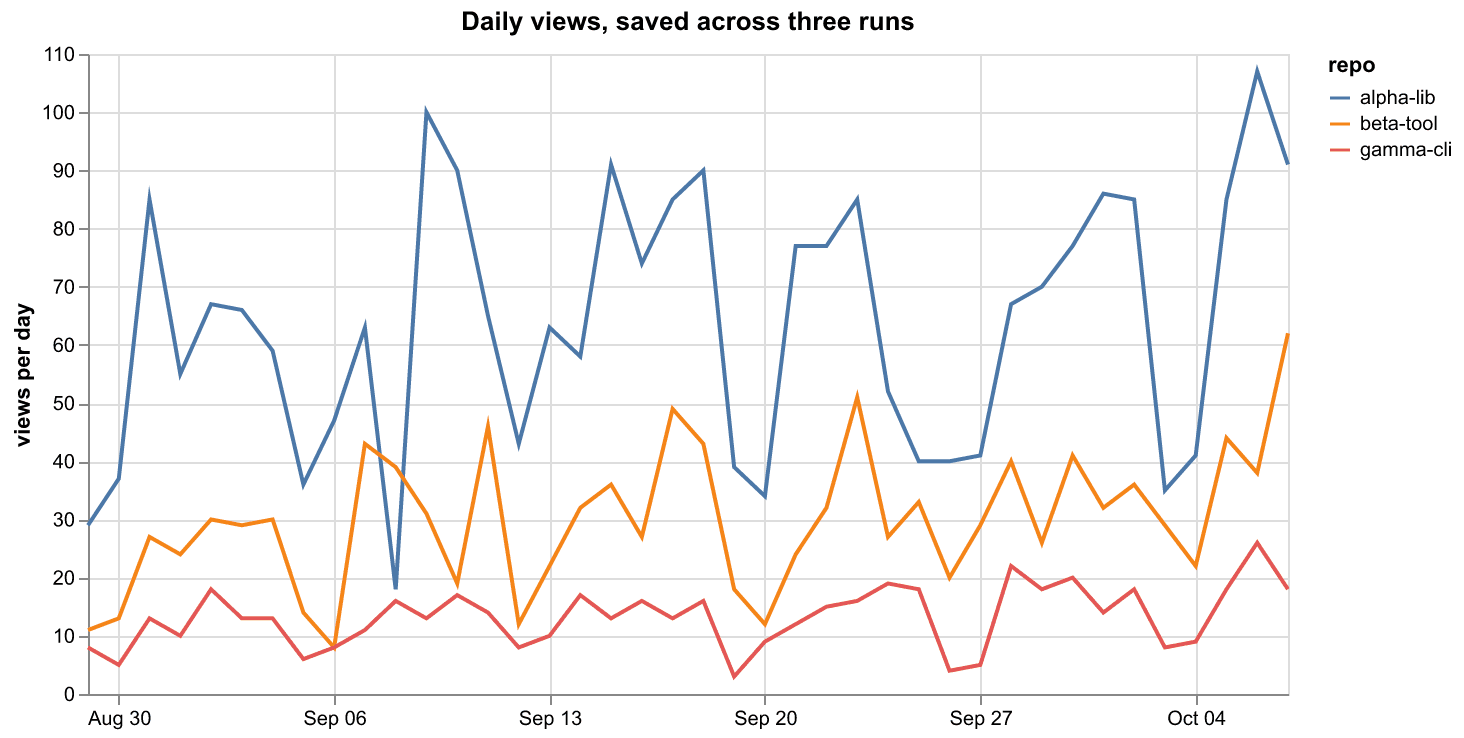
daily.csv is merged across runs, so runs that overlap don't create duplicates. The chart above is drawn from the daily.csv that three runs 13 days apart wrote for three example repos (invented data; how it was made). The other CSVs grow by one block of rows per run. The data folder can include traffic for private repos, so keep it out of public repositories; point --data at a notes vault or a private repo if you want it somewhere else.
When one source fails (npm rate-limits you, a NuGet search server is down), the run keeps everything else, says what it missed in run.log and the summary, and exits with status 1. Bad arguments exit with 2. If the last complete run is more than 14 days old, the run says how many days of GitHub traffic were lost.
Schedule it
Windows, from a clone (registers a Task Scheduler task that runs every 13 days and catches up if the PC was off):
pwsh -File install-task.ps1 # -Days 13 -At 09:00 -Name repo-traffic
macOS or Linux, with cron (cron can't count 13 days, so run it on the 1st and 15th):
0 9 1,15 * * cd /path/to/your/data-folder && "$HOME/.local/bin/repo-traffic"
cron runs with a short PATH, so give the full path to the command (command -v repo-traffic prints it) and make sure gh is on that PATH too.
The wiki has a launchd agent for macOS and a systemd timer for Linux, both of which catch up after the machine was off.
Limits
- GitHub doesn't say who viewed or cloned, and it doesn't separate bots from people. Your own CI runs count as clones.
- NuGet's search API runs on two replicas that lag behind nuget.org and disagree; one reported 0 for a package nuget.org showed 251 for. repo-traffic takes the highest of both replicas and the 6-week stats report (the JSON behind the package page's Full stats link). That report is undocumented and could change; when it fails, the 6-week figure is left empty.
- The npm stats API rate-limits bursts. repo-traffic waits a second between packages and backs off on HTTP 429 and on empty answers.
- PyPI has no API that lists a user's projects, so you name them. The counts come from pypistats.org, without mirrors.
- GitHub Pages traffic isn't available through any API, so it isn't counted.
What it does not do
It sends nothing anywhere except requests to the GitHub, npm, NuGet and pypistats.org APIs, it has no telemetry, and it writes only inside its data folder.
License
MIT
1 maintainer

Metadata
1 maintainer
Release files for repo-traffic 1.0.0b1
For a detailed explanation of source distributions (sdists) and built distributions (wheels), please see the package formats documentation.
Source distribution (sdist)
| File | Size | Uploaded | |
|---|---|---|---|
| repo_traffic-1.0.0b1.tar.gz | 13.7 kB | Details |
Built distribution (wheel)
| File | Interpreter | ABI | Platform | Reset |
|---|---|---|---|---|
| repo_traffic-1.0.0b1-py3-none-any.whl | Python 3 | none | any | Details |
Total release size: 26.8 kB
Release files / repo_traffic-1.0.0b1.tar.gz
| Download URL | repo_traffic-1.0.0b1.tar.gz |
|---|---|
| Size | 13.7 kB |
| Tags | Source |
|
SHA-256 checksum How to use checksums |
78a33313045595023ba8a0c6eb72579ac3fde2ddbfb05c59faeb1ebef9c43f28
|
|
BLAKE2b-256 checksum How to use checksums |
63b9be21640452780287b98d4eece3fb0f95aa0d4ab01145e84390952c1b4651
|
| Upload date | |
|
Uploaded using Trusted Publishing? What is trusted publishing? |
Yes |
| Uploaded via |
twine/7.0.0 CPython/3.13.14
|
Provenance
Provenance describes where a file came from. On PyPI, provenance is shared via attestations, which provide a verifiable record of the build or publishing details. View details, limitations and caveats.


PyPI Publish Attestation
PyPI verified that this artifact, at this checksum, originated from the publisher listed below.
Signed by GitHub Actions, verified by PyPI on Oct 9, 2026.
Transparency logRelease files / repo_traffic-1.0.0b1-py3-none-any.whl
| Download URL | repo_traffic-1.0.0b1-py3-none-any.whl |
|---|---|
| Size | 13.1 kB |
| Tags | Python 3 |
|
SHA-256 checksum How to use checksums |
3e6bbcd7062c436fbe049f61fdce4acf713ba3234601b309b9748af32fb2c9c1
|
|
BLAKE2b-256 checksum How to use checksums |
8f6a3aae49c91f920d7d4ae5b784bf427ba7396c7d12e007afcd058fb7b1ab54
|
| Upload date | |
|
Uploaded using Trusted Publishing? What is trusted publishing? |
Yes |
| Uploaded via |
twine/7.0.0 CPython/3.13.14
|
Provenance
Provenance describes where a file came from. On PyPI, provenance is shared via attestations, which provide a verifiable record of the build or publishing details. View details, limitations and caveats.
PyPI Publish Attestation
PyPI verified that this artifact, at this checksum, originated from the publisher listed below.
Signed by GitHub Actions, verified by PyPI on Oct 9, 2026.
Transparency log












