
reqwire: wire up Python requirements with pip-tools.

Project description





reqwire wires up your pip requirements with pip-tools.
Install
>From PyPI:
$ pip install -U reqwire
>From source:
$ pip install -e git+https://github.com/darvid/reqwire.git#egg=reqwire
Features
Manage multiple requirement source files, or tags
Add requirements from the command line (à la npm --save)
Compile tagged source files with pip-compile (from pip-tools)
Rationale
Until PEP 518 and Pipfile become reality, maintaining one or more requirements.txt files for Python projects will continue to be subject to personal preference and differing opinions on best practices [1]. Typical workflows involve maintaining multiple requirements.txt files, and many projects have some form of tooling, be it Makefile targets or external tools, such as Vincent Driessen’s excellent pip-tools.
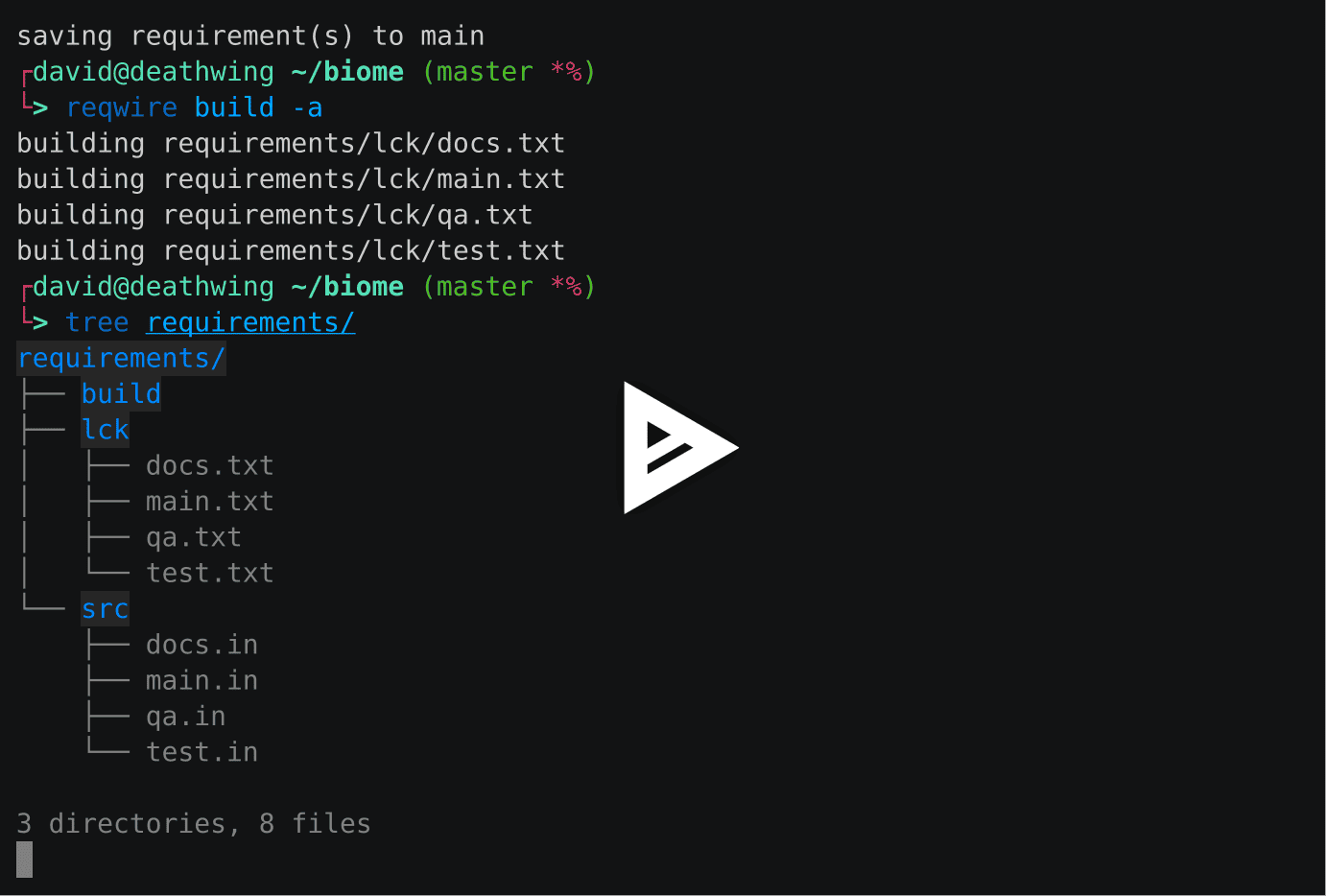
reqwire is a glorified wrapper around pip-tools, and imposes a slightly opinionated workflow:
Python requirements are split into source files and built files, with the built files being the output from pip-compile, containing pinned versions of the entire dependency graph. (Use reqwire init to quickly scaffold the necessary directory structure.)
Source files (with the .in extension) represent a project’s immediate dependencies, and are always pinned to specific versions or version ranges.
Source filenames are synonymous with tags, which can be passed to reqwire add and reqwire build to maintain requirements for entirely separate environments.
Disclaimer
reqwire makes no claims about being designed specifically for humans, bonobos, cats, or any other land mammal. This project is not farm raised, free range, organic, low sugar, MSG free, gluten free, halal, kosher, vegan, or particularly of any nutritional value whatsoever. It just wraps pip-tools and helps you manage your freakin Python requirements. ☮ 🌈
Links
Roadmap
Unit tests
Provide a command to update requirements (user-specified version)
Provide a command to freshen requirements
Provide a command to combine tags to a single output file (easily possible with pip-compile)
Provide a utility for generating setup and runtime requirements in setup.py scripts using setuptools.
Abandon in favor of Pipfile 👌
Release history Release notifications | RSS feed


Download files
Download the file for your platform. If you're not sure which to choose, learn more about installing packages.
Source Distributions
Built Distribution
Filter files by name, interpreter, ABI, and platform.
If you're not sure about the file name format, learn more about wheel file names.
Copy a direct link to the current filters
File details
Details for the file reqwire-0.1.1-py2.py3-none-any.whl.
File metadata
- Download URL: reqwire-0.1.1-py2.py3-none-any.whl
- Upload date:
- Size: 19.4 kB
- Tags: Python 2, Python 3
- Uploaded using Trusted Publishing? No
File hashes
| Algorithm | Hash digest | |
|---|---|---|
| SHA256 |
576cd3bf50b397956e55e45a47358e61d1d295c17a1017cff2d692f18a1bb6f5
|
|
| MD5 |
4f0ad048a3910610e94669bf50c86a2d
|
|
| BLAKE2b-256 |
d3a8ef263f20f6dd6aea9167cca63293ae9b8c6552558f0c5de9620b0e921d04
|






