
The Rerun Logging SDK

Project description
The Rerun Python Log SDK
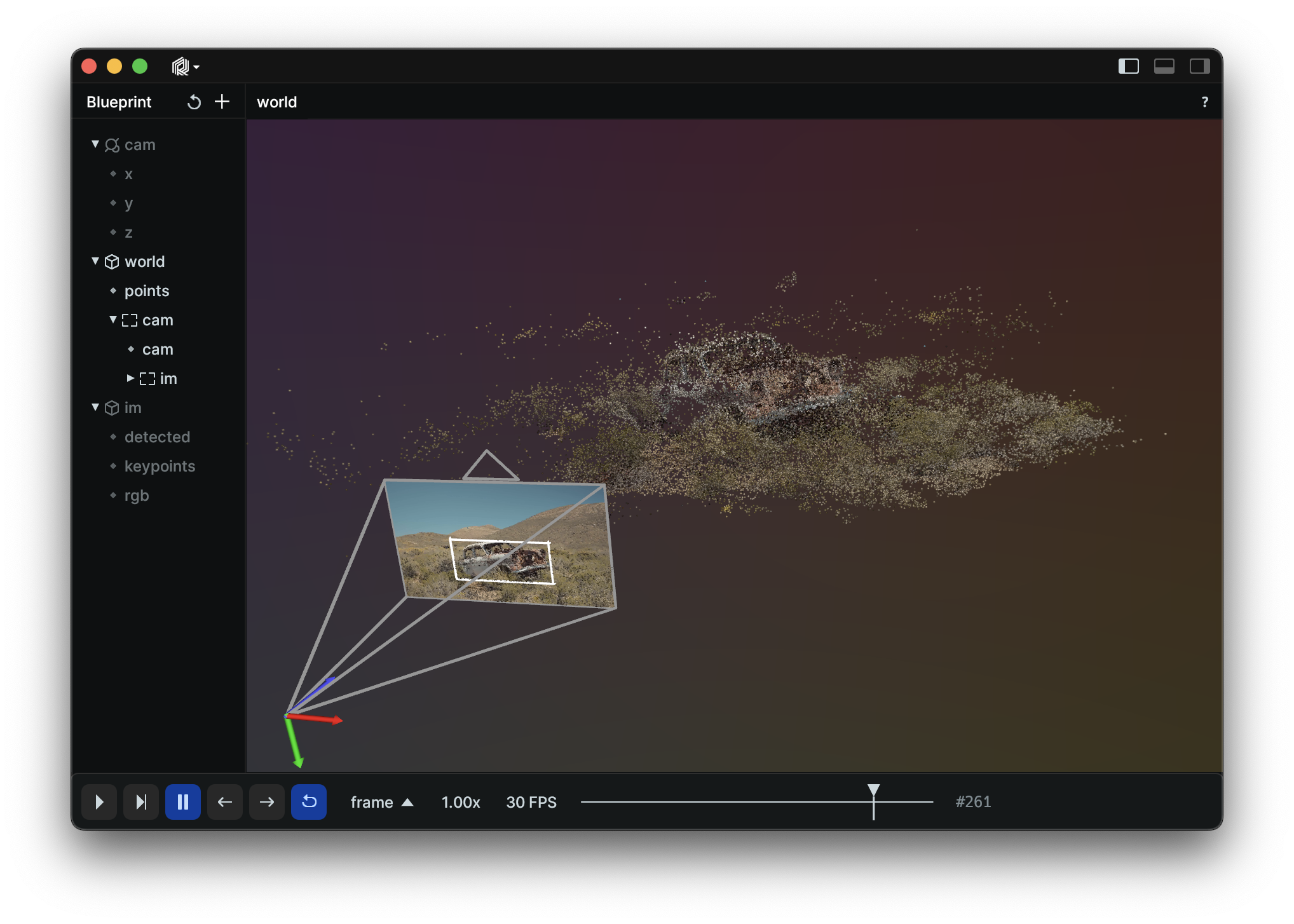
Rerun is an SDK for logging computer vision and robotics data paired with a visualizer for exploring that data over time. It lets you debug and understand the internal state and data of your systems with minimal code.
Install
pip3 install rerun-sdk
ℹ️ Note:
The Python module is called rerun, while the package published on PyPI is rerun-sdk.
Example
import rerun as rr
import numpy as np

rr.spawn()

positions = np.vstack([xyz.ravel() for xyz in np.mgrid[3 * [slice(-5, 5, 10j)]]]).T
colors = np.vstack([rgb.ravel() for rgb in np.mgrid[3 * [slice(0, 255, 10j)]]]).astype(np.uint8).T

rr.log_points("my_points", positions=positions, colors=colors)
Resources
Logging and viewing in different processes
You can run the viewer and logger in different processes.
In one terminal, start up a viewer with a server that the SDK can connect to:
python3 -m rerun
In a second terminal, run the example with the --connect option:
python3 examples/python/car/main.py --connect
From Source
Setup:
- Install the Rust toolchain: https://rustup.rs/
git clone git@github.com:rerun-io/rerun.git && cd rerun- Run
./scripts/setup_dev.sh. - Make sure
cargo --versionprints1.67.0once you are done
Building
To build from source and install Rerun into your current Python environment run:
python3 -m pip install --upgrade pip
pip3 install -r rerun_py/requirements-build.txt
pip3 install "./rerun_py"
ℹ️ Note:
If you are unable to upgrade pip to version >=21.3, you need to pass --use-feature=in-tree-build to the pip3 install command.
Development
To set up a new virtualenv for development:
just py-dev-env
# For bash/zsh users:
source venv/bin/activate
# Or if you're using fish:
source venv/bin/activate.fish
Build, test, and run
For ease of development you can build and install in "editable" mode. This means you can edit the rerun Python code without having to re-build and install to see changes.
# Build the SDK and install in develop mode into the virtualenv
# Re-run this if the Rust code has changed!
just py-build
Test
# Run the unit tests
just py-test

# Run the linting checks
just py-lint

# Run an example
python examples/python/car/main.py
Building an installable Python Wheel
The Python bindings to the core Rust library are built using https://github.com/PyO3/pyo3.
To build an installable Python wheel run:
pip install -r rerun_py/requirements-build.txt
maturin build -m rerun_py/Cargo.toml --release
By default the wheels will be built to target/wheels (use the -o flag to set a different output directory).
Now you can install rerun in any Python3 environment using:
pip3 install target/wheels/*.whl
Viewing the docs locally
The rerun python docs are generated using mkdocs
Install the doc requirements:
pip install -r rerun_py/requirements-doc.txt
Serve the docs:
mkdocs serve -f rerun_py/mkdocs.yml -w rerun_py
or
just py-docs-serve
For information on how the docs system works, see: docs/docs.md
Troubleshooting
You can run with RUST_LOG=debug to get more output out of the rerun SDK.
If you are using an Apple-silicon Mac, make sure rustc -vV outputs host: aarch64-apple-darwin. If not, this should fix it:
rustup set default-host aarch64-apple-darwin && rustup install 1.67
If you want to switch back, this is how:
rustup set default-host x86_64-apple-darwin && rustup install 1.67
Release history Release notifications | RSS feed


Download files
Download the file for your platform. If you're not sure which to choose, learn more about installing packages.
Source Distributions
Built Distributions
Filter files by name, interpreter, ABI, and platform.
If you're not sure about the file name format, learn more about wheel file names.
Copy a direct link to the current filters
File details
Details for the file rerun_sdk-0.3.1-cp38-abi3-win_amd64.whl.
File metadata
- Download URL: rerun_sdk-0.3.1-cp38-abi3-win_amd64.whl
- Upload date:
- Size: 22.0 MB
- Tags: CPython 3.8+, Windows x86-64
- Uploaded using Trusted Publishing? No
- Uploaded via: maturin/0.14.15
File hashes
| Algorithm | Hash digest | |
|---|---|---|
| SHA256 |
10be193cd4a2a858437bcdb870d98873f92240dbeb11fea2f0a470b857f4be38
|
|
| MD5 |
f584a6f6997983b30fd3006190f94be5
|
|
| BLAKE2b-256 |
aa5fd05fecf4c6839a26ad3ebb57609ab11591cf11d6e4c5a7843a55870a5541
|
File details
Details for the file rerun_sdk-0.3.1-cp38-abi3-manylinux_2_31_x86_64.whl.
File metadata
- Download URL: rerun_sdk-0.3.1-cp38-abi3-manylinux_2_31_x86_64.whl
- Upload date:
- Size: 36.9 MB
- Tags: CPython 3.8+, manylinux: glibc 2.31+ x86-64
- Uploaded using Trusted Publishing? No
- Uploaded via: maturin/0.14.15
File hashes
| Algorithm | Hash digest | |
|---|---|---|
| SHA256 |
2807368a48ae93d062f6bab0c1961346c73a98441d7e2196c9b6562e0124ef1d
|
|
| MD5 |
3b5c45164c9e2ea2496df29dd9c9035f
|
|
| BLAKE2b-256 |
8725c1a1f4c760b8389b275ad2f67a8b69d942b91ea92904c20156334c7746cd
|
File details
Details for the file rerun_sdk-0.3.1-cp38-abi3-macosx_11_0_arm64.whl.
File metadata
- Download URL: rerun_sdk-0.3.1-cp38-abi3-macosx_11_0_arm64.whl
- Upload date:
- Size: 22.4 MB
- Tags: CPython 3.8+, macOS 11.0+ ARM64
- Uploaded using Trusted Publishing? No
- Uploaded via: maturin/0.14.15
File hashes
| Algorithm | Hash digest | |
|---|---|---|
| SHA256 |
c080d316ca0e39583a71114c25c5e5e8a8720b76e0bedf2edb7880f3882ab6a9
|
|
| MD5 |
62b3e1da8f84eaeb63d2691f87fe2194
|
|
| BLAKE2b-256 |
21afb141a4c8987664813a516f19ec40bf7ca30c423995bb16fc79c3b7874932
|
File details
Details for the file rerun_sdk-0.3.1-cp38-abi3-macosx_10_7_x86_64.whl.
File metadata
- Download URL: rerun_sdk-0.3.1-cp38-abi3-macosx_10_7_x86_64.whl
- Upload date:
- Size: 23.3 MB
- Tags: CPython 3.8+, macOS 10.7+ x86-64
- Uploaded using Trusted Publishing? No
- Uploaded via: maturin/0.14.15
File hashes
| Algorithm | Hash digest | |
|---|---|---|
| SHA256 |
6d6e390a0a3fafab98fdf8bcf6e8ed6be94eaca05e1df25be82e6a2d0ef95f2e
|
|
| MD5 |
921dcef1541a9db689acea0cf9055832
|
|
| BLAKE2b-256 |
338f0b95bfc8c65f7f9adc58302c038c56fc01ea6a843a0fad1a4a9b51dc2810
|






