
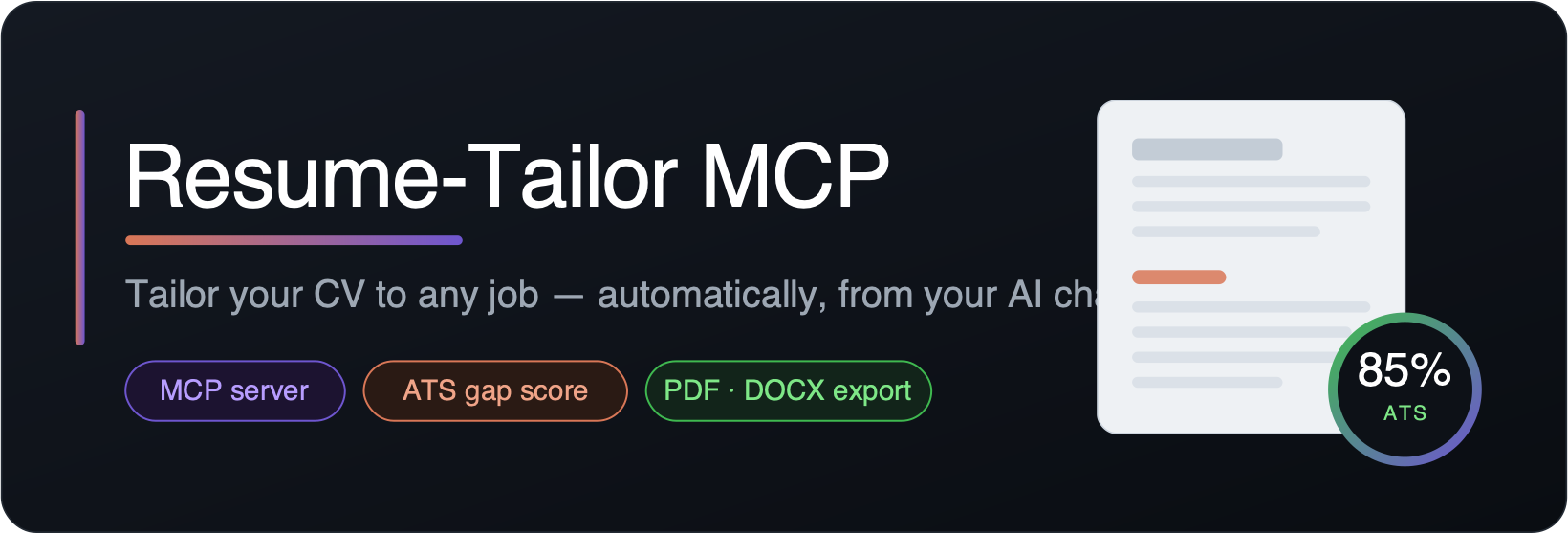
An open-source Model Context Protocol server that gives Claude Desktop (or any MCP client) a persistent master résumé, a real ATS keyword score, and clean PDF / DOCX export.






🌐 View the live site →
Quick start · Tools · How it works · Contributing · Releases
You: "Here's a job link — tailor my CV and export a PDF."
Claude reads the posting and your master CV, rewrites it to match, checks the ATS keyword score, and hands you a clean file ready to send.
Table of Contents
- Why this exists
- How it works
- Tools
- Installation
- Connect to Claude Desktop
- Usage
- Configuration
- ATS-safe export
- Contributing
- License
Why this exists
Claude can already rewrite a CV in a normal chat. This MCP is worth installing for the three things a plain chat can't do:
| Feature | What it gives you |
|---|---|
| Persistent master CV | Stored locally as JSON. Set it up once, reuse it for every job. |
| Real ATS gap score | Deterministic keyword math — not vibes. Tells you exactly which keywords you're missing. |
| Clean file export | ATS-safe PDF / DOCX: single column, standard fonts, real selectable text. |
How it works
 load_master_resume ─┐                                                  ┌─►  export_resume
                     ├─►  Claude rewrites the CV  ─►  ats_gap_check  ─►──┤
 fetch_job_posting ─►│                                     ▲            └─►  export_cover_letter
 extract_keywords ───┘─────────────────────────────────────┘
- Load your master CV —
load_master_resume - Analyze the job —
fetch_job_posting→extract_keywords - Rewrite — Claude rewrites the CV to honestly surface the missing keywords
- Check the rewrite —
ats_gap_check(did the score go up?) - Export —
export_resume→ a clean PDF or DOCX - Cover letter (optional) —
export_cover_letter→ a matching PDF or DOCX
Tools
| Tool | Purpose |
|---|---|
save_master_resume |
Store/update the base CV (structured JSON: contact, summary, experience, projects, skills, education). |
load_master_resume |
Return the stored master CV so Claude can work from it. |
fetch_job_posting |
Fetch a job URL → clean text. Falls back to pasted text if the site is blocked or login-walled. |
extract_keywords |
Deterministically pull the ranked skills/tools an ATS scans for. |
ats_gap_check |
Compare a CV against the job keywords → match score (%) + the exact missing terms. |
export_resume |
Render finished CV content (markdown or JSON) → a clean PDF or DOCX. Returns the file path. |
export_cover_letter |
Render a finished cover letter → a matching PDF or DOCX. Optionally adds a letterhead (name + contact) from the master CV. Returns the file path. |
Installation
Option A — install from PyPI (recommended)
pip install resume-tailor-mcp # or: uvx resume-tailor-mcp
That installs a resume-tailor-mcp command that runs the MCP server.
Option B — from source
git clone git@github.com:NmaaAlhawary/MCP-Resume-Tailor.git
cd MCP-Resume-Tailor

python3 -m venv .venv
source .venv/bin/activate          # fish: source .venv/bin/activate.fish
pip install -r requirements.txt
Smoke-test that all seven tools register:
python -c "import asyncio, server; print([t.name for t in asyncio.run(server.mcp.list_tools())])"
Connect to Claude Desktop
Add this to your claude_desktop_config.json
(~/Library/Application Support/Claude/claude_desktop_config.json on macOS).
If you installed from PyPI (simplest — uvx fetches and runs it):
{
  "mcpServers": {
    "resume-tailor": {
      "command": "uvx",
      "args": ["resume-tailor-mcp"],
      "env": { "RESUME_STORE_PATH": "~/.resume-mcp/master.json" }
    }
  }
}
If you installed from source, point at your venv's Python and server.py:
{
  "mcpServers": {
    "resume-tailor": {
      "command": "/absolute/path/to/MCP-Resume-Tailor/.venv/bin/python",
      "args": ["/absolute/path/to/MCP-Resume-Tailor/server.py"],
      "env": { "RESUME_STORE_PATH": "~/.resume-mcp/master.json" }
    }
  }
}
Restart Claude Desktop — the seven tools appear under the tools menu.
Usage
First-time setup — store your master CV (once)
Copy master.template.json, fill in your details, then ask Claude:
"Save this as my master resume: (paste the JSON)"
Claude calls save_master_resume and it persists at RESUME_STORE_PATH.
Everyday flow — tailor to a job
You: Here's a job link — tailor my CV for it and export a PDF:
https://example.com/careers/senior-frontend
Behind the scenes Claude runs:
1. load_master_resume() → your stored CV
2. fetch_job_posting(url="…/senior-frontend") → clean job text
3. extract_keywords(job_text) → ["REST APIs", "GraphQL", "TypeScript",
"Docker", "AWS", "Next.js", "CI/CD", …]
4. ats_gap_check(resume_text, keywords) → { match_score: 20.0,
missing: ["GraphQL","Docker","AWS",…] }
5. ── Claude rewrites the CV to surface real, matching skills ──
6. ats_gap_check(new_resume_text, keywords) → { match_score: 85.0 }
7. export_resume(content=<rewritten>, format="pdf")
→ { path: "~/.resume-mcp/exports/….pdf" }
8. export_cover_letter(content=<letter>, format="pdf")
→ { path: "~/.resume-mcp/exports/…_cover_letter.pdf" }
Claude: Tailored your CV — keyword match went from 20% → 85%. I added your Docker/AWS and testing experience to match their stack, and drafted a matching cover letter. Exported here:
~/.resume-mcp/exports/Jane_Developer_….pdf~/.resume-mcp/exports/Jane_Developer_…_cover_letter.pdf
Configuration
| Env var | Default | Purpose |
|---|---|---|
RESUME_STORE_PATH |
~/.resume-mcp/master.json |
Where the master CV JSON lives. Exports go to exports/ next to it. |
Everything runs locally. No secrets, no external accounts.
Safety & robustness
- SSRF-guarded fetching —
fetch_job_postingonly followshttp/httpsURLs to public hosts. Requests tolocalhost, private/LAN ranges, or cloud metadata (169.254.169.254) are refused, and redirects are re-checked on every hop. Downloads are capped at ~3 MB. - Synonym-aware ATS scoring — the gap check treats common equivalents as a match (e.g.
K8s↔Kubernetes,JS↔JavaScript,Postgres↔PostgreSQL), so scores reflect real coverage. - Unicode-safe PDFs — a bundled Unicode font renders accented names (
José,résumé) correctly instead of empty boxes. - Master-CV backup — saving over an existing master CV first writes a
.bakcopy.
ATS-safe export
- Single column — no text boxes or multi-column tricks that break ATS parsers
- Standard fonts (Calibri for DOCX, a Unicode sans for PDF)
- Real, selectable text — never image-rendered
- Plain headings and bullet lists that map cleanly to resume sections
Contributing
Contributions of any size are welcome. The quickest way in: fork the repo, make your change, and open a pull request.
# 1. Fork on GitHub, then clone your fork
git clone git@github.com:YOUR-USERNAME/MCP-Resume-Tailor.git
cd MCP-Resume-Tailor

# 2. Set up and branch
python3 -m venv .venv && source .venv/bin/activate
pip install -r requirements.txt
git checkout -b my-improvement

# 3. Change, commit, push
git commit -am "Describe your change"
git push origin my-improvement

# 4. Open a Pull Request on GitHub
Great first contributions: add skills to KNOWN_TERMS / KNOWN_PHRASES in
server.py, filter a filler word in STOPLIST, or improve the export layout.
See CONTRIBUTING.md for the full step-by-step guide.
License
Released under the MIT License. By contributing, you agree your contributions are licensed under the same terms.
Built by Nmaa Hawary · If this helped, consider giving it a star.
1 maintainer

Metadata
1 maintainer
Release files for resume-tailor-mcp 0.1.1
For a detailed explanation of source distributions (sdists) and built distributions (wheels), please see the package formats documentation.
Source distribution (sdist)
| File | Size | Uploaded | Provenance | Actions |
|---|---|---|---|---|
| resume_tailor_mcp-0.1.1.tar.gz | 135.5 kB | With provenance | Details for resume_tailor_mcp-0.1.1.tar.gz |
Built distribution (wheel)
| File | Interpreter | ABI | Platform | Actions Reset |
|---|---|---|---|---|
| resume_tailor_mcp-0.1.1-py3-none-any.whl | Python 3 | none | any | Details for resume_tailor_mcp-0.1.1-py3-none-any.whl |
Total release size: 154.2 kB
Release files / resume_tailor_mcp-0.1.1.tar.gz
| Download URL | resume_tailor_mcp-0.1.1.tar.gz |
|---|---|
| Size | 135.5 kB |
| Tags | Source |
|
SHA-256 checksum How to use checksums |
27ea6de5ac702f05eabec4c572808ef6d082e632e28556c0857f6d63c62e275d
|
|
BLAKE2b-256 checksum How to use checksums |
34ea7f31ca6261f0f42fcab2543bcc6947f10a9c51e9a1430ce8e4abaa56604d
|
| Upload date | |
|
Uploaded using Trusted Publishing? What is trusted publishing? |
Yes |
| Uploaded via |
twine/6.1.0 CPython/3.13.12
|
Provenance
Provenance describes where a file came from. On PyPI, provenance is shared via attestations, which provide a verifiable record of the build or publishing details. View details, limitations and caveats.


PyPI Publish Attestation
PyPI verified that this artifact, at this checksum, originated from the publisher listed below.
Signed by GitHub Actions, verified by PyPI on Jul 16, 2026.
Transparency logRelease files / resume_tailor_mcp-0.1.1-py3-none-any.whl
| Download URL | resume_tailor_mcp-0.1.1-py3-none-any.whl |
|---|---|
| Size | 18.7 kB |
| Tags | Python 3 |
|
SHA-256 checksum How to use checksums |
034c3c9392a1b4b0cf42f8d6270e90ba3d8a7dd5875c6de5211bfa1ddac320a4
|
|
BLAKE2b-256 checksum How to use checksums |
c55059beb678375d1e950496c1d228dc52ba38acbeb542fd3393741dbd696312
|
| Upload date | |
|
Uploaded using Trusted Publishing? What is trusted publishing? |
Yes |
| Uploaded via |
twine/6.1.0 CPython/3.13.12
|
Provenance
Provenance describes where a file came from. On PyPI, provenance is shared via attestations, which provide a verifiable record of the build or publishing details. View details, limitations and caveats.
PyPI Publish Attestation
PyPI verified that this artifact, at this checksum, originated from the publisher listed below.
Signed by GitHub Actions, verified by PyPI on Jul 16, 2026.
Transparency logSecurity for resume-tailor-mcp 0.1.1
Provenance
Provenance describes where a file came from. On PyPI, provenance is shared via attestations, which provide a verifiable record of the build or publishing details. View details, limitations and caveats.
Full provenance
All 2 files in this release have been uploaded with provenance metadata.
Attestation for resume_tailor_mcp-0.1.1.tar.gz
PyPI Publish Attestation
PyPI verified that this artifact, at this checksum, originated from the publisher listed below.
Signed by GitHub Actions, verified by PyPI on Jul 16, 2026.
Transparency logA note on package security
PyPI is a repository for distributing packages, not a service for auditing them. While third-party security researchers and our staff do their best to detect and remove malicious packages, PyPI cannot guarantee the quality, security or suitability of any given package.
To learn more about protecting yourself from malicious actors, visit our package security documentation.














