







retrain-pipelines simplifies the creation and management of machine learning retraining pipelines. The package is designed to remove the complexity of building end-to-end ML retraining pipelines, allowing users to focus on their data and model-architecture. With pre-built, highly adaptable pipeline examples that work out of the box, users can easily integrate their own data and begin retraining models with minimal-to-no setup.
Getting Started
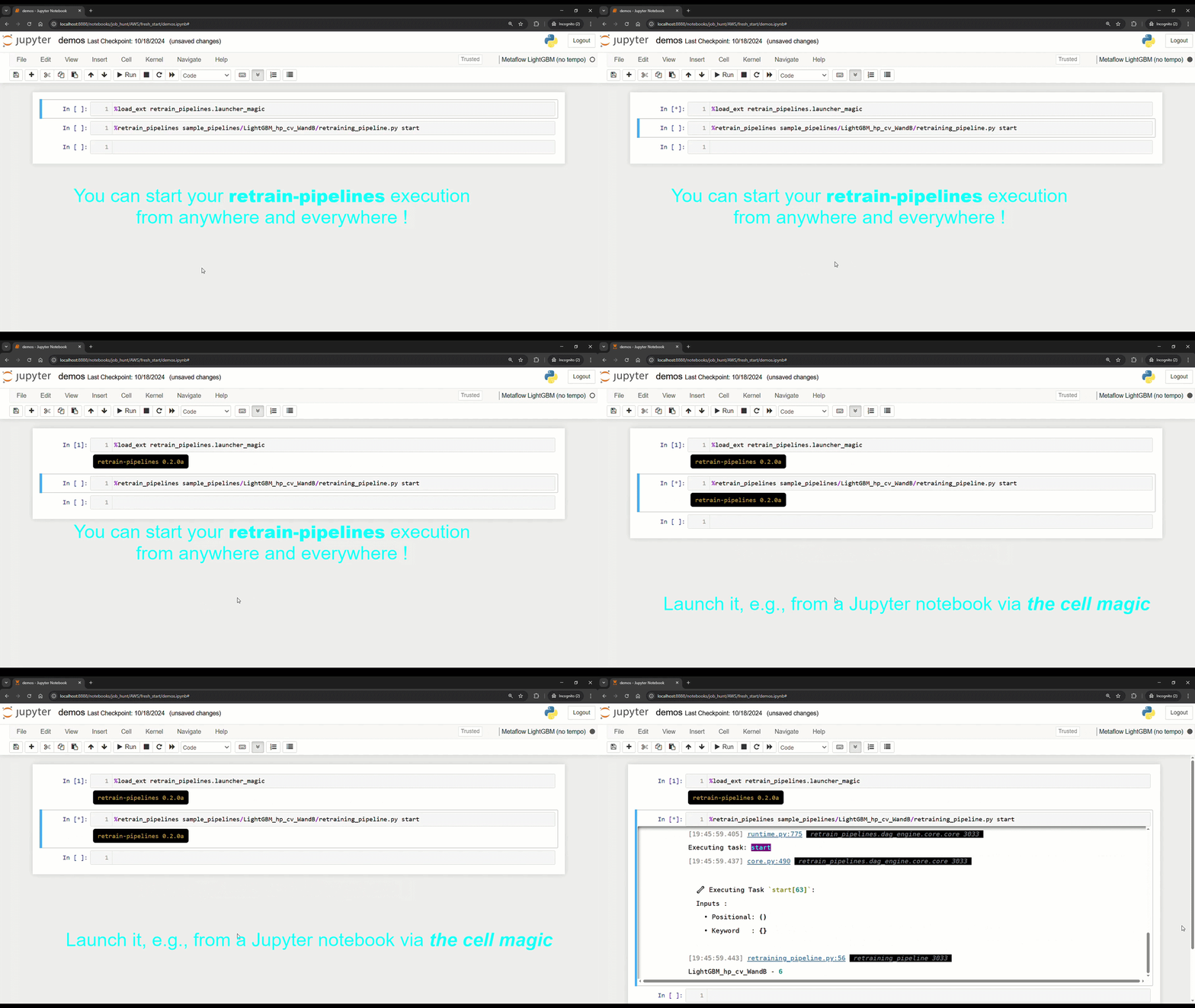
You can trigger a retrain-pipelines launch from many different places.
You can launch a local instance of the WebConsole from the cli :
pip install retrain-pipelines[local]
webconsole_start
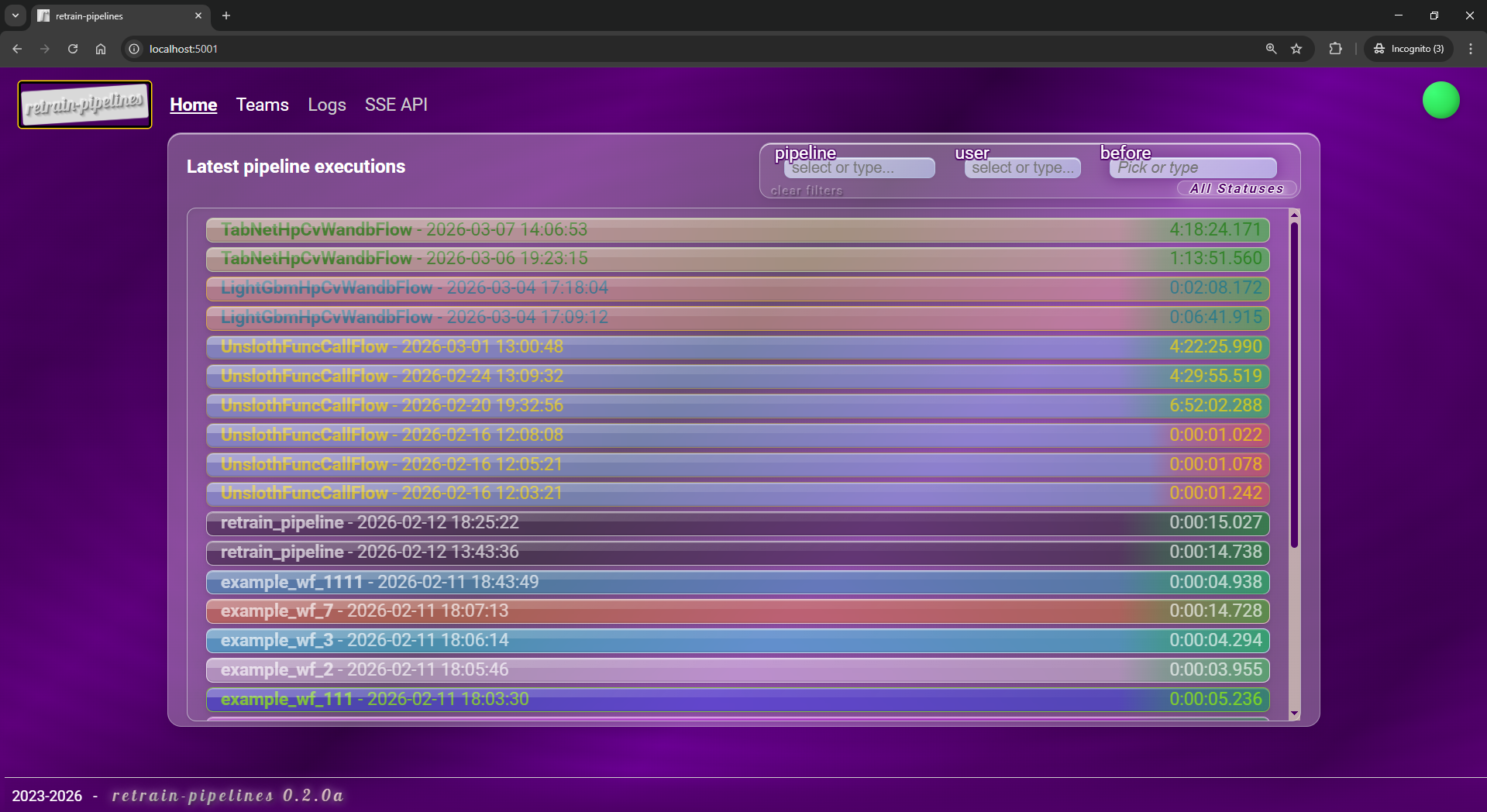
Key features of retrain-pipelines include :
- Model version blessing: Automatically compare the performance of retrained models against previous best versions to ensure only superior models are deployed.
- Infrastructure validation: Each retraining pipeline includes inference pipeline packaging, local Docker container deployment, and request/response validation to ensure that models are production-ready.
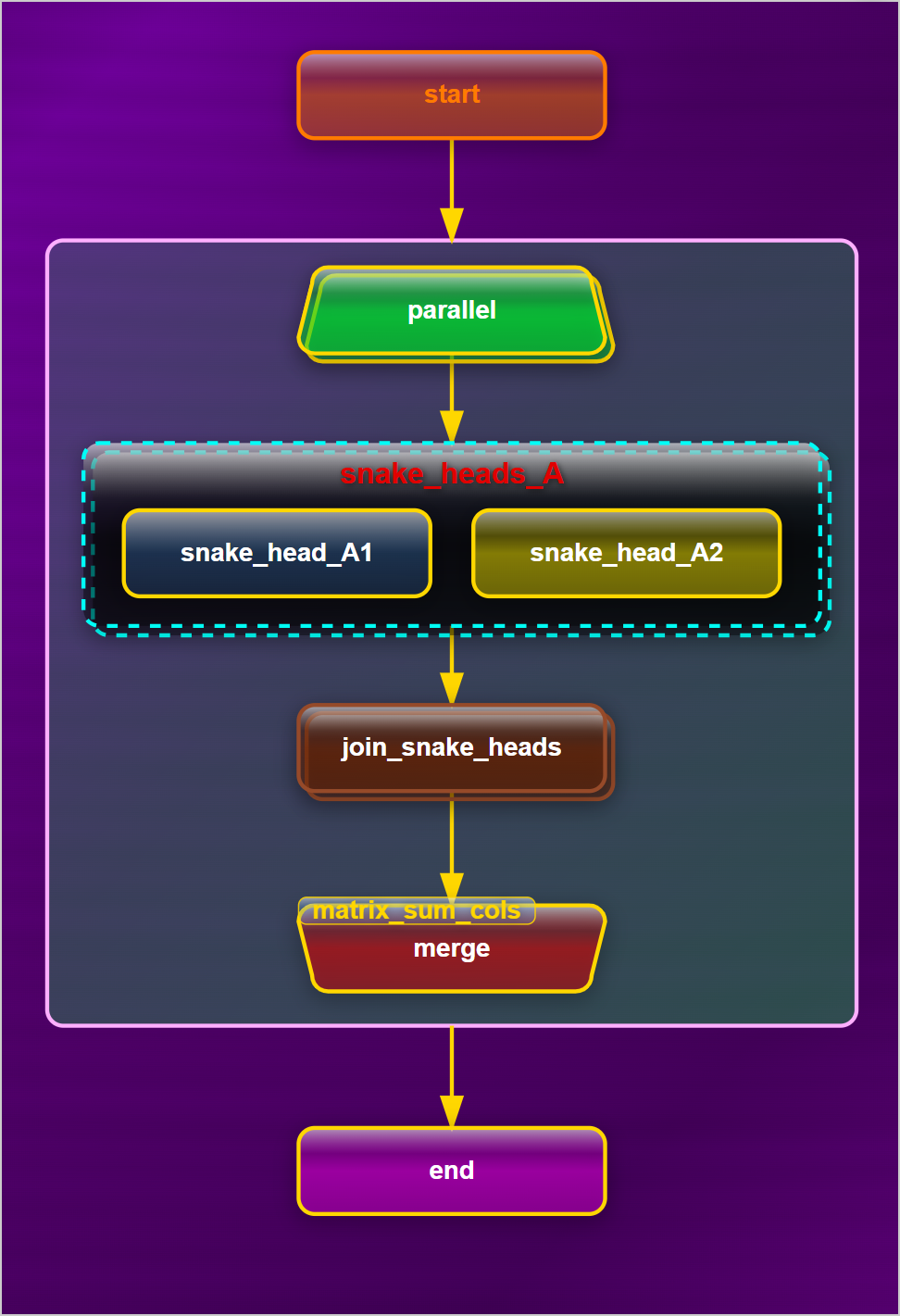
- Comprehensive documentation: Every retraining pipeline is fully documented with sections covering Exploratory Data Analysis (EDA), hyperparameter tuning, retraining steps, model performance metrics, and key commands for retrieving training artifacts. Additionally, DAG information for the retraining process is readily available for pipeline transparency and debugging.
In essence, retrain-pipelines offers a seamless solution: "Come with your data and it works" with the added benefit of flexibility for more advanced users to adjust and extend pipelines as needed.
Customizability & Adaptability
retrain-pipelines offers a high degree of flexibility, allowing users to tailor the pre-shipped pipelines to their specific needs:
- Custom Preprocessing Functions : Users can provide their own Python functions for custom data preprocessing. For example, some built-in pipelines for tabular data allow optional bucketization of numerical features by name, but you can easily modify or extend these preprocessing steps to suit your dataset and feature requirements.
- Custom Pipeline Card Generation : You can specify custom Python functions to generate pipeline cards, such as including specific performance charts or metrics relevant to your use case.
- Custom HTML Templates : For further personalization,
retrain-pipelinessupports customizable HTML templates, enabling you to adjust formatting, insert specific charts, change page colors, or even add your company's logo to documentation pages.
retrain-pipelines doesn't just streamline the retraining process, it empowers teams to innovate faster, iterate smarter, and deploy more robust models with confidence. Whether you're looking for an out-of-the-box solution or a highly customizable pipeline, retrain-pipelines is your ultimate companion for continuous model improvement.

https://hf.co/retrain-pipelines
Sample pipelines
the retrain-pipelines package comes with off-the-shelf Machine Learning retraining pipelines. Find them at /sample_pipelines. For instance :
| modality | task | model lib | Serving | |
|---|---|---|---|---|
| text, NLP | function calling | Unsloth  / Qwen 2.5 / Qwen 2.5  |
LitServe  |
starter-kit |
| Tabular | regression | Dask  / LightGBM / LightGBM  |
ML Server  |
starter-kit |
| Tabular | classification | Pytorch  / TabNet / TabNet |
TorchServe |
starter-kit |
You can simply give one of those your data and it just runs. The only manual change you need to do is regarding the endpoint request & serving signatures, since it is purposely hard-coded.
Indeed, the infra_validator step is here to ensure that your inference pipeline (the one you're working on building a continuous-retraining automation for) keeps adhering to the schema expected by consumers of the inference endpoint. So, if you break the format of the required input raw data, you need to create a somehow new retraining pipeline and assign it a new unique name. This is to ensure that any interface disruption between the inference endpoint and its consumer(s) is intentional.
some important markers
One of the things that make retrain-pipelines stand is its focus on strong MLOps fundamentals.
model blessing 🔽
retrain-pipelines cares for the newly-retrained model version to be evaluated against the previous model versions from that retraining pipeline. We indeed ensure that no lesser-performing model ever gets into production.Default sample pipelines each come with certain built-in evaluation criteria but, you can customize those per your own requirement. You can for instance choose to include evaluation of model performance on a particular sub-population, so as to serve as a gateway against potential incoming biases.
infrastructure validation 🔽
retrain-pipelines cares for the inference endpoint to be tested prior to deployment. We pack the preprocessing engine together with the newly retrained (and blessed) model version with the ML-server of choice and deploy it locally. We then send an inference request to that temp endpoint and check for a200 http-ok response with a valid payload format.
pipeline cards 🔽
retrain-pipelines is strongly opinionated around ease of quick-access to information ML-engineers care for when it comes to retraining and serving.That's why it offers a central place and minimal amounts of clicks to navigate efficiently.
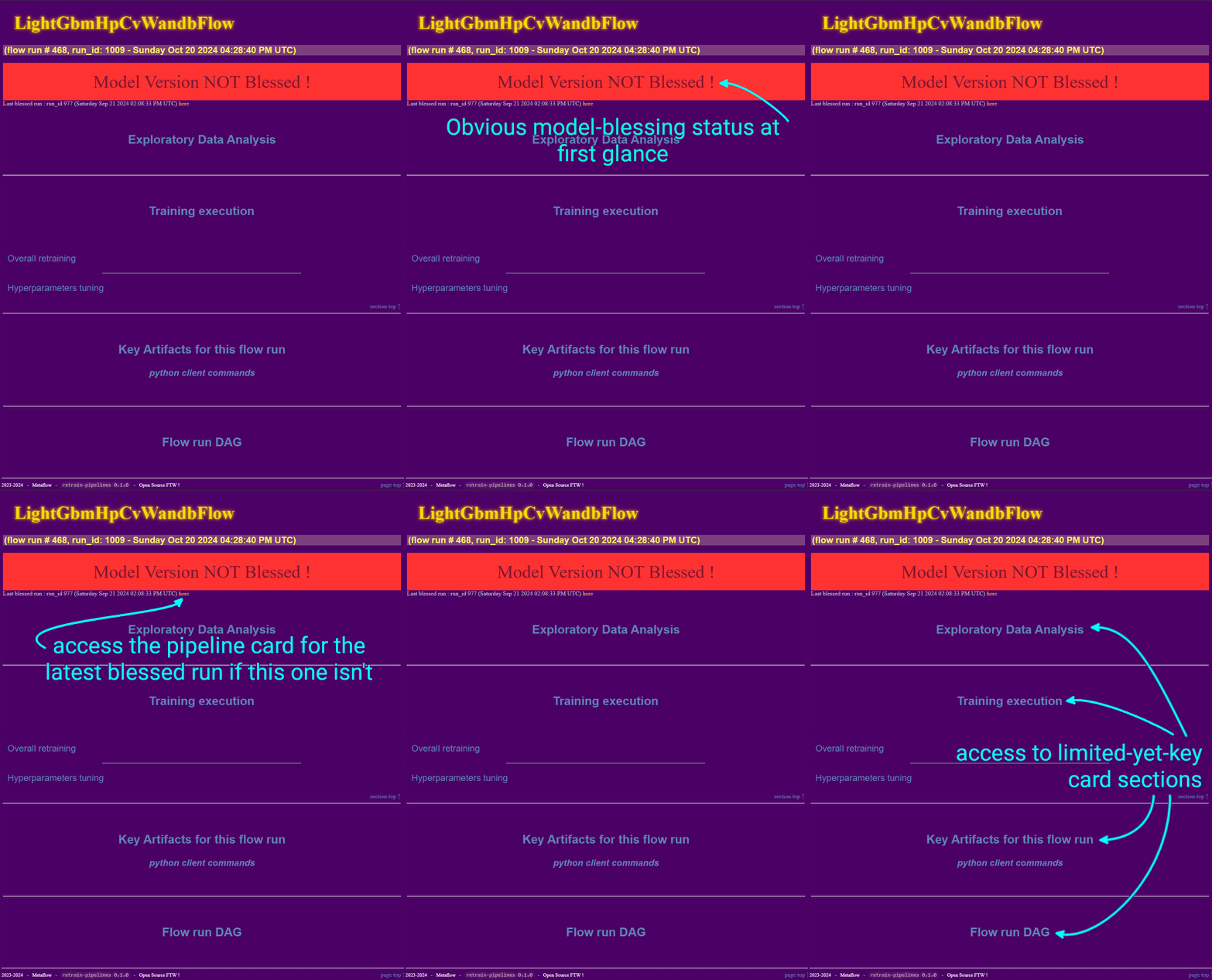 overview |
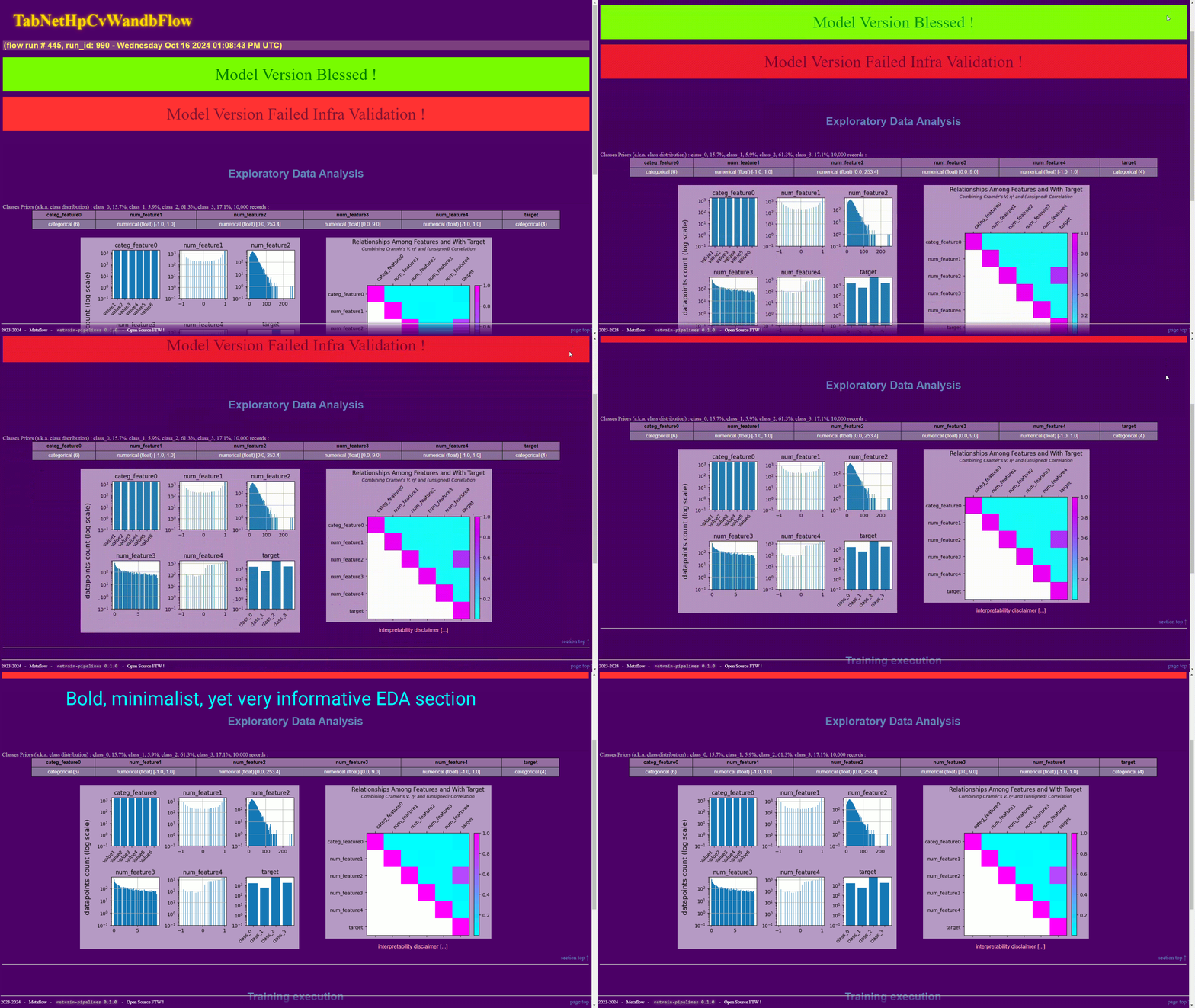 EDA |
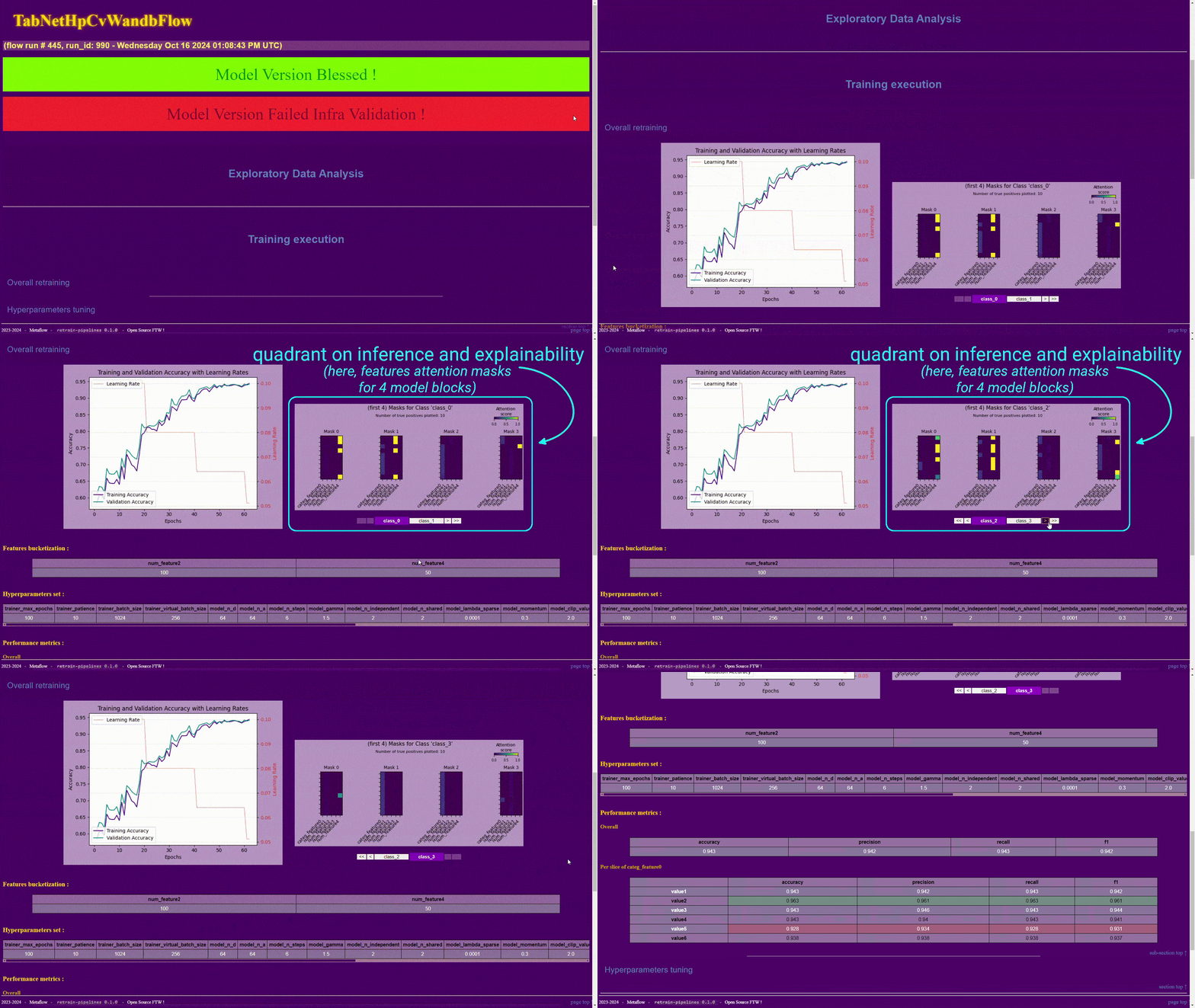 overall retraining |
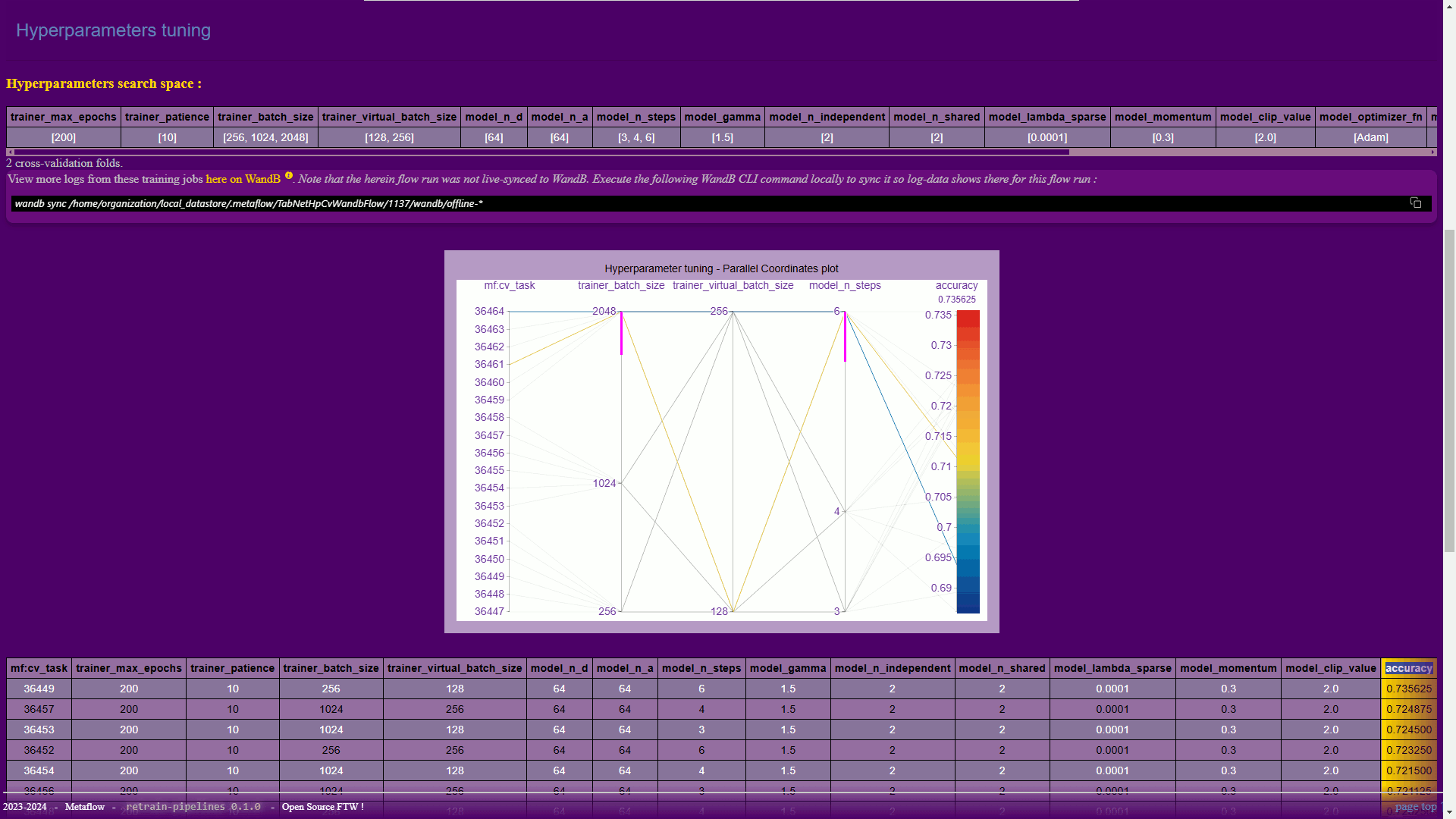 hyperparameter tuning |
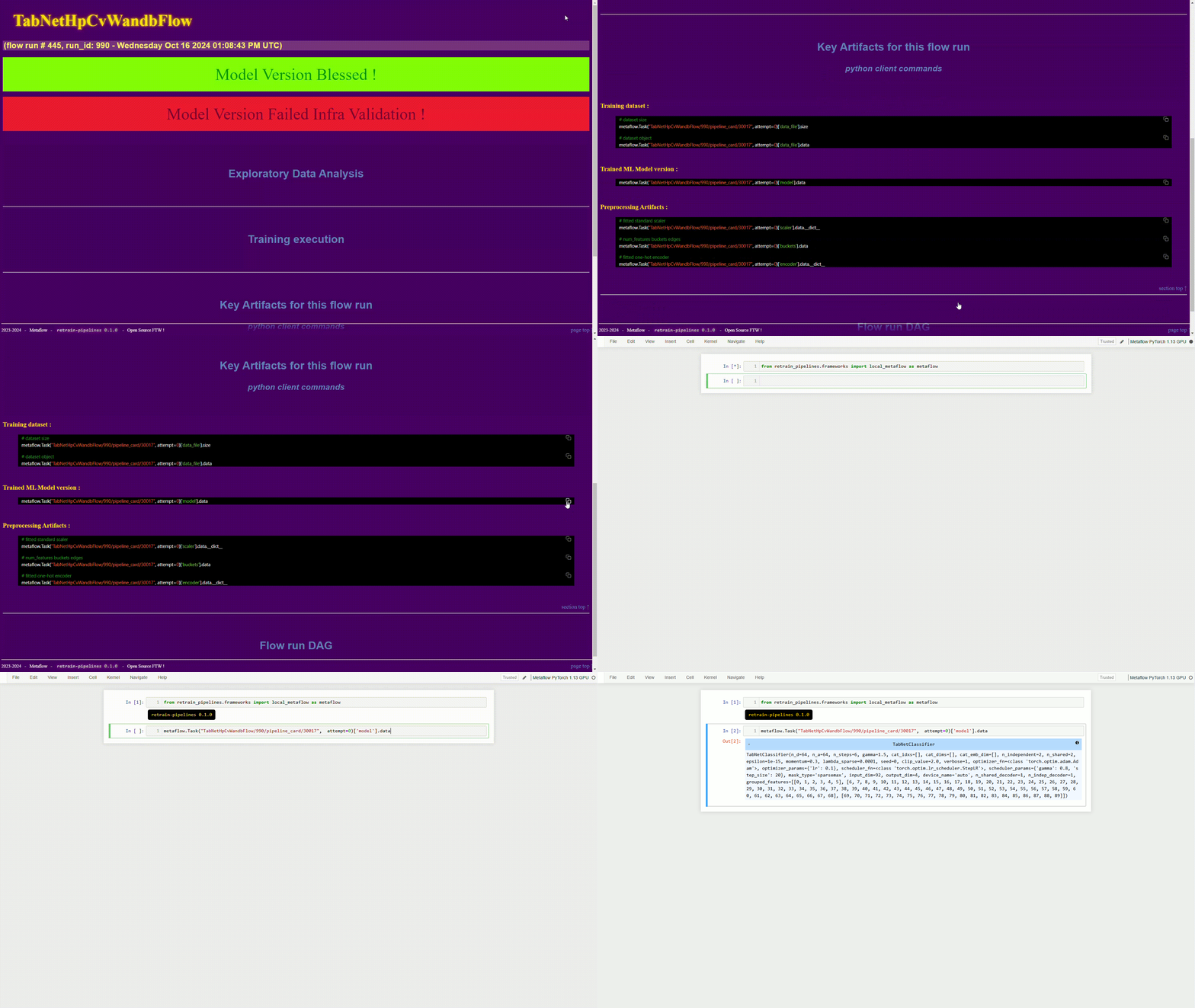 key artifacts |
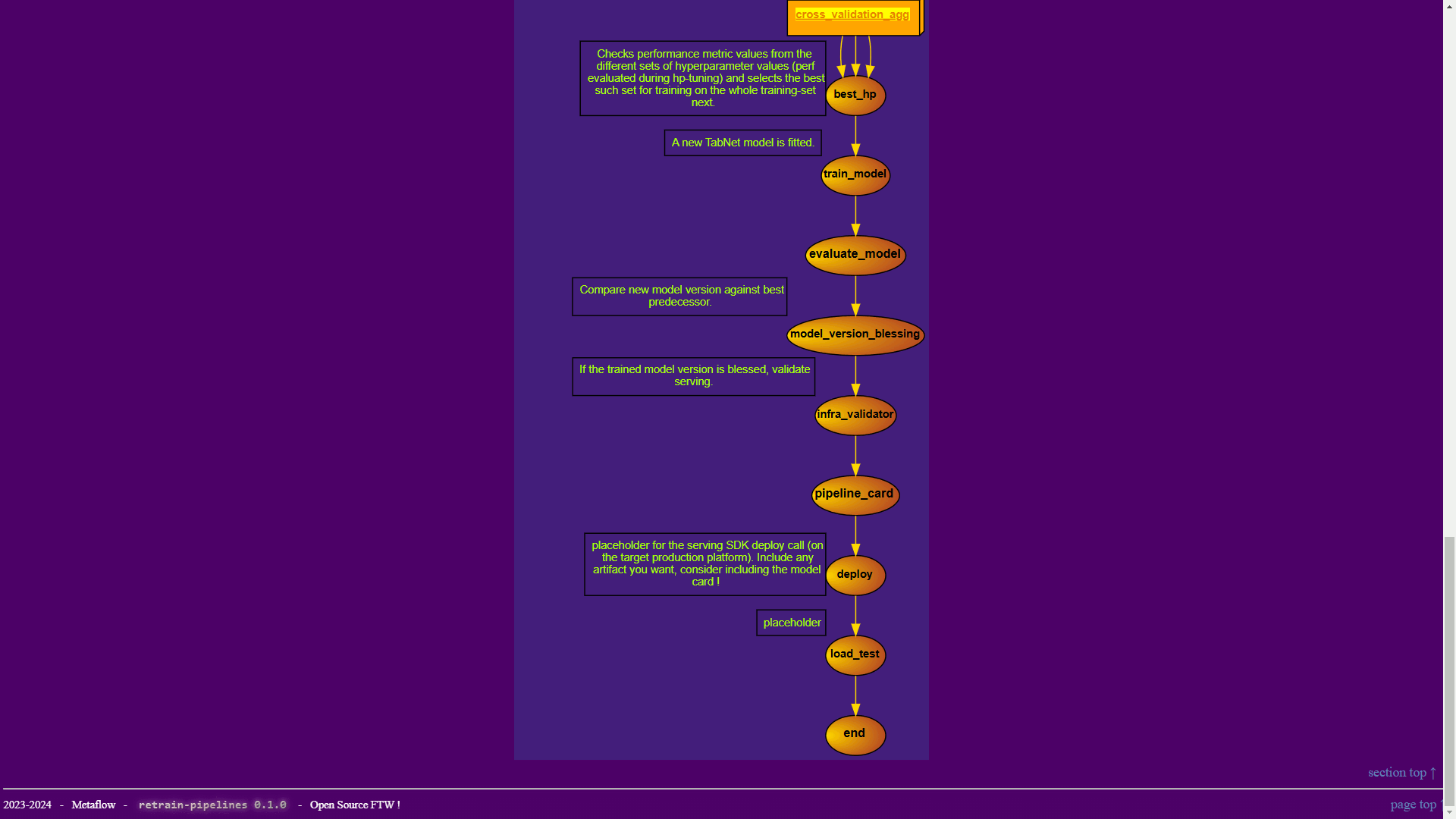 pipeline DAG |
| click thumbnails to enlarge | ||
Third-parties integration 🔽
TensorBoard, PyTorch Profiler, Weights and Biases, Hugging Face. retrain-pipelines aims at making centrally available to ML engineers the information they care for.illustration with WandB in the LightGBM_hp_cv_WandB sample pipeline 🔽
In the example of the LightGBM_hp_cv_WandB sample pipeline for instance, you can find information on how to view details on logging performed during the different training_job steps of a given run. Follow the guidance from the below video :customizability 🔽
As alluded to above, a lot of room is given to ML engineers for them to customize retrain-pipelines workflows.For staters, the sample pipelines are freely modifiable themselves. But, it goes far beyond that. One can go deep into customization with the defaults for
preprocessing and for pipeline_card being fully amendable as well.
illustration with the LightGBM_hp_cv_WandB sample pipeline 🔽
Start by getting the default which you'd like to customize (any combination of the below 3 you'd like) :
reprocessing.pymodulepipeline_card.pymoduletemplate.htmlhtml template
cd sample_pipelines/LightGBM_hp_cv_WandB/
from retraining_pipeline import LightGbmHpCvWandbFlow

LightGbmHpCvWandbFlow.copy_default_preprocess_module(".", exists_ok=True)
LightGbmHpCvWandbFlow.copy_default_pipeline_card_module(".", exists_ok=True)
LightGbmHpCvWandbFlow.copy_default_pipeline_card_html_template(".", exists_ok=True)
Once you updated any of them, you can launch a retrain-pipelines run so it uses those :
%retrain_pipelines retraining_pipeline.py start \
  --pipeline_card_artifacts_path "." \
  --preprocess_artifacts_path "."
retrain-pipelines inspectors
Inspectors are convenience methods that abstract away some of the logic to get access to artifacts logged during retrain-pipelines runs.
For instance :
-
With this convenience method, programmatically open abrowse_local_pipeline_card🔽pipeline_cardwithout the need to browse and click a ML-framework UI :
from retrain_pipelines.inspectors import browse_local_pipeline_card

browse_local_pipeline_card(execution_name)
This opens the
pipeline_cardin a web-browser tab, so you don't have to look for it. It's ideal for quick ideation during the drafting phase : developers can nowstart/restart&browsein a chain of instructions.
-
With this convenience method, programmatically access the versioned source code that was used for a particular retrain-pipelines run. This comes together with the WandB integration :get_execution_source_code🔽
from retrain_pipelines.inspectors import get_execution_source_code

for source_code_artifact in get_execution_source_code(execution_id=<your_execution_id>):
  print(f" - {source_code_artifact.name} {source_code_artifact.url}")
You can even have those artifacts downloaded on the go :
from retrain_pipelines.inspectors import explore_source_code
# download and open file explorer
explore_source_code(execution_id=<your_execution_id>)
-
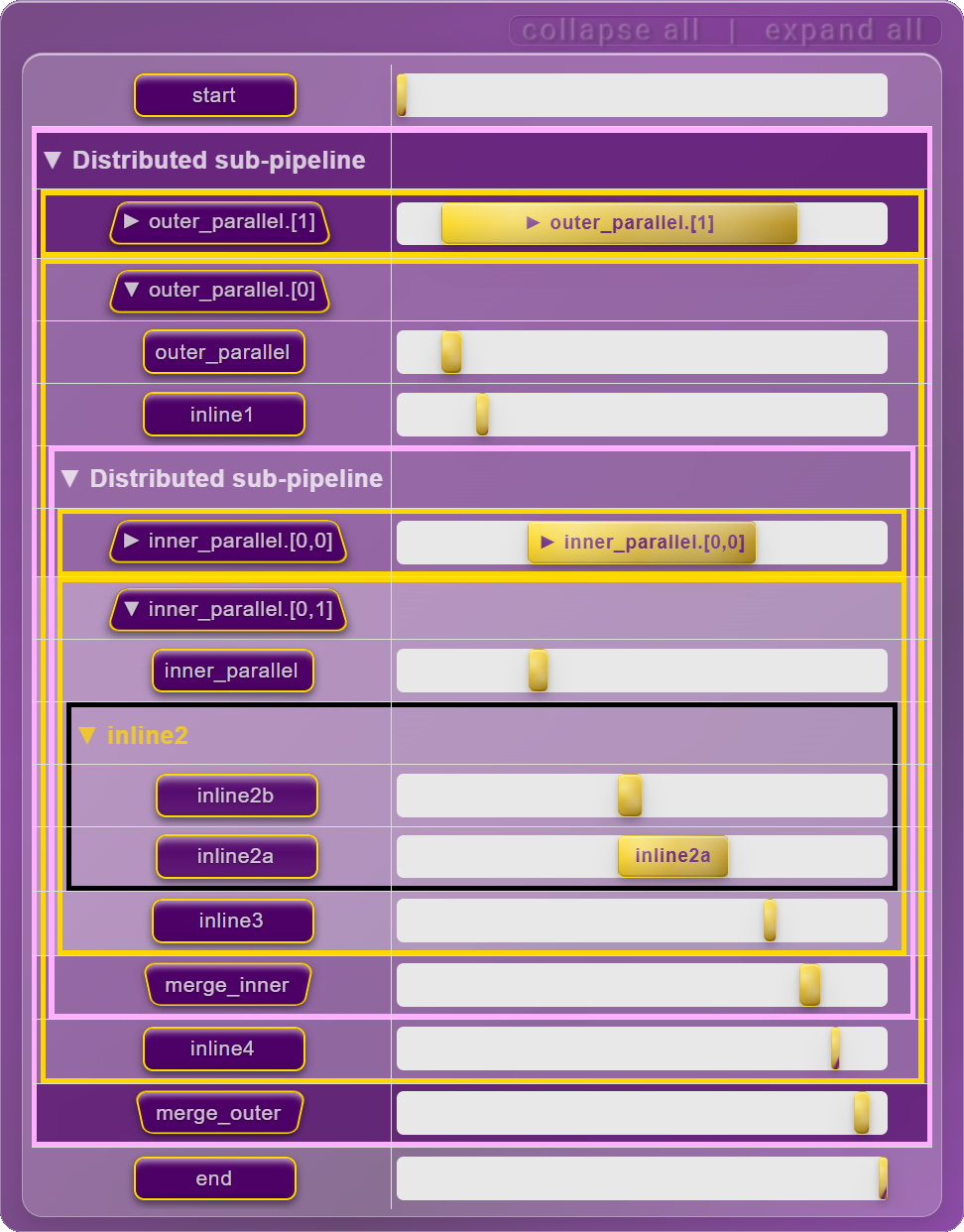
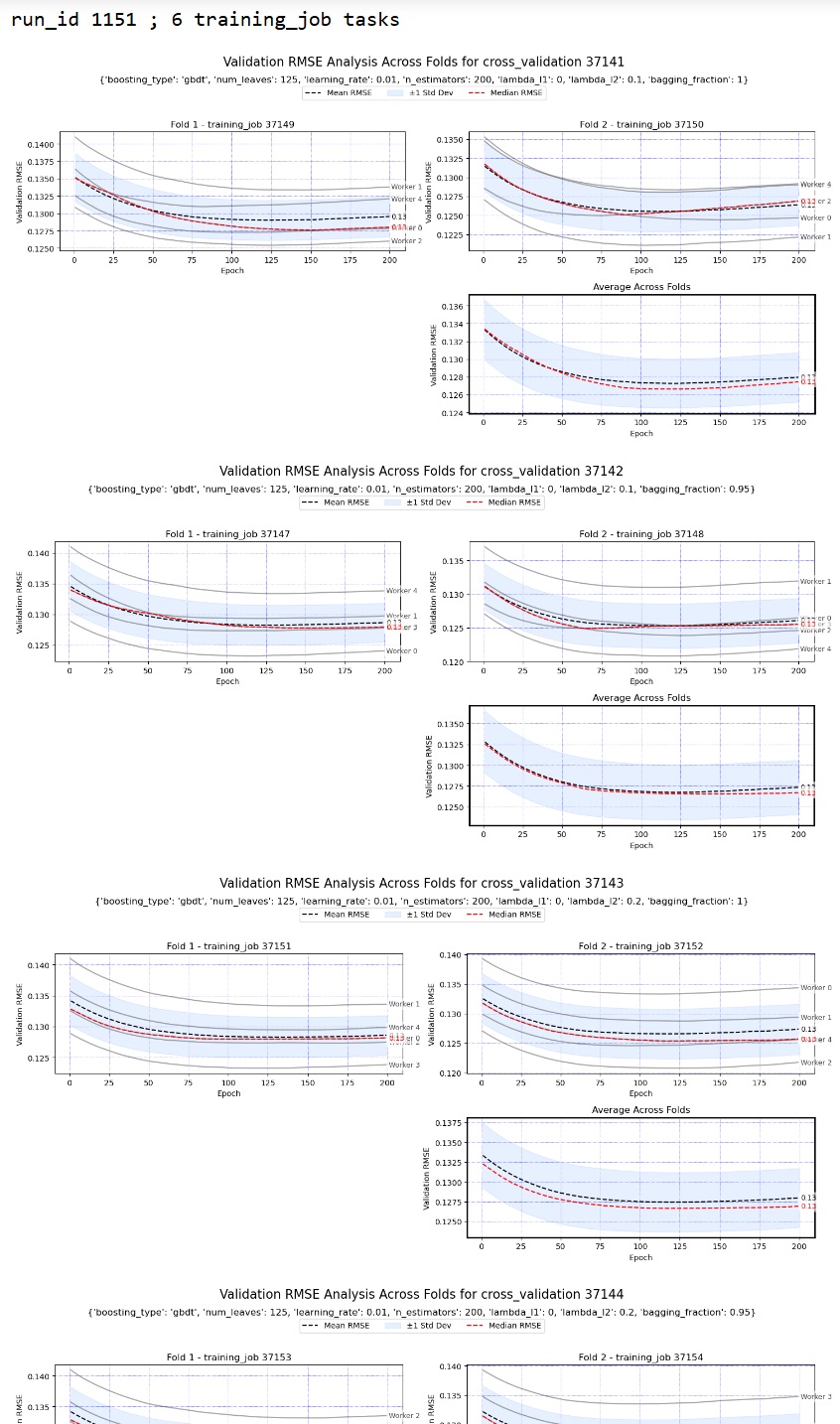
Specific to retrain-pipelines runs that involve data-parallelism, this inspector method plots each individual hyperparameter-tuning cross-validation training job, showing details for every data-parallel worker.plot_run_all_cv_tasks🔽
For example, for executions of theLightGbmHpCvWandbFlowsample pipeline (which employs Dask for data-parallel training), this gives :
from retrain_pipelines.inspectors.hp_cv_inspector import plot_run_all_cv_tasks

plot_run_all_cv_tasks(execution_id=<your_execution_id>)
with results looking like below for a run with 6 different sets of hp values, 2 cross-validation folds and with 4 Dask data-parallel workers :
- and more.
launch tests
pytest -s tests
build from source
python -m build --verbose pkg_src
install from source (dev mode)
pip install -e pkg_src[dev,local]
install from remote source
pip install "retrain-pipelines[dev,local] @ git+https://github.com/aurelienmorgan/retrain-pipelines.git@master#subdirectory=pkg_src"
PyPi
find us @ https://pypi.org/project/retrain-pipelines/
Drop us a star ! ⭐ 

1 maintainer

Metadata
1 maintainer
Release files for retrain-pipelines 0.2.0
For a detailed explanation of source distributions (sdists) and built distributions (wheels), please see the package formats documentation.
Source distribution (sdist)
| File | Size | Uploaded | Provenance | Actions |
|---|---|---|---|---|
| retrain_pipelines-0.2.0.tar.gz | 425.1 kB | Without provenance | Details for retrain_pipelines-0.2.0.tar.gz |
Built distribution (wheel)
| File | Interpreter | ABI | Platform | Actions Reset |
|---|---|---|---|---|
| retrain_pipelines-0.2.0-py3-none-any.whl | Python 3 | none | any | Details for retrain_pipelines-0.2.0-py3-none-any.whl |
Total release size: 898.1 kB
Release files / retrain_pipelines-0.2.0.tar.gz
| Download URL | retrain_pipelines-0.2.0.tar.gz |
|---|---|
| Size | 425.1 kB |
| Tags | Source |
|
SHA-256 checksum How to use checksums |
8b403ca3a209f7fa448573f78bd5786336e3e5e1d869a22be832547ea7512f35
|
|
BLAKE2b-256 checksum How to use checksums |
57033513967cca9d8f110eea64a70b45af88c4c2ae8d983b9831678ead407838
|
| Upload date | |
|
Uploaded using Trusted Publishing? What is trusted publishing? |
No |
| Uploaded via |
twine/6.1.0 CPython/3.10.14
|
Release files / retrain_pipelines-0.2.0-py3-none-any.whl
| Download URL | retrain_pipelines-0.2.0-py3-none-any.whl |
|---|---|
| Size | 473.0 kB |
| Tags | Python 3 |
|
SHA-256 checksum How to use checksums |
6c1ef79c8c3dea23603110651bc6f2bf402257e9fb7ab19aea4d531e5f94856b
|
|
BLAKE2b-256 checksum How to use checksums |
f08561bb624766e03ca1d7a00ca7f6c5483c8969d254acb50d6b89142456bcf1
|
| Upload date | |
|
Uploaded using Trusted Publishing? What is trusted publishing? |
No |
| Uploaded via |
twine/6.1.0 CPython/3.10.14
|
Security for retrain-pipelines 0.2.0
Provenance
Provenance describes where a file came from. On PyPI, provenance is shared via attestations, which provide a verifiable record of the build or publishing details. View details, limitations and caveats.
No provenance found
None of the files in this release were uploaded with provenance metadata.
A note on package security
PyPI is a repository for distributing packages, not a service for auditing them. While third-party security researchers and our staff do their best to detect and remove malicious packages, PyPI cannot guarantee the quality, security or suitability of any given package.
To learn more about protecting yourself from malicious actors, visit our package security documentation.














