

A flow-matching foundation model for biomolecular design — Baker Lab × NVIDIA GenAIR





Project page · Requirements · Installation · Quick start · Workflows · Tutorials · Documentation
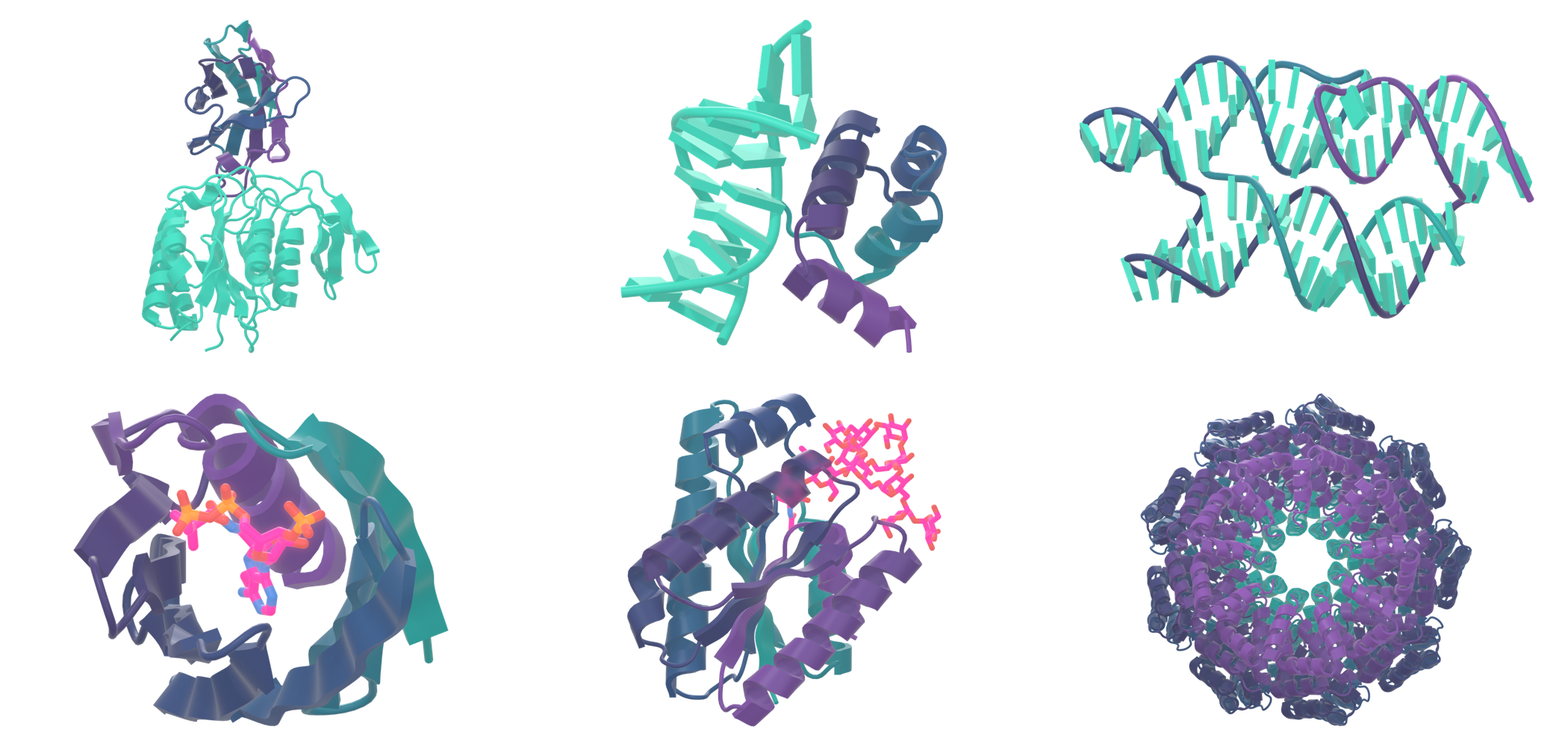
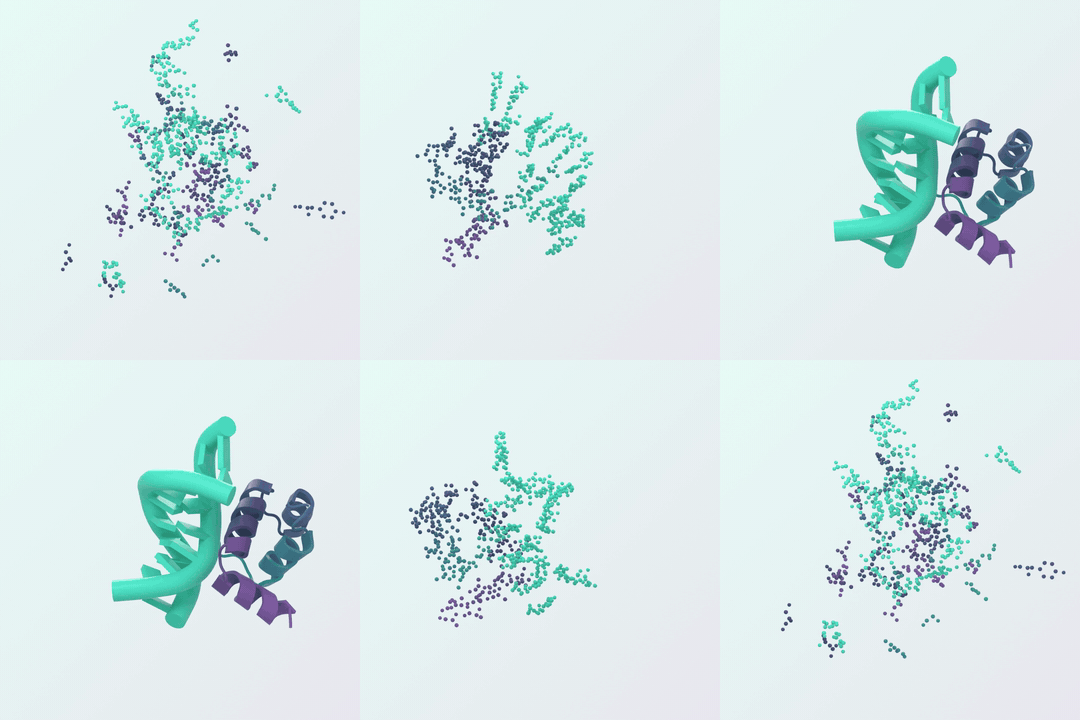
RFD4-Proteina designs proteins and biomolecular complexes with sequence–structure co-design, motif and binding-site conditioning, partial diffusion, and reward-guided search.
Key features:
- Many design tasks from one model: monomers, protein and DNA binders, antibodies and nanobodies, enzymes and motif scaffolding, small-molecule pockets.
- Rich conditioning: annotated CIF inputs or text-based YAML specifications for fixed motifs, hotspots, burial, hydrogen bonds, and more.
- Reward-guided search: beam search over generation paths scored by structure-prediction oracles and custom metrics.
- Partial diffusion to refine or diversify existing structures.
- Fast inference:
torch.compileby default, with an optional BioIR backend (inference_backend=bioir). - Hugging Face release and Python API alongside the
rfd4-generate,rfd4-evaluateand training CLIs.
System requirements
- Linux x86_64, Python 3.12, and an NVIDIA GPU with a CUDA 13-compatible driver (CUDA 12 and CPU-only containers are also available).
- Tested GPUs: see the supported hardware table. Check yours with
nvidia-smi. - macOS and Windows are not supported.
Install
Start with make setup. On a machine that meets the requirements above:
git clone https://github.com/RosettaCommons/RFD4-Proteina.git
cd RFD4-Proteina
make setup
source .venv/bin/activate
The repository history is large because of past notebook outputs. For a fast clone use
git clone --depth 1 (no history) or git clone --filter=blob:none (full history, blobs fetched on demand).
Notebooks are committed without outputs; run pre-commit install to enforce this with nbstripout.
Setup installs the environment, caches the released Hugging Face model bundle
(about 1.7 GB, including its autoencoder), and configures DATA_PATH for optional data.
The cache location follows HF_HOME. See the
installation guide
for CUDA build prerequisites, optional metrics, and cluster setup.
Setup also asks whether to add an AlphaFold 2 or AlphaFold 3 / OpenFold3 environment for
reward-guided search and refolding metrics (and, if so, your CPU architecture and CUDA version).
Skip that with bash setup.sh --skip-search-envs; run it later with bash scripts/setup_search_envs.sh.
Other options (CUDA 12, CPU-only, Docker, Apptainer, pip) are listed in the
deployment options.
For example, a container with CUDA 13 (use RFD4_ACCELERATOR=cu12 or cpu for the others):
docker build -t rfd4-proteina:cu13 .
docker run --rm --gpus all rfd4-proteina:cu13 rfd4-generate --help
If access to the Hugging Face repositories is restricted, supply HF_TOKEN or use hf auth login
with an account that has access. For interactive login on a fresh checkout, run
bash setup.sh --skip-weights, activate .venv, log in, then run bash setup.sh --native.
Public repositories need no authentication.
Quick start with pip
On Linux x86_64 with Python 3.12, an NVIDIA GPU and a CUDA 13-compatible driver:
python -m venv .venv && source .venv/bin/activate
pip install "rfd4-proteina[metrics-cuda13,bioir]"

EXAMPLE=$(python -c "import rfproteina, pathlib; print(pathlib.Path(rfproteina.__file__).parent / 'data/benchmarks/monomer/monomer-short.cif')")
rfd4-generate hf_ckpt_path=nvidia/RFD4-Proteina inputs=$EXAMPLE num_replicates=1 out_dir=./runs/first ~metrics
The model can also be run as a Hugging Face Diffusers pipeline. The quickstart covers all three routes in order: GitHub clone, PyPI and Diffusers.
Add inference_backend=bioir to use the BioIR runtime (installed by the bioir extra). Drop the bioir extra
for a native-only install. If pip cannot see a very recent release, retry with --no-cache-dir.
Run the model
After setup, generate a design from the included example input:
rfd4-generate inputs=data/benchmarks/monomer/monomer-short.cif \
    num_replicates=1 out_dir=./runs/first \
    ~metrics compile_lengths=null
Designs are written to runs/first/inference_samples/. Increase num_replicates
for more designs, or replace the example path
with your own annotated input.
Hugging Face and Python
To load the model from the Hugging Face Hub, with no local checkpoints and no DATA_PATH, pass
hf_ckpt_path; use a different Hub repo or a local exported bundle the same way:
rfd4-generate hf_ckpt_path=nvidia/RFD4-Proteina \
    inputs=design.yaml out_dir=./runs/hf ~metrics compile_lengths=null
Install it with pip install rfd4-proteina on a
supported CUDA/Python system. The same API works from an installed development checkout:
from hydra import compose, initialize_config_dir
import rootutils
import rfproteina
from rfd4_proteina import Proteina
from rfproteina.generate import run_generation

model = Proteina.from_pretrained("nvidia/RFD4-Proteina")
config_dir = rootutils.find_root(rfproteina.__file__, indicator=".project-root") / "configs"
with initialize_config_dir(config_dir=str(config_dir), version_base="1.3"):
    cfg = compose(config_name="inference", overrides=[
        "inputs=design.yaml", "out_dir=runs/hf", "~metrics", "compile_lengths=null",
    ])
run_generation(cfg, model=model)
Use an annotated CIF or condition-spec YAML as inputs. Add revision="<commit>"
to from_pretrained (or hf_ckpt_revision=<commit> to the CLI) for reproducibility.
HF caches downloaded weights; run_generation reuses the loaded model.
For a native local checkpoint, set hf_ckpt_path=null,
ckpt_path=/path/to/checkpoints, ckpt_name=model.ckpt, and
autoencoder_ckpt_path=/path/to/ae.ckpt.
Training datasets are separate from model downloads: see the
training guide.
- Running the model: binders, motif scaffolding, partial diffusion, and sampling settings.
- Input preparation · Text-based design specifications
- Scoring and refolding · Reward-guided search
- Training and fine-tuning · Worked examples
More workflows
- Binders and motif scaffolding: condition on an annotated CIF or a YAML design spec; see Running the model.
- Reward-guided search: select a search
inference_experimentconfig to branch and prune candidates against an oracle; see Reward-guided search. - Partial diffusion: re-noise and refine an existing design; see Partial diffusion.
- Scoring and refolding: run
rfd4-evaluateon generated structures; see Scoring and refolding. - Inference backends:
native(default, compiled or eager) orbioirviainference_backend=; see Inference backends.
Tutorials
- Python API tutorial: build and validate conditioned structure inputs.
- Enzyme design tutorial: motif scaffolding and catalytic-site metrics, end to end.
- PPI specificity tutorial: protein-binder design and specificity checks.
- Antibody campaign examples: cropped PMVK/MZB1 VHH inputs, hotspot sampling, high-early recycling, and partial refinement.
- Agent skills: task-specific guides for setup, generation, search, and evaluation.
Documentation · Contributing · BSD 3-Clause license
1 maintainer

Metadata
1 maintainer
Release files for rfd4-proteina 0.0.1
For a detailed explanation of source distributions (sdists) and built distributions (wheels), please see the package formats documentation.
Source distribution (sdist)
| File | Size | Uploaded | Provenance | |
|---|---|---|---|---|
| rfd4_proteina-0.0.1.tar.gz | 727.0 kB | With provenance | Details |
Built distribution (wheel)
| File | Interpreter | ABI | Platform | Reset |
|---|---|---|---|---|
| rfd4_proteina-0.0.1-py3-none-any.whl | Python 3 | none | any | Details |
Total release size: 1.6 MB
Release files / rfd4_proteina-0.0.1.tar.gz
| Download URL | rfd4_proteina-0.0.1.tar.gz |
|---|---|
| Size | 727.0 kB |
| Tags | Source |
|
SHA-256 checksum How to use checksums |
cefade4300cd33ef1f0c0a6ba958aac1373212f147602b89cd800f444fc2c52d
|
|
BLAKE2b-256 checksum How to use checksums |
850ad012084f5b2a3773e10becbf4d9d09395981f9d718d314403ebe370b862c
|
| Upload date | |
|
Uploaded using Trusted Publishing? What is trusted publishing? |
Yes |
| Uploaded via |
twine/7.0.0 CPython/3.13.16
|
Provenance
Provenance describes where a file came from. On PyPI, provenance is shared via attestations, which provide a verifiable record of the build or publishing details. View details, limitations and caveats.


PyPI Publish Attestation
PyPI verified that this artifact, at this checksum, originated from the publisher listed below.
Signed by GitHub Actions, verified by PyPI on Oct 20, 2026.
Transparency logRelease files / rfd4_proteina-0.0.1-py3-none-any.whl
| Download URL | rfd4_proteina-0.0.1-py3-none-any.whl |
|---|---|
| Size | 905.2 kB |
| Tags | Python 3 |
|
SHA-256 checksum How to use checksums |
13de191413ad189f2a7334e45d678bf65b98d83b57cb89804d406d63a8ec96c0
|
|
BLAKE2b-256 checksum How to use checksums |
420b0ded067b70bc394b1ea121a5267e6c71d13c9cf53a1f9584d0645b209bb1
|
| Upload date | |
|
Uploaded using Trusted Publishing? What is trusted publishing? |
Yes |
| Uploaded via |
twine/7.0.0 CPython/3.13.16
|
Provenance
Provenance describes where a file came from. On PyPI, provenance is shared via attestations, which provide a verifiable record of the build or publishing details. View details, limitations and caveats.
PyPI Publish Attestation
PyPI verified that this artifact, at this checksum, originated from the publisher listed below.
Signed by GitHub Actions, verified by PyPI on Oct 20, 2026.
Transparency logSecurity for rfd4-proteina 0.0.1
Provenance
Provenance describes where a file came from. On PyPI, provenance is shared via attestations, which provide a verifiable record of the build or publishing details. View details, limitations and caveats.
Full provenance
All 2 files in this release have been uploaded with provenance metadata.
Attestation for rfd4_proteina-0.0.1.tar.gz
PyPI Publish Attestation
PyPI verified that this artifact, at this checksum, originated from the publisher listed below.
Signed by GitHub Actions, verified by PyPI on Oct 20, 2026.
Transparency logA note on package security
PyPI is a repository for distributing packages, not a service for auditing them. While third-party security researchers and our staff do their best to detect and remove malicious packages, PyPI cannot guarantee the quality, security or suitability of any given package.













