
rgbmaker 




A python package which communicates to different astronomical services and fetches fits and numerical data.
DOI: https://doi.org/10.1017/S1743921323000674
Developement
RGB-maker web-tool was initially a jupyter notebook, work started by Avinash Ck and later through this repo we helped continue the work making an elaborate project (with a web tool) involving Avinash Kumar with Avinash Ck's and Ninisha's help for RAD@home Astronomy Colloboratory India for citizen science research(PI : Dr Ananda Hota).
see also : Humans
$ pip install -e .[dev]
Installation:
$ pip install rgbmaker
Usage
$ rgbmaker -h
usage: rgbmaker [-h] [-p POSITION] [-r RADIUS] [-i IMAGESOPT] [-n NAME] [-a ARCHIVES] [-k KIND] [-s SPIDX_FILE] [-px PIXELS] [-A ANNOT]
                [-S FLUX_LIST] [-S_e FLUX_ERROR] [-freq FREQ_LIST]

            _                     _
           | |                   | |
  _ __ __ _| |__  _ __ ___   __ _| | _____ _ __
 | '__/ _` | '_ \| '_ ` _ \ / _` | |/ / _ \ '__|
 | | | (_| | |_) | | | | | | (_| |   <  __/ |
 |_|  \__, |_.__/|_| |_| |_|\__,_|_|\_\___|_|
       __/ |
      |___/

A python package which communicates to different
astronomical services and fetches fits and numerical data


optional arguments:
  -h, --help            show this help message and exit
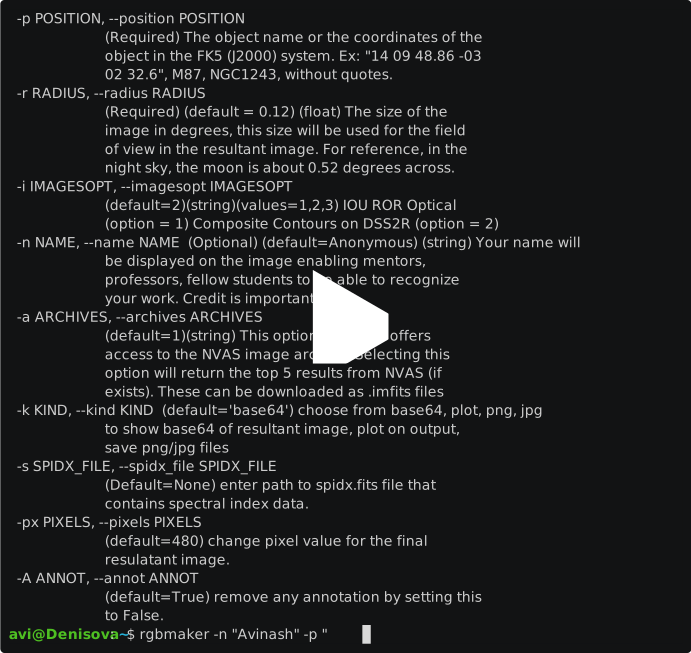
  -p POSITION, --position POSITION
                        (Required) The object name or the coordinates of the object in the FK5 (J2000) system. Ex: "14 09 48.86 -03 02
                        32.6", M87, NGC1243, without quotes.
  -r RADIUS, --radius RADIUS
                        (Required) (default = 0.12) (float) The size of the image in degrees, this size will be used for the field of
                        view in the resultant image. For reference, in the night sky, the moon is about 0.52 degrees across.
  -i IMAGESOPT, --imagesopt IMAGESOPT
                        (default=2)(string)(values=1,2,3) IOU ROR Optical (option = 1) Composite Contours on DSS2R (option = 2)
  -n NAME, --name NAME  (Optional) (default=Anonymous) (string) Your name will be displayed on the image enabling mentors, professors,
                        fellow students to be able to recognize your work. Credit is important!
  -a ARCHIVES, --archives ARCHIVES
                        (default=1)(string) This option currently offers access to the NVAS image archive. Selecting this option will
                        return the top 5 results from NVAS (if exists). These can be downloaded as .imfits files
  -k KIND, --kind KIND  (default='base64') choose from base64, plot, png, jpg to show base64 of resultant image, plot on output, save
                        png/jpg files
  -s SPIDX_FILE, --spidx_file SPIDX_FILE
                        (Default=None) enter path to spidx.fits file that contains spectral index data.
  -px PIXELS, --pixels PIXELS
                        (default=480) change pixel value for the final resulatant image.
  -A ANNOT, --annot ANNOT
                        (default=True) remove any annotation by setting this to False.
  -S FLUX_LIST, --flux_list FLUX_LIST
                        (Optional)(list)(Default=None) Takes input as list for spectral index calculation.
  -S_e FLUX_ERROR, --flux_error FLUX_ERROR
                        (Optional)(list)(Default=[0,0]) Takes input as list for spectral index calculation.
  -freq FREQ_LIST, --freq_list FREQ_LIST
                        (Optional) (Default=None) Takes input as list for spectral index calculation.
  --skyview-url SKYVIEW_URL
                        (Optional) (Default='') (Optional) (Default='') URL to supersede the default
                        url
$ python3.8

> from rgbmaker.fetch import query
> result = query(name='Avi', position='3C 33.1', radius=0.12, kind='jpg')
> print(result)
Demo
1 maintainer

Metadata
1 maintainer
Release files for rgbmaker 0.0.5.10
For a detailed explanation of source distributions (sdists) and built distributions (wheels), please see the package formats documentation.
Source distribution (sdist)
| File | Size | Uploaded | |
|---|---|---|---|
| rgbmaker-0.0.5.10.tar.gz | 21.1 kB | Details |
Built distribution (wheel)
| File | Interpreter | ABI | Platform | Reset |
|---|---|---|---|---|
| rgbmaker-0.0.5.10-py3-none-any.whl | Python 3 | none | any | Details |
Total release size: 42.8 kB
Release files / rgbmaker-0.0.5.10.tar.gz
| Download URL | rgbmaker-0.0.5.10.tar.gz |
|---|---|
| Size | 21.1 kB |
| Tags | Source |
|
SHA-256 checksum How to use checksums |
2f5135174d73a9e806a6bdd01fade5a1b66edb49954cd771ee7aeb8a713b8bf9
|
|
BLAKE2b-256 checksum How to use checksums |
2b1f0b55cbf013df490347089a8bbe790042c5bc734f0913663bb924eae8d9a0
|
| Upload date | |
|
Uploaded using Trusted Publishing? What is trusted publishing? |
No |
| Uploaded via |
twine/6.1.0 CPython/3.9.23
|
Release files / rgbmaker-0.0.5.10-py3-none-any.whl
| Download URL | rgbmaker-0.0.5.10-py3-none-any.whl |
|---|---|
| Size | 21.8 kB |
| Tags | Python 3 |
|
SHA-256 checksum How to use checksums |
20b53ff0b0da153bfc9acbdef9ec6937e207942da0a57029157936c29239abb7
|
|
BLAKE2b-256 checksum How to use checksums |
3656b8b61e63e6f32805e12b52217cdbe10c13dbbb2e4105808f8516f9a79122
|
| Upload date | |
|
Uploaded using Trusted Publishing? What is trusted publishing? |
No |
| Uploaded via |
twine/6.1.0 CPython/3.9.23
|














