
Mini Trainer




A lightweight, high-performance training library for efficient fine-tuning of large language models up to 70B parameters.

Built for speed, simplicity, and scalability 🚀
✨ Features
- 🔥 Liger Kernels - Minimized memory footprint through chunked loss computation
- ⚡ Smart Batch Packing - Automatic minibatching with numba-optimized LPT algorithm for optimal GPU load balancing
- 🎯 FSDP2 Support - Native PyTorch distributed training with FullyShardedDataParallel
- 🚫 Padding-Free - Leverages Flash Attention for efficient computation without padding overhead
- ♾️ Infinite Sampling - Continuous data streaming without manual epoch configuration
- 🔬 Orthogonal Subspace Fine-Tuning (OSFT) - Advanced continual learning technique for parameter-efficient training
- 📚 Pretraining Mode - Document-style pretraining with configurable block sizes on pre-tokenized
input_ids - ✅ Event-Based Validation - Configurable validation triggers (step, epoch, sample-count, end-of-training) with best-loss checkpointing
- 📊 Flexible Logging - JSONL metrics logging with optional Weights & Biases integration
🔬 Orthogonal Subspace Fine-Tuning (OSFT)

Mini Trainer implements Orthogonal Subspace Fine-Tuning (OSFT), a breakthrough continual learning technique that enables models to learn new tasks without catastrophic forgetting. OSFT uses adaptive SVD-based decomposition to intelligently update models in unused parameter subspaces while preserving crucial prior knowledge.
🎥 Learn More
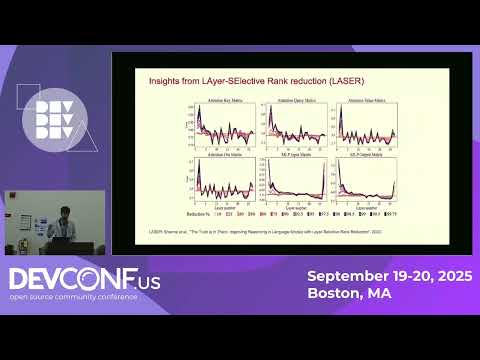
Watch our technical deep-dive on Orthogonal Subspace Learning
📚 Resources
- 📝 Blog Post: Sculpting Subspaces: How We Solved Continual Learning in LLMs
- 📄 Research Paper: arXiv:2504.07097
🚀 Using OSFT
Enable OSFT in your training runs with the --osft flag:
torchrun --nnodes=1 --nproc-per-node=8 -m mini_trainer.train \
    --model-name-or-path meta-llama/Llama-3.1-8B-Instruct \
    --data-path ./data.jsonl \
    --output-dir ./checkpoints \
    --osft \
    --osft-unfreeze-rank-ratio 0.25  # train the 25% least important parameters
The --osft-unfreeze-rank-ratio parameter controls how much of the model to update (0.0 = everything frozen, 1.0 = full training).
📦 Installation
From PyPI
# Install base package
pip install rhai-innovation-mini-trainer

# Install CUDA dependencies (required for GPU training)
pip install rhai-innovation-mini-trainer[cuda] --no-build-isolation
From Source (Editable)
# Clone the repository
git clone https://github.com/Red-Hat-AI-Innovation-Team/mini_trainer.git
cd mini_trainer

# Install in editable mode
pip install -e .

# Install CUDA dependencies
pip install -e .[cuda] --no-build-isolation
🎯 Usage
Training is orchestrated through the api_train.py module, which provides a programmatic interface for launching training jobs. You can run training using torchrun for distributed setups:
torchrun --nnodes=1 --nproc-per-node=8 -m mini_trainer.train \
    --output-dir ./checkpoints \
    --data-path ./data.jsonl \
    --model-name-or-path meta-llama/Llama-3.1-8B-Instruct \
    --batch-size 128 \
    --max-tokens-per-gpu 128000 \
    --learning-rate 5e-6 \
    --use-liger-kernels
Key Parameters
--model-name-or-path- HuggingFace model identifier or local path--data-path- Path to tokenized training data (JSONL format)--batch-size- Target batch size for training--max-tokens-per-gpu- Maximum tokens per GPU (auto-balances minibatches)--output-dir- Directory for checkpoints and logs--use-liger-kernels- Enable memory-efficient Liger kernels--osft- Enable Orthogonal Subspace Fine-Tuning mode--osft-unfreeze-rank-ratio- Ratio of model parameters to train with OSFT (0.0-1.0)--block-size- Enables pretraining mode with the given block length--validation-split- Fraction of training data to hold out for validation (greater than 0, less than 1)--validation-data-path- Path to a separate validation dataset (mutually exclusive with--validation-split)--validation-frequency- Run validation every N steps--validate-at-epoch- Run validation at the end of each epoch--min-samples-per-validation- Minimum accumulated samples between validation runs--validate-at-final- Run validation at the end of training
For the complete list of arguments and advanced configuration options, see src/mini_trainer/api_train.py.
🛠️ Contributors – Looking for the lazy-init + FSDP2 loading flow?
See docs/distributed_initialization.md for diagrams and a detailed walkthrough of the SFT and OSFT pipelines.
✅ Validation
Mini Trainer supports configurable validation during training with an event-based trigger system. You can combine multiple triggers to control exactly when validation runs.
Providing Validation Data
There are two ways to supply validation data:
-
Automatic split — hold out a fraction of the training data:
--validation-split 0.1 # use 10% for validation
-
Separate dataset — provide a dedicated JSONL file:
--validation-data-path ./eval_data.jsonl
These options are mutually exclusive.
Validation Triggers
At least one trigger must be configured when validation data is provided. Triggers can be combined — for example, validate every 100 steps and at the end of each epoch.
| Flag | Description |
|---|---|
--validation-frequency N |
Run validation every N training steps |
--validate-at-epoch |
Run validation at the end of each epoch |
--min-samples-per-validation N |
Run validation every N accumulated samples |
--validate-at-final |
Run validation at the end of training |
When both step and sample triggers fire on the same step, validation runs only once (triggers are coalesced).
Best Validation Loss Checkpointing
Save a checkpoint whenever validation loss improves:
--save-best-val-loss \
--val-loss-improvement-threshold 0.001  # optional minimum improvement
CLI Example
torchrun --nnodes=1 --nproc-per-node=8 -m mini_trainer.train \
    --model-name-or-path meta-llama/Llama-3.1-8B-Instruct \
    --data-path ./data.jsonl \
    --output-dir ./checkpoints \
    --batch-size 128 \
    --max-tokens-per-gpu 128000 \
    --learning-rate 5e-6 \
    --validation-data-path ./eval_data.jsonl \
    --validate-at-epoch \
    --validate-at-final \
    --save-best-val-loss
Programmatic API
from mini_trainer import TrainingArgs, TorchrunArgs, run_training

train_args = TrainingArgs(
    model_name_or_path="meta-llama/Llama-3.1-8B-Instruct",
    data_path="./data.jsonl",
    output_dir="./checkpoints",
    batch_size=128,
    max_tokens_per_gpu=128000,
    learning_rate=5e-6,
    # Validation configuration
    validation_data_path="./eval_data.jsonl",
    validate_at_epoch=True,
    validate_at_final=True,
    save_best_val_loss=True,
)

run_training(TorchrunArgs(nproc_per_node=8), train_args)
Validation state is saved in full-state checkpoints, so training can be resumed without re-running validation from scratch.
📊 Data Format
Mini Trainer expects pre-tokenized data in JSONL format with the following structure:
{"input_ids": [1, 2, 3, ...], "labels": [1, 2, 3, ...], "len": 128}
{"input_ids": [4, 5, 6, ...], "labels": [-100, -100, 6, ...], "len": 256}
Each line should contain:
input_ids- Tokenized input sequencelabels- Target labels (use-100for tokens to ignore in loss computation)len- Sequence length (optional, computed automatically if missing)
🔄 Data Processing
Mini Trainer does not include data processing utilities. For tokenization and data preparation, please use the instructlab-training APIs, which provide robust data processing pipelines compatible with Mini Trainer's input format.
🧱 Pretraining Mode
Mini Trainer supports pretraining on tokenized document corpora. Pass a --block-size to enable the document pipeline (the input JSONL is expected to have an input_ids column):
torchrun --nnodes=1 --nproc-per-node=4 -m mini_trainer.train \
    --model-name-or-path qwen/Qwen2.5-1.5B-Instruct \
    --data-path ./documents.jsonl \
    --output-dir ./checkpoints \
    --batch-size 16 \
    --max-tokens-per-gpu 8192 \
    --block-size 512
--block-size(required) enables pretraining mode and defines the token length for each block.
Programmatic usage mirrors the CLI via PretrainingConfig:
from mini_trainer import TrainingArgs, PretrainingConfig

args = TrainingArgs(
    model_name_or_path="mistralai/Mistral-7B-v0.1",
    data_path="documents.jsonl",
    output_dir="./checkpoints",
    batch_size=128,
    max_tokens_per_gpu=40000,
    pretraining_config=PretrainingConfig(
        block_size=4096,
    ),
)
🐛 Bug Reports & Issues
Found a bug or have a feature request? We'd love to hear from you! Please open an issue on GitHub with:
- A clear description of the problem
- Steps to reproduce
- Expected vs. actual behavior
- Environment details (Python version, GPU type, etc.)
📝 License
This project is licensed under the Apache License 2.0 - see the LICENSE file for details.
🙏 Acknowledgments
Built with ❤️ by the Red Hat AI Innovation Team.
Mini Trainer is part of a broader ecosystem of LLM tools developed by the AI Innovation Team. Check out our other projects:
- training_hub - Post-training algorithms for LLMs
- its_hub - Inference-time scaling for LLMs
- sdg_hub - Synthetic data generation pipelines
- reward_hub - State-of-the-art reward models
Visit ai-innovation.team to explore all our open-source tools and research.
Special thanks to the open-source community for contributions and feedback!


Download files
Download the file for your platform. If you're not sure which to choose, learn more about installing packages.
Source Distribution
Built Distribution
Filter files by name, interpreter, ABI, and platform.
If you're not sure about the file name format, learn more about wheel file names.
Copy a direct link to the current filters
File details
Details for the file rhai_innovation_mini_trainer-0.9.0.tar.gz.
File metadata
- Download URL: rhai_innovation_mini_trainer-0.9.0.tar.gz
- Upload date:
- Size: 9.0 MB
- Tags: Source
- Uploaded using Trusted Publishing? Yes
- Uploaded via: twine/6.1.0 CPython/3.12.9
File hashes
| Algorithm | Hash digest | |
|---|---|---|
| SHA256 |
a5c6170fa37515728db417bacc2ef937e151b1c0357529bec00ba41782c92f74
|
|
| MD5 |
f665c8a9952955e8e8319441b916ac48
|
|
| BLAKE2b-256 |
2292020c71f3027bd80b18653e915d228c8117f3a52c401adcb22155a7ddbe87
|
Provenance
The following attestation bundles were made for rhai_innovation_mini_trainer-0.9.0.tar.gz:
Publisher:
pypi.yaml on Red-Hat-AI-Innovation-Team/mini_trainer
-
Statement:
-
Statement type:
https://in-toto.io/Statement/v1 -
Predicate type:
https://docs.pypi.org/attestations/publish/v1 -
Subject name:
rhai_innovation_mini_trainer-0.9.0.tar.gz -
Subject digest:
a5c6170fa37515728db417bacc2ef937e151b1c0357529bec00ba41782c92f74 - Sigstore transparency entry: 2219229594
- Sigstore integration time:
-
Permalink:
Red-Hat-AI-Innovation-Team/mini_trainer@9215cfac54b79a8d520797ea937fc8ff541b7426 -
Branch / Tag:
refs/tags/v0.9.0 - Owner: https://github.com/Red-Hat-AI-Innovation-Team
-
Access:
public
-
Token Issuer:
https://token.actions.githubusercontent.com -
Runner Environment:
github-hosted -
Publication workflow:
pypi.yaml@9215cfac54b79a8d520797ea937fc8ff541b7426 -
Trigger Event:
release
-
Statement type:
File details
Details for the file rhai_innovation_mini_trainer-0.9.0-py3-none-any.whl.
File metadata
- Download URL: rhai_innovation_mini_trainer-0.9.0-py3-none-any.whl
- Upload date:
- Size: 118.7 kB
- Tags: Python 3
- Uploaded using Trusted Publishing? Yes
- Uploaded via: twine/6.1.0 CPython/3.12.9
File hashes
| Algorithm | Hash digest | |
|---|---|---|
| SHA256 |
208533f654514c15a914d096a81fcb805253b74b8d76ac91d311f49400f4320c
|
|
| MD5 |
644d563f1543c1f5ca205336c1ef30f6
|
|
| BLAKE2b-256 |
a34808d3ac561685e770793519a27a3fe5fcbff869327a71c3b32e5ef9ce07df
|
Provenance
The following attestation bundles were made for rhai_innovation_mini_trainer-0.9.0-py3-none-any.whl:
Publisher:
pypi.yaml on Red-Hat-AI-Innovation-Team/mini_trainer
-
Statement:
-
Statement type:
https://in-toto.io/Statement/v1 -
Predicate type:
https://docs.pypi.org/attestations/publish/v1 -
Subject name:
rhai_innovation_mini_trainer-0.9.0-py3-none-any.whl -
Subject digest:
208533f654514c15a914d096a81fcb805253b74b8d76ac91d311f49400f4320c - Sigstore transparency entry: 2219229630
- Sigstore integration time:
-
Permalink:
Red-Hat-AI-Innovation-Team/mini_trainer@9215cfac54b79a8d520797ea937fc8ff541b7426 -
Branch / Tag:
refs/tags/v0.9.0 - Owner: https://github.com/Red-Hat-AI-Innovation-Team
-
Access:
public
-
Token Issuer:
https://token.actions.githubusercontent.com -
Runner Environment:
github-hosted -
Publication workflow:
pypi.yaml@9215cfac54b79a8d520797ea937fc8ff541b7426 -
Trigger Event:
release
-
Statement type:







