
A gradient generator for the Rich library.

Project description





Purpose
rich-gradient layers smooth foreground and background gradients on top of
Rich renderables.
It includes a drop-in Text subclass, wrappers for Panel and Rule,
utilities for building palettes, and
a rich-click (Click) CLI for trying gradients from the terminal.
Highlights
- Works anywhere Rich expects a
ConsoleRenderable, including panels, tables, and live updates. - Generates color stops automatically or from CSS color names,
hex codes, RGB tuples, or
rich.color.Colorobjects. - Supports foreground and background gradients, rainbow palettes, and deterministic color spectrums.
- Ships with ready-to-use renderables:
RuleSpectrum- And their animated counterparts.
- AnimatedText for live gradient text updates.
- Includes a CLI for quick experiments and SVG export for documentation or asset generation.
- Auto-bootstraps a configuration file (
~/.rich-gradient) where you can toggle animation globally and customise the default spectrum palette.
What's new in v0.3.10
-
Added support for reading input from stdin when no subcommand is provided.
- For example:
rich-gradient 'Who likes gradients?echo "Hello, World!" | rich-gradient
- Docs refreshed to note the behavior.
- Added tests for the new behavior.
- For example:
-
Bugfix:
- AnimatedGradient family (
AnimatedGradient,AnimatedPanel,AnimatedMarkdown, andAnimatedRule) no longer clears the console onstart(); - Unless
transient=True, the final gradient render persists.
- AnimatedGradient family (
-
See the CHANGELOG for more details.
Installation
rich-gradient targets Python 3.10+.
uv
# Recommended: use uv
uv add rich-gradient

# or via `uv pip`
uv pip install rich-gradient
Pip
Or with pip:
# via pip
pip install rich-gradient
CLI Usage
The CLI is built with Click + rich-click. Subcommands:
print: gradient text. Options:--colors/-c--bgcolors--rainbow--hues--style--justify--overflow--no-wrap--end--animate--duration
- gradient: generate gradient renderables. Options:
--colors/-c--bgcolors--rainbow--hues--style--justify--vertical-justify--overflow--no-wrap--end--animate--duration
rule: gradient rule. Options:--title--title-style--colors--bgcolors--rainbow--hues--thickness--align--end--animate--duration
panel: gradient panel. Options:--colors--bgcolors--rainbow--hues--title--title-style--title-align--subtitle--subtitle-style--subtitle-align--style--border-style--padding--vertical-justify--text-justify--justify--expand/--no-expand--width--height--box--end--animate--duration
markdown: gradient markdown. Options:--colors--bgcolors--rainbow--hues--style--justify--vertical-justify--overflow--no-wrap--end--animate--duration
Quick examples:
- Gradient text:
rich-gradient "Hello [b]world[/b]! " -c '#f00,#f90,#ff0' - Rainbow text:
rich-gradient "All the colors of the rainbow! " --rainbow - Panel with title:
rich-gradient panel -t 'Panel Title' "Gradient Panel content..."-c red,blue --title "Gradient Panel"` - Rule with title:
rich-gradient rule --title "Section" -c "#f00,#0ff" - Gradient markdown:
rich-gradient markdown "# Title" --colors "#ff0,#0ff" --justify center
Contributor notes
- Tests:
pytestworks without an editable install becausetests/conftest.pyaddssrc/tosys.path. No extra env tweaks needed; just install deps and runpytest.
Usage
Basic Gradient Text Example
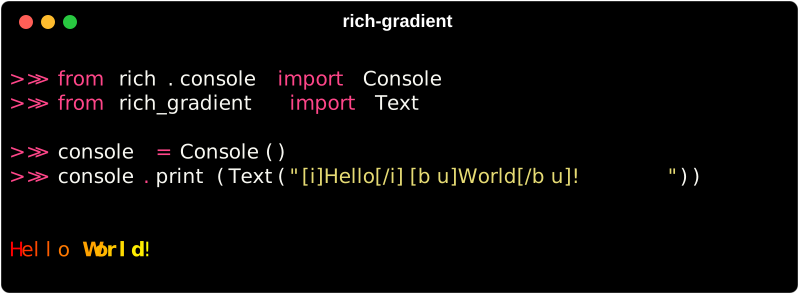
To print a simple gradient just substitute the Gradient class
for the Text class in the rich-gradient library.
from rich.console import Console
from rich_gradient import Gradient

console = Console()
console.print(Gradient("Hello, World!"))
Gradient Text with Specific Colors
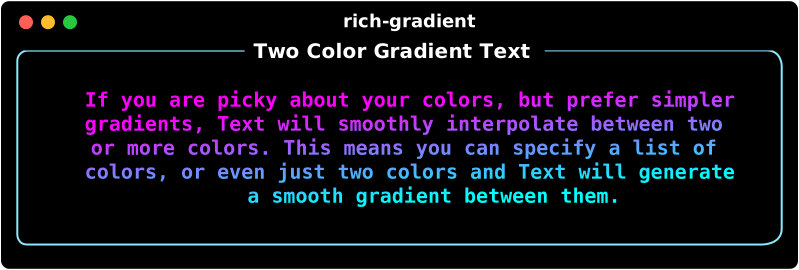
If you want a bit more control of the gradient,
you can specify the colors you want to use in the gradient
by passing them as a list of colors to the colors parameter.
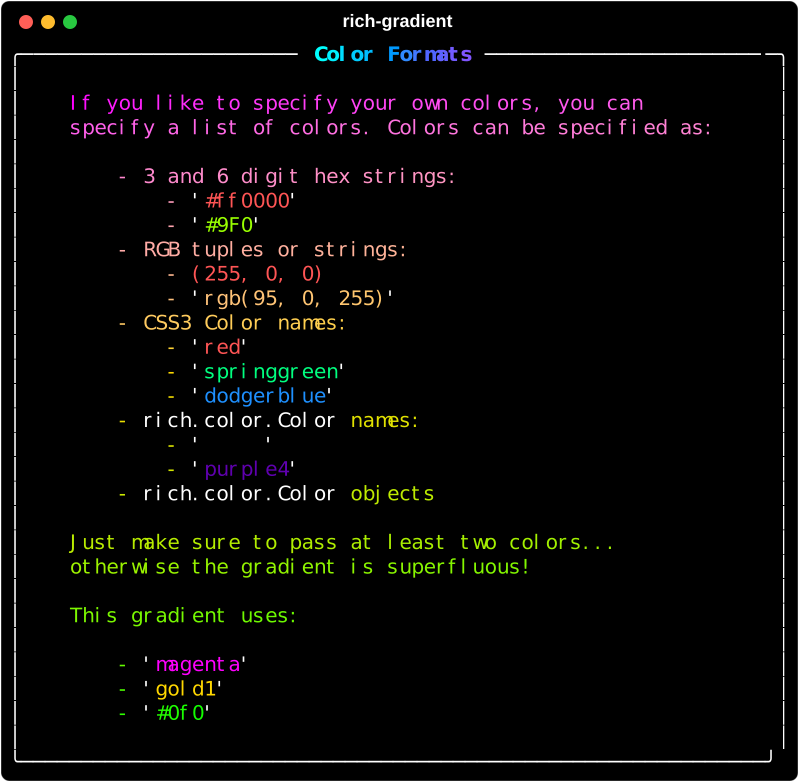
Color Formats
Color can be parsed from a variety of formats including:
Example Code
Specific Two-Color Gradient Example
console.print(
    Text(
        "This a gradient with two colors.",
        colors=["red", "orange"]
    ),
    justify="center"
)
Specific Four-Color Gradient Example
console.print(
    Text(
        "This a gradient uses four specific colors.",
        colors=["red", "#ff9900", "#ff0", "Lime"],
        justify="center"
    )
)
Specific Color Gradient Result
Rainbow Gradient Example
If four colors aren't enough, you can use the 'rainbow' parameter to generate a rainbow gradient that spans the entire spectrum of colors randomly.
console.print(
    Text(
        "This is a rainbow gradient.",
        rainbow=True,
        justify="center"
    )
)
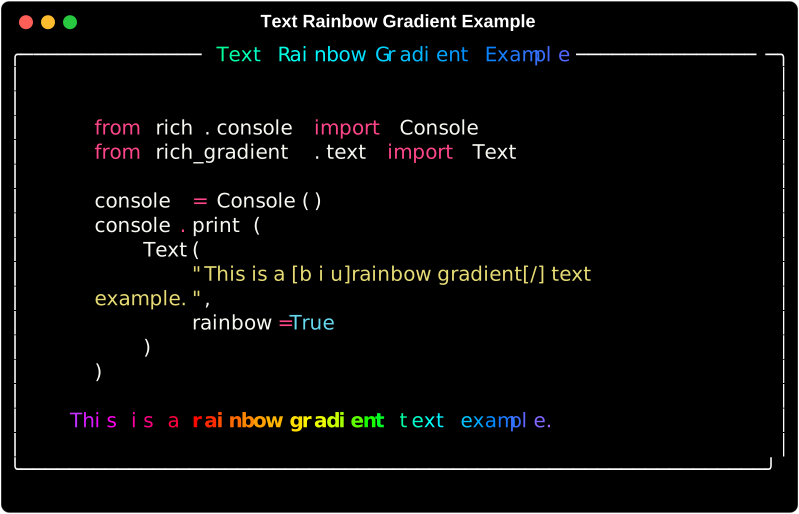
The rainbow gradient is generated randomly each time the code is run.
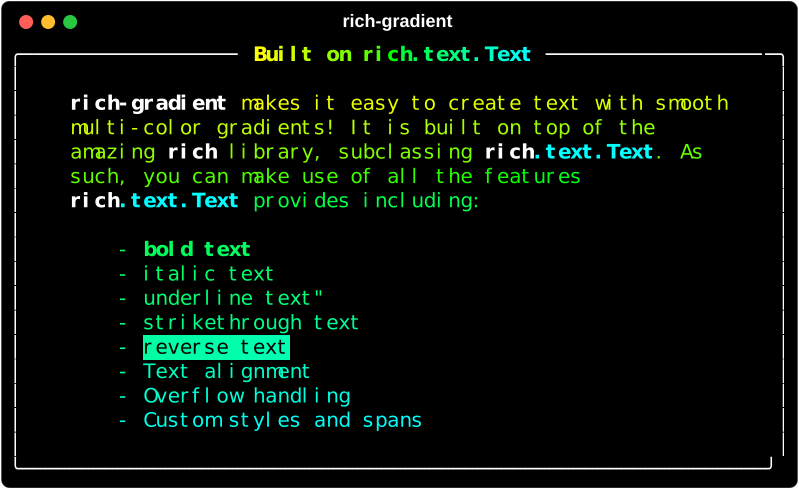
Still inherits from rich.text.Text
Since Gradient is a subclass of Text, you can still use all
the same methods and properties as you would with Text.
console.print(
    Gradient(
        "This is an underlined rainbow gradient.",
        rainbow=True,
        style="underline"
    ),
    justify="center"
)
console.line()
console.print(
    Gradient(
        "This is a bold italic gradient.",
        style="bold italic"
    ),
    justify="center"
)
console.line()
Release history Release notifications | RSS feed


Download files
Download the file for your platform. If you're not sure which to choose, learn more about installing packages.
Source Distribution
Built Distribution
Filter files by name, interpreter, ABI, and platform.
If you're not sure about the file name format, learn more about wheel file names.
Copy a direct link to the current filters
File details
Details for the file rich_gradient-0.3.11.tar.gz.
File metadata
- Download URL: rich_gradient-0.3.11.tar.gz
- Upload date:
- Size: 17.0 MB
- Tags: Source
- Uploaded using Trusted Publishing? No
- Uploaded via: uv/0.10.0 {"installer":{"name":"uv","version":"0.10.0","subcommand":["publish"]},"python":null,"implementation":{"name":null,"version":null},"distro":{"name":"macOS","version":null,"id":null,"libc":null},"system":{"name":null,"release":null},"cpu":null,"openssl_version":null,"setuptools_version":null,"rustc_version":null,"ci":null}
File hashes
| Algorithm | Hash digest | |
|---|---|---|
| SHA256 |
d791191998740ddd54b718fd75bee569ebd24ad28ca854198b80b60539925995
|
|
| MD5 |
4ad1a58719af448cffbf494931e97c17
|
|
| BLAKE2b-256 |
f2791a045a4bfef7e76346b84ad3dd309e64d25278daf042cc9282a025021fe6
|
File details
Details for the file rich_gradient-0.3.11-py3-none-any.whl.
File metadata
- Download URL: rich_gradient-0.3.11-py3-none-any.whl
- Upload date:
- Size: 59.2 kB
- Tags: Python 3
- Uploaded using Trusted Publishing? No
- Uploaded via: uv/0.10.0 {"installer":{"name":"uv","version":"0.10.0","subcommand":["publish"]},"python":null,"implementation":{"name":null,"version":null},"distro":{"name":"macOS","version":null,"id":null,"libc":null},"system":{"name":null,"release":null},"cpu":null,"openssl_version":null,"setuptools_version":null,"rustc_version":null,"ci":null}
File hashes
| Algorithm | Hash digest | |
|---|---|---|
| SHA256 |
c618faf974971ea564d9c787d4d959c9b677860d5688d6e8b950b6a59b36c1cc
|
|
| MD5 |
55e313524d8b06a4ab7f4c703790611f
|
|
| BLAKE2b-256 |
49da0225137ead1171577c73df27f9ccc04f2ba6191e608902d2e6bfd6d86e8d
|






