
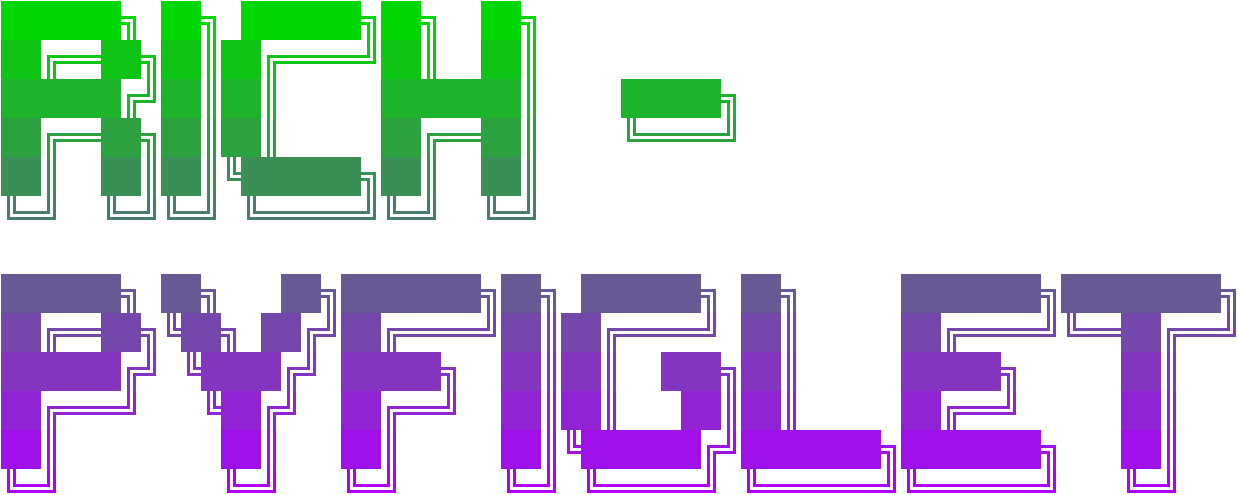
Rich-Pyfiglet





Rich-PyFiglet is an implementation of PyFiglet for Rich.
This is both a library and a CLI tool. The library provides a RichFiglet class that is fully compatible with the Rich API and can be dropped into your Rich scripts. It also includes a CLI that can be used as part of shell scripts or to quickly test out different settings.
This library is related to Textual-Pyfiglet.
Features
- Usage in your Rich scripts can be a single line of code with default settings.
- Color system built on Rich can take common formats such as hex code and RGB, as well as a big list of named colors.
- Banner will automatically adjust to the terminal width and word-wrap the text.
- Automatically create gradients between colors vertically or horizontally.
- Comes with 4 animation modes built in (up, down, smooth-strobe, fast-strobe).
- Pass in a list of colors for multicolored gradients and animations.
- Manually tweak the gradient quality as well as the animation FPS in order to customize the banner the way you want it.
- Add borders around the banner - The RichFiglet takes border settings as arguments, which allows it to properly account for the border and padding when calculating its available space (without doing this, some terminal sizes would mess up the render).
- Included CLI mode for shell scripting and quick testing.
- The fonts are type-hinted to give you auto-completion in your code editor.
- Demo script included in the package, check it out using the CLI.
Try out the CLI without Installing
If you have uv or pipx, you can immediately try the included CLI:
uvx rich-pyfiglet 'Rich is awesome' --colors blue:green
pipx run rich-pyfiglet 'Rich is awesome' --colors blue:green
Demo
Try out the demo script included in the package without installing:
uvx rich-pyfiglet demo
pipx run rich-pyfiglet demo
Documentation
Click here for documentation
Questions, Issues, Suggestions?
Use the issues section for bugs, issues, ideas or feature requests.
Thanks and Copyright
Both Rich-Pyfiglet and the original PyFiglet are under MIT License. See LICENSE file.
FIGlet fonts have existed for a long time, and many people have contributed over the years.
Original creators of FIGlet:
https://www.figlet.org
The PyFiglet creators:
https://github.com/pwaller/pyfiglet
Rich:
https://github.com/Textualize/rich
And finally, thanks to the many hundreds of people that contributed to the fonts collection.
1 maintainer

Metadata
1 maintainer
Release files for rich-pyfiglet 2.0.1
For a detailed explanation of source distributions (sdists) and built distributions (wheels), please see the package formats documentation.
Source distribution (sdist)
| File | Size | Uploaded | |
|---|---|---|---|
| rich_pyfiglet-2.0.1.tar.gz | 19.7 kB | Details |
Built distribution (wheel)
| File | Interpreter | ABI | Platform | Reset |
|---|---|---|---|---|
| rich_pyfiglet-2.0.1-py3-none-any.whl | Python 3 | none | any | Details |
Total release size: 41.8 kB
Release files / rich_pyfiglet-2.0.1.tar.gz
| Download URL | rich_pyfiglet-2.0.1.tar.gz |
|---|---|
| Size | 19.7 kB |
| Tags | Source |
|
SHA-256 checksum How to use checksums |
0e146ade2b8b41395dc0d48f4a6b5596e638c5d91d963d3bc6d6b054fe9d2c96
|
|
BLAKE2b-256 checksum How to use checksums |
dd4c34c491a2c4668a18638235344e0b8a26c829918faabfb96358fa485c42a5
|
| Upload date | |
|
Uploaded using Trusted Publishing? What is trusted publishing? |
Yes |
| Uploaded via |
twine/6.1.0 CPython/3.13.12
|
Provenance
Provenance describes where a file came from. On PyPI, provenance is shared via attestations, which provide a verifiable record of the build or publishing details. View details, limitations and caveats.


PyPI Publish Attestation
PyPI verified that this artifact, at this checksum, originated from the publisher listed below.
Signed by GitHub Actions, verified by PyPI on May 23, 2026.
Transparency logRelease files / rich_pyfiglet-2.0.1-py3-none-any.whl
| Download URL | rich_pyfiglet-2.0.1-py3-none-any.whl |
|---|---|
| Size | 22.1 kB |
| Tags | Python 3 |
|
SHA-256 checksum How to use checksums |
c98256d3735810447a7f7b19f645832d5574b37929390e84b5c8b747b1a97a29
|
|
BLAKE2b-256 checksum How to use checksums |
50b9508c72fc38cc1f470643b2ea8dad72020b6313ce844d7170e1f06889090c
|
| Upload date | |
|
Uploaded using Trusted Publishing? What is trusted publishing? |
Yes |
| Uploaded via |
twine/6.1.0 CPython/3.13.12
|
Provenance
Provenance describes where a file came from. On PyPI, provenance is shared via attestations, which provide a verifiable record of the build or publishing details. View details, limitations and caveats.
PyPI Publish Attestation
PyPI verified that this artifact, at this checksum, originated from the publisher listed below.
Signed by GitHub Actions, verified by PyPI on May 23, 2026.
Transparency log













