
rich-struct
rich's print, with 23 popular editor themes and helpers for Markdown, JSON, YAML, XML, Python objects and tables (lists, numpy arrays, pandas DataFrames and Series).
pip install rich-struct # add [yaml] to dump objects with print_yaml
from rich.markdown import Markdown
from rich.theme import Theme
from rich_struct import ThemeName, print, print_md, print_json, print_yaml, print_xml, print_object, print_syntax, print_table

print("[bold]hello[/bold]", {"a": 1})                 # drop-in rich.print, Tokyo Night by default
print(Markdown("## Printing structs"), theme=ThemeName.DRACULA)

print_md("# Title\n\n```python\nprint('hi')\n```")
print_json({"a": [1, 2, None]}, theme="Nord")         # enum value as a string works too
print_yaml("a: 1\nb: [x, y]")
print_xml("<a><b c='d'/></a>")
print_object(my_dataclass, theme=ThemeName.GITHUB_LIGHT)
print_syntax("SELECT 1", "sql")                       # any pygments lexer
print_table(df, title="Sales")                        # DataFrame, Series, numpy array, list...
print(df)                                             # arrays and frames become tables in print too

print_md("# Mine", theme=Theme({"markdown.h1": "bold magenta", "syntax.keyword": "red"}))
Every function takes theme=: a ThemeName, its string value, or a rich Theme.
To change the theme for all of them at once, call set_default_theme("Dracula") (same accepted values; no argument resets to Tokyo Night).
Passing None to any of them prints None (JSON: null) in the theme's colour for null values instead of failing.
ThemeName.X.theme gives you the underlying rich Theme to use with your own Console.
Screenshots
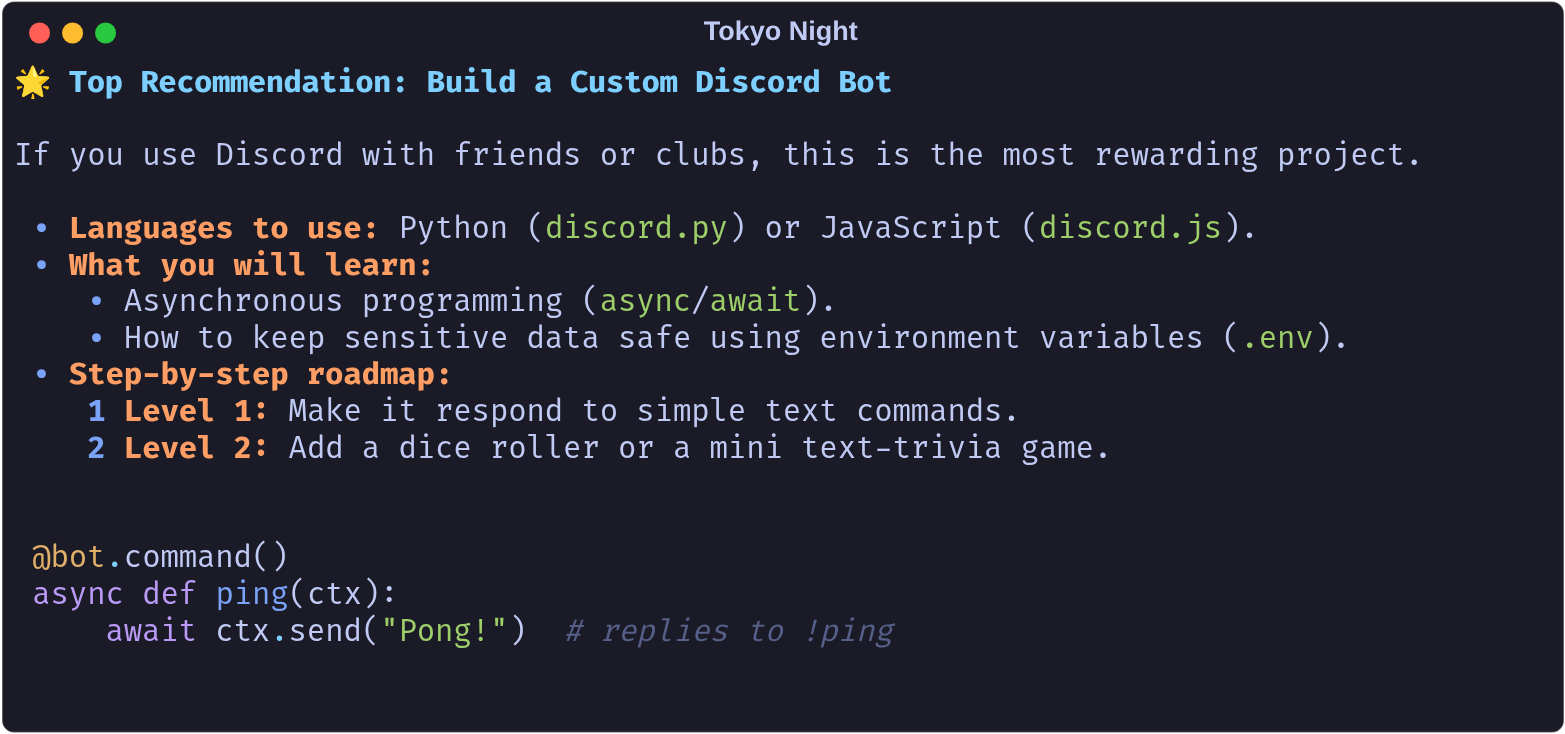
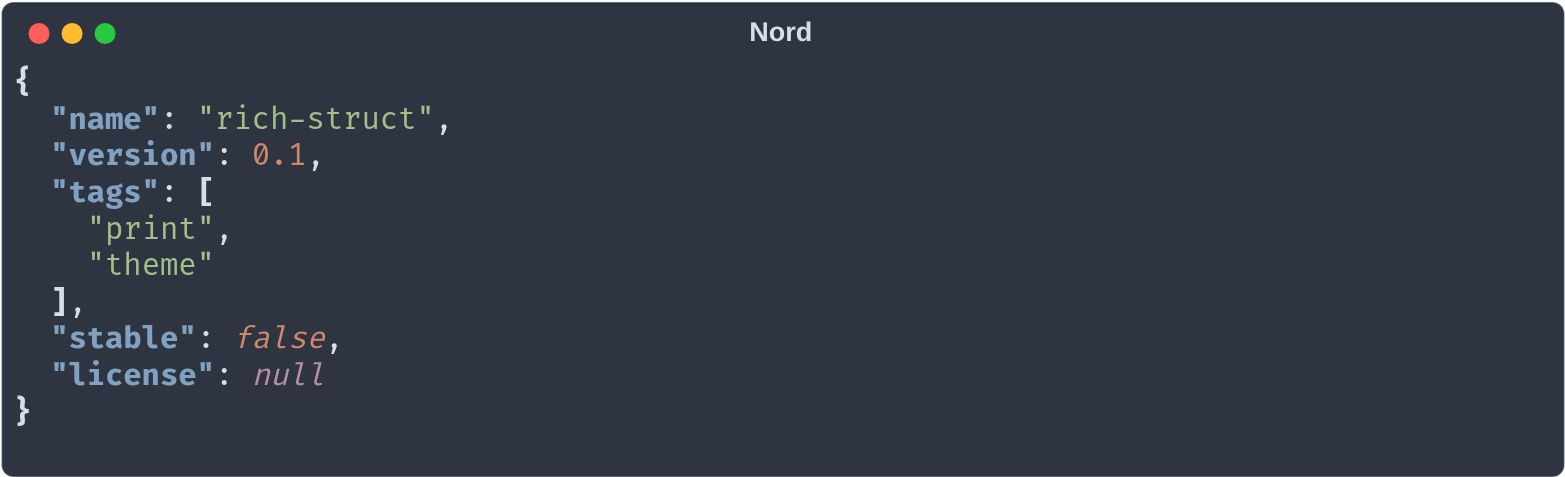
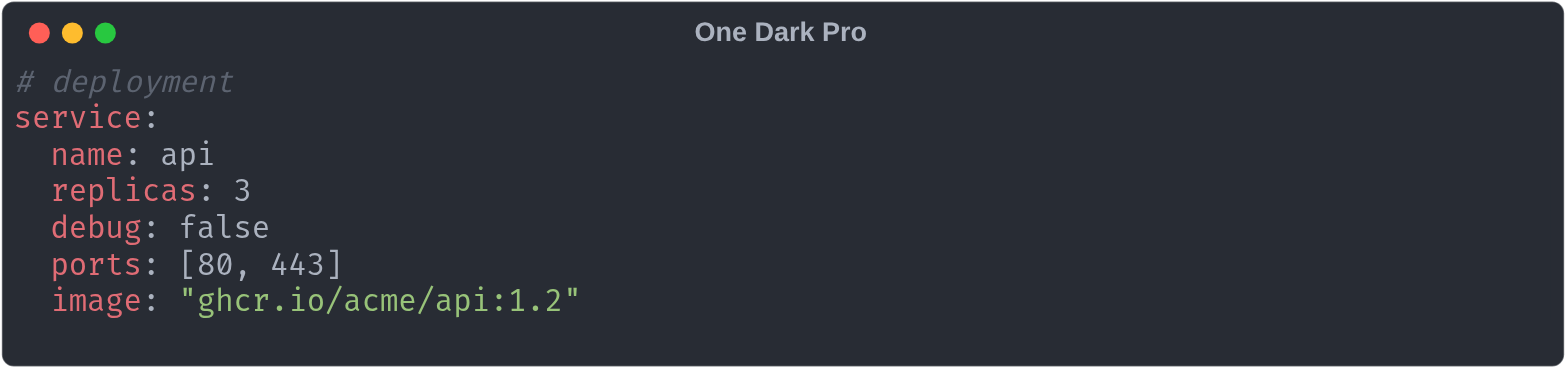
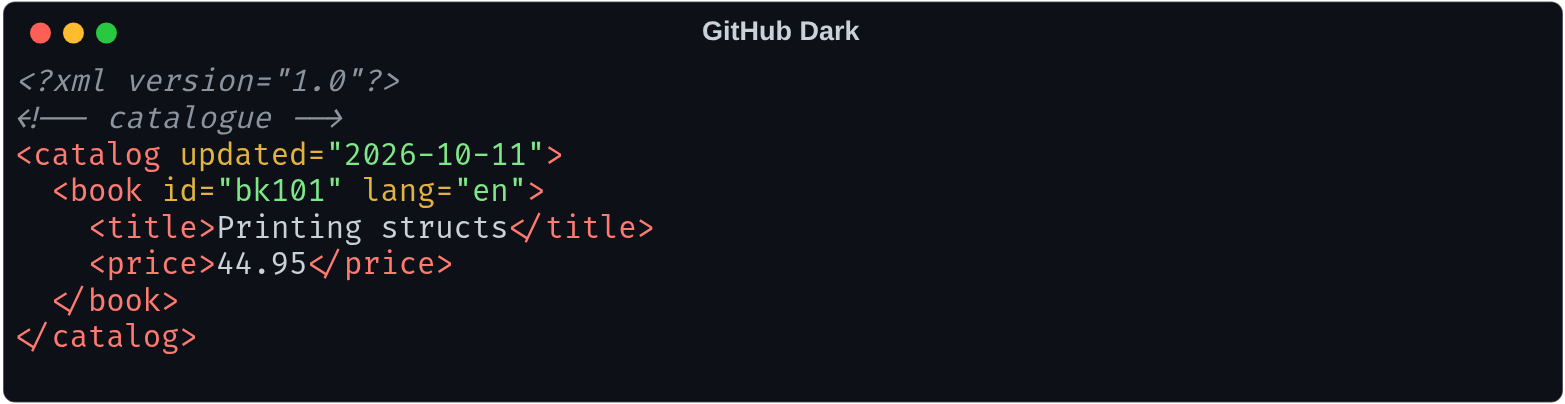
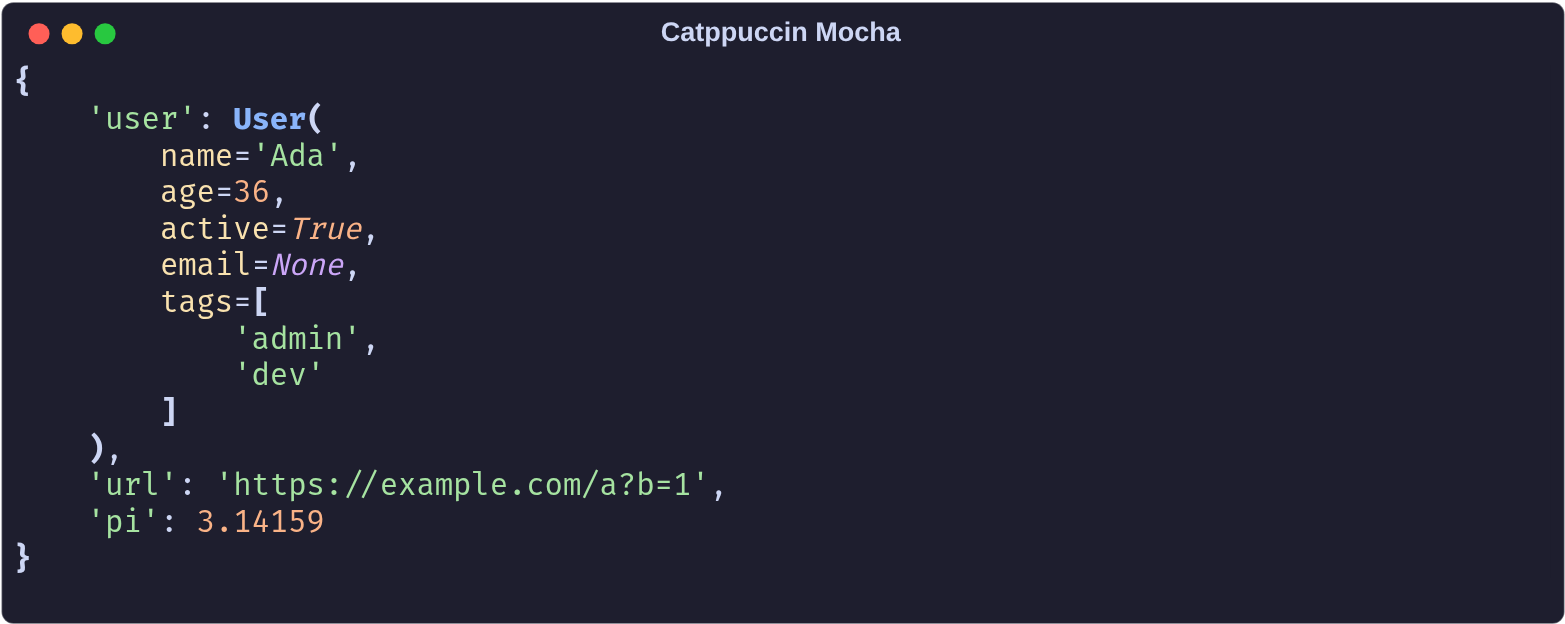
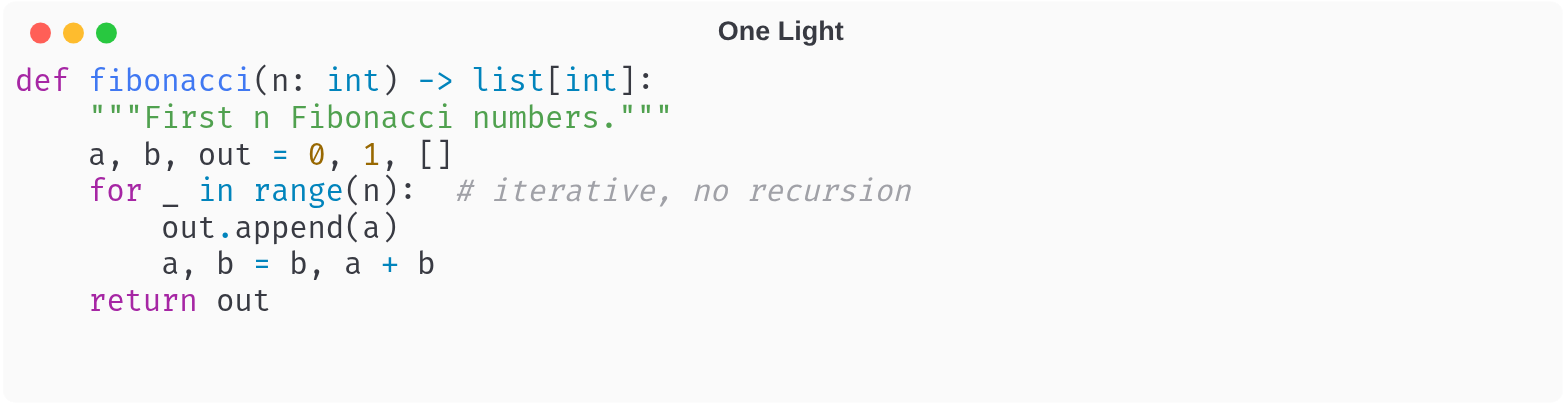
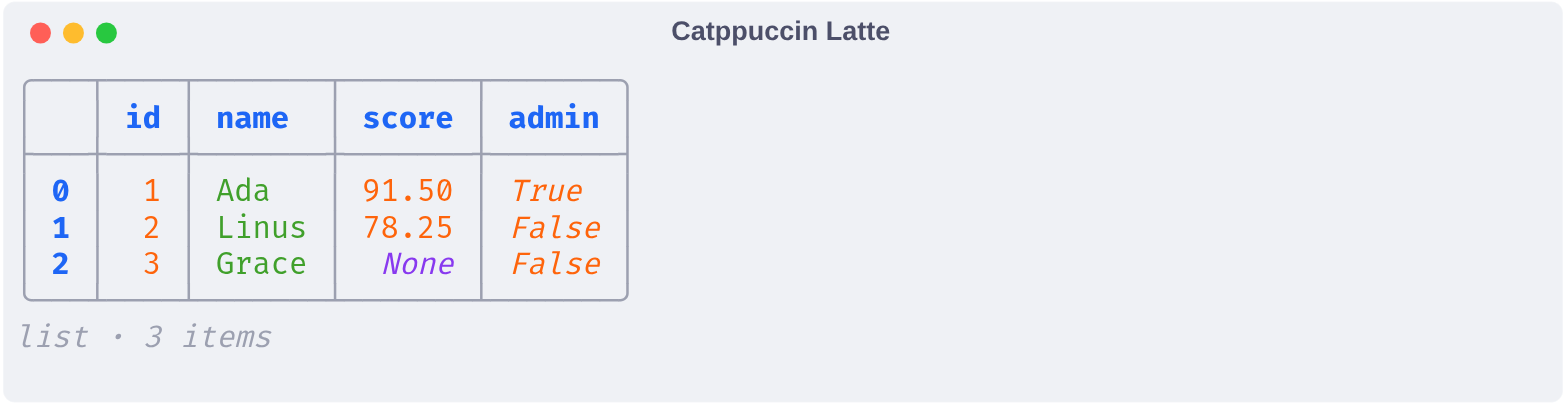
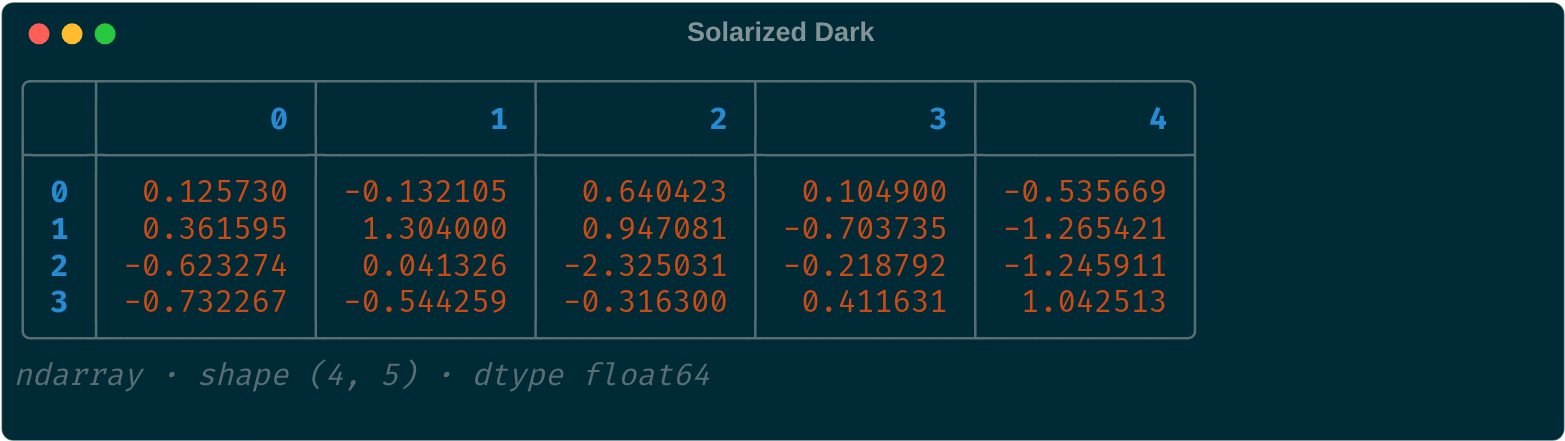
One per kind of struct, each in a different theme. The demo notebook shows every kind in all 23 themes; open it in Jupyter or VS Code to see the colours.
Markdown — print_md, Tokyo Night
JSON — print_json, Nord
YAML — print_yaml, One Dark Pro
XML — print_xml, GitHub Dark
Python objects — print_object, Catppuccin Mocha
Code — print_syntax, One Light
Lists — print_table, Catppuccin Latte
NumPy arrays — print_table, Solarized Dark
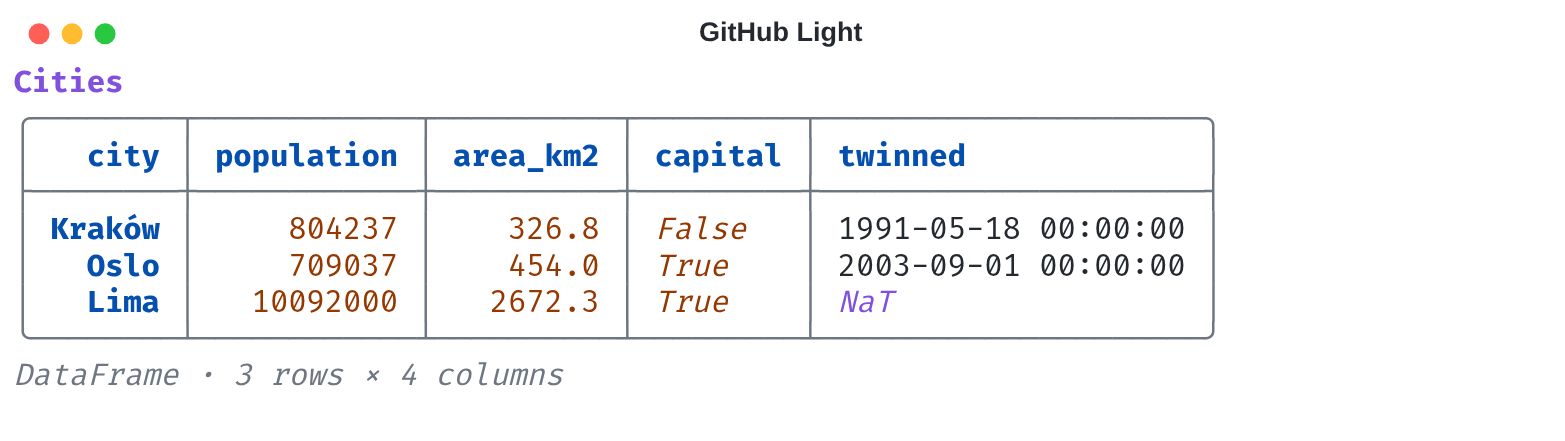
pandas DataFrames — print_table, GitHub Light
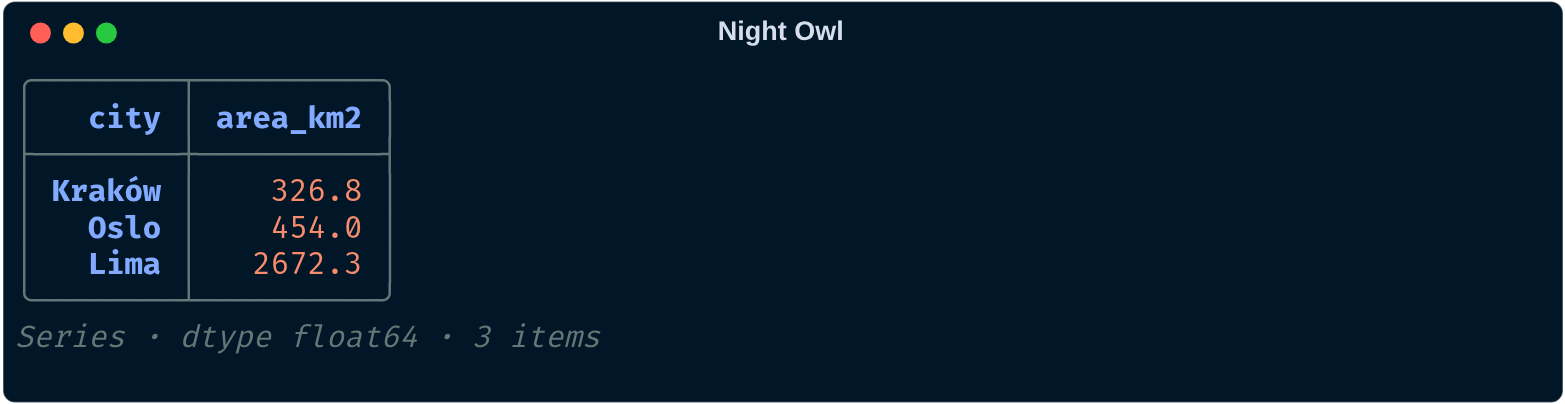
pandas Series — print_table, Night Owl
Tables
print_table(data, title=None, max_rows=20, max_cols=10) accepts:
- pandas
DataFrameandSeries, numpy arrays of any dimension (more than 2: one table per slice) - lists of dicts (records), lists of lists (a grid), and any other sequence such as
array.arrayorrange(one column)
Numbers are right-aligned, floats in a column share their decimals, and missing values are dimmed.
Long data shows its head and tail around a … gap, and columns that don't fit the terminal width go into the gap as well.
to_table(data) returns the renderable instead of printing it. numpy and pandas are not dependencies.
Themes
| Dark | Light |
|---|---|
| Tokyo Night (default) | GitHub Light |
| Dracula | Solarized Light |
| One Dark Pro | One Light |
| Monokai | Catppuccin Latte |
| Nord | Gruvbox Light |
| Gruvbox Dark | Tokyo Night Light |
| Catppuccin Mocha | Ayu Light |
| Solarized Dark | Night Owl Light |
| GitHub Dark | Light+ |
| Night Owl | Everforest Light |
| Winter is Coming | Light Modern |
| Dark Modern |
Themes are built from each theme's colour palette, not ported token-by-token from the editor.
Output is painted on the theme's background across the full terminal width. Pass background=False to keep the terminal's own background; nothing is painted or padded when the output has no colour (e.g. piped to a file). A custom Theme gets a background by defining a background style, e.g. "background": "#c0caf5 on #1a1b26".
Code colours come from syntax.* styles (text, comment, keyword, string, number, function, type, tag, attribute, operator); a custom Theme may override any of them.
1 maintainer

Metadata
1 maintainer
Release files for rich-struct 0.1.4
For a detailed explanation of source distributions (sdists) and built distributions (wheels), please see the package formats documentation.
Source distribution (sdist)
| File | Size | Uploaded | |
|---|---|---|---|
| rich_struct-0.1.4.tar.gz | 13.7 kB | Details |
Built distribution (wheel)
| File | Interpreter | ABI | Platform | Reset |
|---|---|---|---|---|
| rich_struct-0.1.4-py3-none-any.whl | Python 3 | none | any | Details |
Total release size: 26.6 kB
Release files / rich_struct-0.1.4.tar.gz
| Download URL | rich_struct-0.1.4.tar.gz |
|---|---|
| Size | 13.7 kB |
| Tags | Source |
|
SHA-256 checksum How to use checksums |
d266b7dcc201d6a17e82199687ae94f0328e7aa098a11695342f9b09d851202f
|
|
BLAKE2b-256 checksum How to use checksums |
a5359acebac07460be0f96f3c91b9efbdfb2eacb6e99db018f0e8d72d29e227a
|
| Upload date | |
|
Uploaded using Trusted Publishing? What is trusted publishing? |
No |
| Uploaded via |
twine/7.0.0 CPython/3.14.7
|
Release files / rich_struct-0.1.4-py3-none-any.whl
| Download URL | rich_struct-0.1.4-py3-none-any.whl |
|---|---|
| Size | 12.9 kB |
| Tags | Python 3 |
|
SHA-256 checksum How to use checksums |
f9b6affe302459428aef3e657f822879c80b6acebecdb0bd0e6d229c6f33a260
|
|
BLAKE2b-256 checksum How to use checksums |
494ff925d84117a46815a8220c100077f1d3cc7d5667dc79c95eed180c85aaff
|
| Upload date | |
|
Uploaded using Trusted Publishing? What is trusted publishing? |
No |
| Uploaded via |
twine/7.0.0 CPython/3.14.7
|














