
rich cat command working on Python


Project description




richcat
richcatis acatcommand decorated by rich which is Python library.- Working on Python.
Features
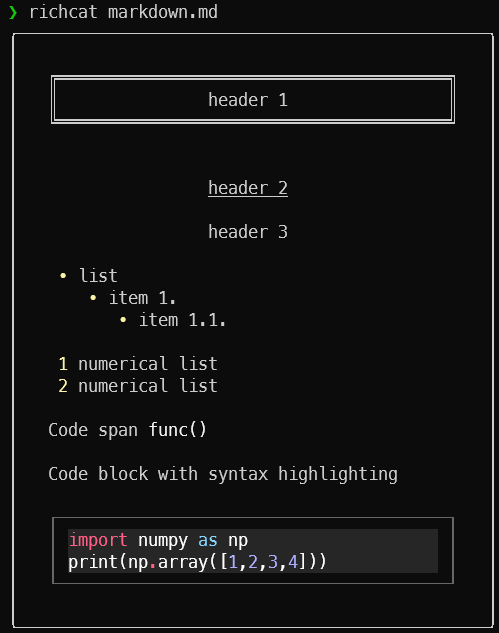
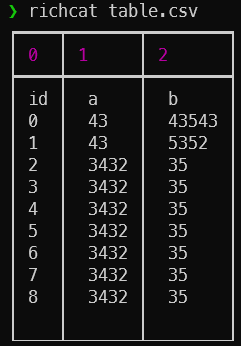
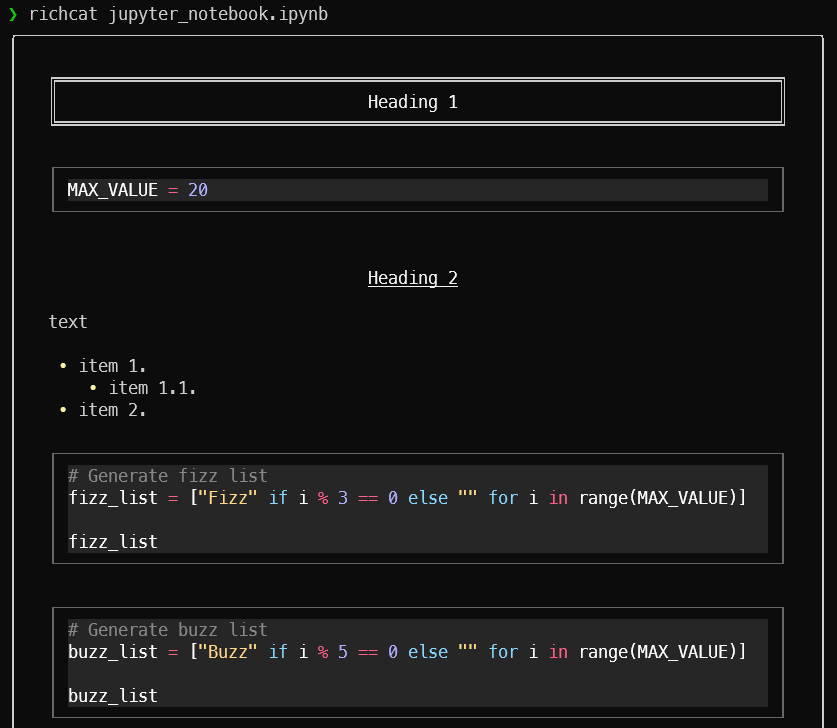
Syntax hilighting

Support viewer
| Markdown | CSV | Jupyter Notebook |
|---|---|---|
 |
 |
 |
Automatic paging
By default, richcat pipes its own output to a pager. If you wouldn't rather pager, use --style=nopager option.
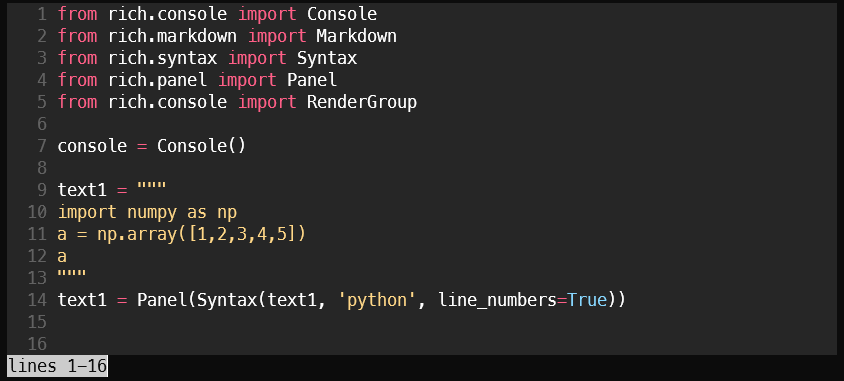
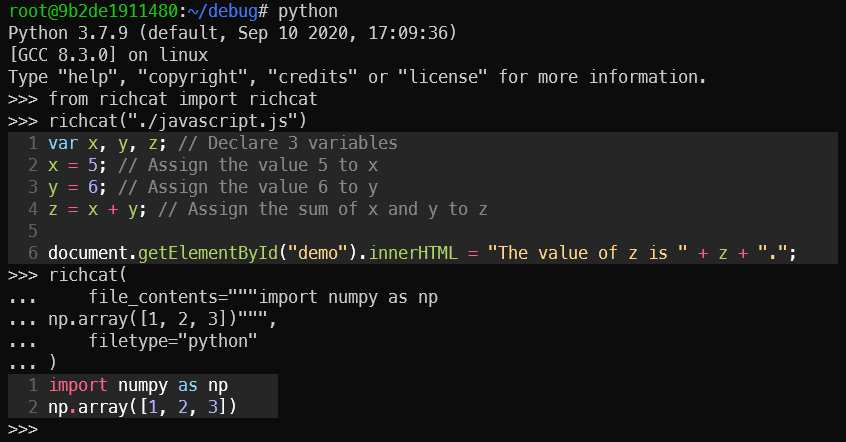
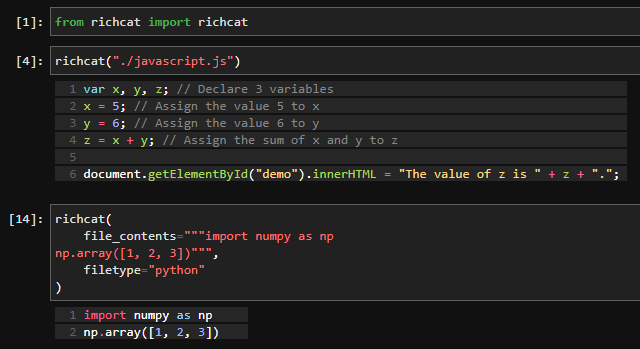
Support Python import
Import on Python console:
Import on Jupyter Lab:
Installation
pip install richcat
Usage
Display a file contents on the terminal.
example:
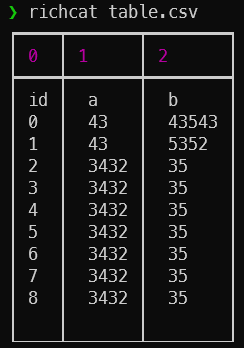
richcat table.csv
Use -t option, you can choose highlight.
example:
richcat table.csv -t text
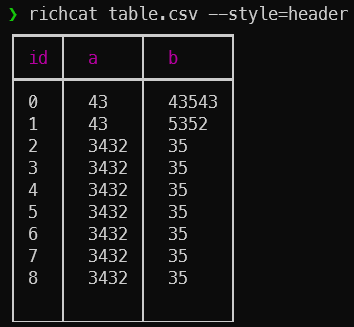
Use --style=header option if you use the header in a CSV file.
example:
richcat table.csv --style=header
--style=noheader (default) |
--style=header |
|---|---|
 |
 |
If you want to use richcat in Python, you can use the following example.
example:
>>> from richcat import richcat
>>> richcat("table.csv")
Options
The options that can be specified in richcat are as follows:
| option | explanation | example |
|---|---|---|
-h, --help |
Show help in English. | |
-V, --version |
Show version. | |
-t, --filetype <STRING> |
Specify file type. | --filetype python |
-w, --width <INT or FLOAT> |
Set print width. If width>1, set print width direct. If width<1, set print width percent.' |
--width 80, --width 0.5 |
-c, --color-system <STRING> |
Choose color system. ['standard', '256', 'truecolor', 'windows'] |
|
--style <STRING> |
Set styles. ['[no]header', '[no]pager'] |
--style=header,nopager |
Development
If you want to develop richcat, please follow the steps below.
- Build the development environment.
$ git clone git@github.com:richcat-dev/richcat.git
$ docker-compose build
- Start the development environment.
$ docker-compose up -d
- Go inside the launched Docker container to develop.
$ docker exec -it <CONTAINER_ID> /bin/bash
You can view the API document of richcat under development at the following URL.
You can update richcat API documentation with the following command.
$ cd ~
$ make sphinx-apidoc
Contributors
- @yamamoto-yuta (Maintainer, main contributor!)
- @ShotaroKataoka (Maintainer)
Release history Release notifications | RSS feed


Download files
Download the file for your platform. If you're not sure which to choose, learn more about installing packages.
Source Distributions
Built Distribution
Filter files by name, interpreter, ABI, and platform.
If you're not sure about the file name format, learn more about wheel file names.
Copy a direct link to the current filters
File details
Details for the file richcat-0.5.0-py3-none-any.whl.
File metadata
- Download URL: richcat-0.5.0-py3-none-any.whl
- Upload date:
- Size: 19.2 kB
- Tags: Python 3
- Uploaded using Trusted Publishing? No
- Uploaded via: twine/3.8.0 pkginfo/1.8.2 readme-renderer/32.0 requests/2.27.1 requests-toolbelt/0.9.1 urllib3/1.26.8 tqdm/4.63.0 importlib-metadata/4.11.2 keyring/23.5.0 rfc3986/2.0.0 colorama/0.4.4 CPython/3.9.10
File hashes
| Algorithm | Hash digest | |
|---|---|---|
| SHA256 |
a1bd42ac7eda0588067a4ea188fcf3165e708447e9c0666b7db8051c744c9904
|
|
| MD5 |
3a12e40bdc8ec266b4a8bba983ba6380
|
|
| BLAKE2b-256 |
41f9081127fcc9ece66dd650b13fc0a0a166e2a5ecdddd70cabd7b57c11d5e98
|






