
Ride-The-Duck
Ride The Duck is a gambling, CLI, binary executable game based on the drinking game "Ride The Bus." Ride The Duck incorporates the first stage of Ride The Bus, where you need to guess if the next card fits into either category, with each category giving you a better multiplier to your initial bet, earning you more.
Features
Ride The Duck contains many different features:
- Save file: When exiting the terminal or the game, your data (money, name, stats) will be saved.
- CLI: The game appears and runs on the Command Line Interface for a techy and hacky vibe.
- ASCII: Part of the game's interface is made using ASCII, which gives a cool visual effect.
- ANSI escape codes: The game's text is configured with color to pop out.
- PyPI: You can play the game using PyPI packages / pip.
- Duck: Ducks are added to replace Jacks.
- Gambling: You are given money to gamble with, for fun.
- macOS Compatibility: Runs on macOS and maybe Linux... not really a feature but I can't make it compatible with Windows (If this game gets enough support I'll try to do it).
Gameplay
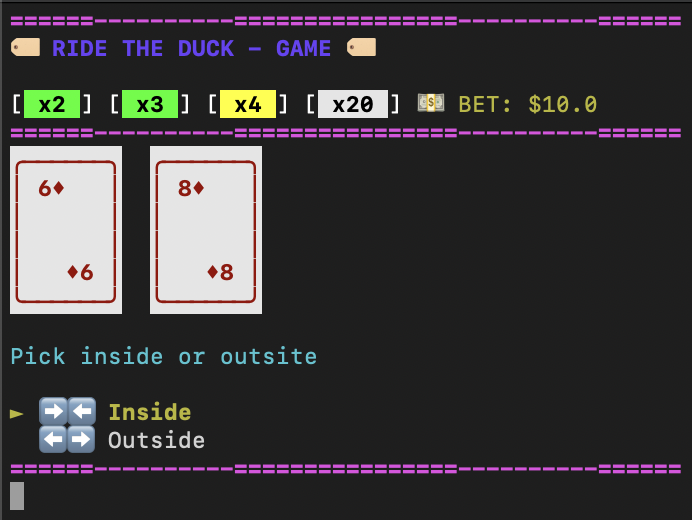
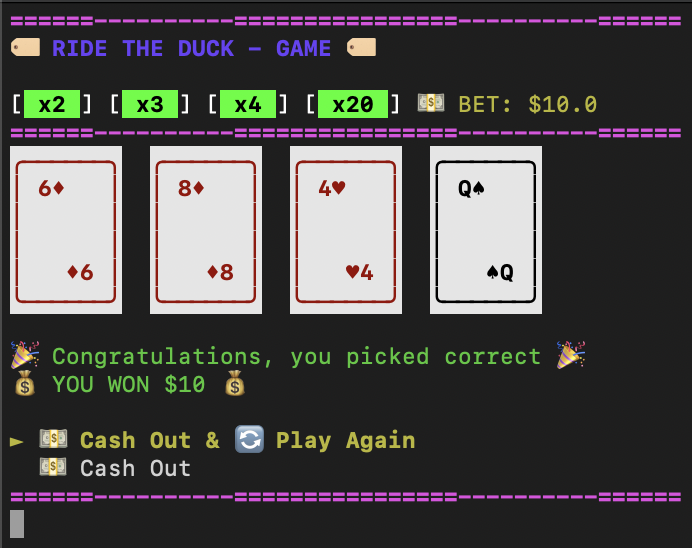
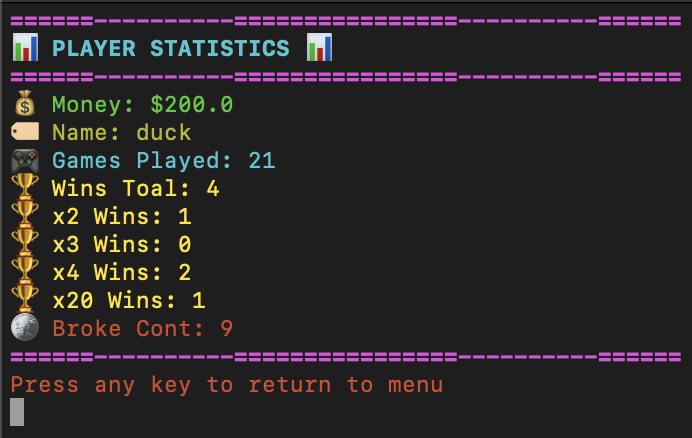
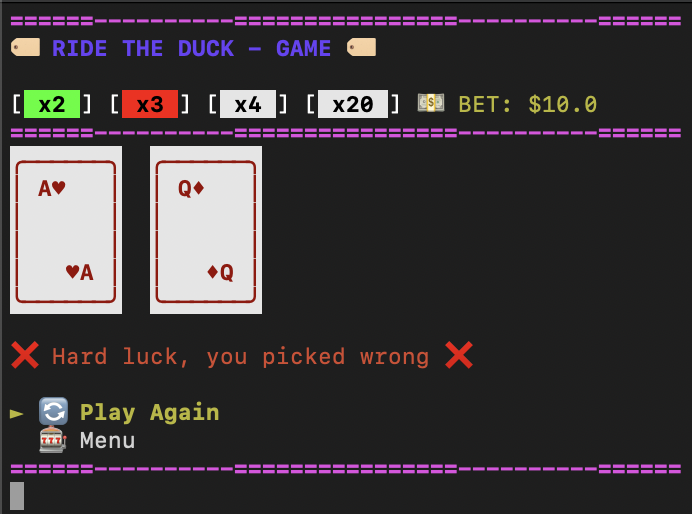
How Do You Play Ride The Duck?
When you play the main game, you first need to enter how much you want to bet. After you complete the bet stage, there are 4 rounds, each round giving you a better multiplier for your money.
-
Red or Black x2
-
Over or Under x3
-
Inside or Outside x4
-
Suit x20
After completing each stage, you're able to cash out and collect your bet with the multiplier of the round or continue and try to collect a higher multiplier.
The first round is guessing if the next/first card is going to be Red or Black. Completing this will give you a 2x multiplier on your initial bet.
The second round is guessing if the next card is going to be over or under the first card. Completing this will give you a 3x multiplier on your initial bet.
The third round is guessing if the next card is going to be between the first 2 cards or outside them. Completing this will give you a 4x multiplier on your initial bet.
Lastly, the fourth round is guessing the suit of the next/last card. Completing this will give you a 20x multiplier on your initial bet.
On the last stage, you can only cash out, earning the holy 20x multiplier.
How to play (macOS ONLY, Potentially Linux)
Binary Executable (macOS arm64 ONLY)
To download the binary executable (TERMINAL CRAFT), you can follow these steps:
-
Go to the releases page of Ride The Duck.
-
Go to the most recent version and download the file: "RTD-G 'VERSION' macOS arm64 tar.gz". This is the file that has the game on it.
-
Go to the file location (most likely 'Downloads') and open the downloaded file.
-
Bypass the Apple security by:
- Double click the "RTD-Game" executable file and press "Done" (NOT "Move to Bin"). Go to Settings > Privacy & Security and under Security, select Open Anyway on the game file name "RTD-Game".
or
Example: ```sh cd /Users/"UserName"/Downloads ``` Then use this command to bypass the security: ```sh xattr -d com.apple.quarantine RTD-Game ``` -
Double click or open the game executable file and have fun c:
If you're not comfortable with letting your guard down and bypassing the security, you can message me on Slack (soon to be changed) @DuckyBoi_XD or Email and I'll try to respond ASAP to send you the file that shouldn't require any security bypass.
PyPI (macOS Only, Maybe Linux)
For this you need to have Python installed (most systems should already have it installed).
-
Check for pip or Python in your terminal:
python --versionor
python3 --versionand then
pip --versionor
pip3 --versionIf you get a response with a version number then you should be all set. If your Python is 3.8 or above then it should be good. If your pip is 21.3 or above then it should be good.
-
Install Ride The Duck
In your terminal, install Ride The Duck by using one of these commands:
pip3 install ride-the-duck
or
pip install ride-the-duck
or
python -m pip install ride-the-duck
If you get a confirmation about ride-the-duck being installed then you should be good to go.
-
Run game
To run the game, all you need to do is use the command 'RTD' or 'ride-the-duck'.
-
Have fun C:
PyPI Pipx (macOS ONLY, Maybe Linux)
In Terminal:
- Install:
pipx install ride-the-duck - Play:
RTD
Make sure pipx is installed (pip install pipx).
If RTD command is not found, run pipx ensurepath first to set up your PATH.
1 maintainer

Metadata
1 maintainer
Release files for ride-the-duck 1.0.31
For a detailed explanation of source distributions (sdists) and built distributions (wheels), please see the package formats documentation.
Source distribution (sdist)
| File | Size | Uploaded | |
|---|---|---|---|
| ride_the_duck-1.0.31.tar.gz | 33.3 kB | Details |
Built distribution (wheel)
| File | Interpreter | ABI | Platform | Reset |
|---|---|---|---|---|
| ride_the_duck-1.0.31-py3-none-any.whl | Python 3 | none | any | Details |
Total release size: 59.1 kB
Release files / ride_the_duck-1.0.31.tar.gz
| Download URL | ride_the_duck-1.0.31.tar.gz |
|---|---|
| Size | 33.3 kB |
| Tags | Source |
|
SHA-256 checksum How to use checksums |
fa88710689ac17f344a2e1a12c2b373950d113d27d33a3602df81bf60ef28a79
|
|
BLAKE2b-256 checksum How to use checksums |
27ec831a55dcb8f11df6e3042153967b58f4c550325aec1b4fe58a39a3965084
|
| Upload date | |
|
Uploaded using Trusted Publishing? What is trusted publishing? |
Yes |
| Uploaded via |
twine/6.1.0 CPython/3.13.7
|
Provenance
Provenance describes where a file came from. On PyPI, provenance is shared via attestations, which provide a verifiable record of the build or publishing details. View details, limitations and caveats.


PyPI Publish Attestation
PyPI verified that this artifact, at this checksum, originated from the publisher listed below.
Signed by GitHub Actions, verified by PyPI on Sep 27, 2025.
Transparency logRelease files / ride_the_duck-1.0.31-py3-none-any.whl
| Download URL | ride_the_duck-1.0.31-py3-none-any.whl |
|---|---|
| Size | 25.8 kB |
| Tags | Python 3 |
|
SHA-256 checksum How to use checksums |
569d44c4adf27c87d1f7ab9b12361e86d7a3df7eb310daf5e05917108928e221
|
|
BLAKE2b-256 checksum How to use checksums |
29c18aba37e5a27177bf831286a828870849651099f807d6954a1eda7aa8cbd8
|
| Upload date | |
|
Uploaded using Trusted Publishing? What is trusted publishing? |
Yes |
| Uploaded via |
twine/6.1.0 CPython/3.13.7
|
Provenance
Provenance describes where a file came from. On PyPI, provenance is shared via attestations, which provide a verifiable record of the build or publishing details. View details, limitations and caveats.
PyPI Publish Attestation
PyPI verified that this artifact, at this checksum, originated from the publisher listed below.
Signed by GitHub Actions, verified by PyPI on Sep 27, 2025.
Transparency log













