
rillfacet
A fast 3D viewer for simulations. Feed it plain arrays; get an interactive scene in a native window or in your browser.
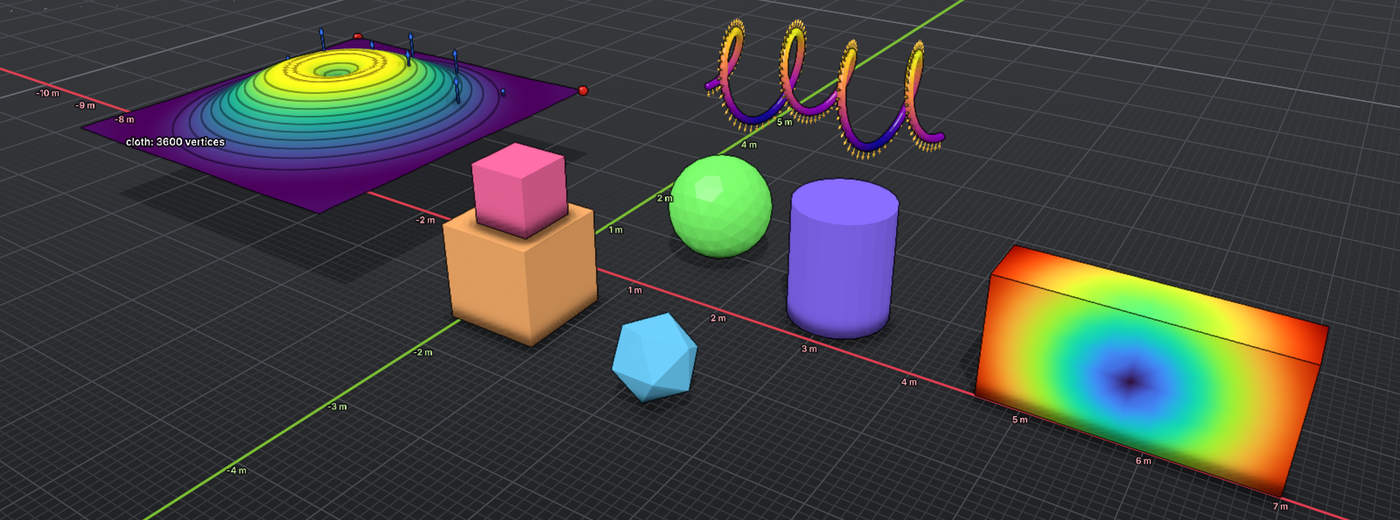
- Simple. Meshes, points, curves, volumes and arrows, colored by any quantity you attach.
- Fast. WebGPU rendering with soft shadows, ambient occlusion and transparency.
- Everywhere. Python, C++, and a browser client that streams from a running process.
- Independent. It never depends on a simulator. NumPy and torch tensors (CUDA too) just work.
The name: a rill is a small stream, like the stream of poses and meshes flowing from your simulator. A facet is one flat face of a mesh, or the flat near and far planes that bound what a camera sees.
Python
pip install rillfacet
Start with examples/hello.py: a rippling sheet colored by height, in about 50 lines with no simulator.
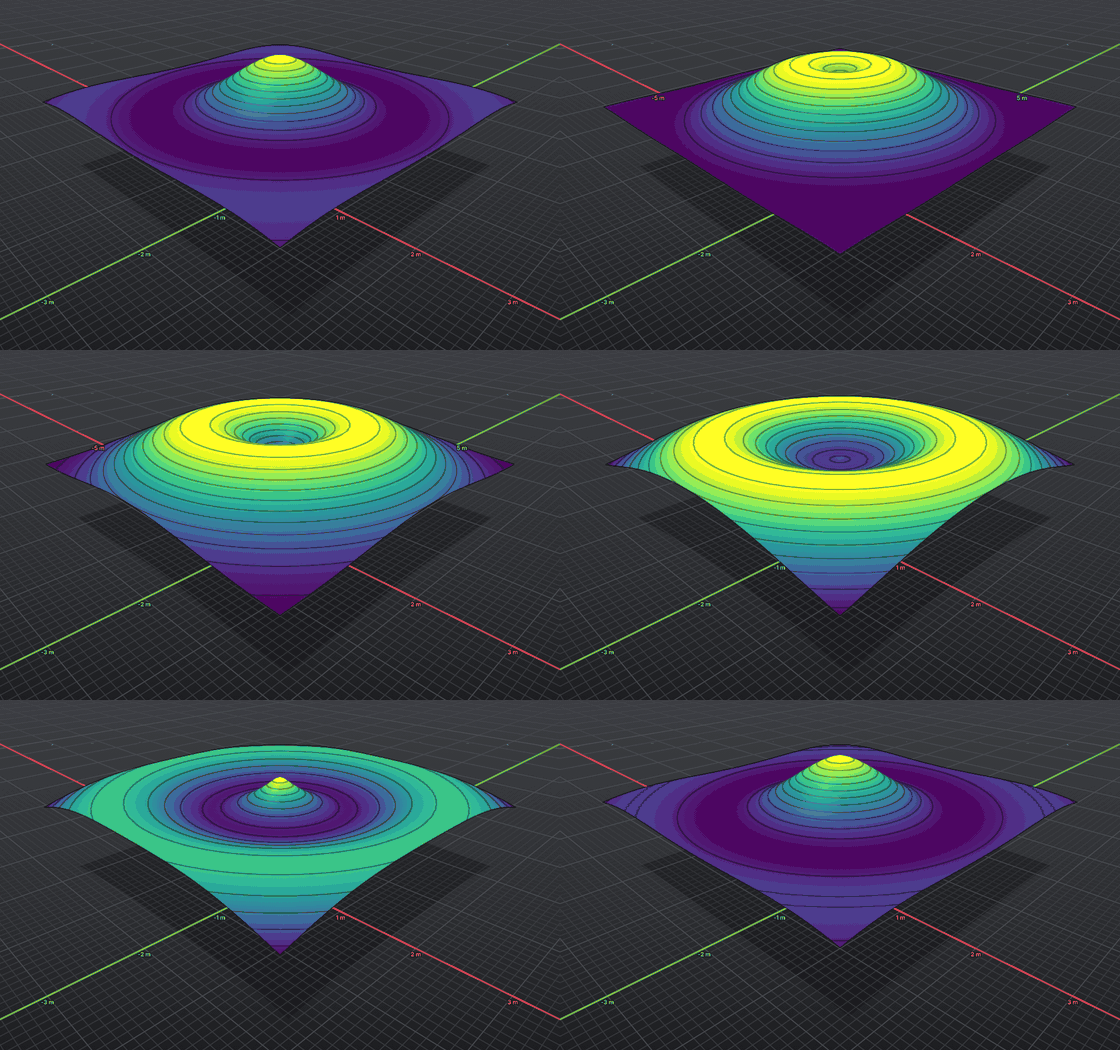
Plugging in your own simulator looks like this:
import rillfacet as viz

v = viz.Viewer()
cloth = v.scene.add_mesh("cloth")
cloth.set_geometry(verts, tris)
cloth.add_scalar("speed", viz.ElementKind.Vertex, speed)
cloth.color_source = viz.ColorSource.Quantity
cloth.color_quantity = "speed"
cloth.colormap = "viridis"

def callback():              # runs every frame
    sim.step()
    cloth.set_positions(sim.positions)

v.set_callback(callback)
v.run()
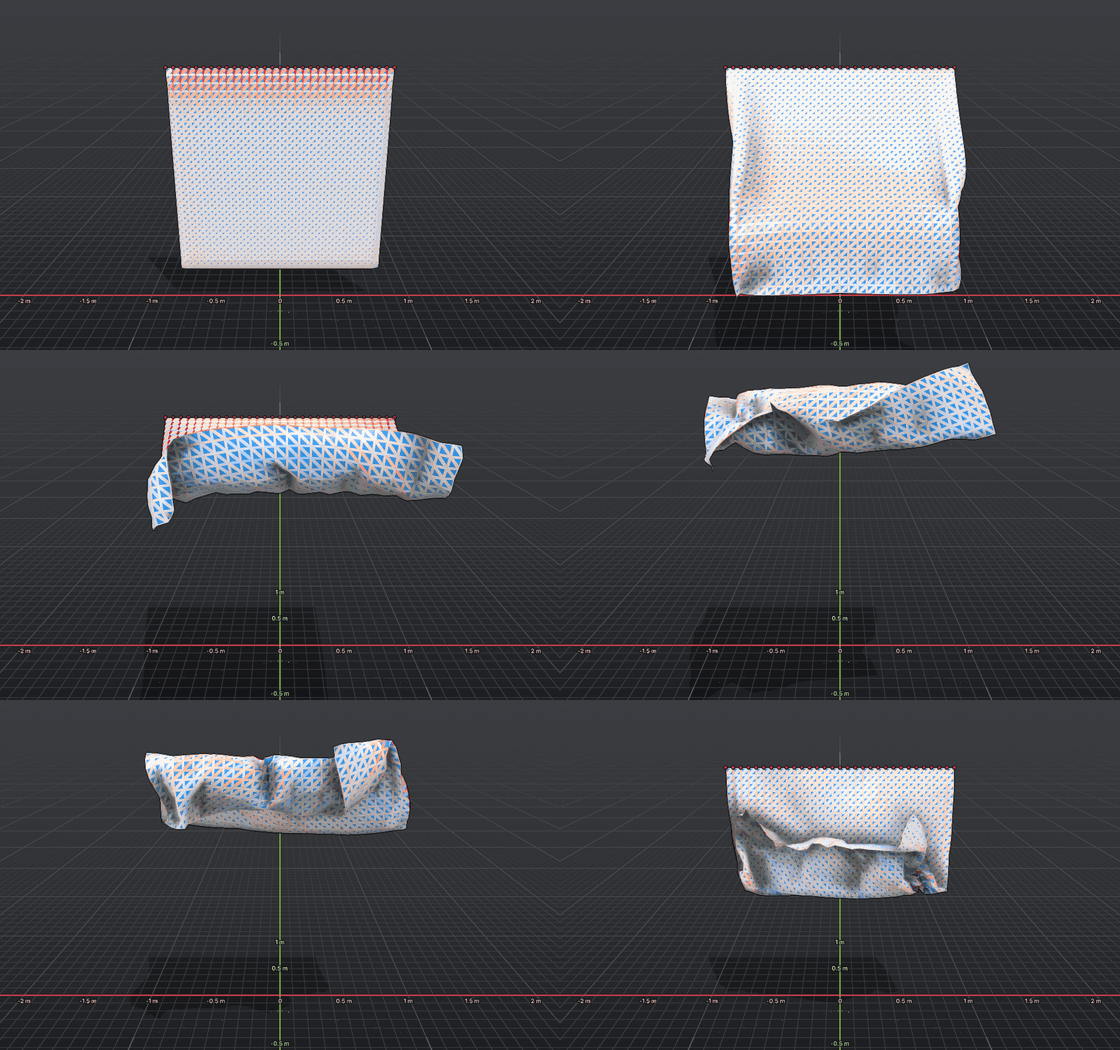
Use Viewer(headless=True) to render offscreen, for screenshots and CI. Your own panels use the familiar imgui API.
Look closer
Switch styles and themes, see through to the wireframe, or slice a volume open to inspect what is inside.
Select vertices, edges, faces or bodies. Measure distances and angles. Drag objects with the mouse. Controls follow Blender.
C++
Link the static library and use the same scene API. The bundled demo needs no simulator:
./build/showcase
In the browser
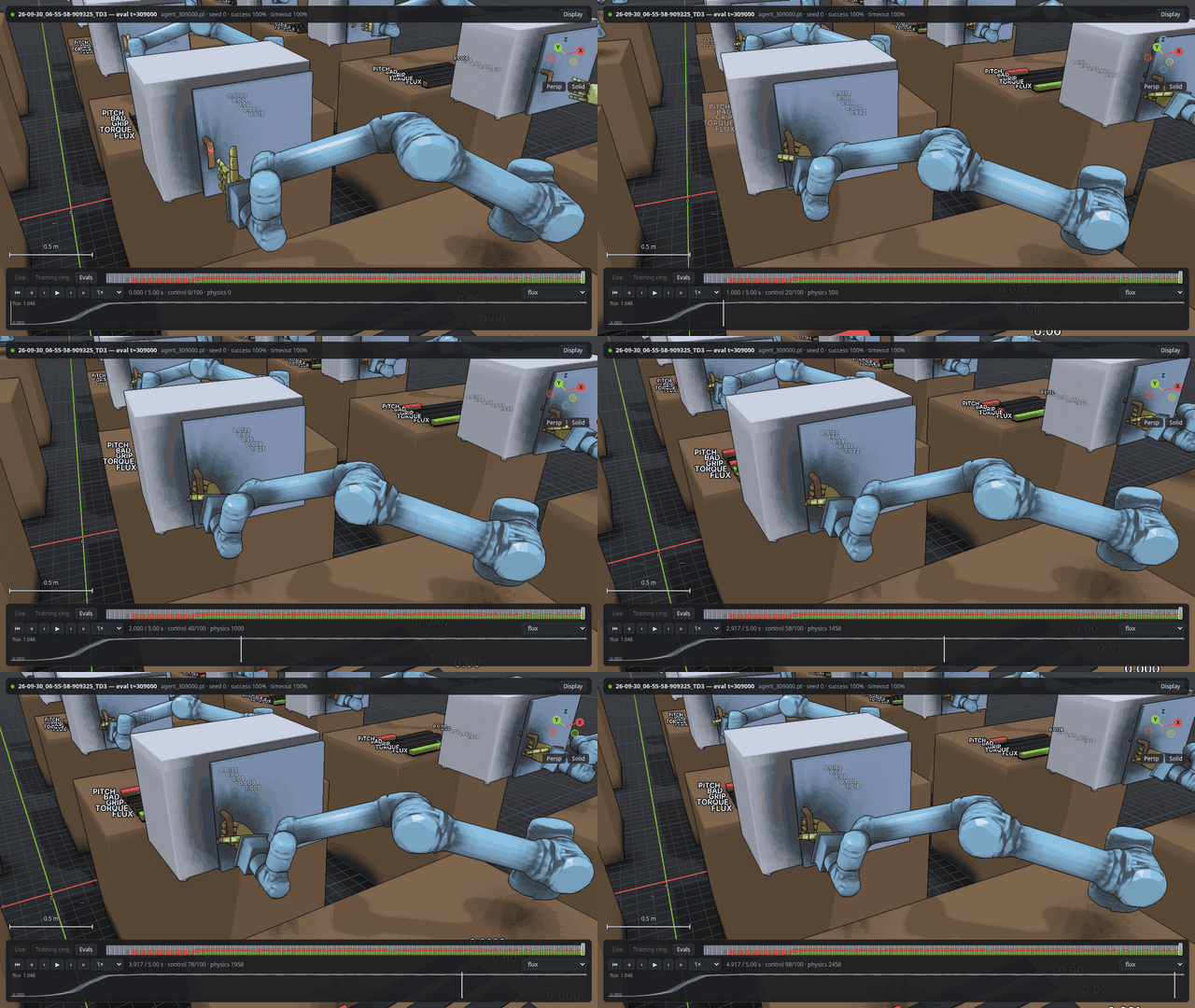
Stream a live run, or replay saved ones, in any WebGPU browser. The browser renders the same shaders as the native window.
from rillfacet.scene_api import Scene
from rillfacet.web.server import StreamBackend, VizServer

server = VizServer("0.0.0.0", 8080)
backend = StreamBackend(server.stream("live"))
scene = Scene(backend)

if backend.wanted():             # a browser is watching
    backend.commit(scene, time=step)
Open http://<host>:8080/. It suits physical simulation and reinforcement learning alike; the clip below shows robots from a training run.
Requirements
- Linux x86-64 and Python 3.10 or newer.
- A Vulkan driver (your GPU's, or Mesa's software one).
- Optional:
ffmpegto record.mp4video.
Build from source
./scripts/build_dawn.sh                      # once, about 10 minutes
cmake -S . -B build -G Ninja && cmake --build build
pip install .                                # the Python wheel
You need GCC 13 or newer (or Clang), CMake 3.24 or newer, Ninja and git. Full details, the complete API notes and the controls table are in docs/REFERENCE.md.
License
MIT. Wheels also bundle Dawn, GLFW, Dear ImGui, ImPlot, nanobind and fonts under their own licenses; see THIRD_PARTY_LICENSES.txt.
1 maintainer

Metadata
1 maintainer
Release files for rillfacet 0.1.2
For a detailed explanation of source distributions (sdists) and built distributions (wheels), please see the package formats documentation.
Built distributions (wheels)
| File | Reset | |||
|---|---|---|---|---|
| rillfacet-0.1.2-cp312-abi3-win_amd64.whl | CPython 3.12 | abi3 | Windows x86-64 | Details |
| rillfacet-0.1.2-cp312-abi3-macosx_12_0_arm64.whl | CPython 3.12 | abi3 | macOS 12.0+ ARM64 | Details |
| rillfacet-0.1.2-cp311-cp311-win_amd64.whl | CPython 3.11 | CPython 3.11 | Windows x86-64 | Details |
| rillfacet-0.1.2-cp311-cp311-macosx_12_0_arm64.whl | CPython 3.11 | CPython 3.11 | macOS 12.0+ ARM64 | Details |
| rillfacet-0.1.2-cp310-cp310-win_amd64.whl | CPython 3.10 | CPython 3.10 | Windows x86-64 | Details |
| rillfacet-0.1.2-cp310-cp310-macosx_12_0_arm64.whl | CPython 3.10 | CPython 3.10 | macOS 12.0+ ARM64 | Details |
Total release size: 35.0 MB
Release files / rillfacet-0.1.2-cp312-abi3-win_amd64.whl
| Download URL | rillfacet-0.1.2-cp312-abi3-win_amd64.whl |
|---|---|
| Size | 6.5 MB |
| Tags | CPython 3.12 Windows x86-64 abi3 |
|
SHA-256 checksum How to use checksums |
5c02ef682edacb424cab246c32aae3f29c4e4edafefd80d0b468127806f938d9
|
|
BLAKE2b-256 checksum How to use checksums |
a6d259eed500194b0906d8e9a20fc2bf22b6d5f63640a8a7f8c9ff8b495fb1a3
|
| Upload date | |
|
Uploaded using Trusted Publishing? What is trusted publishing? |
Yes |
| Uploaded via |
twine/7.0.0 CPython/3.13.16
|
Provenance
Provenance describes where a file came from. On PyPI, provenance is shared via attestations, which provide a verifiable record of the build or publishing details. View details, limitations and caveats.


PyPI Publish Attestation
PyPI verified that this artifact, at this checksum, originated from the publisher listed below.
Signed by GitHub Actions, verified by PyPI on Oct 23, 2026.
Transparency logRelease files / rillfacet-0.1.2-cp312-abi3-macosx_12_0_arm64.whl
| Download URL | rillfacet-0.1.2-cp312-abi3-macosx_12_0_arm64.whl |
|---|---|
| Size | 5.2 MB |
| Tags | CPython 3.12 abi3 macOS 12.0+ ARM64 |
|
SHA-256 checksum How to use checksums |
96b423006308ecf652c52be3781bbe8fb11de8447eec220b5d46ee989f31717c
|
|
BLAKE2b-256 checksum How to use checksums |
5389c70b0cb289032225fb39d54224c6c8a76447a32c6cdc9ff452c400f17f91
|
| Upload date | |
|
Uploaded using Trusted Publishing? What is trusted publishing? |
Yes |
| Uploaded via |
twine/7.0.0 CPython/3.13.16
|
Provenance
Provenance describes where a file came from. On PyPI, provenance is shared via attestations, which provide a verifiable record of the build or publishing details. View details, limitations and caveats.
PyPI Publish Attestation
PyPI verified that this artifact, at this checksum, originated from the publisher listed below.
Signed by GitHub Actions, verified by PyPI on Oct 23, 2026.
Transparency logRelease files / rillfacet-0.1.2-cp311-cp311-win_amd64.whl
| Download URL | rillfacet-0.1.2-cp311-cp311-win_amd64.whl |
|---|---|
| Size | 6.5 MB |
| Tags | CPython 3.11 Windows x86-64 |
|
SHA-256 checksum How to use checksums |
1a0329b0cb5d0580ceaf1b672bdd2ab7130c18531a221e95aae86ee63021648b
|
|
BLAKE2b-256 checksum How to use checksums |
7bd81a8d3cb7d2fe3f8d33e4c18abc7c0a3a1fa655f66cea950263a9a4d8f101
|
| Upload date | |
|
Uploaded using Trusted Publishing? What is trusted publishing? |
Yes |
| Uploaded via |
twine/7.0.0 CPython/3.13.16
|
Provenance
Provenance describes where a file came from. On PyPI, provenance is shared via attestations, which provide a verifiable record of the build or publishing details. View details, limitations and caveats.
PyPI Publish Attestation
PyPI verified that this artifact, at this checksum, originated from the publisher listed below.
Signed by GitHub Actions, verified by PyPI on Oct 23, 2026.
Transparency logRelease files / rillfacet-0.1.2-cp311-cp311-macosx_12_0_arm64.whl
| Download URL | rillfacet-0.1.2-cp311-cp311-macosx_12_0_arm64.whl |
|---|---|
| Size | 5.2 MB |
| Tags | CPython 3.11 macOS 12.0+ ARM64 |
|
SHA-256 checksum How to use checksums |
d566ead7b23c4fc4fbaeb2644b841ee2e441b45cd350e7473c00122fcb187c22
|
|
BLAKE2b-256 checksum How to use checksums |
7697fff633a816954f1bc17b0ac890ddab3b5255f5212e7e228ef59d3f1132d5
|
| Upload date | |
|
Uploaded using Trusted Publishing? What is trusted publishing? |
Yes |
| Uploaded via |
twine/7.0.0 CPython/3.13.16
|
Provenance
Provenance describes where a file came from. On PyPI, provenance is shared via attestations, which provide a verifiable record of the build or publishing details. View details, limitations and caveats.
PyPI Publish Attestation
PyPI verified that this artifact, at this checksum, originated from the publisher listed below.
Signed by GitHub Actions, verified by PyPI on Oct 23, 2026.
Transparency logRelease files / rillfacet-0.1.2-cp310-cp310-win_amd64.whl
| Download URL | rillfacet-0.1.2-cp310-cp310-win_amd64.whl |
|---|---|
| Size | 6.5 MB |
| Tags | CPython 3.10 Windows x86-64 |
|
SHA-256 checksum How to use checksums |
b6060d20072df50f76504ed11357977c8780b50dd668adcf533167e6dc003291
|
|
BLAKE2b-256 checksum How to use checksums |
2f7ed4917c25f61339e645773013c9c41f44242c4afaca8dc78b3e4f481aee72
|
| Upload date | |
|
Uploaded using Trusted Publishing? What is trusted publishing? |
Yes |
| Uploaded via |
twine/7.0.0 CPython/3.13.16
|
Provenance
Provenance describes where a file came from. On PyPI, provenance is shared via attestations, which provide a verifiable record of the build or publishing details. View details, limitations and caveats.
PyPI Publish Attestation
PyPI verified that this artifact, at this checksum, originated from the publisher listed below.
Signed by GitHub Actions, verified by PyPI on Oct 23, 2026.
Transparency logRelease files / rillfacet-0.1.2-cp310-cp310-macosx_12_0_arm64.whl
| Download URL | rillfacet-0.1.2-cp310-cp310-macosx_12_0_arm64.whl |
|---|---|
| Size | 5.2 MB |
| Tags | CPython 3.10 macOS 12.0+ ARM64 |
|
SHA-256 checksum How to use checksums |
de91a8887a4c1d1f00ba67b320727b9bed8f601c78e467eb72c16df97c2bc339
|
|
BLAKE2b-256 checksum How to use checksums |
74ee612987096520276dddef28e90870d65f820358f40610bf268292efb2d423
|
| Upload date | |
|
Uploaded using Trusted Publishing? What is trusted publishing? |
Yes |
| Uploaded via |
twine/7.0.0 CPython/3.13.16
|
Provenance
Provenance describes where a file came from. On PyPI, provenance is shared via attestations, which provide a verifiable record of the build or publishing details. View details, limitations and caveats.
PyPI Publish Attestation
PyPI verified that this artifact, at this checksum, originated from the publisher listed below.
Signed by GitHub Actions, verified by PyPI on Oct 23, 2026.
Transparency logSecurity for rillfacet 0.1.2
Provenance
Provenance describes where a file came from. On PyPI, provenance is shared via attestations, which provide a verifiable record of the build or publishing details. View details, limitations and caveats.
Full provenance
All 6 files in this release have been uploaded with provenance metadata.
Attestation for rillfacet-0.1.2-cp312-abi3-win_amd64.whl
PyPI Publish Attestation
PyPI verified that this artifact, at this checksum, originated from the publisher listed below.
Signed by GitHub Actions, verified by PyPI on Oct 23, 2026.
Transparency logA note on package security
PyPI is a repository for distributing packages, not a service for auditing them. While third-party security researchers and our staff do their best to detect and remove malicious packages, PyPI cannot guarantee the quality, security or suitability of any given package.
To learn more about protecting yourself from malicious actors, visit our package security documentation.














