
Facial Expression Recognition using Residual Masking Network
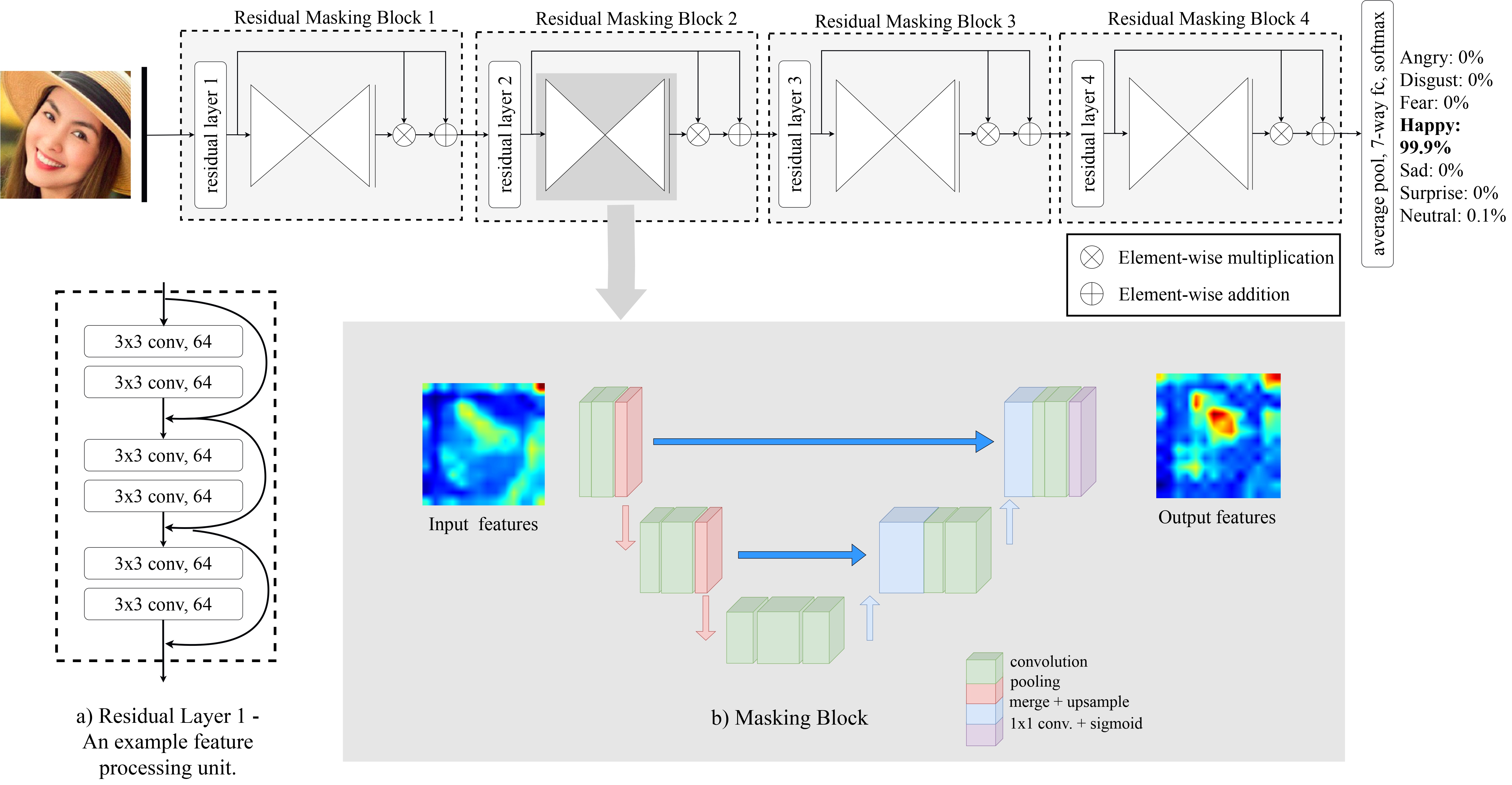
(*) State-of-the-art Facial Expression Recognition / Emotion Detection.






Installation
- Install from pip
pip install rmn
- Or build from source
git clone git@github.com:phamquiluan/ResidualMaskingNetwork.git
cd ResidualMaskingNetwork
pip install -e .
Quick Start
from rmn import RMN
import cv2

# Initialize the model
m = RMN()

# Detect emotions from an image
image = cv2.imread("your-image.png")
results = m.detect_emotion_for_single_frame(image)
print(results)

# Draw results on the image
image = m.draw(image, results)
cv2.imwrite("output.png", image)
Webcam Demo
from rmn import RMN
m = RMN()
m.video_demo()
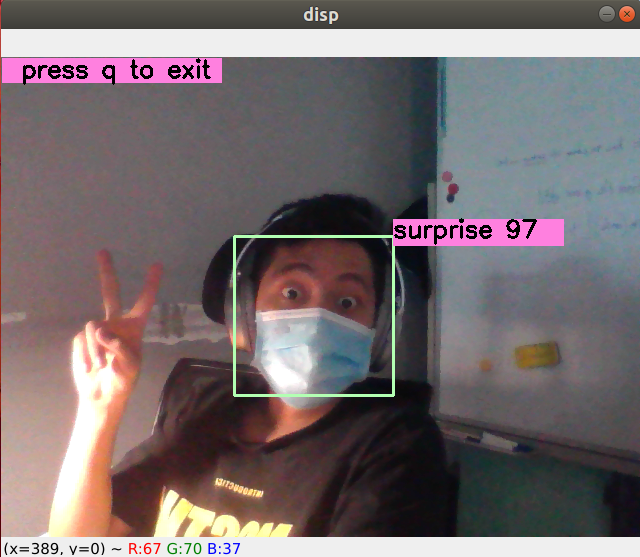
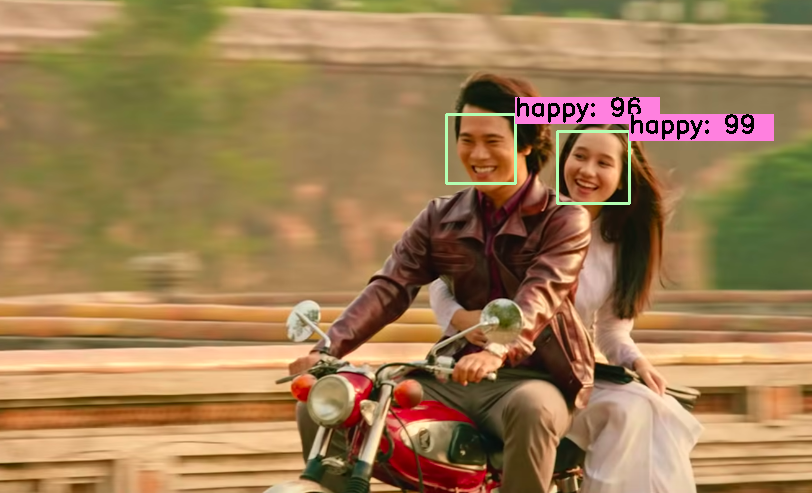
Table of Contents
- Benchmarking on FER2013
- Benchmarking on ImageNet
- Download datasets
- Training on FER2013
- Training on ImageNet
- Evaluation results
- Download dissertation and slide
Benchmarking on FER2013
We benchmark our code thoroughly on two datasets: FER2013 and VEMO. Below are the results and trained weights:
| Model | Accuracy |
|---|---|
| VGG19 | 70.80 |
| EfficientNet_b2b | 70.80 |
| Googlenet | 71.97 |
| Resnet34 | 72.42 |
| Inception_v3 | 72.72 |
| Bam_Resnet50 | 73.14 |
| Densenet121 | 73.16 |
| Resnet152 | 73.22 |
| Cbam_Resnet50 | 73.39 |
| ResMaskingNet | 74.14 |
| ResMaskingNet + 6 | 76.82 |
Results in VEMO dataset could be found in my thesis or slide (attached below)
Benchmarking on ImageNet
We also benchmark our model on ImageNet dataset.
| Model | Top-1 Accuracy | Top-5 Accuracy |
|---|---|---|
| Resnet34 | 72.59 | 90.92 |
| CBAM Resnet34 | 73.77 | 91.72 |
| ResidualMaskingNetwork | 74.16 | 91.91 |
Datasets
- FER2013 Dataset (locate it in
saved/data/fer2013likesaved/data/fer2013/train.csv) - ImageNet 1K Dataset (ensure it can be loaded by torchvision.datasets.Imagenet)
Training on FER2013
To train the networks, you need to specify the model name and other hyperparameters in the config file (located at configs/*) then ensure it is loaded in main file, then run training procedure by simply run main file, for example:
python main_fer.py # Example for fer2013_config.json file
The best checkpoints will chosen at term of best validation accuracy, located at saved/checkpoints. By default, it will train alexnet model, you can switch to another model by edit configs/fer2013_config.json file (to resnet18 or cbam_resnet50 or my network resmasking_dropout1.
Training on the Imagenet dataset
To perform training resnet34 on 4 V100 GPUs on a single machine:
python ./main_imagenet.py -a resnet34 --dist-url 'tcp://127.0.0.1:12345' --dist-backend 'nccl' --multiprocessing-distributed --world-size 1 --rank 0
Ensemble method
I used the no-weighted sum average ensemble method to fuse 7 different models together, to reproduce results, you need to do some steps:
- Download all needed trained weights and locate them on the
./saved/checkpoints/directory. The link to download can be found in the Benchmarking section. - Edit file
gen_resultsand run it to generate result offline for each model. - Run the
gen_ensemble.pyfile to generate accuracy for example methods.
Dissertation and Slide
- Dissertation PDF (in Vietnamese)
- Dissertation Overleaf Source
- Presentation slide PDF (in English) with full appendix
- Presentation slide Overleaf Source
- ICPR Paper
- ICPR Poster Overleaf Source
Citation
Pham Luan, The Huynh Vu, and Tuan Anh Tran. "Facial Expression Recognition using Residual Masking Network". In: Proc. ICPR. 2020.
@inproceedings{pham2021facial,
  title={Facial expression recognition using residual masking network},
  author={Pham, Luan and Vu, The Huynh and Tran, Tuan Anh},
  booktitle={2020 25th International Conference on Pattern Recognition (ICPR)},
  pages={4513--4519},
  year={2021},
  organization={IEEE}
}
Star History
License
This project is licensed under the MIT License - see the LICENSE file for details.
1 maintainer

Download files
Download the file for your platform. If you're not sure which to choose, learn more about installing packages.
Source Distribution
Built Distribution
Filter files by name, interpreter, ABI, and platform.
If you're not sure about the file name format, learn more about wheel file names.
Copy a direct link to the current filters
File details
Details for the file rmn-3.2.0.tar.gz.
File metadata
- Download URL: rmn-3.2.0.tar.gz
- Upload date:
- Size: 82.1 kB
- Tags: Source
- Uploaded using Trusted Publishing? No
- Uploaded via:
twine/7.0.0 CPython/3.10.20
File hashes
| Algorithm | Hash digest | |
|---|---|---|
| SHA256 |
ee4da55880be69db6e5eed7ae5816bde131f2a4433cb976fdb8b9ba2fe4dc4db
|
|
| MD5 |
8ee5b3255e4f34a452cd60142986863d
|
|
| BLAKE2b-256 |
4b2756e15393418671ec7d4f3674f717989c710720092871266bc47ab305f28c
|
File details
Details for the file rmn-3.2.0-py3-none-any.whl.
File metadata
- Download URL: rmn-3.2.0-py3-none-any.whl
- Upload date:
- Size: 106.9 kB
- Tags: Python 3
- Uploaded using Trusted Publishing? No
- Uploaded via:
twine/7.0.0 CPython/3.10.20
File hashes
| Algorithm | Hash digest | |
|---|---|---|
| SHA256 |
1c55691cc89b4f02ab80981f706f65aba0073655ecd7978abffacfe887999d71
|
|
| MD5 |
8415f5c882fa219e8c5adffe39c818be
|
|
| BLAKE2b-256 |
70f1372b40a52c1e467ed386a78ff01c71f6114e40c4a1531b27af81819ff501
|







