
Python SDK for integrating with Aliceblue trading platform.

Project description
Tradion - The Official Python SDK for Smart Trading
The Tradion Python SDK provides a streamlined interface for secure and efficient communication with the Tradion API. It offers extensive features to manage trading operations, monitor market data, and handle account management seamlessly.
- Author: CodiFi
- Current Version: 1.0.0
Installation
To install the Tradion SDK using pip, run the following command:
pip install rmoney-tradion-uat
Ensure that Python 3.8 or higher is installed on your system
python --version
Update pip
To force update pip to the latest version, you can run the following command:
pip install rmoney-tradion-uat -y
pip install --no-cache-dir pip install rmoney-tradion-uat
REST Documentation
For detailed information on the underlying REST API, refer to the official Tradion API documentation:
RMoney Tradion API Documentation
Getting Started with API
The Tradion SDK has primary classes: TradeHub.
- TradeHub Class: This class handles direct interactions with the Tradion API, including managing sessions, placing orders, and retrieving market data.
Session Management
The get_session_id method is used to retrieve a session ID from the Tradion server. The session ID remains valid until you log out of your trading account. It is recommended to generate the session ID once during login and store it securely for subsequent use.
1. Import the Library
Import the required class from the SDK:
from TradeMaster.TradeSync import *
2. Create a Trading Object
Initialize a Trading object using your user_id, auth_code, and secret_key
trade = TradeHub(user_id="YOUR_USER_ID", auth_code="YOUR_AUTH_CODE", secret_key="YOUR_SECRET_KEY")
3. Get Session
To get the session ID, use the get_session_id() method.
You can call it directly, or optionally provide a check_sum or an existing session_id if you already have them.
# Get session ID (default way)
print(trade.get_session_id())

# Optionally, pass a checksum if you have one
print(trade.get_session_id(check_sum="your_checksum_here"))

# Optionally, pass an existing session ID
print(trade.get_session_id(session_id="your_existing_session_id"))
4. Download the contract master
Master contracts simplify the process of locating instruments by their symbol names and placing orders. These contracts are stored locally as CSV files, organized by token number and symbol name. By default, master contracts for all enabled exchanges in your profile are downloaded. To download contracts for specific enabled exchanges (e.g., ['NSE', 'BSE', 'NFO', 'BFO', 'CDS', 'BCD', 'NCO', 'BCO', 'MCX', 'INDICES', 'NCDEX']), replace "EXCHANGE" with the desired exchange names in the command below:
trade.get_contract_master(exchange="EXCHANGE")
5. Retrieve Available Instruments for Trading
Instruments can be fetched based on their symbol, token, or Futures & Options (FNO) from the downloaded contract master as shown below:
# Fetching instrument by symbol (TCS) or trading symbol (TCS-EQ) for all exchange
print(trade.get_instrument(exchange=Exchange.NSE, symbol='TCS'))

# Fetching instrument by token for all exchange
print(trade.get_instrument(exchange=Exchange.NSE, token='11915'))

# Fetching Futures & Options instrument
print(trade.get_instrument_for_fno(exchange=Exchange.NFO, symbol='HAL', expiry_date='2025-04-24', strike='5000',
                                               is_fut=False, is_CE=True))
Predefined Categories
The following predefined categories are used for placing or modifying orders and retrieving data. You can use these categories or, if you already know their corresponding values, you can pass them directly.
-
TransactionType: Specifies the type of transaction.
TransactionType.Buy: BUYTransactionType.Sell: SELL
-
OrderComplexity: Specifies the type of order.
OrderComplexity.Regular: RegularOrderComplexity.AMO: AMO (After Market Order)OrderComplexity.Cover: CO (Cover Order)OrderComplexity.Bracket: BO (Bracket Order)
-
ProductType: Defines the product category.
ProductType.Normal: NORMAL (Normal order)ProductType.Intraday: INTRADAY (Margin Intraday Square-off)ProductType.Longterm: LONGTERM (Delivery-based, long-term holding)ProductType.MTF: MTF (Margin Trading Facility)ProductType.GTT: GTT (Good Till Triggered)ProductType.CNC: CNC (Cash and Carry)
-
OrderType: Specifies the pricing mechanism.
OrderType.Limit: LIMIT (Limit Order)OrderType.Market: MARKET (Market Order)OrderType.StopLose: SL (Stop Loss Limit Order)OrderType.StopLossMarket: SLM (Stop Loss Market Order)
-
PositionType: Defines how the position is managed.
PositionType.posDAY: DAY (Intraday position)PositionType.posNET: NET (Carry forward position)PositionType.posIOC: IOC (Immediate or Cancel)
-
Exchange: Defines the Exchange category.
Exchange.NSE: NSE National Stock ExchangeExchange.BSE: BSE Bombay Stock ExchangeExchange.NFO: NFO NSE Futures & OptionsExchange.BFO: BFO BSE Futures & OptionsExchange.CDS: CDS Currency Derivatives Segment (NSE)Exchange.BCD: BCD BSE Currency DerivativesExchange.NCO: NCO NSE CommoditiesExchange.BCO: BCO BSE CommoditiesExchange.MCX: MCX Multi Commodity ExchangeExchange.INDICES: INDICES Index data (NSE/BSE indices)Exchange.NCDEX: NCDEX National Commodity & Derivatives Exchange
Order & Trade Management
Place Order
To place an order, use the trade.placeOrder() method. You can provide the instrument details in one of three optional ways:
- Option 1: Using instrumentId, exchange (When you already know the token (instrumentId) and exchange, pass both directly.)
- Option 2: Using get_instrument (When you only know the symbol, this function will fetch the instrument; no need to pass the exchange separately.)
- Option 3: Using get_instrument_for_fno (for Futures & Options, when you know the symbol details; no need to pass the exchange separately.)
Option 1:
placeOrder = trade.placeOrder(instrumentId='532822',
                              exchange=Exchange.BSE,
                              transactionType=TransactionType.Buy,
                              quantity='2',
                              orderComplexity=OrderComplexity.Regular,
                              product=ProductType.BNPL,
                              orderType=OrderType.Market,
                              price='',
                              slTriggerPrice="",
                              slLegPrice="",
                              targetLegPrice="",
                              validity=PositionType.posDAY,
                              trailingSlAmount="",
                              disclosedQuantity="",
                              marketProtectionPercent="",
                              apiOrderSource="",
                              algoId="",
                              orderTag="")

print("User placeOrder :", placeOrder)
Option 2:
placeOrder = trade.placeOrder(instrument=trade.get_instrument(exchange=Exchange.BSE, symbol='IDEA'),
                              transactionType=TransactionType.Buy,
                              quantity='2',
                              orderComplexity=OrderComplexity.Regular,
                              product=ProductType.BNPL,
                              orderType=OrderType.Limit,
                              price='10',
                              slTriggerPrice="",
                              slLegPrice="",
                              targetLegPrice="",
                              validity=PositionType.posDAY,
                              trailingSlAmount="",
                              disclosedQuantity="",
                              marketProtectionPercent="",
                              apiOrderSource="",
                              algoId="",
                              orderTag="")

print("User placeOrder :", placeOrder)
Option 3:
placeOrder = trade.placeOrder(instrument=trade.get_instrument_for_fno(exchange=Exchange.NFO, symbol='HAL',
                                                                                    expiry_date="2025-05-29",
                                                                                    strike="35366", is_fut=False, is_CE=True,
                              transactionType=TransactionType.Buy,
                              quantity='2',
                              orderComplexity=OrderComplexity.Regular,
                              product=ProductType.BNPL,
                              orderType=OrderType.StopLoss,
                              price='10',
                              slTriggerPrice="8.5",
                              slLegPrice="0",
                              targetLegPrice="0",
                              validity=PositionType.posDAY,
                              trailingSlAmount="",
                              disclosedQuantity="",
                              marketProtectionPercent="",
                              apiOrderSource="",
                              algoId="",
                              orderTag="")

print("User placeOrder :", placeOrder)
Modify Order
modifyOrder = trade.modifyOrder(brokerOrderId="250424000007880",
                                price="20",
                                slTriggerPrice="19",
                                slLegPrice="",
                                targetLegPrice="",
                                quantity="20",
                                orderType=OrderType.Limit,
                                trailingSLAmount="",
                                validity=PositionType.posDAY,
                                disclosedQuantity="",
                                marketProtectionPrecent="",
                                deviceId="grhskjdvbDVHBVH" # Optional
                                )

print("User Modify_Order :", modifyOrder)
Cancel Order
To cancel a previously placed order, use the cancelOrder() method by providing the brokerOrderId (Order Number).
# Example: Cancel an order by Order Number
print(trade.cancelOrder(brokerOrderId='25033100000020'))
Exit Bracket Order
# Example: Exit Bracket Order an order by Order Number and orderComplexity
exitBracketOrder = trade.exitBracketOrder(brokerOrderId='250424000007880',
                                      orderComplexity=OrderComplexity.Cover)

print("User Exit Bracket Order :", exitBracketOrder)
Position Sqr Off
To Position SqrOff, use the trade.positionSqrOff() method. You can provide the instrument details in one of three optional ways:
- Option 1: Using instrumentId, exchange (When you already know the token (instrumentId) and exchange, pass both directly.)
- Option 2: Using get_instrument (When you only know the symbol, this function will fetch the instrument; no need to pass the exchange separately.)
- Option 3: Using get_instrument_for_fno (for Futures & Options, when you know the symbol details; no need to pass the exchange separately.)
Option 1:
positionSqrOff = trade.positionSqrOff(instrumentId='532822',
                              exchange=Exchange.BSE,
                              transactionType=TransactionType.Buy,
                              quantity='2',
                              orderComplexity=OrderComplexity.Regular,
                              product=ProductType.BNPL,
                              orderType=OrderType.Market,
                              price='',
                              slTriggerPrice="",
                              slLegPrice="",
                              targetLegPrice="",
                              validity=PositionType.posDAY,
                              trailingSlAmount="",
                              disclosedQuantity="",
                              marketProtectionPercent="",
                              apiOrderSource="",
                              algoId="",
                              orderTag="")

print("User Position Sqr Off :", positionSqrOff)
Option 2:
positionSqrOff = trade.positionSqrOff(instrument=trade.get_instrument(exchange=Exchange.BSE, symbol='IDEA'),
                              transactionType=TransactionType.Buy,
                              quantity='2',
                              orderComplexity=OrderComplexity.Regular,
                              product=ProductType.BNPL,
                              orderType=OrderType.Limit,
                              price='10',
                              slTriggerPrice="",
                              slLegPrice="",
                              targetLegPrice="",
                              validity=PositionType.posDAY,
                              trailingSlAmount="",
                              disclosedQuantity="",
                              marketProtectionPercent="",
                              apiOrderSource="",
                              algoId="",
                              orderTag="")

print("User Position Sqr Off :", positionSqrOff)
Option 3:
positionSqrOff = trade.positionSqrOff(instrument=trade.get_instrument_for_fno(exchange=Exchange.BSE, symbol='IDEA', expiry_date="2025-04-29", strike="82500", is_fut=False, is_CE=True),
                              transactionType=TransactionType.Buy,
                              quantity='2',
                              orderComplexity=OrderComplexity.Regular,
                              product=ProductType.BNPL,
                              orderType=OrderType.StopLoss,
                              price='10',
                              slTriggerPrice="8.5",
                              slLegPrice="0",
                              targetLegPrice="0",
                              validity=PositionType.posDAY,
                              trailingSlAmount="",
                              disclosedQuantity="",
                              marketProtectionPercent="",
                              apiOrderSource="",
                              algoId="",
                              orderTag="")

print("User Position Sqr Off :", positionSqrOff)

#### Exit Bracket Order
```python
# Example: Exit Bracket Order an order by Order Number and orderComplexity
exitBracketOrder = trade.exitBracketOrder(brokerOrderId='250424000007880',
                                      orderComplexity=OrderComplexity.Cover)

print("User Exit Bracket Order :", exitBracketOrder)
Single Order Margin
- Option 1: Using instrumentId, exchange (When you already know the token (instrumentId) and exchange, pass both directly.)
- Option 2: Using get_instrument (When you only know the symbol, this function will fetch the instrument; no need to pass the exchange separately.)
- Option 3: Using get_instrument_for_fno (for Futures & Options, when you know the symbol details; no need to pass the exchange separately.)
Option 1:
singleOrderMargin = trade.singleOrderMargin(instrumentId="21951",
                                      exchange=Exchange.NSE,
                                      transactionType=TransactionType.Buy,
                                      quantity='1',
                                      orderComplexity=OrderComplexity.Regular,
                                      product=ProductType.Intraday,
                                      orderType=OrderType.Market,
                                      price="",
                                      slTriggerPrice="",
                                      slLegPrice="")

print("User Single Order Margin :", singleOrderMargin)
Option 2:
singleOrderMargin = trade.singleOrderMargin(instrument=trade.get_instrument(exchange=Exchange.NSE, symbol="HFCL"),
                                      transactionType=TransactionType.Buy,
                                      quantity='1',
                                      orderComplexity=OrderComplexity.Regular,
                                      product=ProductType.Intraday,
                                      orderType=OrderType.Limit,
                                      price="82.99",
                                      slTriggerPrice="",
                                      slLegPrice="")

print("User Single Order Margin :", singleOrderMargin)
Option 3:
singleOrderMargin = trade.singleOrderMargin(instrument=trade.get_instrument_for_fno(exchange=Exchange.NFO, symbol='HAL',
                                                                                    expiry_date="2025-05-29",
                                                                                    strike="35366", is_fut=False, is_CE=True),
                                      transactionType=TransactionType.Buy,
                                      quantity='1',
                                      orderComplexity=OrderComplexity.Regular,
                                      product=ProductType.Intraday,
                                      orderType=OrderType.StopLoss,
                                      price="10",
                                      slTriggerPrice="8.7",
                                      slLegPrice="0")

print("User Single Order Margin :", singleOrderMargin)
GTT Order & Trade Management
GTT Place Order
To place an GTT order, use the trade.GTT_placeOrder() method. You can provide the instrument details in one of three optional ways:
- Option 1: Using instrumentId, exchange (When you already know the token (instrumentId) and exchange, pass both directly.)
- Option 2: Using get_instrument (When you only know the symbol, this function will fetch the instrument; no need to pass the exchange separately.)
- Option 3: Using get_instrument_for_fno (for Futures & Options, when you know the symbol details; no need to pass the exchange separately.)
Option 1:
GTT_placeOrder = trade.GTT_placeOrder(instrument=trade.get_instrument(exchange=Exchange.MCX, token='460125'),
                                      transactionType=TransactionType.Sell,
                                      quantity='30',
                                      orderComplexity=OrderComplexity.Regular,
                                      product=ProductType.Intraday,
                                      orderType=OrderType.Limit,
                                      price='100',
                                      gttValue='10',
                                      validity=PositionType.posDAY)

print("User GTT_placeOrder :", GTT_placeOrder)
Option 2:
GTT_placeOrder = trade.GTT_placeOrder(instrument=trade.get_instrument(exchange=Exchange.NSE, symbol="HFCL"),
                                      transactionType=TransactionType.Sell,
                                      quantity='30',
                                      orderComplexity=OrderComplexity.Regular,
                                      product=ProductType.Intraday,
                                      orderType=OrderType.Limit,
                                      price='100',
                                      gttValue='10',
                                      validity=PositionType.posDAY)

print("User GTT_placeOrder :", GTT_placeOrder)
Option 3:
placeOrder = trade.placeOrder(instrument=trade.get_instrument_for_fno(exchange=Exchange.NFO, symbol='HAL',
                                                                                    expiry_date="2025-05-29",
                                                                                    strike="35366", is_fut=False, is_CE=True),
                                      transactionType=TransactionType.Sell,
                                      quantity='30',
                                      orderComplexity=OrderComplexity.Regular,
                                      product=ProductType.Intraday,
                                      orderType=OrderType.Limit,
                                      price='100',
                                      gttValue='10',
                                      validity=PositionType.posDAY)

print("User GTT_placeOrder :", GTT_placeOrder)
Modify Order
To place an GTT Modify order, use the trade.GTT_modifyOrder() method. You can provide the instrument details in one of three optional ways:
- Option 1: Using instrumentId, exchange (When you already know the token (instrumentId) and exchange, pass both directly.)
- Option 2: Using get_instrument (When you only know the symbol, this function will fetch the instrument; no need to pass the exchange separately.)
- Option 3: Using get_instrument_for_fno (for Futures & Options, when you know the symbol details; no need to pass the exchange separately.)
Option 1:
GTT_modifyOrder = trade.GTT_modifyOrder(brokerOrderId="25071400010780",
                              instrument=trade.get_instrument(exchange=Exchange.MCX, token='460125'),
                              quantity='30',
                              orderComplexity=OrderComplexity.Regular,
                              product=ProductType.Intraday,
                              orderType=OrderType.Limit,
                              price='100',
                              gttValue='10',
                              validity=PositionType.posDAY)

print("User GTT_modifyOrder :", GTT_modifyOrder)
Option 2:
GTT_modifyOrder = trade.GTT_modifyOrder(brokerOrderId="25071400010780",
                              instrument=trade.get_instrument(exchange=Exchange.NSE, symbol="HFCL"),
                              quantity='30',
                              orderComplexity=OrderComplexity.Regular,
                              product=ProductType.Intraday,
                              orderType=OrderType.Limit,
                              price='100',
                              gttValue='10',
                              validity=PositionType.posDAY)

print("User GTT_modifyOrder :", GTT_modifyOrder)
Option 3:
GTT_modifyOrder = trade.GTT_modifyOrder(brokerOrderId="25071400010780",
                              instrument=trade.get_instrument_for_fno(exchange=Exchange.MCX, symbol='IDEA',
                                                                      expiry_date="2025-04-29",
                                                                      strike="82500", is_fut=False, is_CE=True),
                              quantity='30',
                              orderComplexity=OrderComplexity.Regular,
                              product=ProductType.Intraday,
                              orderType=OrderType.Limit,
                              price='100',
                              gttValue='10',
                              validity=PositionType.posDAY)

print("User GTT_modifyOrder :", GTT_modifyOrder)
GTT Cancel Order
To GTT cancel a previously placed order, use the GTT_cancelOrder() method by providing the brokerOrderId (Order Number).
# Example: Cancel an order by Order Number
print(trade.GTT_cancelOrder(brokerOrderId='25071400010780'))


#### Order & Trade History Retrieval

#### Retrieve order book

```python
print(trade.get_orderbook())
Retrieve trade book
print(trade.get_tradebook())
Retrieve order history
To get the full history of a particular order (e.g., status changes, partial fills), use the get_orderHistory() method by passing the specific order number.
print(trade.get_orderHistory(orderNo="25033100000020"))
User & Portfolio Management
Retrieve profile
print(trade.get_profile())
Retrieve funds
print(trade.get_funds())
Retrieve positions
print(trade.get_positions())
Retrieve holdings
print(trade.get_holdings(product=ProductType.CNC))
print(trade.get_holdings(product=ProductType.MTF))
Get Underlying for option-chain
print(trade.get_Underlying(exchange=Exchange.MCX_FO))
Get Underlying expiry for option-chain
print(trade.get_Underlying_expiry(exchange=Exchange.NSE_FO, underlying="ABCAPITAL"))
Retrieve option-chain
print(trade.get_Option_chain(exchange=Exchange.NSE_FO, underlying="NIFTY", interval="2",
                                             expiry="16DEC25"))
Retrieve Basket Margin
print(trade.get_BasketMargin(exchange=Exchange.NSE, tradingSymbol="TCS-EQ", quantity="2",
                             price="3036.8", product=ProductType.MTF,priceType="L", triggerPrice="",
                             transactionType=TransactionType.Buy))
Connect Websocket
LTP = 0
socket_opened = False
subscribe_flag = False
subscribe_list = []
unsubscribe_list = []

def socket_open():  # Socket open callback function
    print("Connected")
    global socket_opened
    socket_opened = True
    if subscribe_flag:  # This is used to resubscribe the script when reconnect the socket.
        trade.subscribe(subscribe_list)

def socket_close():  # On Socket close this callback function will trigger
    global socket_opened, LTP
    socket_opened = False
    LTP = 0
    print("Closed")

def socket_error(message):  # Socket Error Message will receive in this callback function
    global LTP
    LTP = 0
    print("Error :", message)

def feed_data(message):  # Socket feed data will receive in this callback function
    global LTP, subscribe_flag
    feed_message = json.loads(message)
    if feed_message["t"] == "ck":
        print("Connection Acknowledgement status :%s (Websocket Connected)" % feed_message["s"])
        subscribe_flag = True
        print("subscribe_flag :", subscribe_flag)
        print("-------------------------------------------------------------------------------")
        pass
    elif feed_message["t"] == "tk":
        print("Token Acknowledgement status :%s " % feed_message)
        print("-------------------------------------------------------------------------------")
        pass
    else:
        print("Feed :", feed_message)
        LTP = feed_message[
            'lp'] if 'lp' in feed_message else LTP  # If LTP in the response it will store in LTP variable

# Socket Connection Request
trade.start_websocket(socket_open_callback=socket_open, socket_close_callback=socket_close,
                      socket_error_callback=socket_error, subscription_callback=feed_data, run_in_background=True,market_depth=False)

while not socket_opened:
    pass

subscribe_list = [trade.get_instrument(exchange=Exchange.NFO, token="35504")]
trade.subscribe(subscribe_list)
print(datetime.now())
sleep(10)
print(datetime.now())
# unsubscribe_list = [alice.get_instrument_by_symbol("NSE", "RELIANCE")]
# alice.unsubscribe(unsubscribe_list)
# sleep(8)

# Stop the websocket
trade.stop_websocket()
sleep(10)
print(datetime.now())

# Connect the socket after socket close
trade.start_websocket(socket_open_callback=socket_open, socket_close_callback=socket_close,
                      socket_error_callback=socket_error, subscription_callback=feed_data, run_in_background=True)
Retrieve Websocket Order feed status
print(trade.get_orderfeed_websocket())
Retrieve Historical Data
print(trade.get_HistoricalData(
                instrument=trade.get_instrument(exchange=Exchange.NSE, symbol="RELIANCE"),
                resolution="D",
                from_datetime=datetime.now() - timedelta(days=7),
                to_datetime=datetime.now()
))
General instruction
Order Validation Logic
Order Type As (Limit or SL)
pricemust be greater than zero.
Order Type As (SL or SLM)
slTriggerPricemust be greater than zero.
Order Type As (SL) and Order Complexity As (BO, CO)
slLegPricemust be greater than zero.
Order Complexity As (BO)
targetLegPricemust be greater than zero.
Read this before creating an issue
Before creating an issue in this library, please follow the following steps.
- Search the problem you are facing is already asked by someone else. There might be some issues already there, either solved/unsolved related to your problem. Go to issues
- If you feel your problem is not asked by anyone or no issues are related to your problem, then create a new issue.
- Describe your problem in detail while creating the issue. If you don't have time to detail/describe the problem you are facing, assume that I also won't be having time to respond to your problem.
- Post a sample code of the problem you are facing. If I copy paste the code directly from issue, I should be able to reproduce the problem you are facing.
- Before posting the sample code, test your sample code yourself once. Only sample code should be tested, no other addition should be there while you are testing.
- Have some print() function calls to display the values of some variables related to your problem.
- Post the results of print() functions also in the issue.
- Use the insert code feature of github to inset code and print outputs, so that the code is displayed neat.
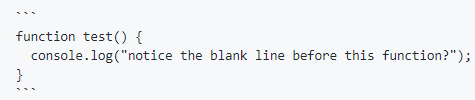
- If you have multiple lines of code, use triple grave accent ( ``` ) to insert multiple lines of code. Example:



Download files
Download the file for your platform. If you're not sure which to choose, learn more about installing packages.
Source Distributions
Built Distribution
Filter files by name, interpreter, ABI, and platform.
If you're not sure about the file name format, learn more about wheel file names.
Copy a direct link to the current filters
File details
Details for the file rmoney_tradion_uat-1.1.1-py3-none-any.whl.
File metadata
- Download URL: rmoney_tradion_uat-1.1.1-py3-none-any.whl
- Upload date:
- Size: 26.0 kB
- Tags: Python 3
- Uploaded using Trusted Publishing? No
- Uploaded via: twine/6.1.0 CPython/3.9.13
File hashes
| Algorithm | Hash digest | |
|---|---|---|
| SHA256 |
530a846ebcad4ce43580a637164dba230dce41aa3d9ecd8bace87eddd1484f5a
|
|
| MD5 |
d091f56769cca3fdea818a39cbee6b52
|
|
| BLAKE2b-256 |
3a1a43ca9e0c1afc37f0bf6324bc221225612d63aa1ed4ddbe5dc01817eb4b38
|






