
RoboMeshCat - Set of utilities for visualizing robots in web-based visualizer MeshCat.

Project description
RoboMeshCat




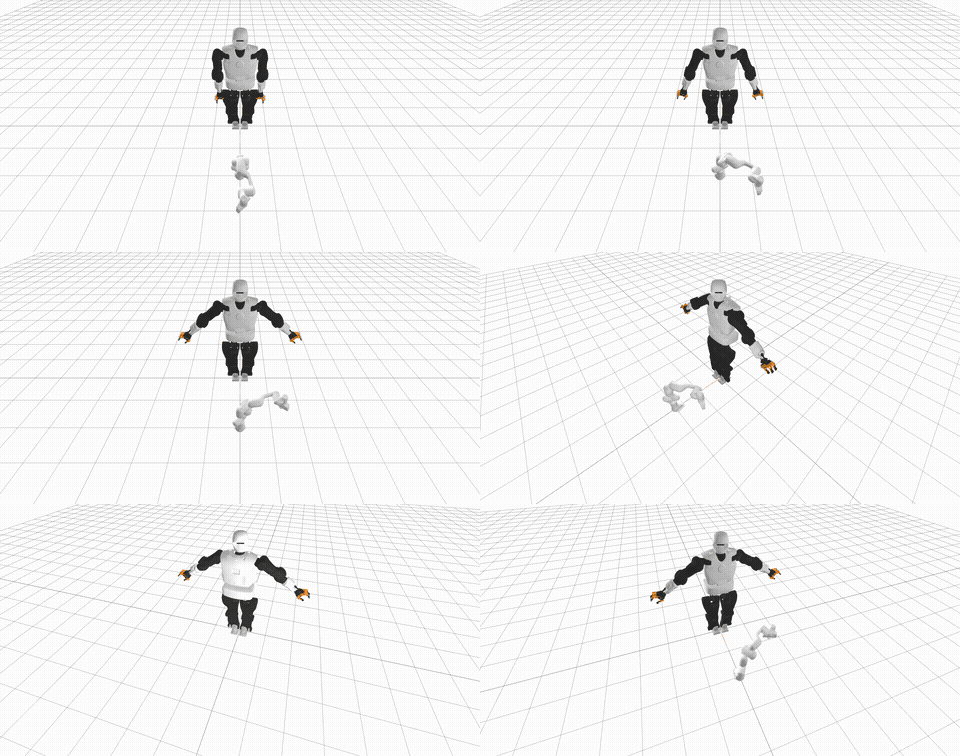
Set of utilities for visualizing robots in web-based visualizer MeshCat. The whole library is object and robot centric allowing you to modify properties of instances rather than manipulating the visualization tree of the MeshCat itself. The library allows you to easily generate videos like this (source code is here):
Installation
From 
conda install -c conda-forge robomeshcat
From PyPI
pip install robomeshcat
Features
Object and robot centric rendering
- supported objects shapes are sphere, cuboid, cylinder, and mesh; you can control:
- color
- transparency/opacity
- pose
- robots can be loaded from URDF (internally represented by pinocchio
library) and you can control:
- color
- transparency/opacity
- pose of the base
- configuration, i.e. joint values
from robomeshcat import Object, Robot, Scene
from example_robot_data.robots_loader import PandaLoader
from pathlib import Path

"Create a scene that stores all objects and robots and has rendering capability"
scene = Scene()
obj = Object.create_sphere(radius=0.1, name='red_sphere', opacity=0.5, color=[1., 0., 0.])
scene.add_object(obj)
robot = Robot(urdf_path=PandaLoader().df_path, mesh_folder_path=Path(PandaLoader().model_path).parent.parent)
scene.add_robot(robot)
"Render the initial scene"
scene.render()
"Update object position in x-axis and robot first joint"
obj.pos[0] = 1.  # or scene['red_sphere'].pos[0] = 1.
robot[0] = 3.14
scene.render()
Animation rendering
- you can easily animate properties:
- poses of the objects
- configurations and poses of robots
- camera pose and zoom
- animation is published automatically after 'with' command finishes/closes
from robomeshcat import Scene

scene = Scene()
with scene.animation(fps=30):
    scene.render()  # generate first frame
    scene.camera_zoom = 0.4  # set the camera zoom, you can also set position and rotation of camera
    scene['obj'].pos[1] = 1.  # move hte object in the second frame
    scene.render()  # generate second frame
Image generation
from robomeshcat import Scene

scene = Scene()
img = scene.render_image()
Video recording
from robomeshcat import Scene

scene = Scene()
with scene.video_recording(filename='/tmp/video.mp4', fps=30):
    pass


Download files
Download the file for your platform. If you're not sure which to choose, learn more about installing packages.
Source Distribution
Built Distribution
Filter files by name, interpreter, ABI, and platform.
If you're not sure about the file name format, learn more about wheel file names.
Copy a direct link to the current filters
File details
Details for the file robomeshcat-1.0.3.tar.gz.
File metadata
- Download URL: robomeshcat-1.0.3.tar.gz
- Upload date:
- Size: 448.4 kB
- Tags: Source
- Uploaded using Trusted Publishing? No
- Uploaded via: twine/4.0.1 CPython/3.9.15
File hashes
| Algorithm | Hash digest | |
|---|---|---|
| SHA256 |
fdf69b013e380b0373d5dcce4b3dd76f665d6546ca77aabe29a02c9ca983322e
|
|
| MD5 |
1eec3916e8590e3ff577a946cb736938
|
|
| BLAKE2b-256 |
56b6c883a47c20f2d87c8cd56340b20a456419edcd1426f4dcac386b9f804c32
|
File details
Details for the file robomeshcat-1.0.3-py3-none-any.whl.
File metadata
- Download URL: robomeshcat-1.0.3-py3-none-any.whl
- Upload date:
- Size: 9.4 kB
- Tags: Python 3
- Uploaded using Trusted Publishing? No
- Uploaded via: twine/4.0.1 CPython/3.9.15
File hashes
| Algorithm | Hash digest | |
|---|---|---|
| SHA256 |
5d1dba8efa1c55764fe40bb9f799c2f33a6c1743c5f23d55bca7c573d1d2a377
|
|
| MD5 |
01f95c795886de0cb702e241083165e0
|
|
| BLAKE2b-256 |
37ef6a394990b4a5c81dc05b3299dffcfafcdd6f1dea031407cb84f1fdf3a2e7
|






