
A robot soccer simulation 2D environment for python.

Project description
Robot soccer Python


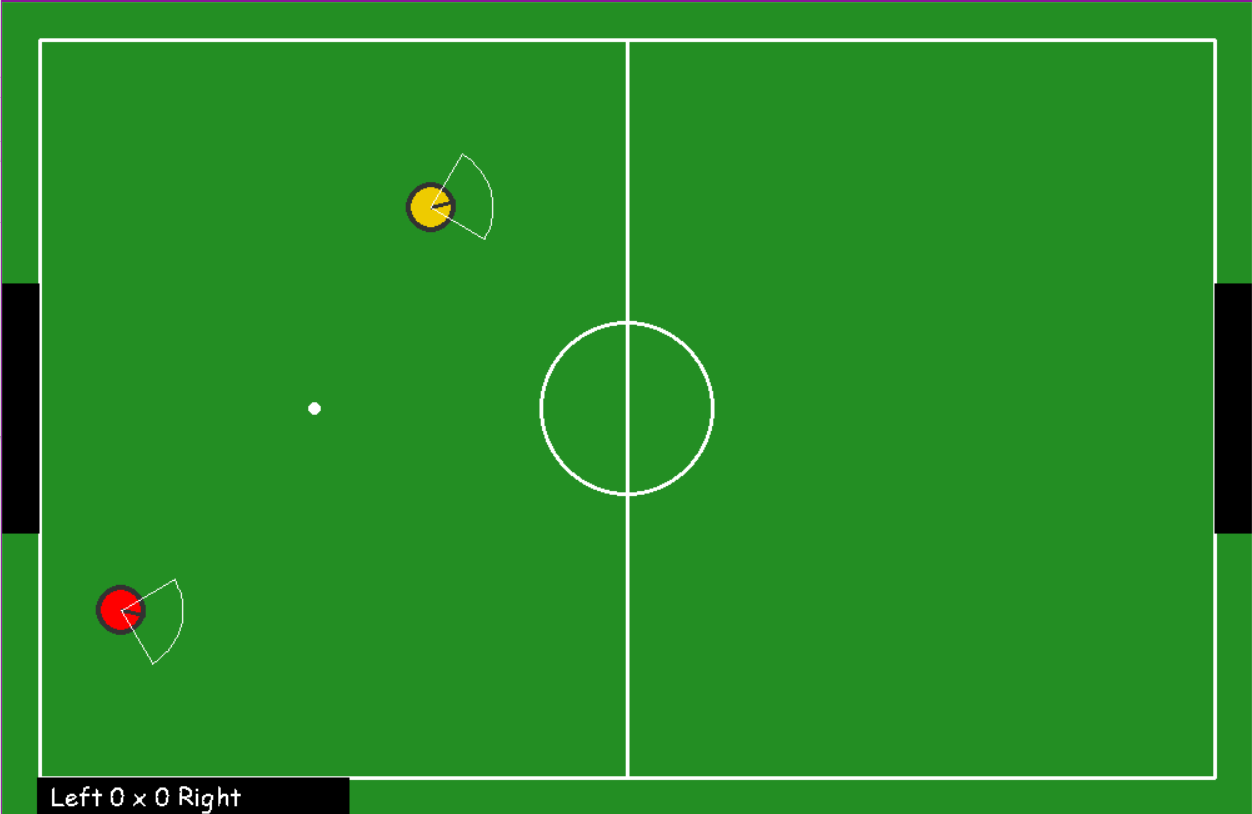
robot_soccer_python is a robot soccer simulation 2D environment for python. I create this project to study AI applied to robot. With this project, you will need only programming the robots' brain. Lets take a look bellow how to install and use this open-source project!
Installation
To install this project is very simple, you only need to write the command bellow in your prompt terminal:
pip install robot_soccer_python
And that's it! Very simple, isn't it?
Usage
To use, I need to explain the classes and methods that you will need.
Pose
This class is used to write a position on the environment. To import you have to write:
from robot_soccer_python.agents Pose
And you have to pass the position x, y and rotation in the plane xy for this class, like Pose(x,y,rotation), remember, rotation is zero when the robot is turn to the positive sense of axis x and π in the negative sense.
Player
This class is used to get and set all the information about the robots. To import this class and initialize a player you have to do:
from robot_soccer_python.agents import Player
player = Player(Pose(3, 3, 0), 2, 2, 0.2)
The first argument is the initial position of the player, the second is maximum linear speed that this player will achieve, the third is the maximum angular speed and the last parameter is the radius of the robot (because the robots are circles and you can change the size).
simulation2D
This class is the most important class that you will need. In this class you will configure the parameters of the simulation, like the list of players and you will get the information about the sensors of the robots. To configure the simulation, you have to do:
from robot_soccer_python.simulation2D import simulation2D
simulation = simulation2D([
    Player(Pose(3, 3, 0), 2, 2, 0.2),
    Player(Pose(6, 3, 0), 2, 2, 0.2)],
    shockable=True,
    full_vision=False)
The first argument is the list of players, the second is if you want that the robots can shock with each other (Like the Pauli exclusion principle "two bodies cannot occupy the same space") or if you don't want this physic principle. The last argument is if you want that the robots will see all in the environment, or if they will see only the the field and players in their field vision. To get the information about the sensors of all the players, you have to do:
simulation.get_sensors()
init_simulation
To pass the frames of the simulation you only need to call this class. Like demonstrad bellow:
from robot_soccer_python.simulation2D import init_simulation
init_simulation(simulation)
Example
A example of a simple simulation is:
from robot_soccer_python.simulation2D import simulation2D, init_simulation
from robot_soccer_python.agents import Player, Pose
import time

simulation = simulation2D(
    [Player(Pose(3, 3, 0), 2, 2, 0.2),
    Player(Pose(6, 3, 0), 2, 2, 0.2)],
    shockable=True,
    full_vision=False)

now = time.time()
now2 = time.time()
command1 = (0, 0)
command2 = (0, 0)
while True:
    if time.time() - now > 2:
        command1 = (1 + command1[0], 1 + command1[1])
        command2 = (1 + command2[0], - 1 + command2[1])
        now = time.time()
    if time.time() - now2 < 3:
        simulation.set_commands([command1, command2])
    else:
        simulation.set_commands([command2, command1])
        if time.time() - now2 > 5:
            now2 = time.time()
    init_simulation(simulation)
    player_sensors = simulation.get_sensors()
Just copy and past after the installation and see what happen!
Sensors
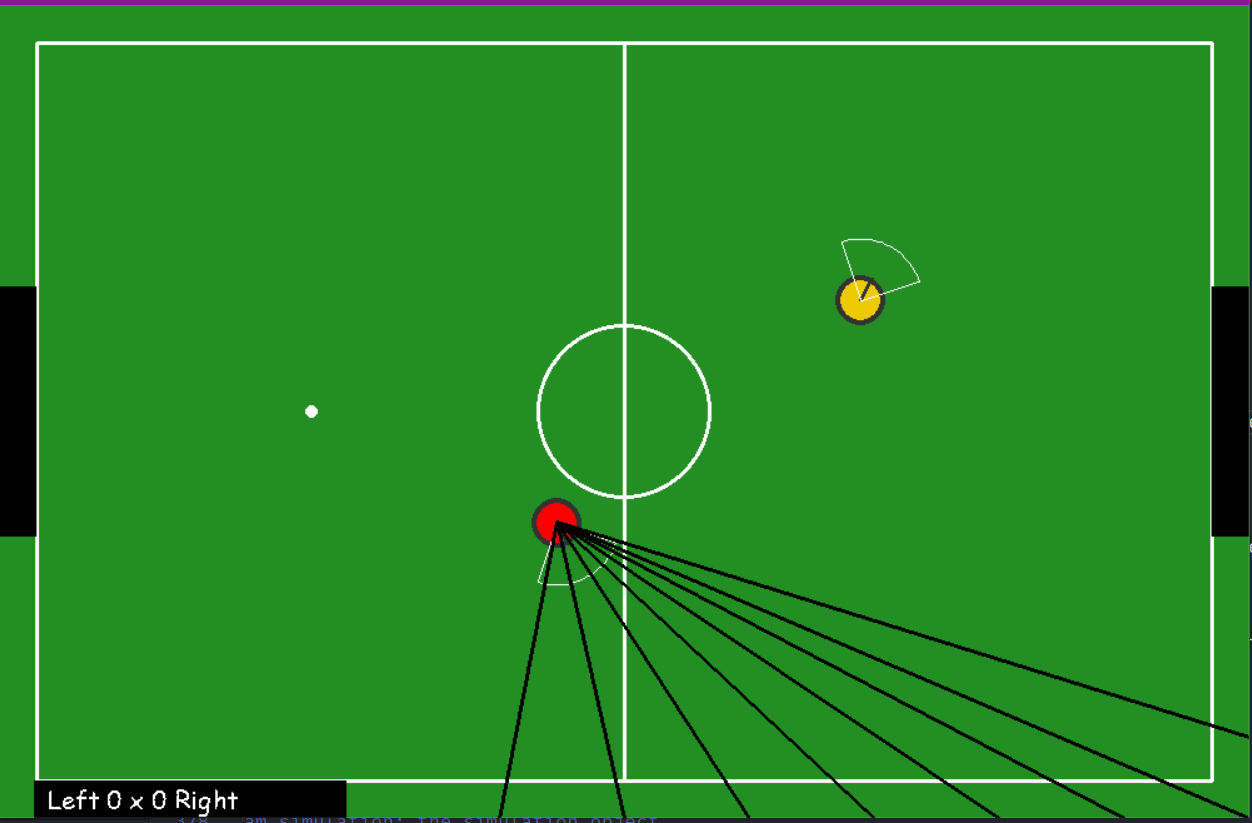
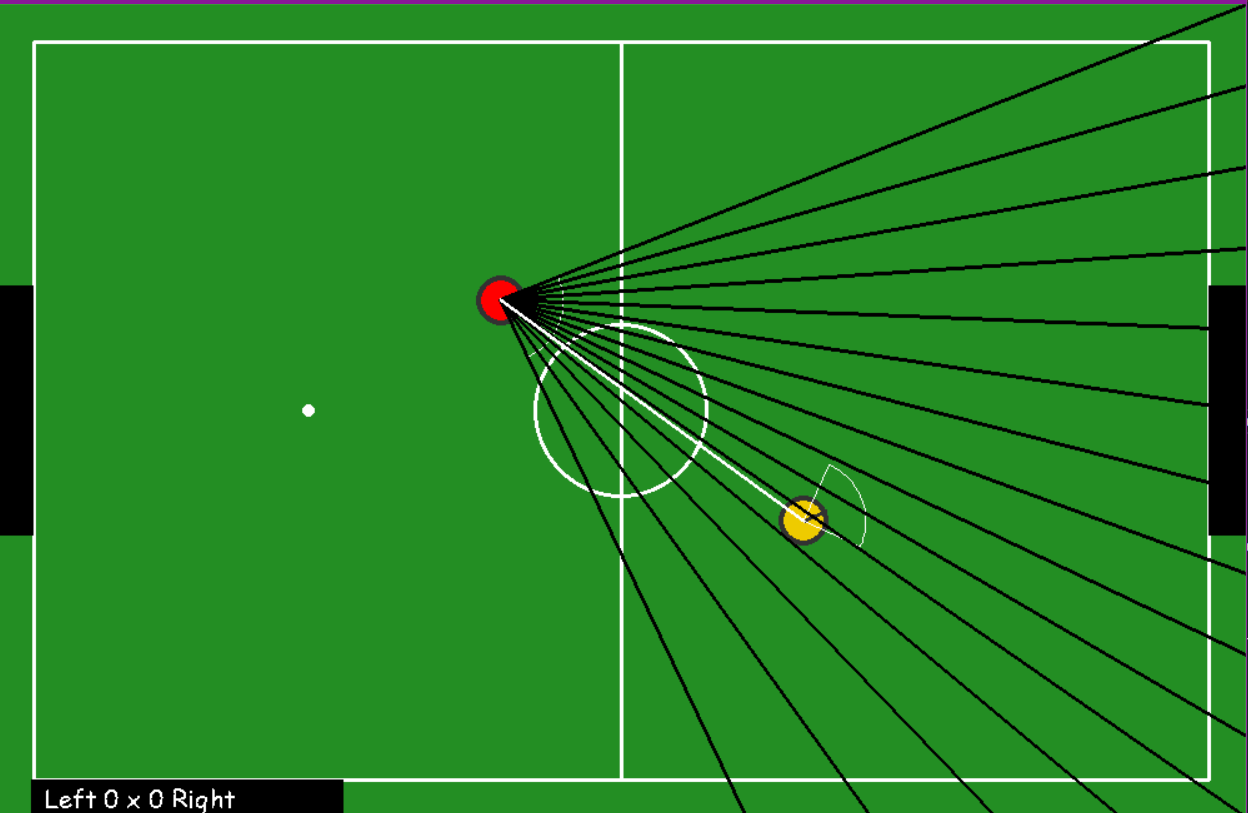
There are 40 points in the soccer field in the contour and the robots can calculate the distance between they and those points, that is the sensors. They can calculate the distance beetween they and other players too, if they are in their field od vision, of course.
I draw the line of vision of the robot to explain how they can see. Below I draw black lines for vision of points on the field and write line for vision of other robot. If the robot cannot see, the data will be infinite.
On the image bellow the red robot cannot see the yellow robot, so there aren't a write line and when you run simulation.get_sensors() the data for the other player's distance will be infinite.
But on the image bellow the red robot can see the yellow robot and there are write line.
Goal
Like the real soccer, if the ball achieve the crossbar, the scoreboard will update and the robots and the ball will replace to the init position.
Did you have any problem?
If you get any problem, please contact me: jonysalgadofilho@gmail.com
If you like to contribute, please do it! I will like so much, I did this project to help me to study AI and I think that can help you, as well.


Download files
Download the file for your platform. If you're not sure which to choose, learn more about installing packages.
Source Distribution
File details
Details for the file robot_soccer_python-1.0.4.tar.gz.
File metadata
- Download URL: robot_soccer_python-1.0.4.tar.gz
- Upload date:
- Size: 14.4 kB
- Tags: Source
- Uploaded using Trusted Publishing? No
- Uploaded via: twine/3.4.1 importlib_metadata/3.10.0 pkginfo/1.7.0 requests/2.25.1 requests-toolbelt/0.9.1 tqdm/4.59.0 CPython/3.8.8
File hashes
| Algorithm | Hash digest | |
|---|---|---|
| SHA256 |
90750ffd992168283c3cbf9e7b46a36840a7aca564857c5a8bca62a972a04b60
|
|
| MD5 |
b2222d5c391543465b087b653a0ff6ef
|
|
| BLAKE2b-256 |
4bba5949b110774cffadf7a2e8802524a479e660109d7f3e1e37f6d57da2c8ac
|






