
robotframework-locust
A Robot Framework library that builds and runs Locust load tests. You write
the load as a Robot suite: the library creates the Locust users, runs them
headless and checks the stats with keywords. Locust Studio shows a run live,
and rflocust-k6 turns a k6 script into a Robot project.
Contents
- Install
- Write a load suite
- Watch it in Locust Studio
- Convert a k6 script
- Safety limits
- Documentation
- For coding agents
- Contributing
- License
Install
Requires Python 3.11 or newer. Robot Framework 7.5 or newer and Locust (2.30 or newer, below 3) install with the library.
pip install robotframework-locust
pip install "robotframework-locust[studio]"   # adds locust-studio
pip install "robotframework-locust[k6]"       # adds rflocust-k6
From a checkout: uv sync, or pip install ..
Write a load suite
*** Settings ***
Library    LocustLibrary

*** Test Cases ***
Home Page Under Load
    Create Load Test    https://test.example.com    allowed_hosts=test.example.com
    Add Get Request    home    /    expected_status=200
    Set Load Stages    30s:10    15s:0
    Run Load Test    max_users=50
    Should Have No Failures
    Export Report    home-run
robot home_load.robot
The suite builds the users, runs them, then checks the numbers. The full example, with waits, stop rules and response-time checks, is in docs/library.md.
Run Load Test logs a stats table and sample calls. The Authorization,
Proxy-Authorization, Cookie, Set-Cookie, X-Api-Key, Api-Key,
X-Auth-Token and X-Access-Token headers show as ***. So do the body
fields password, client_secret, access_token, refresh_token,
id_token and otp, and query values with a masked name. To mask more
names, import the library with mask= and a comma list, such as
Library LocustLibrary mask=token,X-Session. Other names are logged
as sent.
Create Load Test takes verify_tls=False to skip TLS checks, or a CA
bundle file path; a missing file is refused. An empty proxy= reads
HTTPS_PROXY or HTTP_PROXY from the environment; proxy=none turns that
off. no_proxy= takes a comma list of hosts that skip the proxy. A proxy
from the environment also honours NO_PROXY.
Export Report writes two files to Robot's output folder, beside log.html:
home-run_stats.csv and the Locust HTML report home-run.html. The log
links the report. With no name, the files are locust_stats.csv and
locust.html.
The library has keywords for user classes, pacing, stop rules, Python tasks, per-user numbers, data handed between users, and checks for response time, error rate and throughput. See docs/library.md.
Watch it in Locust Studio
locust-studio
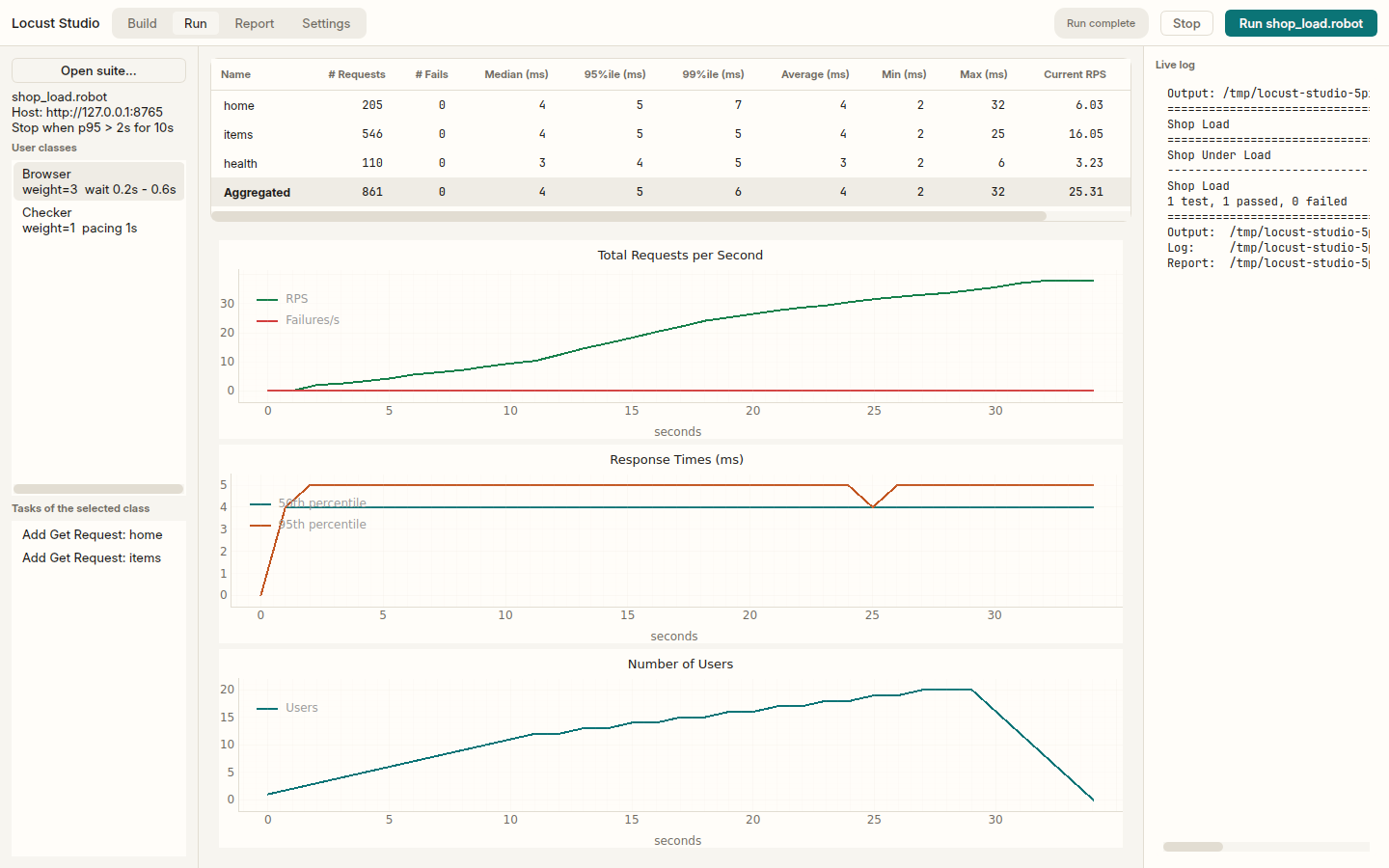
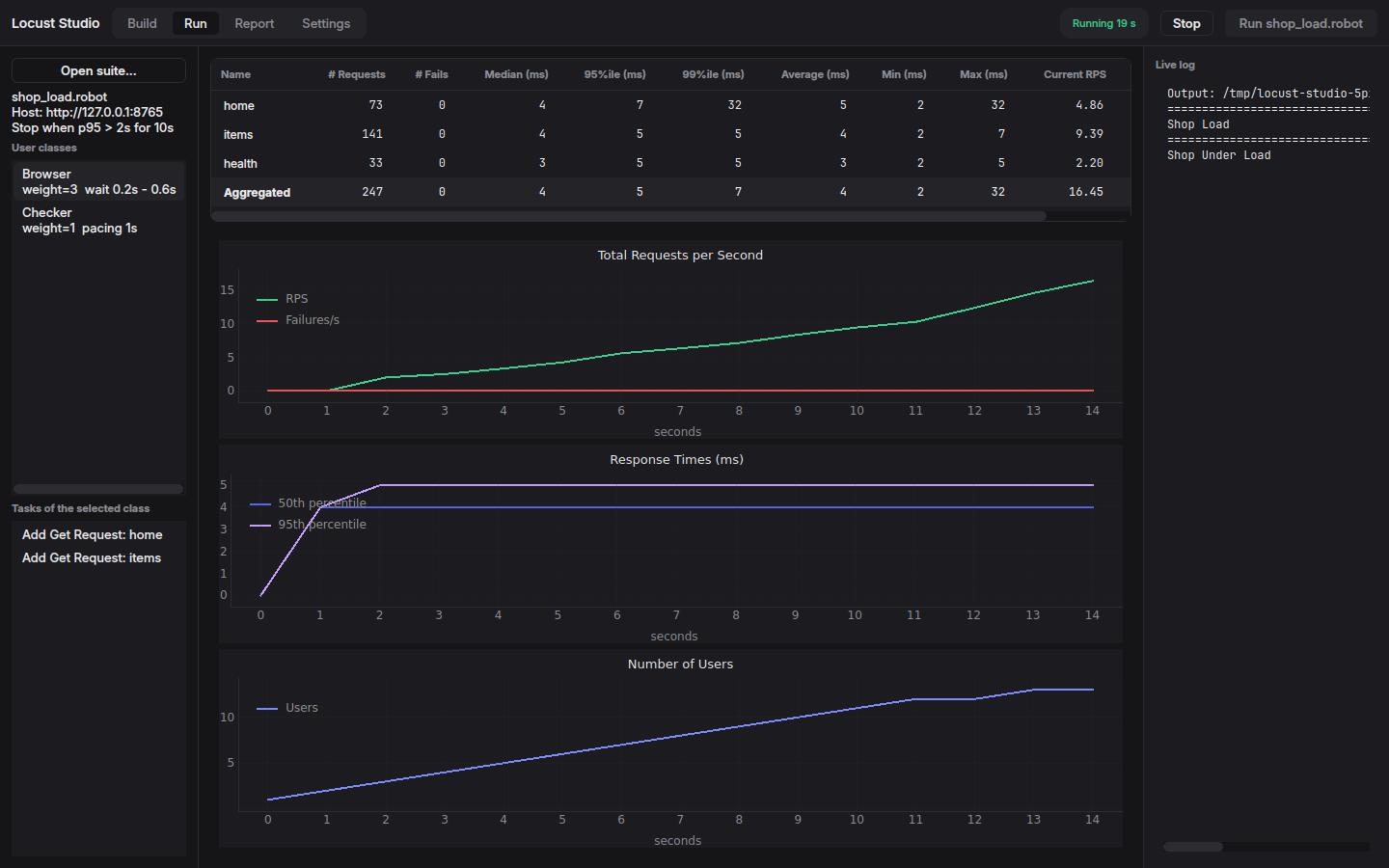
Open a suite (Ctrl+O) and press Run (Ctrl+R). Studio runs the suite under
Robot and updates the stats table and Studio's three charts every second.
When the run ends, the Report tab shows the final stats. Open Robot log is
enabled when the run wrote log.html. Open Locust report is enabled when the
suite called Export Report.
Stop ends a run. A run started from the Build tab then shows "Run stopped". A
suite run shows "Run ended, Robot exit code N", as for any non-zero exit.
Studio has a dark and a light theme and runs on Windows and Linux. See
docs/studio.md.
Convert a k6 script
rflocust-k6 checkout.js --out robot
robot -v ENV:dev robot/tests
The converter reads a literal export const options straight from the
script, without running it. It scans the script's
functions for plain HTTP calls. Stages, thresholds and simple requests become
keywords. A function it cannot read becomes a Python task stub. Until you
port it, the generated suite refuses to start. Set ${ALLOW_STUBS} to
${True} in the env file to run anyway; then the stub records a failed
HAND PORT request and stops its user. A
report gives each item a status, such as mapped, approximate or hand port.
The full list is in the mapping table of docs/k6-converter.md. When the
options are computed, not literal, the converter falls back to k6 inspect.
That runs the script's top-level (init) code as your user, so it needs the
k6 binary on PATH and --trust-script (see
docs/k6-converter.md). Without that flag it exits 1 and names the option it
could not read. The report says read statically or from k6 inspect. The host is the origin the script calls most; --host
sets it instead. An existing tasks file (combined_tasks.py for
combined.js) is kept; --force rewrites it and first copies the old one to
combined_tasks.py.bak. The suites it writes set these limits by default:
allowed_hosts;- the stop rule
fail > 10% for 30s; - the stop rule
idle > 30s; stop_on_fail_ratio=20%on Run Load Test.
See docs/k6-converter.md.
Safety limits
A load test can take a server down. This page lists the limits in short; docs/safety.md holds the full rules. These protections are always on:
- Run Load Test refuses a run above
max_users(default 100). It counts the users that really run: the highest stage, orusers. Afixed_counttotal above that only logs a warning. - The Locust web UI and distributed mode bind 127.0.0.1 only.
Run Distributed checks max_users only when you pass users (default 0, no
check). Start Locust Web takes no user count, so it has no ceiling.
These limits work only when you set them:
- Create Load Test refuses a host that is not on
allowed_hostsorLOCUSTLIBRARY_ALLOWED_HOSTS. With neither set, any host is accepted and one warning is logged. Start Locust Web and Run Distributed check an optionalhostthe same way. Suites made by the k6 converter set the list. Add Stop Rule p95 > 1s for 10sandstop_on_fail_ratio(default 0, off) stop a run early.Add Stop Rule idle > 30sstops a run when no response came back for 30s. By default a stop rule fails the run; end the rule with, stop as passedto only stop. Acpuormemstop rule fails with "Inconclusive: the load machine ...", since the target was not judged. Astop_on_fail_ratiostop also fails the run; setbreaker_fails=Falseto let it pass.fail_on_busy_cpu=Truefails the run when the load generator's CPU went over 90%. Without it, every Should keyword after such a run logs a warning that the numbers may be skewed.shared_limit(library import, default 10000, 0 for no limit) caps the values kept per shared name. Putting more fails.- With
expected_textset, a response whose body lacks that text fails.
Start Locust Web and Run Distributed run your own locustfile as it is: stop rules do not apply to them.
Read docs/safety.md before you point a run at a host you do not own.
Documentation
| Page | What it covers |
|---|---|
| docs/library.md | Writing suites, every keyword, Python tasks, reports |
| docs/safety.md | Every limit and how to set it |
| docs/studio.md | Locust Studio |
| docs/k6-converter.md | The k6 mapping, its limits, porting by hand |
| docs/cli.md | The commands and their options |
| docs/keywords.html | Keyword reference, built by libdoc |
| docs/references.md | Sources: Locust, Robot Framework, Taurus, rfswarm, packaging, gevent, PySide, security, arXiv papers and other research |
| CHANGELOG.md | Changes per release |
For coding agents
.skills/using-locust-library/SKILL.md tells a coding agent how to write,
run and check a load suite with this library, with the safety limits first.
Copy the folder into your agent's skills folder to use it in another repo.
Contributing
See CONTRIBUTING.md for the setup, the checks and the rules a change must keep.
License
MIT. See LICENSE.
1 maintainer

Metadata
1 maintainer
Release files for robotframework-locust 2.0.0
For a detailed explanation of source distributions (sdists) and built distributions (wheels), please see the package formats documentation.
Source distribution (sdist)
| File | Size | Uploaded | Provenance | Actions |
|---|---|---|---|---|
| robotframework_locust-2.0.0.tar.gz | 963.4 kB | With provenance | Details for robotframework_locust-2.0.0.tar.gz |
Built distribution (wheel)
| File | Interpreter | ABI | Platform | Actions Reset |
|---|---|---|---|---|
| robotframework_locust-2.0.0-py3-none-any.whl | Python 3 | none | any | Details for robotframework_locust-2.0.0-py3-none-any.whl |
Total release size: 1.9 MB
Release files / robotframework_locust-2.0.0.tar.gz
| Download URL | robotframework_locust-2.0.0.tar.gz |
|---|---|
| Size | 963.4 kB |
| Tags | Source |
|
SHA-256 checksum How to use checksums |
7d61dffc1290ef48b2d006b614cf9a030a3cc70e5934df9cf37c2121e00ba453
|
|
BLAKE2b-256 checksum How to use checksums |
3c90716c71aa1c435be59696cec9e2751c9ee4ead2f48cc50a863c4af6032a84
|
| Upload date | |
|
Uploaded using Trusted Publishing? What is trusted publishing? |
Yes |
| Uploaded via |
twine/7.0.0 CPython/3.13.16
|
Provenance
Provenance describes where a file came from. On PyPI, provenance is shared via attestations, which provide a verifiable record of the build or publishing details. View details, limitations and caveats.


PyPI Publish Attestation
PyPI verified that this artifact, at this checksum, originated from the publisher listed below.
Signed by GitHub Actions, verified by PyPI on Nov 22, 2026.
Transparency logRelease files / robotframework_locust-2.0.0-py3-none-any.whl
| Download URL | robotframework_locust-2.0.0-py3-none-any.whl |
|---|---|
| Size | 932.4 kB |
| Tags | Python 3 |
|
SHA-256 checksum How to use checksums |
aae52c186b8bf03d3c772b1260901dd852bf451c71121fc0b2caee071777acc0
|
|
BLAKE2b-256 checksum How to use checksums |
ddf381fce9769c0540e657eb9b3301843fceb9600b202e7e7e59184b33c0509b
|
| Upload date | |
|
Uploaded using Trusted Publishing? What is trusted publishing? |
Yes |
| Uploaded via |
twine/7.0.0 CPython/3.13.16
|
Provenance
Provenance describes where a file came from. On PyPI, provenance is shared via attestations, which provide a verifiable record of the build or publishing details. View details, limitations and caveats.
PyPI Publish Attestation
PyPI verified that this artifact, at this checksum, originated from the publisher listed below.
Signed by GitHub Actions, verified by PyPI on Nov 22, 2026.
Transparency logSecurity for robotframework-locust 2.0.0
Provenance
Provenance describes where a file came from. On PyPI, provenance is shared via attestations, which provide a verifiable record of the build or publishing details. View details, limitations and caveats.
Full provenance
Both files in this release have been uploaded with provenance metadata.
Attestation for robotframework_locust-2.0.0.tar.gz
PyPI Publish Attestation
PyPI verified that this artifact, at this checksum, originated from the publisher listed below.
Signed by GitHub Actions, verified by PyPI on Nov 22, 2026.
Transparency logA note on package security
PyPI is a repository for distributing packages, not a service for auditing them. While third-party security researchers and our staff do their best to detect and remove malicious packages, PyPI cannot guarantee the quality, security or suitability of any given package.
To learn more about protecting yourself from malicious actors, visit our package security documentation.














